

What Is an HDMI Cable Used For and Why It Matters
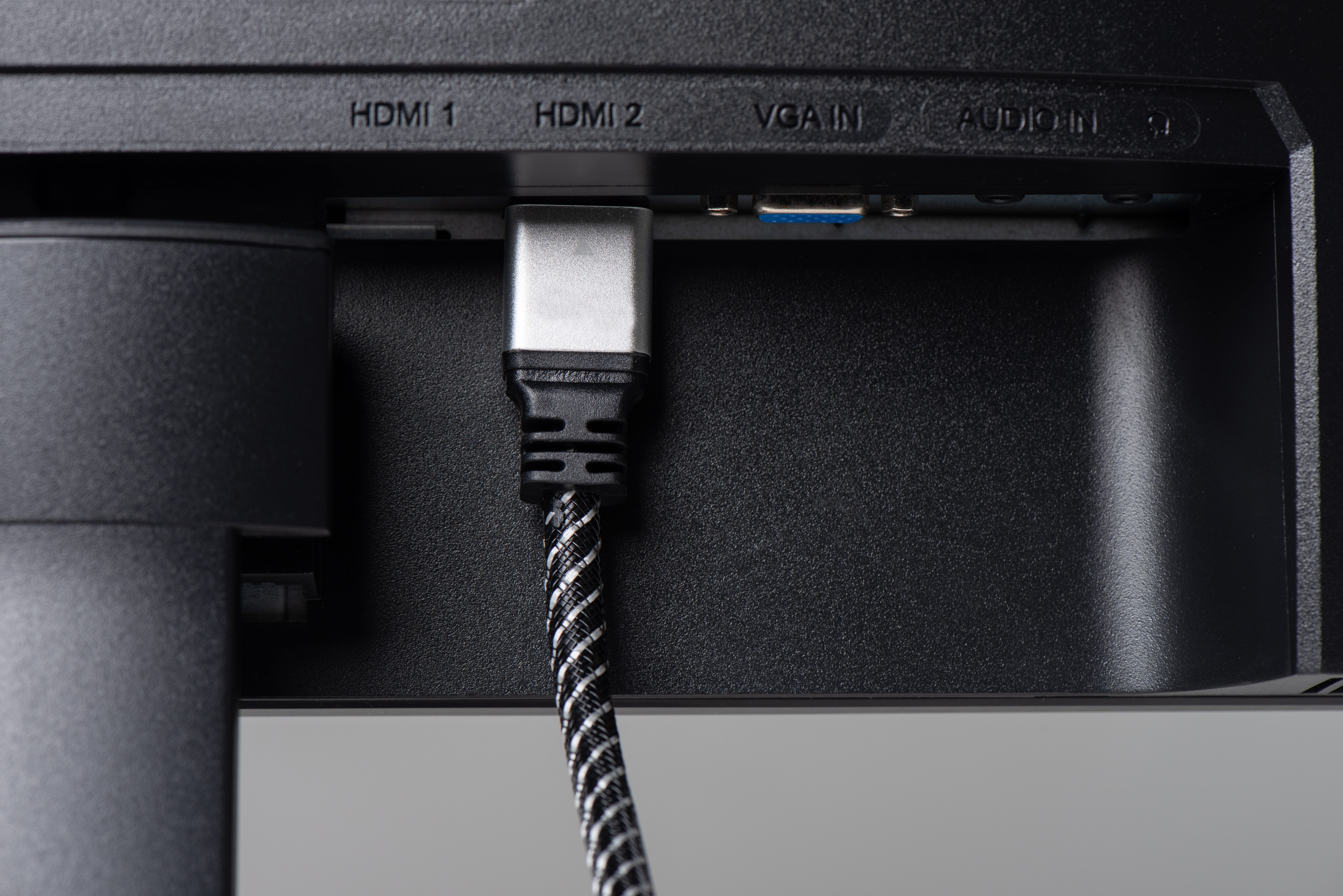
What Is an HDMI Cable and Why Does It Matter?
If you have ever connected a gaming console to a TV, plugged a laptop into a monitor, or set up a home theater system, you have almost certainly used an HDMI cable. It is one of those things people grab without thinking much about it, and yet it is quietly doing a lot of heavy lifting behind the scenes. HDMI stands for High-Definition Multimedia Interface, and the name is pretty telling. It is a single cable standard that carries both high-definition audio and video signals simultaneously from one device to another. No separate audio cable, no complicated adapter chain, just one connection doing the work of many. That simplicity is a big part of why HDMI became the dominant standard in consumer electronics and professional AV environments alike.
How Does an HDMI Cable Actually Work?
At its core, an HDMI cable transmits digital data, and it does so through a series of twisted wire pairs inside the cable jacket. The signal travels from a source device, say a Blu-ray player or a streaming box, through the cable, and into a display like a television or projector. What makes HDMI different from older analog standards like composite or component video is that the signal stays digital the entire way. There is no conversion happening, no quality degradation from analog noise, just clean, digital data moving at speed. The cable also carries a return channel, known as ARC or eARC, which lets audio travel back from the TV to a soundbar or AV receiver without needing a separate optical cable. It is a genuinely efficient system once you understand how it all fits together.
The Different HDMI Versions Explained
Here is where things get a little more involved. Not all HDMI cables are built the same, and the version of HDMI matters quite a bit depending on what you are trying to do. The most common versions you will encounter today are HDMI 1.4, HDMI 2.0, and HDMI 2.1, and each generation brought meaningful improvements in bandwidth and capability.
- HDMI 1.4 supports up to 4K resolution at 30Hz and introduced the ARC audio return channel
- HDMI 2.0 pushed bandwidth to 18 Gbps, enabling 4K at 60Hz with HDR support
- HDMI 2.1 dramatically expanded things to 48 Gbps, enabling 8K at 60Hz, 4K at 120Hz, and full eARC support
- Ultra High Speed HDMI cables are required to take full advantage of HDMI 2.1 features
- Standard High Speed cables work fine for most HDMI 2.0 applications
If you are running a next-generation gaming setup or a serious home theater with 8K content, HDMI 2.1 is the version you should be focused on. For everyday streaming, video calls, and general display use, HDMI 2.0 handles the job without any issues.
What Can You Use an HDMI Cable For?
The applications here are genuinely broad. HDMI cables show up in home entertainment systems, gaming setups, corporate conference rooms, digital signage installations, broadcast production environments, and everything in between. You would use one to connect a PlayStation or Xbox to a TV, run a laptop presentation to a projector, link a streaming device to a monitor, or pipe audio from a television into a surround sound system. They are used in hotels, classrooms, boardrooms, and home offices. The cable has become so universal that many people forget to even consider it as a variable in their setup, which can actually cause problems when the wrong cable is in the wrong application.
Key Advantages of Using HDMI
There are real, practical reasons why HDMI replaced the tangle of older connection standards. For starters, the single-cable convenience is hard to overstate. Before HDMI was widely adopted, getting video and multichannel audio from a source device to a display required multiple cables and sometimes additional hardware. HDMI simplified that completely. Beyond convenience, HDMI supports uncompressed digital audio formats including Dolby TrueHD and DTS-HD Master Audio, which are the highest quality audio formats available on physical media. It also supports HDCP copy protection, which is required to play back protected content from streaming services and Blu-ray discs in full quality. And because the signal is digital, there is no signal degradation of the kind you would see with analog cables over longer runs, at least within the typical passive cable length range.
Common Drawbacks and Limitations to Know
No technology is without its trade-offs, and HDMI is no different. One of the more frustrating limitations is cable length. Passive HDMI cables start to lose signal integrity beyond roughly 25 feet, which can be a real challenge in larger installations. Active cables and fiber optic HDMI options solve this, but they add cost. Version compatibility is another thing to watch, since plugging an HDMI 2.0 cable into an HDMI 2.1 port will limit your performance to what the cable supports, not the port. There is also the occasional frustration with HDCP handshake errors, which happen when two devices cannot properly authenticate each other and result in a black screen or flickering image. These are generally solvable but can be confusing for users who do not know what is causing them.
How to Choose the Right HDMI Cable for Your Setup
The right cable depends entirely on what you are connecting and what you need it to do. If you are setting up a 4K HDR home theater or connecting a next-gen gaming console, you want a certified Ultra High Speed HDMI 2.1 cable. If you are running a 1080p display for a workstation or a conference room screen, a Standard High Speed or High Speed HDMI cable will do the job without any issue. For longer cable runs in commercial or whole-home AV installations, an active or fiber HDMI cable is worth the investment. Always check the resolution and refresh rate requirements of your display and source device before purchasing, and look for cables that carry third-party certification from HDMI.org to ensure they actually meet the advertised specifications.
HDMI vs. Other Cable Standards
HDMI is not the only option on the market, and knowing how it compares to alternatives helps you make smarter decisions. DisplayPort is widely used in PC monitor setups and supports higher refresh rates at comparable resolutions, making it a favorite among gamers and content creators working on desktop systems. USB-C with DisplayPort or Thunderbolt alt mode has become increasingly common in laptops and mobile workstations, offering a versatile all-in-one connector. For commercial AV and long-distance signal distribution, HDBaseT is a competing standard that sends HDMI signals over Cat6 ethernet cable. Each standard has its place, but for consumer electronics, televisions, and plug-and-play simplicity, HDMI remains the default choice in most environments by a wide margin.
Why Monoprice Is the Smarter Choice for HDMI Cables
When it comes to sourcing HDMI cables that actually deliver on their specifications without pushing your budget past the breaking point, Monoprice has built a well-earned reputation in both consumer and professional AV markets. The product lineup covers everything from standard HDMI 2.0 cables for everyday setups to certified Ultra High Speed HDMI 2.1 cables built for 8K and 4K/120Hz gaming environments. Every cable is engineered to meet real performance benchmarks, not just look good on a spec sheet. For integrators managing large installations, the pricing structure makes it entirely practical to outfit a full conference system or multi-room AV deployment without compromising on quality. Whether you are an IT buyer sourcing cables in volume or a home theater enthusiast who wants the right cable the first time, Monoprice HDMI cables for 4K and 8K displays represent a high-performance, cost-conscious solution that consistently delivers. The combination of third-party certified products, transparent specifications, and accessible pricing is exactly the kind of value that keeps professionals coming back.
Frequently Asked Questions About HDMI Cables
What is an HDMI cable used for?
An HDMI cable is used to transmit high-definition video and digital audio simultaneously from a source device, such as a game console, streaming box, or laptop, to a display like a television, monitor, or projector using a single connection.
Does the HDMI cable version really matter?
Yes, it matters depending on your resolution and refresh rate needs. HDMI 2.0 handles 4K at 60Hz, while HDMI 2.1 is required for 4K at 120Hz and 8K content. Using the wrong version can cap your display performance below what your hardware supports.
Can I use any HDMI cable with any device?
Most HDMI cables are physically compatible with any HDMI port, but the cable version determines what signal quality it can carry. For best results, match the cable's version to the requirements of your source and display devices.
How long can an HDMI cable be before signal loss occurs?
Passive HDMI cables typically perform reliably up to about 25 feet. Beyond that length, active HDMI cables or fiber optic HDMI cables are recommended to maintain signal integrity across longer runs.
What is the difference between HDMI ARC and eARC?
ARC, or Audio Return Channel, allows audio to travel from a TV back to a soundbar or receiver over the same HDMI cable. eARC is an enhanced version that supports higher-bandwidth audio formats like Dolby Atmos and DTS-X without compression.
Do more expensive HDMI cables perform better?
Not necessarily. Digital signals either work or they do not, so a certified cable at a fair price performs identically to an overpriced branded alternative at the same specification level. The key is that the cable meets the version standard required for your setup.
What does HDCP mean and why does it matter?
HDCP stands for High-bandwidth Digital Content Protection. It is a form of copy protection required to play back premium content from streaming services and Blu-ray players at full quality. Without HDCP compliance, you may see a blank or degraded image.
Is HDMI better than DisplayPort?
It depends on your use case. HDMI is the standard for televisions and consumer electronics, while DisplayPort is preferred for PC monitors due to its higher refresh rate support and daisy-chaining capabilities. Both are excellent standards in their respective environments.
Can an HDMI cable carry surround sound?
Yes. HDMI cables support multichannel digital audio formats including Dolby TrueHD, DTS-HD Master Audio, and Dolby Atmos when used with eARC-compatible devices. This eliminates the need for separate optical or analog audio cables in most home theater setups.
How do I know if my HDMI cable is Ultra High Speed certified?
Look for cables that carry official certification from HDMI.org, which tests and verifies that cables meet the Ultra High Speed specification required for HDMI 2.1 performance. Certified cables will carry a printed or labeled certification identifier on the packaging or cable itself.


