What Is a DVI Cable? Key Features, Uses, and Compatibility
What Is a DVI Cable and Why Does It Still Matter Today
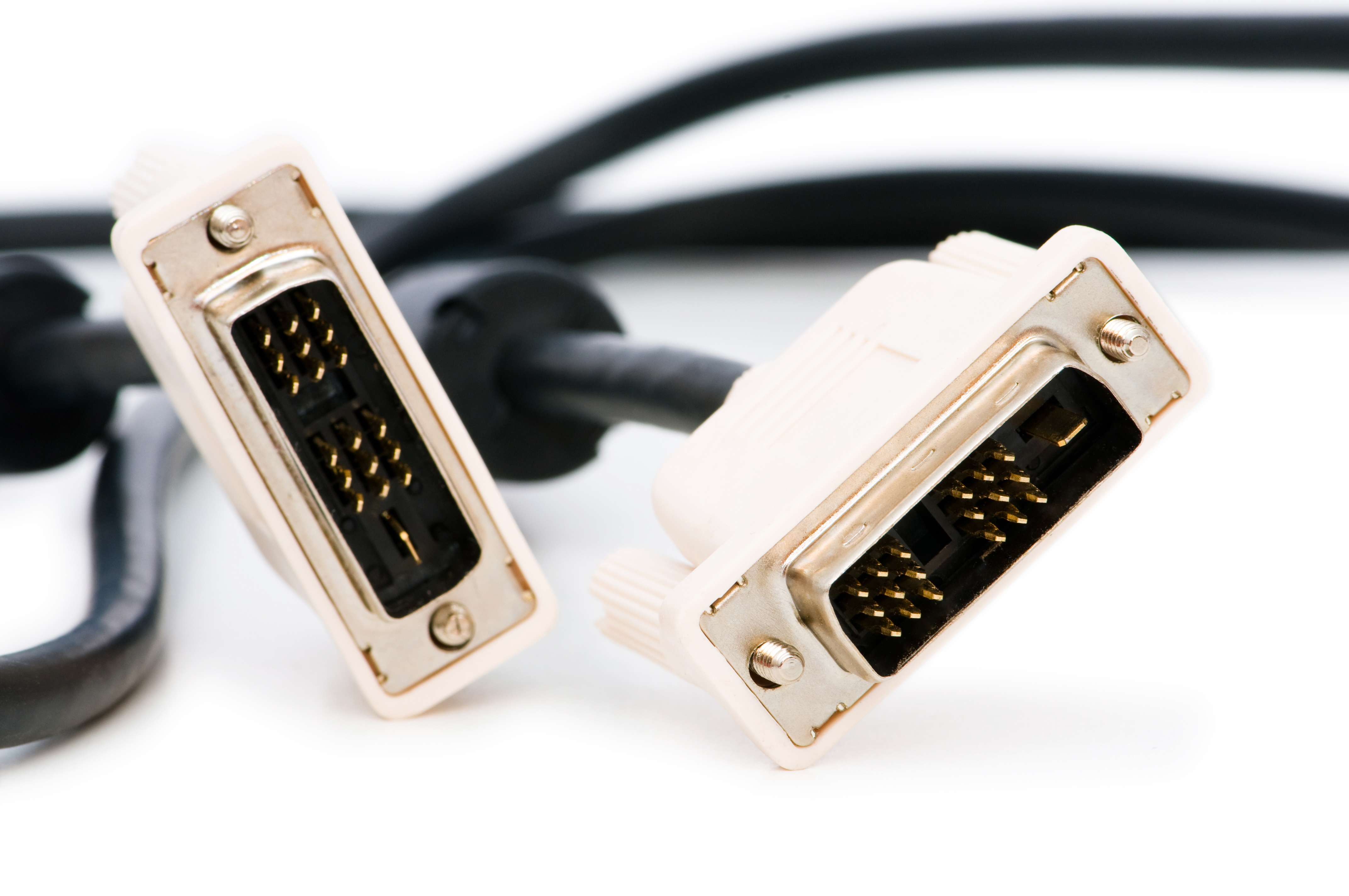
So, DVI cables. If you have been around monitors, graphics cards, or older display hardware at any point in the last two decades, you have probably seen one of these connectors. Chunky, rectangular, with a grid of pins and sometimes that flat blade running alongside them. They look a little intimidating compared to something slim like HDMI, but once you understand what DVI actually does, it starts to make a lot more sense. Digital Visual Interface, which is what DVI stands for, was developed by the Digital Display Working Group and released back in 1999. That is a long time ago in tech years. But the format survived for a reason. It delivered something the industry needed at the time, and honestly, still serves a real purpose for certain setups even now.
How a DVI Cable Actually Works
Here is the basic idea. DVI cables transmit video signal from a source, usually a computer or graphics card, to a display. What makes DVI distinct is that it was designed to carry digital signal, which is a significant step up from older analog-only connections like VGA. The transmission is handled through a protocol called Transition Minimized Differential Signaling, or TMDS. Without getting too deep into the technical side, TMDS basically encodes and sends video data in a way that minimizes signal noise and maintains accuracy across the connection. The result is a clean, stable image. DVI does not carry audio. That is worth knowing upfront. It is a video-only interface, which is either fine or a dealbreaker depending on your setup.
The Different Types of DVI Connectors Explained
This is where people get confused, and honestly, it is a fair thing to be confused about. DVI is not one single connector type. There are several variations, and each one handles signal differently.
- DVI-A transmits analog signal only. It is used to connect older analog displays.
- DVI-D transmits digital signal only. This is the most common type you will encounter.
- DVI-I transmits both analog and digital signals. The I stands for integrated.
- Single-link DVI supports resolutions up to 1920 by 1200 at 60 Hz.
- Dual-link DVI doubles the data channels and supports up to 2560 by 1600 at 60 Hz.
So when you are shopping for a DVI cable, you need to know whether your device is single-link or dual-link, and whether it needs analog or digital transmission. Mixing incompatible types can result in no signal at all. Check your hardware specs first. Seriously, it saves a lot of time.
Common Uses for DVI Cables in Real-World Setups
DVI cables show up most often in PC monitor setups, particularly with older or mid-range hardware that was manufactured before HDMI and DisplayPort became universal on desktop systems. Many graphics cards from the mid-2000s through the early 2010s shipped with DVI outputs as a primary or secondary connection. Monitors in that era often had DVI inputs as their main high-quality option. Even today, you will find DVI ports on certain professional monitors, secondary displays in multi-monitor configurations, and legacy workstations that have not been fully upgraded. It also appears in some projector setups and older KVM switch infrastructure where DVI was the standard at the time of installation.
Key Advantages of Using a DVI Cable
DVI holds up well in specific contexts. The signal quality for digital-only connections is clean and reliable. If you are running a single-link DVI connection at 1080p or 1920 by 1200, the output is sharp, stable, and low-latency, which matters if you are doing precision work on screen or playing games that require fast response. Dual-link DVI pushes that ceiling higher and can handle some resolutions that lower-tier HDMI versions struggle with. DVI is also broadly compatible with adapters. A DVI-I port, for instance, can connect to a VGA monitor using a simple passive adapter. That kind of flexibility is genuinely useful when managing mixed hardware environments, especially in business or IT settings where equipment generations overlap.
Drawbacks and Limitations Worth Knowing
Let's be straightforward about this. DVI has limitations, and for many modern users, those limitations matter.
- No audio support means you need a separate audio cable or alternative connection if your display has speakers.
- Maximum resolution tops out at 2560 by 1600 on dual-link, so 4K is not possible over DVI.
- The connector is physically large and the cable can be stiff, making cable management in tight spaces annoying.
- DVI does not support HDCP 2.2, which is the content protection standard required for 4K streaming and Blu-ray playback.
- Hot-swapping is technically possible but not as seamless as with HDMI or DisplayPort.
For legacy setups or situations where you are working within an existing infrastructure, none of these might be dealbreakers. But if you are building a new system today, DVI is probably not the first interface you would reach for.
DVI vs HDMI vs DisplayPort: How They Compare
It helps to put DVI in context. HDMI emerged as the dominant consumer standard because it carries both audio and video, supports higher resolutions, and works across TVs, monitors, projectors, and a wide range of devices with a smaller, more convenient connector. DisplayPort pushed even further, enabling higher refresh rates, daisy-chaining multiple monitors, and supporting adaptive sync technologies. DVI sits between VGA and these newer formats in the timeline. It solved the analog-to-digital transition effectively, but it did not anticipate how quickly resolution demands and feature sets would expand. That said, DVI-D and dual-link DVI remain respectable for specific use cases, particularly where modern features like 4K or audio passthrough are not needed.
Practical Tips for Using DVI Cables Effectively
A few things worth keeping in mind when working with DVI. Always verify whether your source and display both support the same DVI type before purchasing a cable. If you need to connect a DVI output to an HDMI input, an active adapter may be required depending on signal type. Secure the thumbscrew connectors firmly because DVI connectors can loosen over time, especially on cables that are repositioned frequently. Shorter cable runs generally mean better signal integrity, though DVI cables up to around 15 feet typically perform without issues for standard resolutions. If you are managing older hardware in a business environment, keeping a few DVI cables on hand as spare stock makes practical sense since the format is still widely used in legacy infrastructure.
Why Monoprice Is the Right Choice for DVI Cables and Beyond
When it comes to sourcing reliable DVI cables at a price that actually makes sense, Monoprice delivers consistently. The catalog covers single-link and dual-link DVI-D cables, DVI-I options, and a range of adapters that bridge DVI to HDMI, VGA, or DisplayPort depending on what your setup demands. Every cable is built with the kind of construction quality that holds up in real environments, whether that is a home workstation, a multi-monitor office setup, or a production AV rack. The performance is there. The pricing is fair. And the selection makes it easy to find exactly what you need without overcomplicating the process. If you are managing a mixed hardware environment or just need a cable that works, browsing the full range of professional-grade DVI cables and video connectivity solutions at Monoprice is a smart starting point. This is the kind of purchase where cutting corners costs more in the long run, and Monoprice makes it easy to do it right the first time.
Frequently Asked Questions About DVI Cables
What does DVI stand for?
DVI stands for Digital Visual Interface. It is a video connection standard developed by the Digital Display Working Group and released in 1999 to support digital signal transmission between computers and displays.
Does a DVI cable carry audio?
No, DVI cables do not carry audio. They transmit video signal only. If you need audio from your display, you will need a separate audio cable or a different interface such as HDMI.
What resolution does DVI support?
Single-link DVI supports up to 1920 by 1200 at 60 Hz. Dual-link DVI supports up to 2560 by 1600 at 60 Hz. DVI does not support 4K resolution.
What is the difference between DVI-D and DVI-I?
DVI-D transmits digital signal only. DVI-I transmits both digital and analog signals, making it compatible with a wider range of display types including older analog monitors via a simple adapter.
Can I use a DVI to HDMI adapter?
Yes, DVI-D to HDMI adapters are widely available and generally work well for video signal. However, since DVI does not carry audio, you will not get sound through the adapter unless you use a separate audio connection.
Is DVI better than VGA?
For digital signal quality, yes. DVI-D and DVI-I digital connections deliver a sharper, cleaner image than VGA because VGA is an analog interface subject to signal degradation. DVI was specifically designed to replace VGA in digital display environments.
Can a DVI cable support 144 Hz refresh rates?
Dual-link DVI can support 144 Hz at 1080p resolution, which makes it a viable option for certain gaming monitors that include a DVI port. Single-link DVI is generally limited to 60 Hz at standard resolutions.
Are DVI cables still relevant in 2024?
Yes, in specific contexts. DVI remains relevant for older monitors, legacy workstations, and enterprise environments where existing infrastructure uses DVI connections. For new builds, HDMI or DisplayPort is typically the better choice.
What is the maximum cable length for a DVI connection?
DVI cables up to approximately 15 feet generally perform well without signal issues at standard resolutions. Longer runs can introduce signal degradation, and active signal boosters may be needed for extended distances.
Can I connect a DVI monitor to a laptop?
Most modern laptops do not include a DVI port, but you can use an adapter from HDMI or DisplayPort to DVI to connect a DVI monitor. Compatibility depends on the laptop's output type and the monitor's DVI input type.