

USB-C Explained: What It Is and Why It Matters
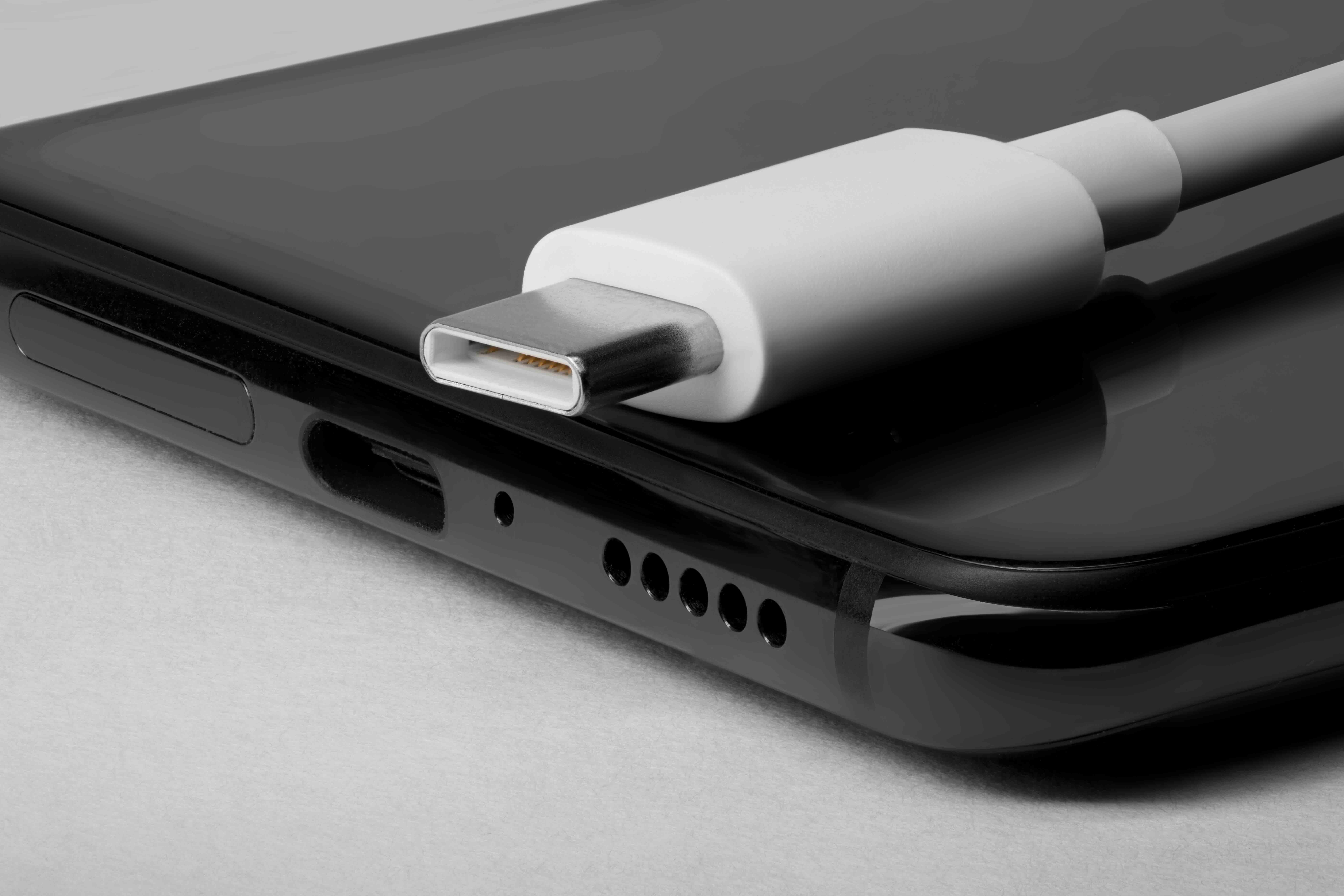
What Is a C-Type USB Port and Why Does It Matter for Your Tech Setup
If you have bought a laptop, smartphone, or peripheral device in the last few years, there is a good chance you have already encountered a USB-C port without fully understanding what makes it different from everything that came before it. The small, oval-shaped connector has quietly become the dominant interface standard across consumer electronics, professional workstations, and enterprise networking environments. Understanding what it is, how it functions, and where its real strengths lie can help you make smarter, more cost-effective decisions about cables, hubs, docking stations, and everything else connected to your workflow. So let us break it down clearly.
USB-C Defined: The Connector That Changed Everything
USB-C, also known as USB Type-C, is a 24-pin connector specification introduced by the USB Implementers Forum in 2014. Its most immediately recognizable feature is its symmetrical, reversible design, meaning it can be plugged in either orientation without fumbling. That alone was a significant quality-of-life improvement over its predecessors. But the form factor is really just the beginning. USB-C is a physical connector standard, not a protocol in itself, which is an important distinction that trips up a lot of people. The port can carry different protocols depending on the device it is built into. That includes USB 2.0, USB 3.2, USB4, Thunderbolt 3, and Thunderbolt 4, among others. So two devices both featuring USB-C ports can have very different capabilities under the hood.
How USB-C Actually Works
At a functional level, USB-C handles three primary jobs simultaneously: data transfer, video output, and power delivery. The connector communicates through a configuration channel that lets devices negotiate what each connection will do. This is why a single cable plugged into a laptop dock can charge your laptop, extend your display to a 4K monitor, and transfer files to an external SSD all at the same time. The USB Power Delivery specification, commonly called USB PD, allows USB-C connections to carry up to 240 watts of power under the extended power range standard. For context, that is enough to charge a high-performance laptop with room to spare. Data transfer speeds vary significantly based on the underlying protocol. A USB4 Gen 2x2 connection over a USB-C port can reach 20 Gbps, while Thunderbolt 4 connections push up to 40 Gbps. DisplayPort Alternate Mode allows compatible devices to output video natively through the same port, making USB-C a true all-in-one interface solution.
Key Advantages of USB-C in Professional and Consumer Environments
The appeal of USB-C extends well beyond its compact size. For integrators, IT professionals, and everyday users alike, the benefits are tangible and immediately practical.
- Universal compatibility across devices and manufacturers
- Reversible connector design eliminates incorrect insertion
- Single-cable docking solutions reduce cable clutter significantly
- High wattage power delivery supports everything from phones to laptops
- Support for video, audio, data, and power over one connection
- Scalable across USB 2.0 through USB4 and Thunderbolt specifications
- Increasingly adopted as the global charging standard for portable electronics
For businesses managing hybrid workspaces or conference room AV setups, USB-C simplifies deployment considerably. One standardized cable type across a fleet of devices reduces purchasing complexity and cuts down on support overhead. That is real value, not just a spec sheet talking point.
Common Drawbacks and Confusion Points to Know About
USB-C is not without its complications, and being upfront about that matters. The biggest source of frustration is the lack of visual differentiation between cables and ports that support vastly different capabilities. A cable that looks identical to a high-performance Thunderbolt 4 cable might only support USB 2.0 data speeds. Without proper labeling or technical knowledge, users can unknowingly bottleneck their setups by using the wrong cable for the application. Device compatibility is another layer to navigate. Not every USB-C port supports video output or high-wattage power delivery. Some ports on budget laptops are USB-C in form only and lack Alternate Mode support entirely. Daisy-chaining displays or running dual 4K monitors requires a port that specifically supports the bandwidth for those tasks. Buying cables and hubs without understanding the underlying protocol support is a common and avoidable mistake.
USB-C vs. Thunderbolt: Understanding the Difference
This is where things get genuinely confusing for a lot of people, and it is worth addressing directly. Thunderbolt 3 and Thunderbolt 4 both use the USB-C physical connector, but they are developed by Intel under a separate certification program with more stringent performance requirements. All Thunderbolt 4 ports are USB-C, but not all USB-C ports are Thunderbolt. Thunderbolt 4 guarantees 40 Gbps throughput, dual 4K display support or single 8K display output, and a minimum of 15 watts of power to connected devices. It also supports daisy-chaining up to six devices from a single port. USB4 bridges some of this gap by adopting Thunderbolt 3 protocols at its upper tiers, but the implementation is not always consistent across manufacturers. If your workflow demands maximum throughput or advanced display configurations, verifying Thunderbolt certification on your cables and hubs is the correct move.
Practical Tips for Getting the Most Out of USB-C
Working with USB-C effectively comes down to a few straightforward habits that save time and prevent performance issues down the line.
- Always verify the protocol supported by your specific USB-C port before purchasing accessories
- Look for cables with clearly marked specifications, including speed rating and power delivery wattage
- Use certified cables for Thunderbolt applications, as uncertified cables can cause instability
- Match your docking station or hub to the protocol your laptop port supports for full performance
- For charging critical devices, use cables rated for the appropriate wattage to avoid slow or failed charging
- Keep firmware updated on USB-C hubs and docks, as manufacturers frequently release compatibility improvements
These are not complicated steps, but they make a meaningful difference in how reliably your setup performs day to day.
USB-C and the Future of Connectivity Standards
The industry trajectory is clearly pointed toward USB-C as the universal connector of record. The European Union has mandated USB-C as the common charging standard for portable electronic devices, which has accelerated adoption across smartphone manufacturers, tablet makers, and laptop brands globally. Apple completed its transition to USB-C across its product lineup, which signals a kind of industry-wide consensus that would have seemed unlikely just a decade ago. USB4 Version 2.0, which supports 80 Gbps bandwidth, is already appearing in newer devices and will continue to expand the performance ceiling of what USB-C connections can deliver. For anyone building out or refreshing a technology infrastructure today, standardizing on USB-C is a forward-compatible choice.
Who Benefits Most from USB-C Technology
The honest answer is almost everyone working in a technology-forward environment. Remote workers benefit from the simplicity of a single-cable docking solution that connects displays, peripherals, and power simultaneously. AV integrators and system builders benefit from the reduced cable count and standardized connector across source devices. IT departments benefit from procurement simplicity and reduced training burden when all devices share a common port type. Content creators working with high-resolution footage or large file transfers benefit from the bandwidth that USB4 and Thunderbolt 4 connections provide over USB-C. Even casual users gain from the convenience of a reversible, fast-charging connector that works across their phone, tablet, and laptop without adapters.
Why Monoprice Should Be Your Source for USB-C Cables, Hubs, and Accessories
When it comes to outfitting your workspace with reliable USB-C infrastructure, the cable or hub you choose matters as much as the device it connects to. Monoprice has built a well-established reputation for delivering high-performance connectivity products at pricing that makes sense for both individual buyers and procurement teams managing enterprise deployments. From certified Thunderbolt cables to multi-port USB-C hubs engineered for real workloads, every product is built to perform without asking you to overpay for the privilege. If you are equipping a home office, a conference room, or an entire facility, you can explore a full range of high-performance USB-C cables and connectivity solutions designed to meet the demands of modern technology environments. Monoprice backs its products with strong warranty coverage and the kind of technical transparency that helps you buy with confidence rather than guesswork.
Frequently Asked Questions About USB-C
What does USB-C stand for?
USB-C stands for Universal Serial Bus Type-C. It refers to the physical shape and pin configuration of the connector, not a specific data transfer protocol or speed standard.
Is USB-C the same as Thunderbolt?
No. Thunderbolt 3 and Thunderbolt 4 use the USB-C connector shape, but Thunderbolt is a separate protocol developed by Intel with higher performance requirements. Not all USB-C ports support Thunderbolt.
Can I use any USB-C cable for fast charging?
Not necessarily. Fast charging requires a cable rated for USB Power Delivery and the appropriate wattage. Always check the cable's wattage rating to ensure it matches your device's charging requirements.
Why does my USB-C port not output video?
Not all USB-C ports support video output. Video over USB-C requires DisplayPort Alternate Mode or Thunderbolt support, which not all ports include. Check your device's specifications to confirm video output capability.
What is USB Power Delivery?
USB Power Delivery, or USB PD, is a charging specification that allows USB-C connections to negotiate higher wattage power transfer, up to 240 watts under the extended power range standard. It enables USB-C to charge laptops and other high-demand devices.
How fast is USB-C data transfer?
Transfer speeds depend on the protocol. USB 2.0 over USB-C provides 480 Mbps. USB 3.2 Gen 2x2 reaches 20 Gbps. USB4 Gen 3x2 supports up to 40 Gbps, and Thunderbolt 4 also delivers 40 Gbps with guaranteed minimum performance standards.
Can USB-C cables be used interchangeably?
The physical connector is the same, but cables vary significantly in the protocols and wattages they support. Using a lower-rated cable for a high-bandwidth or high-wattage application will limit performance. Always match the cable specification to the task.
What is the difference between USB4 and USB-C?
USB-C is a physical connector standard. USB4 is a data transfer protocol that uses the USB-C connector. USB4 represents the latest generation of the USB specification, offering up to 40 Gbps or 80 Gbps in its Version 2.0 form.
Is USB-C becoming the universal standard?
Yes. The European Union has mandated USB-C as the common charging standard for portable electronics, and major manufacturers including Apple, Samsung, and Microsoft have broadly adopted it. USB-C is effectively the emerging universal connector standard.
Do I need a special hub to use USB-C with older USB-A devices?
Yes. USB-C and USB-A are physically incompatible without an adapter or hub. A USB-C hub with USB-A ports allows you to connect legacy peripherals to a USB-C only device, maintaining backward compatibility without replacing existing equipment.


