

RJ45 Connectors: Key to Reliable Wired Networking Solutions
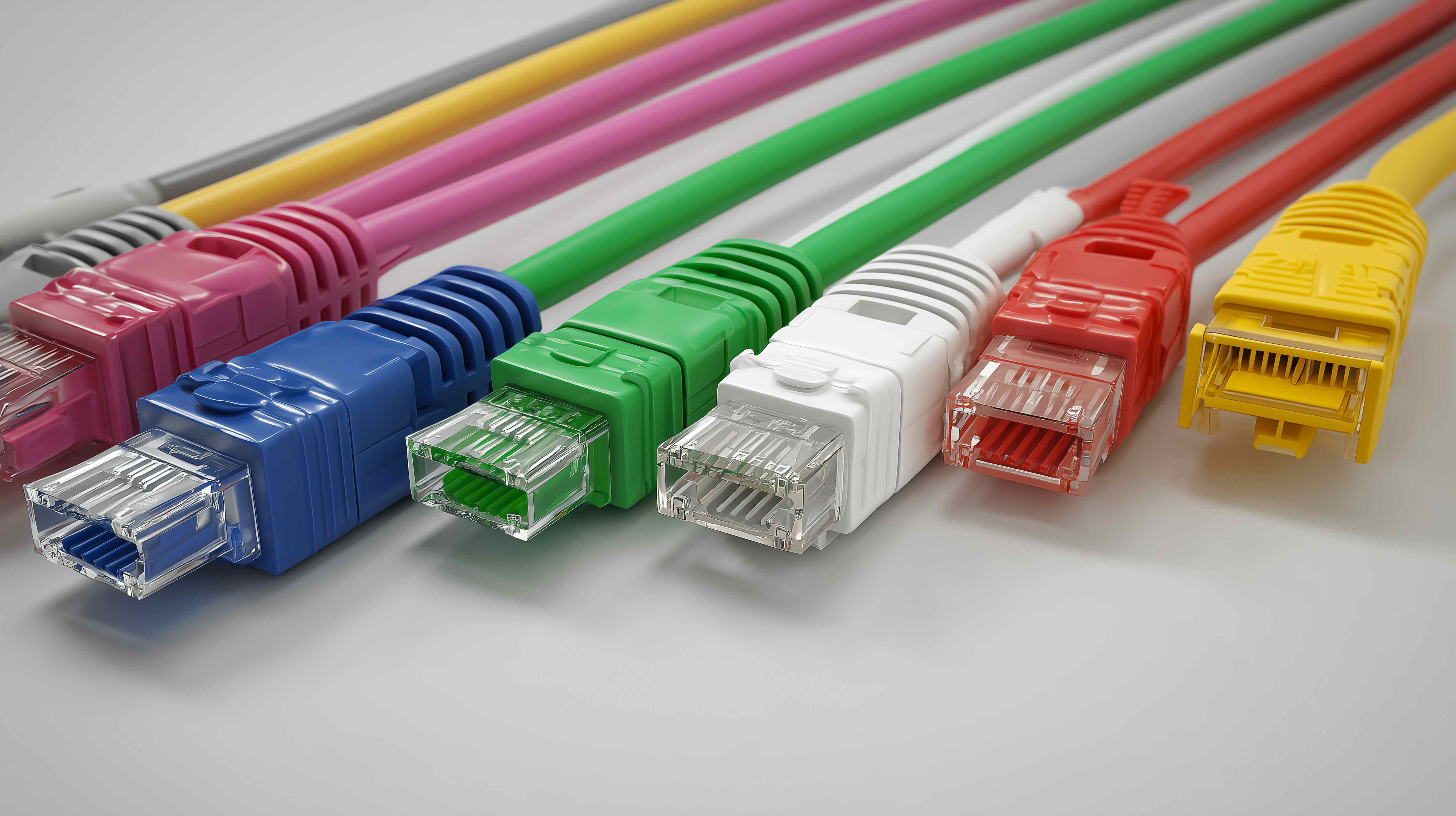
What Is an RJ45 Connector and Why Does It Matter for Wired Networking?
If you have ever plugged an Ethernet cable into a router, switch, or computer, you have already used an RJ45 connector. It is that small, transparent plastic plug at the end of your network cable, and honestly, it is one of the most important little components in modern networking infrastructure. RJ45 stands for Registered Jack 45, and it is the standardized physical interface used to terminate twisted-pair Ethernet cables. Whether you are setting up a home office, wiring a commercial building, or managing a data center, this connector is at the center of it all. Understanding the RJ45 connector size, its structure, and how it functions can save you from a lot of headaches during installation and troubleshooting. It seems small and simple, but there is quite a bit going on inside that compact housing.
RJ45 Connector Size and Physical Dimensions Explained
The RJ45 connector size is standardized, which is part of what makes it so practical across the industry. The connector measures approximately 11.65mm wide, 6.2mm high, and around 13.36mm deep. It features eight pins, or contacts, arranged in a single row inside the housing, and those eight positions correspond to the eight individual conductors inside a standard twisted-pair Ethernet cable. The plug itself is designed to latch securely into an RJ45 port, with a small plastic tab that clicks into place and prevents accidental disconnection. It is a bit larger than the RJ11 connector used for telephone lines, which is a common source of confusion. That slight difference in width is actually meaningful because an RJ45 plug will not fit correctly into an RJ11 jack, and vice versa. Knowing the dimensions matters when purchasing connectors in bulk or selecting keystone jacks and patch panels for structured cabling projects.
How an RJ45 Connector Works Inside a Network
At a functional level, the RJ45 connector is the bridge between your Ethernet cable and any network device. Inside the cable are four twisted pairs of copper wire, totaling eight individual conductors. Each conductor slots into one of the eight metal contacts inside the connector, and when the connector is crimped properly, those contacts pierce the conductor insulation to create a solid electrical connection. This process is called IDC, or insulation displacement contact termination. The twist ratio in each pair is engineered to reduce electromagnetic interference and crosstalk between adjacent wire pairs. When the connector seats into a port, data signals travel across those pins at speeds ranging from 10 Mbps on legacy Cat3 infrastructure all the way up to 10 Gbps and beyond on Cat6a and Cat8 cabling. The connector itself does not actively do anything to the signal, but a poorly terminated or damaged connector absolutely can degrade performance, which is why quality and precise installation both matter.
Straight-Through vs. Crossover Wiring Configurations
One thing that trips people up when working with RJ45 connectors is the difference between straight-through and crossover cable configurations. Both use the same connector and cable, but the pin assignments are different. Straight-through cables, which follow either the T568A or T568B wiring standard, are used for connecting different types of devices, such as a computer to a switch or a router to a patch panel. Crossover cables swap the transmit and receive pairs, and they are used to connect two devices of the same type directly, like two computers or two switches. In most modern networking environments, this distinction has become less critical because many devices now support auto-MDI/MDIX, which automatically detects and adjusts the connection type. Still, knowing the difference is foundational knowledge for anyone working with structured cabling or doing any kind of network installation work.
Key Advantages of Using RJ45 Connectors in Wired Networks
There is a reason RJ45 has remained the dominant wired networking interface for decades. The advantages are real, practical, and well-established across both residential and enterprise environments. Some of the core benefits include the following:
- Universal compatibility across routers, switches, NAS devices, computers, and IP cameras
- Standardized sizing that supports consistent termination across cable categories from Cat5e through Cat8
- Physical locking tab that prevents accidental disconnection in high-traffic wiring environments
- Support for Power over Ethernet, allowing devices like IP phones and access points to receive power through the same cable
- Low cost per unit, making large-scale deployments highly cost-effective
- Reliable, predictable performance when terminated correctly using quality connectors and proper tools
These advantages make RJ45 connectors a foundational choice for anyone building or maintaining a wired network, regardless of scale. From a single-room home setup to a multi-floor enterprise deployment, the connector delivers consistent results.
Common Drawbacks and Limitations Worth Knowing
No component is perfect, and RJ45 connectors do have a few limitations that are worth understanding before you commit to a large installation. The connector housing is made from plastic, and while it is generally durable for stationary use, the locking tab can snap off if a cable is yanked repeatedly at a harsh angle. Once that tab breaks, the cable will not seat properly and may cause intermittent connectivity issues. Additionally, field termination requires a crimping tool and some level of skill. A poorly crimped connector can result in one or more pins not making proper contact, which causes partial connectivity or complete failure. Environmental factors also matter. Standard RJ45 connectors are not rated for outdoor use without additional weatherproofing. In high-humidity or exposed environments, corrosion on the copper contacts can degrade signal quality over time. These are not dealbreakers, but they are real considerations when planning an installation.
Choosing the Right RJ45 Connector for Your Cable Category
Not all RJ45 connectors are interchangeable across cable categories. This is an important point that gets overlooked more than it should. Connectors are typically rated for specific cable types, and using a Cat5e connector on Cat6 or Cat6a cable can result in a poor fit and degraded electrical performance. Cat6 cables often have a larger conductor gauge and a central spline that separates the wire pairs, requiring a connector with a wider channel or a pass-through design that accommodates the spline. Cat6a cables are even bulkier, and they demand connectors specifically engineered for that outer diameter. Some of the key categories to match include:
- Cat5e connectors for standard 10/100/1000 Mbps installations using thinner gauge cable
- Cat6 connectors designed to accommodate the internal spline and slightly larger conductors
- Cat6a connectors built for 10 Gbps applications and larger cable diameters
- Shielded connectors, also known as STP or FTP, for environments with high electromagnetic interference
Matching your connector to your cable category is not just a technical nicety. It is the difference between a network that performs at rated speeds and one that consistently falls short.
Tools and Tips for Proper RJ45 Termination
Getting a clean, reliable crimp on an RJ45 connector requires the right tools and a bit of practice. A quality crimping tool with the correct RJ45 die is non-negotiable. Cheap crimpers often apply uneven pressure, resulting in contacts that do not fully seat into the conductor. A cable stripper helps remove the outer jacket cleanly without nicking the conductor insulation, which can cause shorts. After stripping, untwist and arrange the conductors in the correct order according to either T568A or T568B, flatten them, trim them to uniform length, and then slide them into the connector until each conductor bottoms out against the front of the housing. Insert the connector into the crimper, apply firm and even pressure, and test with a cable tester before running the cable through walls or conduit. One tested, verified connection is worth far more than ten that were rushed through installation.
Why Monoprice Is the Right Source for Your RJ45 Connector Needs
When it comes to building a reliable wired network, the connectors you choose matter more than most people initially realize. Monoprice has built a well-earned reputation for delivering high-performance networking components that combine precision engineering with straightforward pricing. Their RJ45 connectors are manufactured to meet industry standards across multiple cable categories, so whether you are terminating Cat5e for a small office or running Cat6a through a commercial build, there is a connector in the lineup that fits the job. What makes Monoprice a particularly smart sourcing decision is the combination of consistency, value, and selection. You are not paying a premium for branding, you are paying for quality that holds up in the field. For anyone managing a network installation at scale, that balance is everything. Explore the full range of professional RJ45 connectors and wired networking solutions from Monoprice and see how straightforward it is to outfit an entire project without compromising on performance or stretching the budget.
Frequently Asked Questions About RJ45 Connectors
What is the standard size of an RJ45 connector?
An RJ45 connector measures approximately 11.65mm wide, 6.2mm high, and 13.36mm deep. It contains eight pins arranged in a single row and is designed to fit standard Ethernet ports on routers, switches, and network interface cards.
Is an RJ45 connector the same as an Ethernet connector?
Yes, in practical networking terms they are the same thing. RJ45 is the standardized plug used to terminate Ethernet cables, and it is the dominant physical connector for wired local area networks worldwide.
Can I use a Cat5e RJ45 connector on a Cat6 cable?
It is not recommended. Cat6 cables have a larger conductor gauge and often include a central spline that requires a compatible Cat6 connector. Using a Cat5e connector on Cat6 cable can result in a poor crimp, signal degradation, or failure to achieve rated speeds.
What is the difference between shielded and unshielded RJ45 connectors?
Shielded RJ45 connectors, used with STP or FTP cables, include a metal housing or foil shielding that helps block electromagnetic interference. Unshielded connectors are suitable for standard office and home environments where EMI is not a significant concern.
How many pins does an RJ45 connector have?
An RJ45 connector has eight pins, corresponding to the eight individual conductors inside a standard twisted-pair Ethernet cable. All eight positions must be properly terminated to support full Gigabit or higher-speed Ethernet performance.
What tools do I need to terminate an RJ45 connector?
You need a dedicated RJ45 crimping tool, a cable stripper to cleanly remove the outer jacket, and a cable tester to verify the connection after termination. A quality crimper makes a significant difference in the reliability of the finished connector.
What is the difference between T568A and T568B wiring standards?
Both are pin assignment standards for terminating RJ45 connectors. T568B is more commonly used in commercial installations across North America, while T568A is preferred in residential and government applications. The key is to use the same standard on both ends of a straight-through cable.
Can RJ45 connectors be used outdoors?
Standard RJ45 connectors are not designed for direct outdoor exposure. In outdoor or high-humidity environments, you should use weatherproof or gel-filled connectors specifically rated for those conditions to prevent corrosion and signal degradation.
What does Power over Ethernet have to do with RJ45 connectors?
Power over Ethernet, or PoE, uses the same RJ45 interface and Ethernet cable to deliver both data and electrical power to compatible devices like IP cameras, wireless access points, and VoIP phones. The connector itself does not require modification, but the cable and network equipment must support PoE standards.
How do I know if my RJ45 connector is properly crimped?
After crimping, visually inspect the connector to confirm all eight conductors are fully seated and visible at the front of the housing. Then use a cable tester to verify continuity across all eight pins. Any missing pin or wiring fault will be immediately identified by the tester.


