

FireWire Cables: What They Are and Why They Mattered
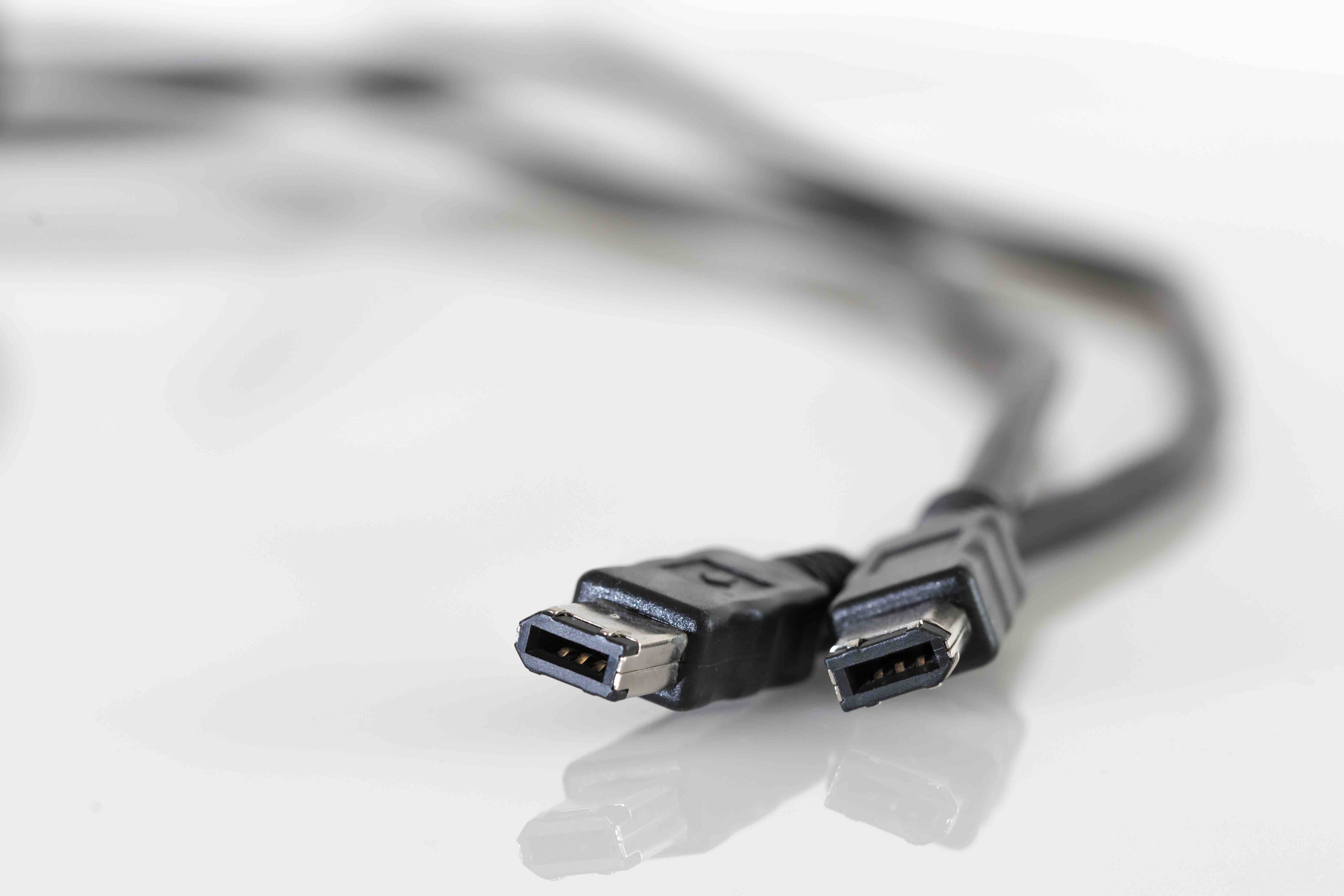
What Are FireWire Cables and Why Did They Matter So Much?
If you have ever dug through a box of old tech gear and pulled out a cable with a small, rectangular or trapezoidal connector you did not immediately recognize, there is a decent chance you were holding a FireWire cable. FireWire, officially known as IEEE 1394, was a high-speed serial bus interface standard developed primarily by Apple in the late 1980s and formally standardized in 1995. It was designed for fast data transfer, particularly for audio and video applications, and for a solid stretch of time it was considered one of the more capable connection technologies available to consumers and professionals alike. Understanding what FireWire cables are, how they work, and why they eventually faded from mainstream use is genuinely useful context, whether you are managing legacy equipment or just trying to make sense of older interface options.
The Technology Behind FireWire: How It Actually Works
FireWire operates as a serial bus, meaning it transfers data one bit at a time across a single channel, but it does so at speeds that were impressive for its era. The original IEEE 1394a standard supported transfer rates of up to 400 Mbps, and later iterations like IEEE 1394b pushed that to 800 Mbps and theoretically beyond. What made FireWire distinct from, say, early USB was its peer-to-peer architecture. Devices connected via FireWire could communicate directly with each other without needing a host computer acting as the central coordinator. A digital video camera could talk to an external hard drive, for example, without routing data through a PC. That was actually a pretty big deal at the time. FireWire also supported isochronous data transfer, which is a technical way of saying it could deliver data at consistent, guaranteed intervals, making it ideal for real-time applications like video capture where dropped frames are unacceptable.
FireWire Connector Types and Cable Variations
Not all FireWire cables look the same, and that has caused a fair amount of confusion over the years. There are three primary connector formats you will encounter.
- 4-pin FireWire 400 connector, commonly used on camcorders and smaller consumer devices, and it does not carry power
- 6-pin FireWire 400 connector, used on desktop computers and some peripherals, and this one does supply power to connected devices
- 9-pin FireWire 800 connector, introduced with IEEE 1394b and found on later Mac computers and professional peripherals
Cables connecting different connector types were common, since you might have a camcorder with a 4-pin port connecting to a desktop with a 6-pin port. FireWire 800 also introduced optical variants capable of longer cable runs, which mattered in professional studio environments where equipment is spread across a room. The physical differences between connector types are significant enough that you cannot simply plug them in interchangeably, so knowing which version you are dealing with is a practical necessity before sourcing cables for legacy setups.
Key Advantages of FireWire Cables
There were real, concrete reasons why FireWire became the interface of choice for video professionals and audio engineers through the late 1990s and into the 2000s. It was not just marketing. The performance characteristics of FireWire addressed specific production needs in ways that competing standards of that era simply did not match.
- Consistent, low-latency data transfer made it reliable for DV camcorder capture workflows
- Peer-to-peer connectivity reduced CPU overhead on the host machine during transfers
- Power delivery over the 6-pin connector meant fewer wall adapters for compatible peripherals
- Hot-swappable connections allowed devices to be connected and disconnected without rebooting
- Up to 63 devices could be daisy-chained on a single FireWire bus
For professional video editors, audio interface users, and early digital filmmakers, these advantages were not trivial. FireWire became essentially the standard connection for DV tape camcorders throughout that entire generation of digital video production.
Common Drawbacks and Limitations to Know
FireWire was genuinely capable technology, but it had real limitations that contributed to its eventual decline. The licensing fees Apple charged for use of the FireWire name and technology created friction with manufacturers, particularly in the PC space. USB was cheaper to implement and, once USB 2.0 arrived with 480 Mbps theoretical speeds, it became good enough for many of the tasks FireWire had owned. FireWire also required dedicated controller chips that added cost to motherboard designs, and as USB became ubiquitous, manufacturers quietly dropped FireWire ports to simplify hardware. Consumer-grade FireWire cables and interfaces were also occasionally prone to static discharge damage, and the peer-to-peer architecture, while useful, introduced some complexity in device management that USB avoided by keeping the host firmly in control.
FireWire vs. USB: Understanding the Competitive Landscape
The FireWire versus USB debate shaped a lot of purchasing decisions during the early 2000s, and the outcome is basically settled history at this point. USB won the consumer market. But the comparison is more nuanced than a simple win-loss. USB was designed to be a universal, accessible interface for a wide range of peripherals, prioritizing ease of use and low cost of implementation. FireWire was purpose-built for sustained, high-throughput transfers with timing guarantees, which is a different design philosophy entirely. For tasks like connecting a keyboard or a printer, USB was always the more practical choice. For sustained video capture from a DV camera or connecting professional audio interfaces, FireWire delivered a more reliable experience through much of that era. The real issue is that USB eventually scaled into USB 3.0 and beyond, achieving speeds that rendered FireWire's performance advantages irrelevant for most applications.
Where FireWire Is Still Used Today
FireWire is largely a legacy standard, but it has not completely disappeared from the world. There are still production environments and research facilities running equipment that relies on FireWire interfaces, particularly older audio interfaces from manufacturers like MOTU and PreSonus that built excellent products around the 1394 standard. Legacy video archiving workflows involving DV and HDV tape formats still require FireWire connectivity to capture footage from original cameras. Some industrial and scientific applications continue using IEEE 1394 because the equipment investment was significant and replacement is not cost-justified. If you are working in one of these contexts, sourcing quality FireWire cables and adapters remains a relevant and practical concern, not just a nostalgia exercise.
Practical Tips for Working With FireWire Cables
If you are dealing with FireWire equipment today, a few practical considerations will save you frustration. Always verify which connector type your devices use before purchasing cables. Confirm whether you need a 4-pin to 6-pin cable, a 6-pin to 9-pin cable, or a straight connection of matching connectors. Keep cable runs reasonably short where possible, as longer cables can introduce signal issues. If your current computer lacks a FireWire port, PCIe expansion cards with FireWire 400 or 800 ports are still available and represent the most straightforward solution for legacy compatibility. On the software side, ensure your operating system still supports the FireWire controller, as driver availability has become patchier over time, particularly on Windows 11 and recent macOS versions. Thunderbolt to FireWire adapters also exist for certain Mac configurations, though compatibility testing before committing to a workflow is strongly recommended.
Why Monoprice Is a Reliable Source for Legacy and Modern Connectivity Solutions
When you are tracking down cables and connectivity solutions for both legacy and current-generation setups, the quality of what you buy matters more than people usually expect. A poorly made cable can introduce signal issues, corrupt data transfers, or simply fail under regular use. Monoprice has built a well-earned reputation as a trusted provider of high-performance cables and connectivity products across a wide spectrum of interface standards, from legacy formats to the latest in high-speed data and AV transfer technology. Whether you are sourcing cables for an older FireWire-based audio workflow or building out a modern USB4 or Thunderbolt infrastructure, the combination of rigorous manufacturing standards and accessible pricing makes Monoprice a genuinely smart sourcing decision for both individual users and procurement teams. Exploring the full range of professional-grade cables and connectivity solutions at Monoprice is a practical starting point for anyone who wants reliable performance without overpaying for a brand name. The depth of the catalog, the build quality, and the value proposition all align in a way that holds up whether you are an IT professional managing a mixed-generation infrastructure or a content creator trying to keep a legacy capture workflow running without constant headaches.
Frequently Asked Questions About FireWire Cables
What is a FireWire cable used for?
FireWire cables are used to transfer data between devices at high speeds, most commonly for connecting digital video cameras to computers, linking external hard drives, and connecting professional audio interfaces. They were especially popular in video production and music recording workflows.
Is FireWire faster than USB 2.0?
FireWire 400 offers up to 400 Mbps of throughput, while USB 2.0 peaks at 480 Mbps in theory. However, FireWire often achieved more consistent real-world speeds due to its isochronous transfer mode and lower CPU overhead, making it preferable for sustained data streams like video capture.
What is the difference between FireWire 400 and FireWire 800?
FireWire 400, based on IEEE 1394a, supports up to 400 Mbps and uses either a 4-pin or 6-pin connector. FireWire 800, based on IEEE 1394b, doubles the bandwidth to 800 Mbps and uses a 9-pin connector. The two versions are not directly compatible without an adapter cable.
Can I still use FireWire devices on a modern computer?
Yes, in many cases. PCIe expansion cards with FireWire ports are available for desktop computers, and Thunderbolt to FireWire adapters exist for some Mac configurations. Driver support varies by operating system, so compatibility verification is important before committing to a setup.
Why did FireWire become obsolete?
FireWire declined primarily because USB became fast enough for most consumer applications, was cheaper to implement, and was backed by a broader coalition of manufacturers. USB 3.0 and later standards eventually surpassed FireWire in raw throughput, eliminating its main performance advantage.
Does FireWire supply power to connected devices?
The 6-pin FireWire 400 connector and the 9-pin FireWire 800 connector both supply power to connected devices. The smaller 4-pin connector used on many camcorders does not carry power and requires the connected device to have its own power source.
How many devices can be connected via FireWire?
The IEEE 1394 specification supports up to 63 devices connected to a single FireWire bus through daisy-chaining or use of a FireWire hub. This made it practical for connecting multiple peripherals in studio and professional production environments.
What replaced FireWire in professional audio and video workflows?
USB 3.0, Thunderbolt, and USB-C have largely replaced FireWire in professional audio and video applications. Thunderbolt in particular offers substantially higher bandwidth and supports daisy-chaining, making it a natural successor for high-performance creative workstation setups.
Are FireWire cables still being manufactured?
Yes, FireWire cables are still manufactured and available, primarily to support legacy equipment still in active use. They are less common than they once were, but sourcing quality 4-pin, 6-pin, and 9-pin FireWire cables for ongoing legacy workflows remains possible through reliable cable suppliers.
What should I look for when buying a FireWire cable?
Verify the connector types on both devices before purchasing. Ensure the cable is properly shielded to minimize interference. Confirm the cable length is appropriate for your setup without being excessively long. And prioritize cables from manufacturers with documented quality standards to avoid signal integrity issues during data transfer.


