Contact Monoprice support for assistance (877) 271- 2592 Skip to main content Skip to footer
If you are visually impaired and are having difficulty navigating this site, please call our Customer Support line via our toll free number 1 (877) 271-2592.
Shopping Cart
Tax and shipping will be calculated at checkout
Subtotal
    Speaker Wire Guide

    Choose the Right Ethernet Cable: STP vs UTP Guide


    Comparison image of two blue Ethernet cables with outer sheaths partially removed. The left cable includes foil shielding, four twisted pairs of wires, and a central separator. The right cable shows the same wire pairs and separator but lacks foil shielding. The word 'VS' is displayed in the center.

    Setting up a high-speed network in a data center or connecting devices in your home office both require one key decision: choosing between shielded and unshielded Ethernet cables. This Ethernet cable guide will walk you through the differences between STP vs UTP cables, explain how EMI and RFI affect performance, and help you select the best Ethernet cable for your environment.


    Understanding Shielded vs Unshielded Cables

    Shielded Ethernet Cables (STP/FTP)


    Shielded cables—also known as STP or S/UTP (Shielded Twisted Pair), FTP or F/UTP (Foiled Twisted Pair), S/FTP (Shielded Foiled Twisted Pair), and U/FTP (Unshielded Foiled Twisted Pair)—are designed to resist electromagnetic interference (EMI) and radio frequency interference (RFI). These cables are ideal for industrial Ethernet cable installations and data center Ethernet cable setups where crosstalk and signal degradation are common.


    Types of Shielded Cables:

    STP (S/UTP)

    Each twisted pair is wrapped in a braided shield.

    FTP (F/UTP)

    All unshielded pairs are enclosed within a single foil shield.

    S/FTP

    Each pair is foil-shielded and the entire cable has an additional braided shield.

    U/FTP

    Each pair is foil-shielded, but there is no overall cable shield.


    Advantages:


    • EMI and RFI resistant cable with superior protection.

    • Reduced crosstalk and signal interference for high-speed network performance.

    Disadvantages:


    • Less flexible and harder to install in tight spaces.

    • Higher cost due to additional materials and complexity.

    Shielded Ethernet Cable Options


    Unshielded Ethernet Cables (UTP):

    Unshielded cables (UTP) rely on the twisting of wire pairs to reduce interference. These are commonly used in residential networking and office environments where EMI and RFI are minimal.


    Advantages:


    • More Flexible and easier to install in tight spaces and around corners.

    • Less expensive than shielded cables for standard applications.

    Disadvantages:


    • Less protection and more susceptible to EMI and RFI.

    • May experience performance issues in high-EMI areas.

    Unshielded Ethernet Cable Options


    Shielded vs Unshielded Ethernet Cable Comparison


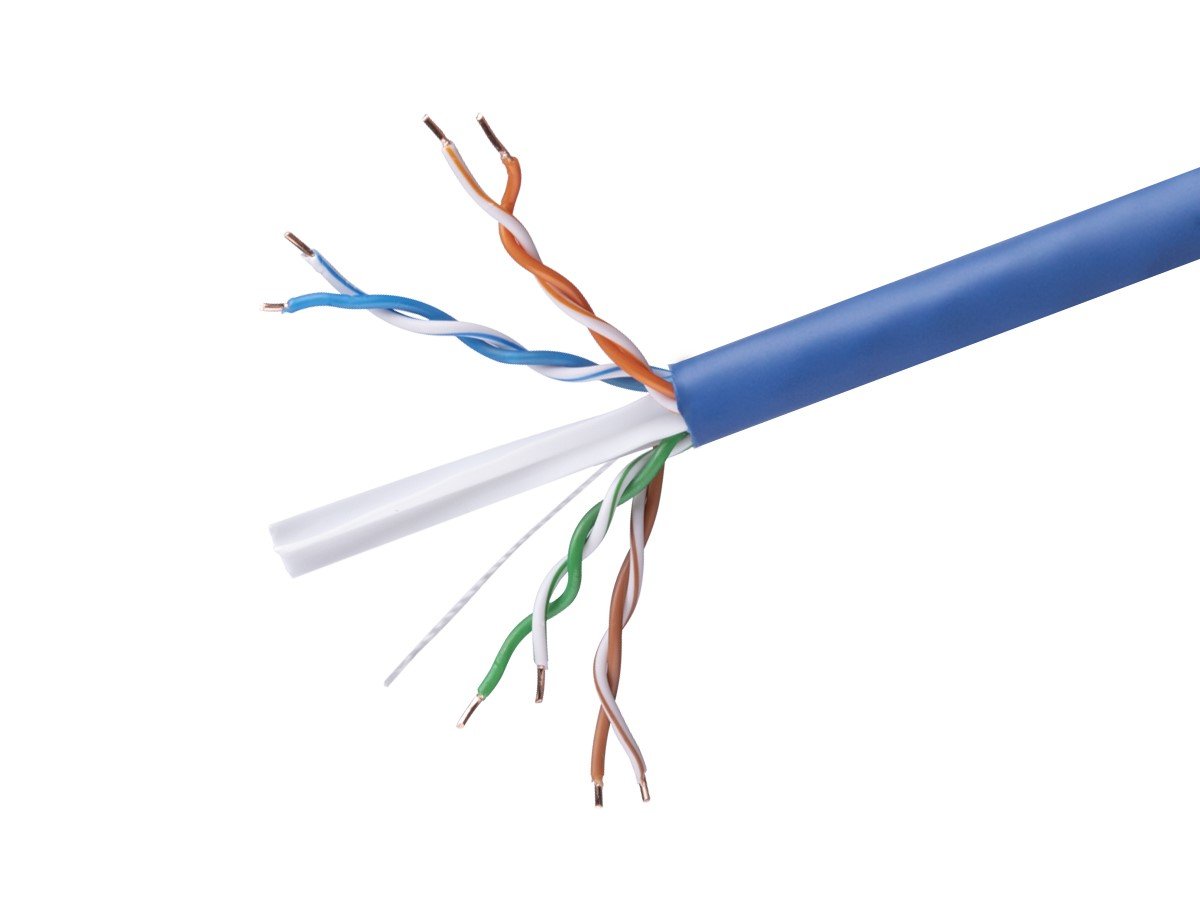
      Close-up of a blue Ethernet cable with its outer sheath partially removed, showing four twisted pairs of wires in orange and white, green and white, blue and white, and brown and white, wrapped in foil shielding. Close-up of a blue Ethernet cable with its outer sheath partially removed, showing four twisted pairs of wires in orange and white, green and white, blue and white, and brown and white, along with a central separator.
    Feature Shielded Ethernet Cable (STP/FTP) Unshielded Ethernet Cable (UTP)
    Structure Additional shielding layers No extra shielding
    Flexibility Less flexible, more rigid Highly flexible, easy to bend
    Performance Superior performance in high-interference environments Good performance in low-interference environments
    Cost More expensive More cost-effective
    Ideal Use Industrial settings, high EMI/RFI areas Residential, standard office environments
    Safety Factor Higher protection from interference Lower protection from interference
    Voltage Capacity Suitable for high-voltage Suitable for standard voltage


    Indoor vs. Outdoor Network Cables

    When choosing between shielded and unshielded cables, consider the installation environment:


    Indoor Cables:

    Shielded

    Best for EMI-heavy environments like server rooms and other industrial settings.

    Unshielded

    Ideal for standard office environments and homes where interference is minimal.

    Outdoor Cables:

    Shielded

    Offers protection against environmental and electrical interference.

    Unshielded

    Suitable for basic outdoor use with minimal interference and will not offer as much protection against the elements.


    Terminating Network Cables: RJ45 Connectors & Keystone Jacks


    When making and terminating your own cables, it’s important to use the proper connectors to maintain the integrity of the cable’s performance.


    RJ45 Connectors


    Close-up of two RJ45 connectors, one metallic and one transparent, each featuring eight gold-plated pins.

    • What They Are: RJ45 connectors are the standard connectors used for Ethernet cables. They are used to connect your cable to network devices like routers, switches, and computers.

    • How They Work: These connectors have eight pins that correspond to the eight wires inside Ethernet cables, allowing for proper data transmission.

    • When to Use: Use shielded RJ45 connectors for shielded cables to maintain the EMI protection throughout the connection. Use standard RJ45 connectors for unshielded cables.

    Shop RJ45 Modular Plugs


    Keystone Jacks


    Close-up of three Ethernet keystone jacks: a white CAT.6 jack with color-coded wiring labels, a metallic shielded CAT.6A jack, and a white CAT.5 jack.

    • What They Are: Keystone jacks are modular connectors used in wall plates and patch panels and help organize your network installation.

    • How They Work: They provide a port for RJ45 connectors to plug into, making it easy to connect and disconnect devices from the network.

    • When to Use: Use shielded keystone jacks for shielded cables to maintain shielding integrity. Use standard keystone jacks for unshielded cables.


    Shop Network Keystone Jacks


    Why Choose Monoprice Network Cables?

    Looking for reliable network cables that won't let you down? Here’s why Monoprice is your go-to choice:


    100% Pure Bare Copper


    Our cables feature top-quality pure copper, ensuring the best audio performance for all your needs.

    Wide Selection


    Whether you need cables for personal use or large-scale projects, we have a variety to choose from.

    Volume Pricing


    Enjoy great savings on wholesale purchases with our competitive volume pricing.

    Lifetime Warranty


    Every cable comes with a lifetime warranty, giving you peace of mind.

    Easy 30-Day Returns


    Not completely satisfied? Our hassle-free 30-day return policy has got you covered.

    Tech Support


    Our expert tech support team is always ready to answer your questions and help you choose the perfect product.

    Comprehensive Business Support

    Our sales representatives are available via phone or email to assist with custom quotes, and our convenient line of credit can help expand your business procurement.

    Trusted Experience


    With over 22 years in the business, you can count on Monoprice for quality and reliability.

    At Monoprice, we're here to make sure you get the best networking experience possible. Shop with confidence and discover why our customers keep coming back!


    Wrapping Up

    Choosing between shielded and unshielded Ethernet cables depends on your environment and performance needs. Shielded cables (STP/FTP, S/FTP, U/FTP) offer superior protection against EMI and RFI, making them ideal for industrial settings and data centers. Unshielded cables (UTP) are flexible and cost-effective, perfect for residential networking and office environments with minimal interference.

    Quick Recap:

    • Go Shielded: For EMI-resistant cable performance in high-interference zones.
    • Go Unshielded: For easy installation and affordability in low-interference areas.

    Understanding the differences between STP vs UTP cables helps you future-proof your network and ensure reliable connectivity.

    For high-speed Ethernet cable options, RJ45 connectors, keystone jacks, and more, explore Monoprice.com and find the best Ethernet cable for home, office, or commercial use.


    Click the link below for further assistance on your networking cable needs:

    Monoprice Guide to Network Cables & Accessories


    Ready to upgrade your setup? Use the link below to browse our network cable catalog and find the perfect fit for your setup!

    Networking
    Cables


    Sign up for more Ethernet cable insights


    Monoprice Academy Resource Articles
    SIGN UP FOR EMAIL DEALS
    SUBTotal
    Tax and shipping will be calculated at checkout
    MY CART