

Wiring HDMI Cables: Versions, Uses, and What to Buy
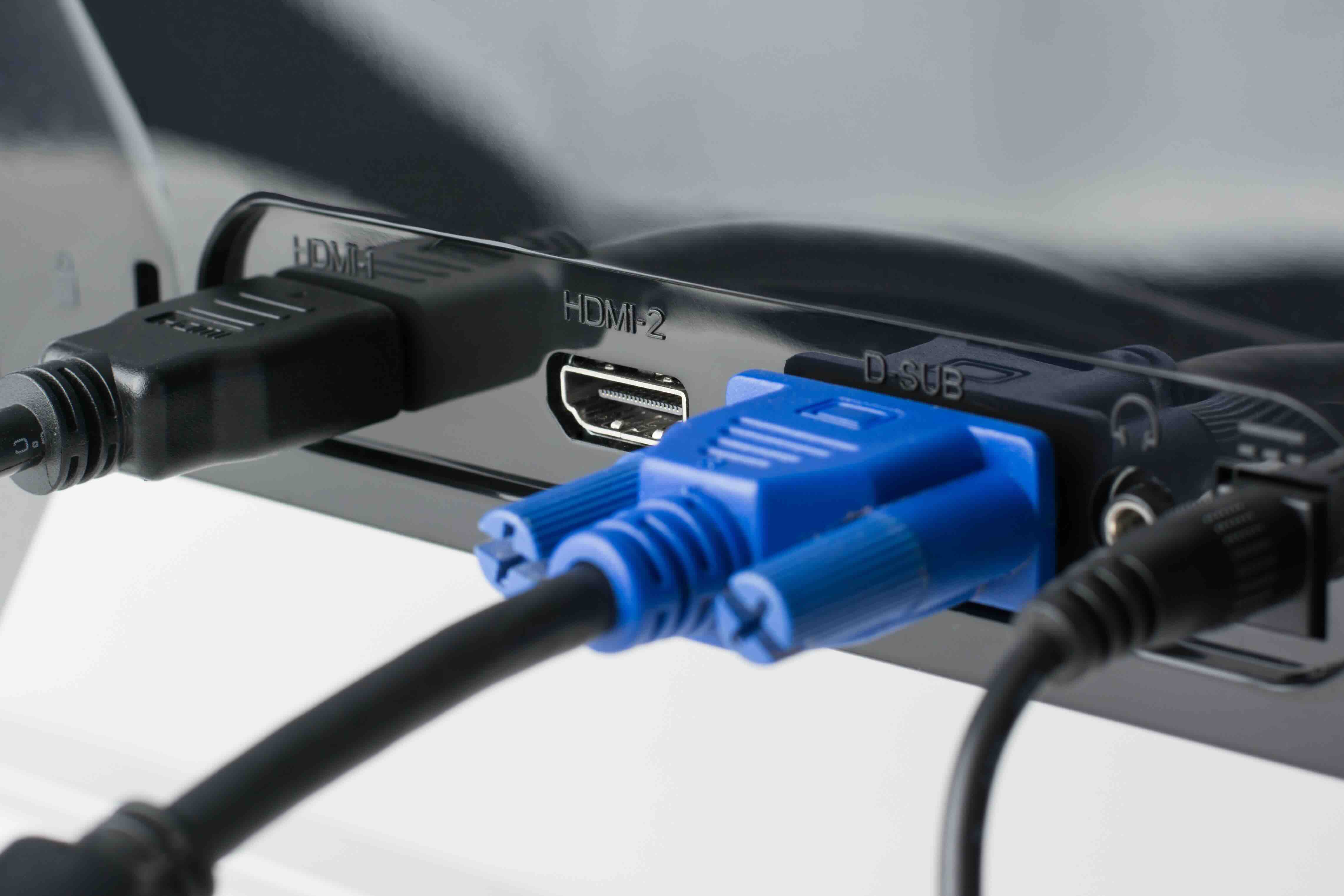
What Is an HDMI Cable and Why Does It Matter?
If you've ever connected a gaming console, laptop, or streaming device to a television or monitor, you've probably used an HDMI cable without giving it much thought. That single cable is doing a lot of heavy lifting. HDMI, which stands for High-Definition Multimedia Interface, was introduced in the early 2000s and has since become the universal standard for transmitting high-quality audio and video signals over a single connection. One wire, one connection, and you've got picture and sound handled simultaneously. It's worth understanding what goes into that, especially now that the spec has evolved significantly over the past few years.
How HDMI Cables Actually Work
At its core, an HDMI cable carries digital data. Unlike the old analog cables that had to convert signals and inevitably lost quality in that process, HDMI transmits everything digitally from source to display. The signal travels through a series of twisted wire pairs inside the cable, shielded to reduce electromagnetic interference. There are multiple channels inside that handle different parts of the data stream: one set for video, another for audio, and additional lines for things like device communication and power. The grounding structure within the cable is important here too. A properly grounded HDMI cable helps maintain signal integrity across longer runs and in environments with a lot of electronic noise, which matters more than most people realize in complex AV setups.
HDMI Versions Explained Simply
This is where a lot of people get confused, so let's keep it straightforward. The version of HDMI determines how much data the cable can carry, which directly affects what resolutions and frame rates it supports. Here's a quick breakdown of the major versions still relevant today:
- HDMI 1.4 supports up to 4K at 30Hz and is still common in older devices
- HDMI 2.0 bumps that to 4K at 60Hz and supports HDR content
- HDMI 2.1 is the current high-performance standard, supporting 8K at 60Hz, 4K at 120Hz, and dynamic HDR with enhanced refresh rates for gaming
- Ultra High Speed HDMI certification means a cable has been tested to handle the full 48Gbps bandwidth that HDMI 2.1 demands
Worth noting: the cable you use needs to match the demands of your source and display. A cable marketed as "4K" doesn't automatically mean it supports 4K at 120Hz. That distinction matters, especially for competitive gaming or high-end home theater setups.
Wiring an HDMI Cable: What's Inside
If you've ever cut open a cable out of curiosity, the inside of an HDMI cable is more complex than it looks. The standard Type A connector, which is the full-size plug most people are familiar with, carries 19 pins. Inside the cable itself you'll find three shielded twisted pairs for the TMDS data channels, a clock channel pair, a utility channel, a DDC and CEC line, and a handful of ground wires. The grounding in HDMI cables isn't just a technical formality. It's what keeps the signal clean. Poor grounding or cheap shielding in a cable can introduce artifacts, dropouts, or handshake failures, those frustrating moments where your display just goes black for a second or refuses to recognize the source device. Higher quality cables invest in better shielding materials and tighter construction tolerances, and that investment shows in real-world performance.
The Key Advantages of HDMI
HDMI's staying power comes from a clear set of practical advantages that have made it hard to displace in most consumer and professional applications:
- Single cable convenience carries both audio and video in one connection
- Broad device compatibility spans televisions, monitors, projectors, soundbars, AV receivers, and more
- Digital transmission delivers lossless signal quality compared to analog alternatives
- CEC functionality allows connected devices to communicate and control each other
- eARC support on HDMI 2.1 enables high-quality audio return from a display back to a receiver
- Wide bandwidth headroom in newer versions accommodates evolving display technologies
For integrators and AV professionals, that single-cable architecture simplifies installations significantly. Fewer cables means less clutter, fewer failure points, and faster troubleshooting when something does go wrong.
Common Drawbacks and Limitations to Know
HDMI isn't without its frustrations. One of the most common issues is cable length. Standard passive HDMI cables start to struggle around 25 feet, with signal degradation becoming a real concern at longer runs. Active HDMI cables or fiber optic HDMI alternatives solve this, but they come at a higher price point and require careful selection based on the use case. Another issue is connector durability. The standard Type A connector isn't designed for repeated plugging and unplugging, so in environments where cables get moved frequently, the physical connection can wear over time. HDCP compliance, which is the copy protection handshake built into HDMI, can also cause compatibility headaches between certain sources and displays, particularly in complex matrix switching setups. These aren't dealbreakers, but they're worth knowing going in.
Choosing the Right HDMI Cable for Your Setup
The honest answer is that for most people running a cable between a streaming device and a television in the same room, a well-constructed Standard or High Speed HDMI cable does the job without any drama. Where selection becomes more critical is in gaming setups targeting high refresh rates, professional AV installations with longer cable runs, or home theaters configured for the highest possible image quality. For those applications, you want a cable that is either certified by HDMI.org as Ultra High Speed or clearly spec'd to support the bandwidth your equipment actually requires. Connector quality, shielding grade, and conductor material all factor into long-term reliability. Paying a little more for a cable that's been properly constructed and tested is almost always the smarter move over replacing cheap cables every couple of years.
HDMI vs. DisplayPort vs. USB-C: Which Should You Use?
DisplayPort and USB-C with Thunderbolt or Alt Mode capabilities are legitimate alternatives depending on your setup, especially in PC and professional monitor configurations. DisplayPort tends to support higher refresh rates at premium resolutions and is often preferred for gaming monitors. USB-C is increasingly common on laptops and mobile devices, offering display output alongside data and power in one connection. But HDMI remains the dominant standard for televisions, projectors, AV receivers, and most consumer electronics. If your display has HDMI and your source has HDMI, using a quality HDMI cable is typically the path of least resistance with the broadest compatibility. In mixed setups, adapters are available but introduce additional potential failure points, so native cable connections are always preferable where possible.
Why Monoprice Should Be Your Source for HDMI Cables
When it comes to sourcing HDMI cables that actually perform the way they're described, Monoprice has built a well-earned reputation among both everyday consumers and professional AV integrators. The product lineup covers every application, from standard High Speed cables for everyday connections to Ultra High Speed HDMI 2.1 certified cables built for 8K and high-refresh gaming environments. Construction quality is taken seriously, with proper shielding, quality connectors, and the kind of build consistency that matters when you're running cables through walls or deploying across multiple installations. Whether you're setting up a single living room display or speccing out a full commercial AV environment, finding the right high-performance HDMI cables for 4K and 8K displays at a price point that doesn't compromise your budget is exactly what Monoprice delivers. The combination of tested performance, honest specifications, and fair pricing is what keeps professionals and home users coming back.
Frequently Asked Questions About HDMI Cables
What does HDMI stand for?
HDMI stands for High-Definition Multimedia Interface. It is a standardized interface used to transmit uncompressed digital audio and video data between compatible devices over a single cable.
Does the quality of an HDMI cable affect picture quality?
For short cable runs with standard resolutions, most reasonably constructed cables perform similarly. However, at longer distances, higher resolutions, or higher refresh rates, cable quality, shielding, and conductor construction can affect signal reliability and overall performance.
What is the difference between HDMI 2.0 and HDMI 2.1?
HDMI 2.0 supports up to 4K at 60Hz with a maximum bandwidth of 18Gbps. HDMI 2.1 significantly increases bandwidth to 48Gbps, enabling 4K at 120Hz, 8K at 60Hz, and features like dynamic HDR and enhanced audio return channel.
How long can an HDMI cable be before signal quality drops?
Standard passive HDMI cables reliably transmit signals up to approximately 25 feet. Beyond that length, signal degradation can occur. Active HDMI cables or fiber optic HDMI solutions are recommended for longer runs.
What is Ultra High Speed HDMI certification?
Ultra High Speed HDMI is a certification issued by HDMI.org confirming that a cable has been independently tested and verified to support the full 48Gbps bandwidth required for HDMI 2.1 features including 8K resolution and 4K at 120Hz.
Can I use an older HDMI cable with a new 4K or 8K device?
Older cables may work for basic connections, but they will not support the full capabilities of newer devices. To take advantage of higher resolutions, higher refresh rates, or HDR passthrough, a cable rated for those specifications is required.
What causes HDMI handshake failures?
HDMI handshake failures occur when connected devices cannot complete the HDCP authentication process. This can result from incompatible equipment, firmware issues, low-quality cables with poor shielding, or complex signal paths involving switches and splitters.
Is there a difference between HDMI cable types by connector size?
Yes. Standard Type A is the most common full-size connector. Type C, called Mini HDMI, and Type D, called Micro HDMI, are smaller versions used on cameras, tablets, and certain laptops. Type B and Type E are less common and used in specific applications.
Do HDMI cables support audio as well as video?
Yes. One of the primary advantages of HDMI is that it carries both high-definition video and multi-channel audio over a single cable. Supported audio formats include Dolby Atmos, DTS:X, and standard stereo, depending on the connected devices and HDMI version in use.
What is ARC and eARC on an HDMI connection?
ARC stands for Audio Return Channel and allows audio to travel from a television back to a connected soundbar or AV receiver without a separate cable. eARC, introduced with HDMI 2.1, expands that capability to support high-bandwidth lossless audio formats including Dolby Atmos and DTS:X at full quality.


