

Wire Management Panels for Clean, Professional Rack Builds
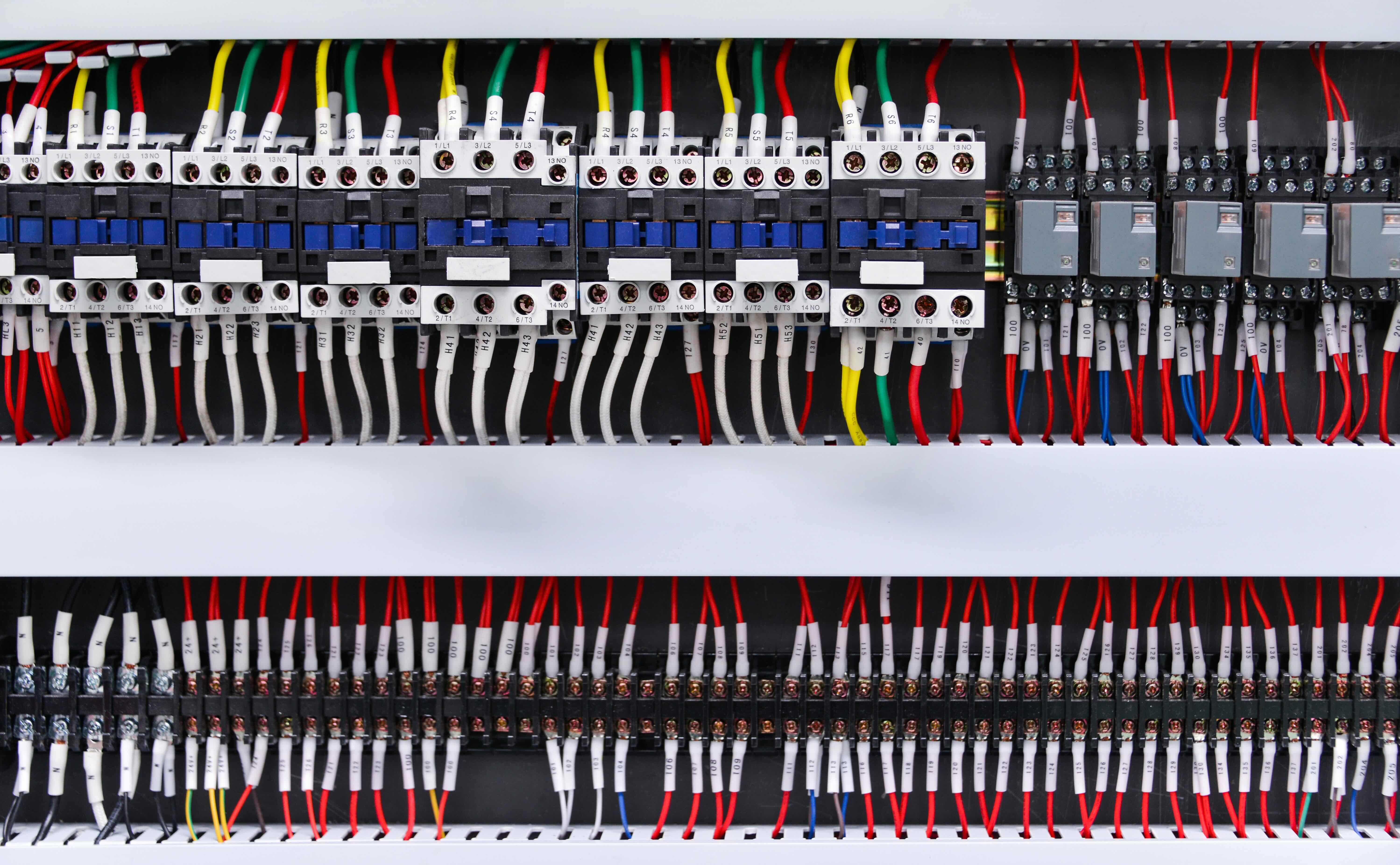
What Is a Wire Management Panel and Why Does It Matter in Your Setup?
If you have ever looked at the back of a server rack, an AV equipment cabinet, or even a home office desk and felt a wave of stress from the tangle of cables staring back at you -- yeah, that is a real problem. Wire management panels exist specifically to solve that. A wire management panel is a physical accessory -- usually a 1U or 2U rack-mountable unit -- designed to route, organize, and secure cables in a structured cabling environment. It keeps patch cables, power cords, and data lines neatly directed between patch panels, switches, and other gear without the chaos of loose runs crossing everywhere. It sounds simple because it is, but its impact on your infrastructure is actually significant. Clean cable runs affect airflow, reduce signal interference risk, simplify troubleshooting, and honestly just make your installation look like it was done by someone who knew what they were doing.
How Wire Management Panels Work in a Rack Environment
The mechanics here are pretty straightforward, which is part of why this product category often gets overlooked. A wire management panel typically mounts in a standard 19-inch equipment rack using the same rack unit system as switches, patch panels, and other components. Horizontal models route cables side to side across the width of the rack, while vertical panels run cables along the sides of the rack from top to bottom. Most horizontal units include either a single cable trough or a series of rings, fingers, or channels that physically guide cables in a controlled path. You route patch cables through these guides as you make connections at adjacent patch panels or switches. Some panels have covers or lacing bars to keep bundles tight and accessible at the same time. The result is a structured layout where every cable has a designated path rather than just flopping across other equipment.
Horizontal vs. Vertical Wire Management Panels
This distinction comes up fast once you start planning a rack layout, and it is worth getting straight early. Horizontal panels are inserted between rack-mounted devices to manage the short patch cable runs going across a specific row. They are common in installations where most connections stay within a few rack units of each other. Vertical panels attach to the sides of an open-frame or two-post rack and handle longer cable runs that travel the full height of the rack. Here is a quick way to think about when you might need each one:
- Horizontal panels work well for dense patch panel deployments where short jumpers need to stay clean and accessible
- Vertical panels are better suited for power cabling, longer data runs, or setups where cable entry points are at the top or bottom of the rack
- Using both together is common in professional data center and AV rack builds
- Single-sided panels guide cables in one direction while double-sided panels allow routing from both the front and rear
Key Advantages of Using Wire Management Panels
There is a reason professional installers and IT teams treat wire management panels as non-negotiable in any serious rack build. The benefits compound over time, especially in environments where equipment gets added, swapped, or reconfigured regularly. First, airflow is a real concern in any rack with active equipment running heat. Loose cables bunch up and block cooling paths. Managed cables stay out of the way, which keeps temperatures stable and equipment running longer. Second, troubleshooting a cabled mess during an outage is not something anyone wants to do. Organized cable runs let technicians identify, trace, and swap connections quickly without disturbing adjacent gear. Third, professional appearance matters in commercial installs, client-facing server rooms, and integrated AV systems. A structured rack signals competence and builds trust with clients and stakeholders. And fourth, reducing cable stress -- by supporting cable weight and avoiding sharp bends -- extends the life of your patch cables over time.
Common Drawbacks and Limitations to Know
Wire management panels are not magic, and they do come with trade-offs worth thinking through before you spec a rack. One common complaint is that adding horizontal managers between every patch panel row increases the total rack space required. A rack that might fit 24U of equipment without managers may only fit 18U once you add a 1U panel between each layer. That is a real cost if rack space is limited. Also, some cheaper panels use plastic finger designs that break under repeated use or when pulling cables during moves and changes. Material quality matters more than it looks on a spec sheet. Rear cable management can also be awkward if the panel design does not account for cable depth on the backside. Always check that the panel accommodates the actual cable volume and bend radius requirements for your specific installation before purchasing.
What to Look for When Choosing a Wire Management Panel
Buying the right panel means matching the product to the environment, not just the rack unit size. Here are the most practical criteria to evaluate:
- Panel depth and cable capacity -- deeper troughs handle more cables without crowding
- Material quality -- steel construction holds up better than all-plastic designs under repeated use
- Ring or finger spacing -- tighter spacing gives more control but may restrict cable diameter on thicker runs
- Cover availability -- some environments benefit from hinged covers that protect cables while still allowing access
- Compatibility with rack depth -- not all panels fit all rack depths, particularly in shallow-mount or wall-mount applications
- Color coding options -- available on some panels to match cable labeling systems already in use
Wire Management Best Practices for IT and AV Professionals
Buying a panel is step one. Installing it well is step two, and that is where a lot of builds fall apart. A few practical habits make a measurable difference. Always pre-plan cable routes before mounting equipment -- decide where cables enter and exit each device and work backward from there. Use consistent cable lengths to avoid excess slack bunching inside the trough; oversized patch cables are one of the most common sources of bulk in otherwise clean installs. Label cables at both ends before routing them, not after. Trying to add labels inside a managed bundle after the fact is a genuine frustration. Also, avoid over-packing management channels. Each ring or finger has a practical cable capacity, and exceeding it defeats the purpose. Leave room for future additions because racks rarely stay static for long in active environments.
Applications Across Industries and Install Types
Wire management panels show up across a wide range of professional and commercial environments, which speaks to how versatile and essential they are. In enterprise IT settings, they are a staple of any structured cabling deployment in data centers and server rooms. In AV integration, they keep signal cables, control lines, and power feeds organized inside custom-built racks for conference rooms, broadcast studios, and live event production. Managed service providers and telecommunications installers rely on them for clean, scalable builds that need to support ongoing changes without full re-runs. Even in small business and home office environments -- especially with the rise of hybrid work infrastructure -- a 6U or 9U wall-mount rack with proper horizontal management can turn a cluttered closet into a clean, functional network hub. The format scales up or down without losing its core value.
Why Monoprice Wire Management Panels Deliver Serious Value for Professional Builds
When you are sourcing wire management panels for a rack build -- whether it is a single wall-mount enclosure or a full data center row -- quality and cost both factor into the decision. Monoprice has built a credible reputation in the IT and AV infrastructure space by delivering products that perform at a professional level without the inflated pricing that often comes with enterprise-facing brands. The wire management panels in the Monoprice lineup are built with rack-grade steel construction, practical finger and ring designs, and standard 19-inch compatibility that integrates cleanly with existing rack ecosystems. For integrators managing project budgets and IT teams working within procurement constraints, that combination of build quality and accessible price point is genuinely useful. If you are ready to build a cleaner, more professional rack and want panels that hold up under real-world use, explore professional wire management panels and rack accessories from Monoprice and find options that fit your project without compromise.
Frequently Asked Questions About Wire Management Panels
What is the purpose of a wire management panel in a server rack?
A wire management panel routes and organizes cables within a rack enclosure, keeping patch cables, data lines, and power cords in structured paths. This improves airflow, simplifies troubleshooting, and gives the installation a clean, professional appearance.
What is the difference between a 1U and 2U wire management panel?
A 1U panel occupies one rack unit of space and typically handles lighter cable loads with a single trough or row of rings. A 2U panel provides more physical depth and capacity, making it better suited for high-density deployments with larger or more numerous cable bundles.
Do wire management panels fit all rack sizes?
Most standard wire management panels are designed for 19-inch wide racks, which is the industry norm for IT and AV equipment. However, depth compatibility varies, so always confirm that the panel fits both the width and depth of your specific rack before purchasing.
Can wire management panels be used in wall-mount racks?
Yes. Horizontal wire management panels work well in wall-mount rack enclosures and open-frame wall-mount setups, particularly in small business and home office network installations where a tidy, compact build is the goal.
How many cables can a typical wire management panel hold?
Capacity varies by design and panel depth. A standard 1U horizontal panel with rings can typically accommodate between 24 and 48 patch cables depending on cable diameter and channel configuration. Always check the manufacturer specifications for your specific model.
Should I use horizontal or vertical wire management panels?
Horizontal panels manage short patch cable runs between adjacent devices in the same rack row. Vertical panels handle longer cable runs along the full height of the rack. Professional builds often use both to create a fully organized cable infrastructure.
Do wire management panels affect airflow in a rack?
Used correctly, wire management panels improve airflow by keeping cables out of the paths between equipment and cooling fans. Poorly routed cables that bunch inside a management trough can restrict airflow, so proper cable length selection and spacing matter.
Are wire management panels necessary for small rack setups?
They are not strictly required, but they are highly recommended even in small setups. A 6U or 9U rack with just a handful of devices still benefits from organized cabling because it makes future moves, additions, and troubleshooting significantly faster and easier.
What materials are wire management panels made from?
Most professional-grade panels are made from cold-rolled steel, which provides durability under repeated cable routing and removal. Lower-cost models may use plastic components for fingers or rings, which can be adequate for light-use environments but less resilient under heavy professional use.
How do I install a wire management panel in an existing rack?
Wire management panels mount using standard rack screws in the same manner as patch panels and other rack equipment. Simply position the panel in the desired rack unit location, align the mounting holes with the rack rails, secure with screws, and route cables through the channels or rings as you build out your connections.


