

Will a USB Mini Receiver Work on Regular USB Ports?
Will a USB Mini Receiver Work on Regular USB Ports? Here Is What You Need to Know
So you just picked up a wireless keyboard, mouse, or headset, and it came with one of those tiny little dongles, a USB mini receiver. Maybe you are staring at your laptop or desktop right now wondering if this thing will actually plug in and work. Short answer: yes, in most cases it will. But the longer answer involves understanding what these receivers actually are, how they communicate with your devices, and what can go wrong when compatibility gets tricky. Let us walk through all of it.
What Is a USB Mini Receiver?
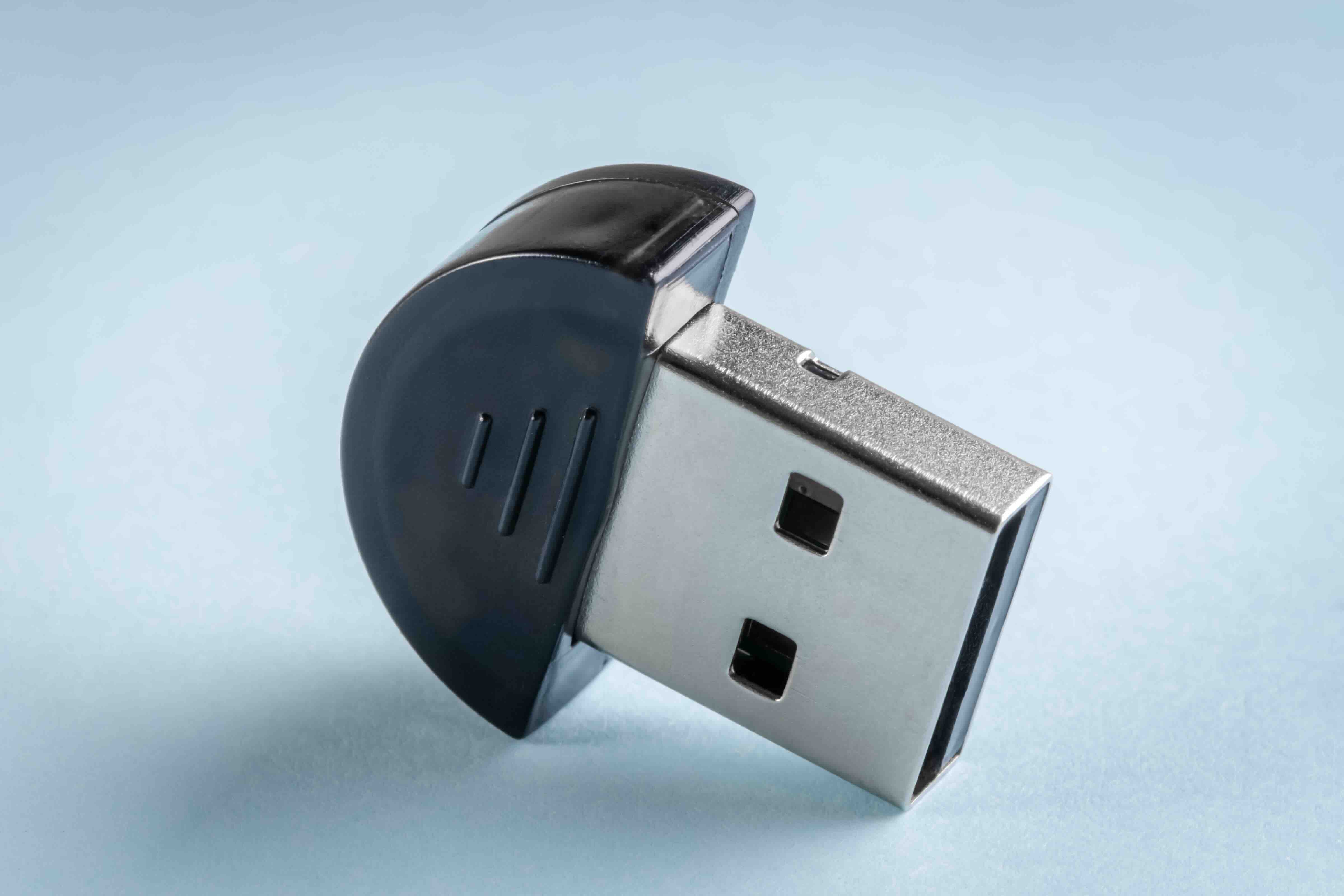
A USB mini receiver, sometimes called a USB nano receiver or micro dongle, is a small wireless adapter used to connect peripheral devices to a computer without a physical cable. It is typically no larger than a fingernail, and it plugs directly into a standard USB Type-A port. Once plugged in, it communicates wirelessly with a paired device, usually through a 2.4GHz radio frequency signal. These tiny adapters are incredibly common in wireless keyboards, mice, presentation clickers, and even some headsets. The term "mini" can be a bit loosely applied across product categories, but in practice it almost always refers to those compact USB dongles designed for low-profile, everyday use.
How Does a USB Mini Receiver Actually Work?
Right, so the way these things work is actually pretty elegant once you break it down. The receiver acts as a radio transceiver, meaning it both sends and receives signals. When you plug it into a USB port on your computer, your operating system recognizes it as a human interface device, or HID, and loads the appropriate drivers, either generic ones built into the OS or manufacturer-provided ones. From there, the receiver stays in constant low-latency communication with its paired peripheral over the 2.4GHz band. The pairing is usually pre-established at the factory, so you do not need to do anything except plug it in. Some receivers support multi-device pairing, meaning a single dongle can manage connections to several peripherals simultaneously, which is convenient for keeping USB ports free.
Will It Work in a Standard USB Type-A Port?
This is the real question and the answer is straightforward. Yes, USB mini receivers are designed specifically for standard USB Type-A ports, which are the rectangular ports you find on virtually every desktop, laptop, hub, and docking station. Because USB is backward compatible by design, a receiver built to USB 2.0 standards will work just fine in a USB 3.0 or even USB 3.2 port. The additional bandwidth and power from newer USB generations does not interfere with the receiver's function. It simply uses what it needs. There is no performance penalty for plugging a 2.4GHz mini receiver into a USB 3.0 port. It will just work.
What About USB Type-C Ports? Can You Still Use a Mini Receiver?
Here is where people sometimes run into trouble. If your device only has USB Type-C ports, which is increasingly common on modern laptops and tablets, a standard USB Type-A mini receiver will not physically fit without an adapter. The fix is simple though. A USB Type-A to Type-C adapter or a USB hub with Type-A ports will bridge that gap immediately. Some manufacturers have started offering nano receivers with a Type-C form factor to address this directly. But if you already have a Type-A receiver, do not toss it. Grab a reliable adapter or hub and you are back in business. Just make sure the adapter passes data signals and not just power.
Key Advantages of USB Mini Receivers
There are some genuinely useful reasons these little things have become so universal in wireless peripheral design. Here is a quick breakdown of what makes them worth using:
- Plug-and-play simplicity with no software installation required on most modern operating systems
- Extremely low latency compared to Bluetooth in many real-world conditions
- Wide compatibility across Windows, macOS, Linux, and Chrome OS
- Compact form factor that leaves minimal profile when plugged in
- No battery drain on the host device since they draw negligible power from the USB port
- Factory-paired out of the box so setup takes seconds
Common Drawbacks to Be Aware Of
They are convenient, yes, but USB mini receivers are not without their limitations. One thing worth knowing upfront is that if you lose the dongle, you often cannot pair the peripheral to a different receiver. It is a proprietary link in many cases. Beyond that, 2.4GHz interference can be a real issue in congested wireless environments. Offices or home setups with multiple Wi-Fi routers, microwaves, and other 2.4GHz devices can occasionally disrupt signal quality. Here are a few more things to keep in mind:
- Receivers are often brand-locked and non-interchangeable between manufacturers
- USB 3.0 devices nearby can occasionally generate radio frequency noise that affects 2.4GHz receivers
- Range is typically limited to about 30 feet under ideal conditions
- Loss or damage to the receiver usually means the peripheral must be replaced entirely
Tips for Getting the Best Performance From Your USB Mini Receiver
If you want the connection to feel rock solid, placement matters more than people realize. Plugging the receiver into a rear USB port on a desktop keeps it away from the RF noise that front ports sometimes pick up from internal components. On a laptop, using a short USB extension cable to move the receiver slightly away from the chassis can improve signal quality noticeably, especially when metal housings are involved. Also avoid plugging mini receivers into USB hubs that are already handling high-bandwidth devices like external SSDs or webcams. They will still work, but you may notice occasional signal hiccups. Dedicated port placement, even a simple one, makes a measurable difference in day-to-day reliability.
USB Mini Receiver vs Bluetooth: Which One Should You Choose?
This comparison comes up a lot and it genuinely depends on your use case. Bluetooth requires no dongle, which preserves your USB ports and works well across a wider range of device types including phones and tablets. However, Bluetooth can suffer from higher latency and more frequent pairing interruptions depending on the environment. USB mini receivers tend to offer a more stable, lower-latency connection for desktop and laptop use specifically. For gamers, productivity users who need consistent input response, or anyone in an office with limited Bluetooth infrastructure, the 2.4GHz mini receiver approach is often the more dependable choice. It is not about one being better in absolute terms. It is about matching the technology to the environment you are working in.
Why Monoprice Is the Right Partner for Your USB and Peripheral Connectivity Needs
When you are thinking about how to extend, expand, or optimize your USB setup whether that involves hubs, adapters, cables, or the peripherals themselves, the quality of every component in that chain matters. Monoprice has spent years building a reputation for delivering high-performance connectivity solutions at prices that do not require a justification meeting. If you are setting up a workstation, outfitting a conference room, or just trying to get more out of your existing hardware, working with a supplier who understands both the technical side and the value side makes a real difference. Explore USB connectivity solutions and wireless peripheral accessories at Monoprice to find adapters, hubs, and cables engineered to keep your workflow running without compromise. The product line is built for practical outcomes and tested to perform in real environments, not just spec sheets.
Frequently Asked Questions
Will a USB mini receiver work in any USB Type-A port regardless of USB version?
Yes. USB mini receivers are backward and forward compatible with USB Type-A ports. A 2.0 receiver will function correctly in USB 3.0 and USB 3.2 ports without any performance issues or configuration changes required.
Can I use a USB mini receiver with a USB hub instead of plugging it directly into my computer?
Yes, in most cases a USB hub works fine. For best results, use a powered hub and avoid sharing the hub with high-bandwidth devices to minimize potential signal interference.
What happens if I lose my USB mini receiver?
In most cases, losing the receiver means the peripheral can no longer be used wirelessly. Many receivers use proprietary pairing that cannot be transferred to a generic replacement. Some manufacturers offer replacement receivers for specific product lines, so checking with the brand directly is worth the effort.
Can one USB mini receiver connect to multiple devices?
Some receivers, particularly those using Logitech's Unifying protocol or similar technologies, support multiple paired devices through a single dongle. However, standard receivers are typically paired to one device only and cannot be shared.
Does a USB mini receiver work on a Mac?
Yes. Most USB mini receivers are plug-and-play on macOS because the operating system includes generic HID drivers. Some advanced features may require manufacturer software that is Mac-compatible, but basic functionality works out of the box.
Will a USB mini receiver cause interference with my Wi-Fi or other wireless devices?
It is possible in crowded 2.4GHz environments. The receiver operates on the same frequency band as many Wi-Fi routers and Bluetooth devices. Keeping the receiver away from other radio-emitting devices and positioning it closer to the peripheral can reduce interference significantly.
Do USB mini receivers require drivers to work?
Most do not require manual driver installation. Windows, macOS, Linux, and Chrome OS include generic HID drivers that recognize and support USB mini receivers automatically upon connection. Manufacturer software may be optional for accessing advanced features.
Can I use a USB Type-A mini receiver on a device with only USB Type-C ports?
Not without an adapter. A USB Type-A to Type-C adapter or a hub with Type-A ports allows the receiver to connect to Type-C only devices. Make sure the adapter or hub supports data transfer and not just power delivery.
How far does a USB mini receiver's wireless range typically reach?
Most USB mini receivers have an effective range of up to 30 feet or approximately 10 meters under open, unobstructed conditions. Walls, furniture, and other electronic devices can reduce that range noticeably.
Is a USB mini receiver secure? Can someone intercept the signal?
Most modern 2.4GHz mini receivers use frequency hopping and basic encryption to protect the signal. They are generally considered secure for everyday use, though they do not typically meet enterprise security standards. For sensitive environments, encrypted Bluetooth or wired peripherals may be preferable.


