

What Is an S-Video Cord and Why It Still Matters
What Is an S-Video Cord and Why Did It Matter So Much
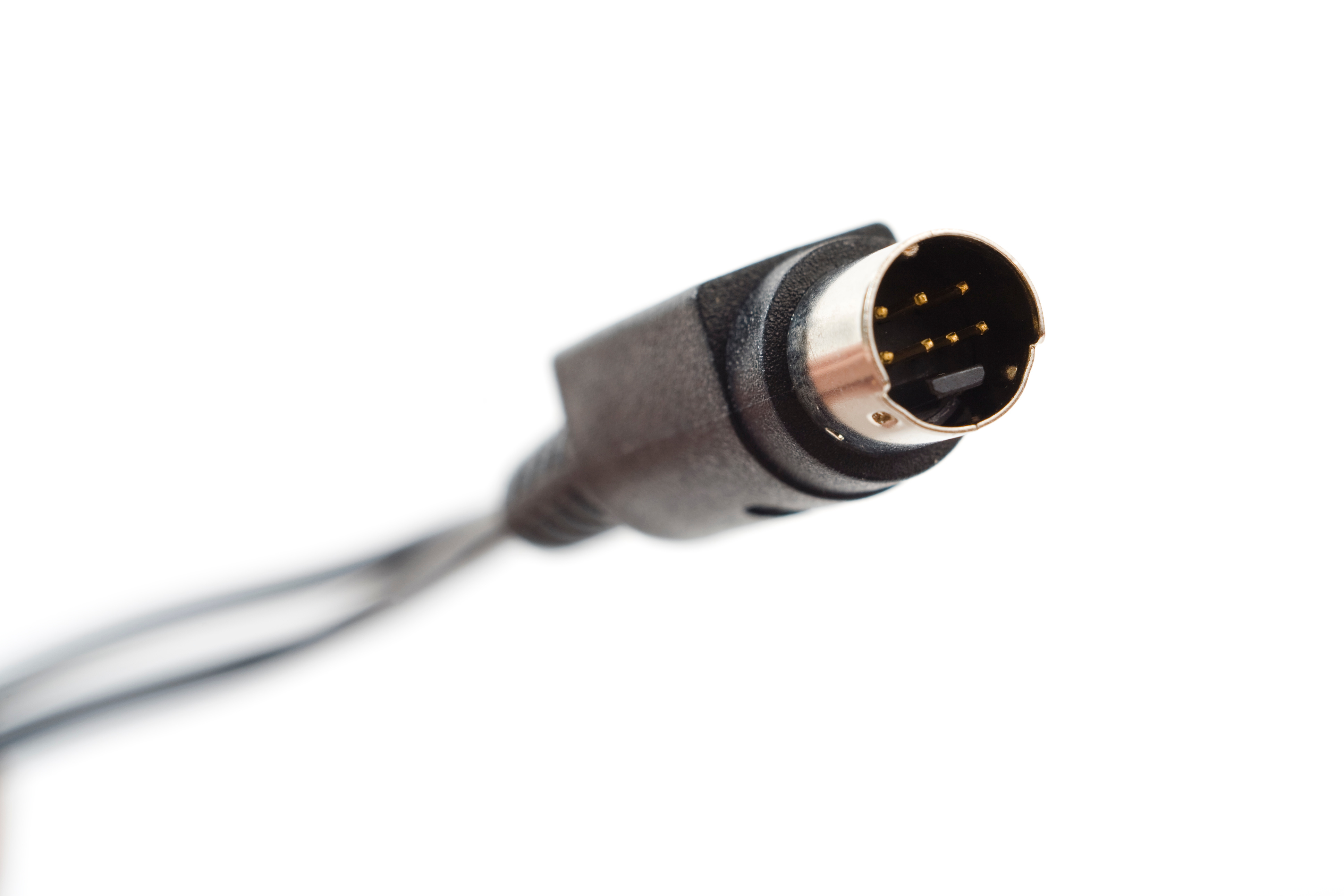
If you have ever dug through a box of old cables and pulled out something with a small, round connector and several tiny pins arranged in a specific pattern, there is a solid chance you were holding an S-Video cord. It is one of those technologies that quietly did a lot of work for a long time before HDMI showed up and changed everything. S-Video, which stands for Separate Video, was a video transmission standard that split the video signal into two separate components: luminance, which handles brightness, and chrominance, which carries color information. By keeping those two signals apart rather than blending them together, S-Video delivered noticeably cleaner picture quality compared to the composite video cables that came before it. And honestly, for its era, that was a meaningful improvement.
How S-Video Technology Actually Works
The core principle behind S-Video is signal separation. Older composite video cables bundled luminance and chrominance together into one signal traveling through one wire. That combination created interference between the two components, which showed up on screen as color bleeding, dot crawl, and general fuzziness. S-Video solved that by routing each component through its own dedicated channel inside the same connector. The standard connector used with S-Video cables is the 4-pin mini-DIN connector, though some professional and broadcast-grade variants used 7-pin versions to support additional functionality. The result was a sharper, more stable image with better color accuracy, particularly on standard-definition content. It was not high definition by any means, but it was a real upgrade over what most consumers had access to at the time.
A Brief History of S-Video in Consumer Electronics
S-Video was introduced in the late 1980s and gained serious traction through the 1990s and early 2000s. It was developed in conjunction with the S-VHS format by JVC, and it became a standard connection option on VCRs, DVD players, camcorders, game consoles, and televisions across that period. If you owned a Super Nintendo, a PlayStation 2, or a mid-range DVD player from that era, there is a good chance your device had an S-Video output. It was also widely used in professional video production environments where signal quality mattered. The technology held its ground for roughly two decades before component video and then HDMI made it largely obsolete for new equipment. That said, the cord itself is still relevant for anyone working with legacy hardware.
S-Video vs. Composite vs. Component: Understanding the Differences
It helps to understand where S-Video sits in the hierarchy of analog video connections. Here is a straightforward breakdown of how the three main analog video standards compare:
- Composite Video carries all video information through a single yellow RCA cable, offering the lowest picture quality of the three with the most signal interference.
- S-Video separates luminance and chrominance into two channels within one connector, delivering noticeably better clarity and color accuracy than composite.
- Component Video splits the signal into three separate channels covering luminance and two color-difference signals, providing the best analog video quality and supporting higher resolutions including 480p, 720p, and 1080i.
S-Video occupied a practical middle ground. It was better than composite in ways that were actually visible to the average viewer, and it was more accessible and affordable than component setups for a long time. For standard-definition content, it offered a genuinely good viewing experience.
Key Advantages of Using an S-Video Cord
Even today, there are legitimate reasons to understand and appreciate what S-Video brought to the table. The advantages were real and practical for the equipment it was designed to support.
- Improved image sharpness compared to composite video due to signal separation.
- Reduced color bleeding and cross-color interference on standard-definition content.
- Wide device compatibility across VCRs, DVD players, game consoles, and CRT televisions from the 1990s and 2000s.
- Relatively simple connection setup with a single cable handling the full video signal.
- Useful for retro gaming and legacy media playback where newer connection options are not available on the hardware.
Common Drawbacks and Limitations of S-Video
S-Video was a meaningful step forward for its time, but it carried real limitations that eventually made it obsolete. The most significant issue is that it only handles video. There is no audio transmission capability built into an S-Video connection, which means you always need separate audio cables running alongside it. Beyond that, S-Video is strictly a standard-definition format. It cannot carry high-definition signals, which made it incompatible with the HD content revolution that started gaining momentum in the mid-2000s. The connectors were also somewhat fragile, with small pins that bent or broke with too much force during insertion or removal. And the signal, while better than composite, still fell short of what component video could deliver in terms of overall clarity and color depth.
Who Still Uses S-Video Today
The honest answer is a smaller but genuinely dedicated group of users. Retro gaming enthusiasts represent one of the more active communities still working with S-Video regularly. Connecting a Super Nintendo or a Sega Genesis to a period-correct CRT television via S-Video produces a picture quality that many in that community consider superior to modern upscaling solutions for certain types of games. Vintage media collectors who work with S-VHS tapes also rely on S-Video connections to preserve and review that content. Home theater historians and electronics hobbyists often keep S-Video cables on hand when restoring or testing older equipment. And in some professional archival and broadcast contexts, the format still surfaces when dealing with legacy tape formats and older production gear.
Practical Tips for Using S-Video Cables Effectively
If you are working with S-Video connections, a few straightforward practices will help you get the best results. Always inspect the pins on both the cable connector and the device port before inserting, since bent pins are a common cause of signal problems and picture instability. Use the shortest cable length that your setup reasonably allows, because longer S-Video cables are more susceptible to signal degradation. Make sure the cable you are using is properly shielded to reduce interference from other nearby electronics. If your display does not have a native S-Video input but your source device outputs S-Video, an S-Video to RCA adapter can work in a pinch, though it will not improve quality beyond composite levels. Always remember to run separate audio cables alongside your S-Video connection, since the video cable carries no sound whatsoever.
Why Monoprice Is a Smart Choice for Legacy and Modern Cable Needs
When it comes to sourcing reliable cables for any setup, whether you are preserving a retro gaming collection or building out a modern AV system, quality and value both matter. Monoprice has built a strong reputation for delivering exactly that combination across a wide range of connectivity products. The brand understands that not every setup runs on the latest standard, and having dependable options for legacy connections is just as important as supporting cutting-edge formats. If you need trusted, well-built cables and AV accessories without paying inflated prices, browsing the full selection at Monoprice S-Video and AV cable solutions is a practical starting point for finding what your specific setup actually requires. The product depth, clear specifications, and competitive pricing make it a consistent go-to for both individual consumers and professional integrators working across all generations of AV technology.
Frequently Asked Questions About S-Video Cords
What does S-Video stand for?
S-Video stands for Separate Video. The name refers to the way the technology separates the luminance and chrominance components of a video signal into distinct channels rather than combining them into a single mixed signal.
Is S-Video better than composite video?
Yes, S-Video delivers noticeably better picture quality than composite video. By keeping the brightness and color information in separate channels, S-Video reduces the interference and color bleeding that composite video is prone to producing.
Does S-Video carry audio?
No. S-Video is a video-only connection standard. You must use separate audio cables, typically RCA cables, alongside your S-Video connection to transmit sound to your display or audio system.
Can S-Video support high-definition video?
No. S-Video is a standard-definition format and cannot carry high-definition video signals. It is limited to resolutions at or below 480i, which makes it incompatible with HD content and modern displays designed around HD and 4K standards.
What type of connector does an S-Video cable use?
Standard S-Video cables use a 4-pin mini-DIN connector. Some professional and broadcast-grade S-Video variants use a 7-pin mini-DIN connector that supports additional functionality, but the 4-pin version was by far the most common in consumer electronics.
Can I connect an S-Video cable to an HDMI port?
Not directly. S-Video and HDMI are fundamentally different standards, one analog and one digital. You would need an active converter or adapter that processes and converts the signal, not a simple passive cable adapter, to bridge those two connection types.
Why do retro gamers still use S-Video?
Retro gamers often prefer S-Video when connecting older consoles to CRT televisions because it produces a cleaner, sharper image than composite video while maintaining the visual characteristics of the original hardware and display technology those games were designed for.
Are S-Video cables still being manufactured?
Yes, though in smaller quantities than during their peak production years. S-Video cables remain available from cable and electronics accessory suppliers to support legacy equipment maintenance, retro gaming setups, and professional archival work involving older video formats.
What devices commonly used S-Video connections?
Devices that frequently included S-Video ports include VCRs, DVD players, game consoles such as the Super Nintendo and PlayStation 2, camcorders, CRT televisions, computer graphics cards from the late 1990s and early 2000s, and various broadcast and production video equipment.
How do I know if my device has an S-Video port?
Look for a small, round port with multiple small pins arranged inside it, typically labeled S-Video or S-VHS on the device itself. It is distinct from RCA composite ports, which are round but use single-pin plugs, and from component ports, which appear as a trio of colored RCA jacks.


