

What Is a SATA Cable? Speed, Power, and Practical Value
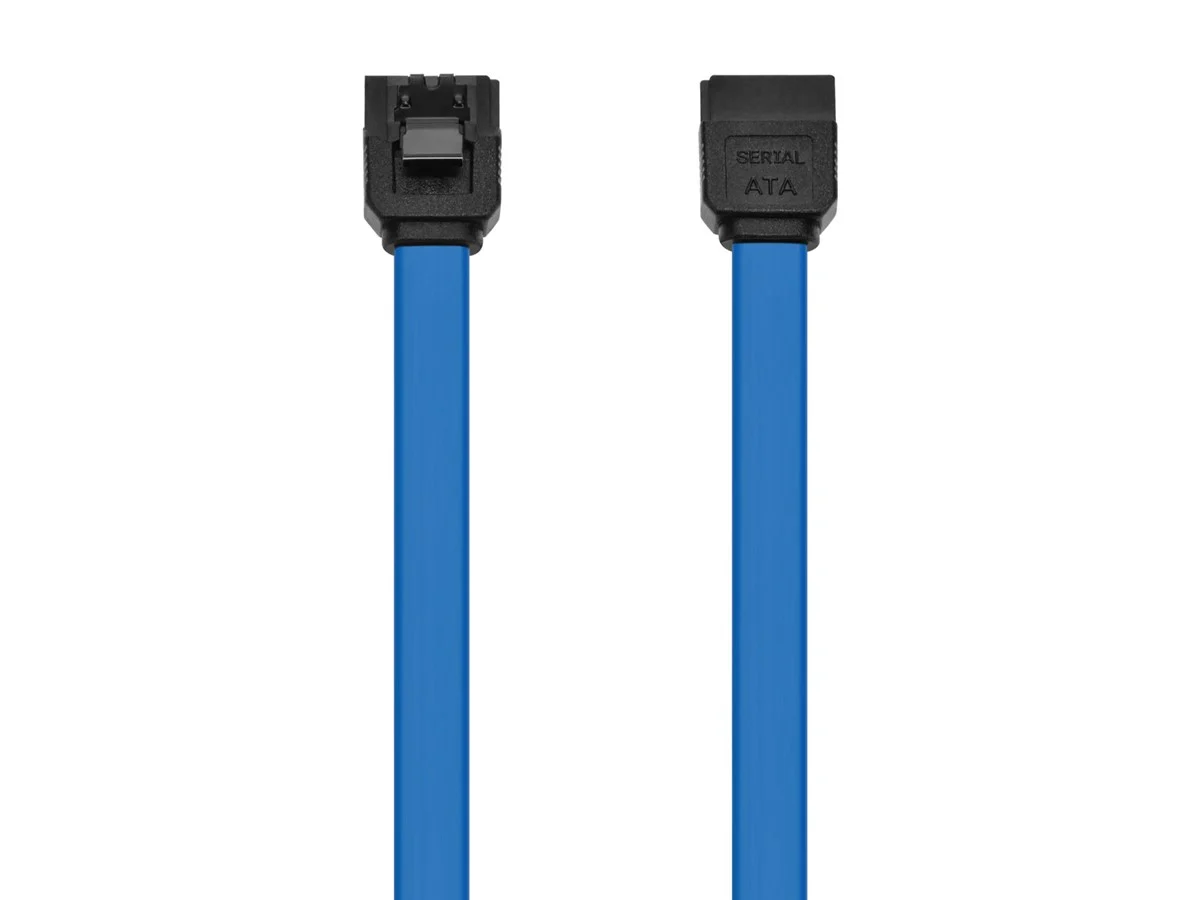
What Is a SATA Cable and Why Does It Matter?
If you have ever opened up a desktop PC or poked around inside a laptop, there is a good chance you have seen one without knowing what it was. SATA cables -- short for Serial Advanced Technology Attachment -- are the connectors that link your storage drives to your motherboard. Hard drives, solid-state drives, optical disc drives -- they all depend on SATA connections to move data back and forth inside your system. It is one of those components people overlook until something stops working, and then suddenly it becomes the most important thing in the build. Understanding what a SATA cable does, how fast it actually operates, and why the quality of the cable itself matters is genuinely useful information for anyone building, upgrading, or maintaining a computer system.
The Origins and Evolution of SATA Technology
Before SATA became the standard, systems relied on the older PATA interface -- also called IDE -- which used wide, flat ribbon cables that were bulky, restricted airflow inside cases, and were honestly kind of a pain to work with. SATA launched in 2003 and changed things considerably. The cable is narrower, the connectors are more secure, and the architecture supports faster speeds through a serial data transfer method rather than the parallel approach of its predecessor. Over the years, SATA went through several revisions. SATA I delivered up to 1.5 Gbps. SATA II pushed that to 3 Gbps. The current standard, SATA III, reaches up to 6 Gbps. That speed ceiling is more than enough for traditional mechanical hard drives and handles most SSDs with efficiency, though high-end NVMe drives have since moved to a different interface entirely for even greater throughput.
How a SATA Cable Actually Works
A SATA cable transmits data in a serial stream -- meaning bits are sent one after another through a single channel rather than simultaneously across multiple channels. This approach reduces electromagnetic interference and allows for thinner, more flexible cables without sacrificing reliability. A standard SATA data cable has a seven-pin connector at each end. One end connects to the motherboard port, the other to the drive itself. The connection is designed with an L-shaped key so it only fits in one orientation, which helps prevent installation mistakes. Separately, SATA power cables -- which typically carry fifteen pins -- deliver the electrical current the drive needs to spin up and operate. Some cables combine these functions, but in most desktop builds you will see data and power handled by separate cables routed through the system.
SATA Cable Speeds and Real-World Performance
The 6 Gbps ceiling of SATA III sounds fast on paper, and for most use cases it genuinely is. In practical terms, the real-world throughput typically lands around 550 to 600 MB/s for a quality SSD -- which is respectable performance for everyday computing tasks. Mechanical hard drives max out well below that, usually somewhere between 100 and 200 MB/s depending on the drive, so the SATA interface is rarely the bottleneck with spinning drives. Where things get interesting is when you push SATA SSDs into more demanding workflows. Video editing, large file transfers, database access -- these scenarios stress the interface more. In those environments, the gap between a well-made SATA cable and a bargain bin alternative starts to show up in consistency and signal integrity, not just raw speed. Cable quality matters more than most people realize.
Types of SATA Cables and Key Differences
Not every SATA cable is identical. There are a few variations worth understanding before you buy.
Straight connector on both ends -- the most common configuration, works in most standard desktop builds Right-angle connector on one end -- useful in tight chassis builds where cable management is restricted Locking latch connector -- adds a small retention clip that keeps the cable firmly seated and prevents accidental disconnection Sleeved or braided cables -- designed for cleaner aesthetics in windowed builds without sacrificing function Low-profile flat cables -- useful in compact or mini-ITX builds where space is limitedThe material quality, shielding, and connector construction all factor into how well a SATA cable performs over time. A poorly shielded cable inside a dense build can pick up interference from nearby components, leading to read errors or intermittent disconnections that are difficult to diagnose. Investing in a properly built cable upfront is always the smarter move.
Key Advantages of Using SATA Cables
There are several reasons SATA has remained the dominant interface for storage devices across nearly two decades of computing.
Universal compatibility -- SATA is supported by virtually every desktop motherboard and the vast majority of laptops Hot-swappable capability -- supported configurations allow drives to be connected and disconnected without powering down the system Affordable and widely available -- SATA cables are low-cost components that are easy to source and replace Reliable data transfer -- the serial interface reduces crosstalk and supports consistent throughput under sustained workloads Simple installation -- the keyed connectors and standardized design make setup straightforward even for first-time buildersFor standard computing needs -- whether that is a home desktop, a small business workstation, or a NAS enclosure -- SATA delivers reliable, cost-effective performance that is hard to argue with.
Common Drawbacks and Limitations to Know
SATA is not without its limitations. The 6 Gbps ceiling, while adequate for most drives, cannot keep pace with modern NVMe SSDs that operate over PCIe lanes and can reach speeds of 3,500 MB/s or higher on current generation hardware. If you are building a performance workstation or need the fastest possible storage throughput for intensive applications, SATA may not be the right interface for those specific drives -- though it can still coexist in the same system for secondary storage. Additionally, SATA cables can sometimes come loose over time, especially in systems subject to vibration or frequent hardware changes. The physical connector, while generally solid, is not as mechanically robust as some other interface types. Cable management inside crowded cases can also be a challenge with multiple SATA drives, as the cables take up meaningful space and can obstruct airflow if not routed carefully.
Practical Tips for Getting the Most from Your SATA Setup
Getting the best performance and reliability from your SATA cables comes down to a few practical habits. Always seat connectors firmly and listen for a positive click if using locking connectors. Route cables away from heat sources and large components like GPU coolers. Use right-angle connectors in tight builds to reduce stress on the connector housing. Replace cables that show visible wear, kinks, or fraying -- they are inexpensive enough that there is no reason to keep a compromised cable in a system you depend on. If you are troubleshooting intermittent storage errors, swapping the SATA data cable is often one of the first and easiest diagnostic steps. Check motherboard documentation to confirm which SATA ports support the fastest speeds if your board has a mix of SATA II and SATA III ports.
Why Monoprice Is the Right Source for SATA Cables
When it comes to connectivity components, quality and value are not mutually exclusive -- and that is exactly where Monoprice has built its reputation. If you are building a new system, expanding storage, or replacing worn cables in an existing setup, sourcing your SATA cables from a supplier that actually understands the technology makes a real difference. Monoprice engineers its cables to deliver consistent performance, reliable connector construction, and long-term durability without the inflated pricing you find elsewhere. Whether you need straight connectors, right-angle options, or locking configurations, the selection is practical and purposeful. For anyone serious about getting reliable, high-performance storage connectivity, browsing SATA cables and computer connectivity solutions at Monoprice is a logical first step toward building a setup that performs and holds up over time.
Frequently Asked Questions About SATA Cables
What does SATA stand for?
SATA stands for Serial Advanced Technology Attachment. It is an interface standard used to connect storage devices like hard drives and solid-state drives to a computer motherboard.
What is the maximum speed of a SATA III cable?
SATA III supports a theoretical maximum transfer rate of 6 Gbps, which translates to roughly 550 to 600 MB/s in real-world use depending on the drive and system configuration.
Are SATA data cables and SATA power cables the same thing?
No. SATA data cables handle data transfer between the drive and motherboard using a seven-pin connector. SATA power cables deliver electrical power to the drive using a fifteen-pin connector. They are separate cables with different functions.
Can I use a SATA II cable on a SATA III port?
Yes. SATA cables are backward compatible across generations. However, using an older generation cable may limit performance, so using a SATA III rated cable on a SATA III port is the recommended approach for optimal throughput.
How long can a SATA cable be?
The SATA specification supports cable lengths up to one meter, which is approximately 39 inches. Most commercially available SATA cables range from six inches to three feet in length.
Do SATA cables affect drive performance?
Cable quality can affect signal integrity, particularly in builds with significant electromagnetic interference. A well-shielded, properly rated SATA cable supports consistent data transfer, while a degraded or low-quality cable can introduce read errors and reduce reliability.
What is the difference between a straight and right-angle SATA connector?
A straight connector exits the drive port at a direct angle, while a right-angle connector bends 90 degrees. Right-angle connectors are useful in compact builds where clearance near the drive bay is limited.
Is SATA still relevant with NVMe drives available?
Yes. SATA remains a widely used and cost-effective interface for mechanical hard drives and mainstream SSDs. NVMe drives offer faster speeds over PCIe, but SATA drives deliver solid performance for most everyday workloads at a lower price point.
How do I know if my SATA cable is failing?
Common signs of a failing SATA cable include intermittent drive detection, slow transfer speeds, frequent read and write errors, and system crashes during storage-intensive operations. Swapping the cable is typically the first recommended diagnostic step.
Can SATA cables be used for both SSDs and hard drives?
Yes. SATA cables are compatible with both traditional mechanical hard drives and SATA-based solid-state drives. The same cable standard is used for both drive types, making it a versatile and universal connectivity solution.


