

What Is a SATA Cable and Why It Matters for Your Build
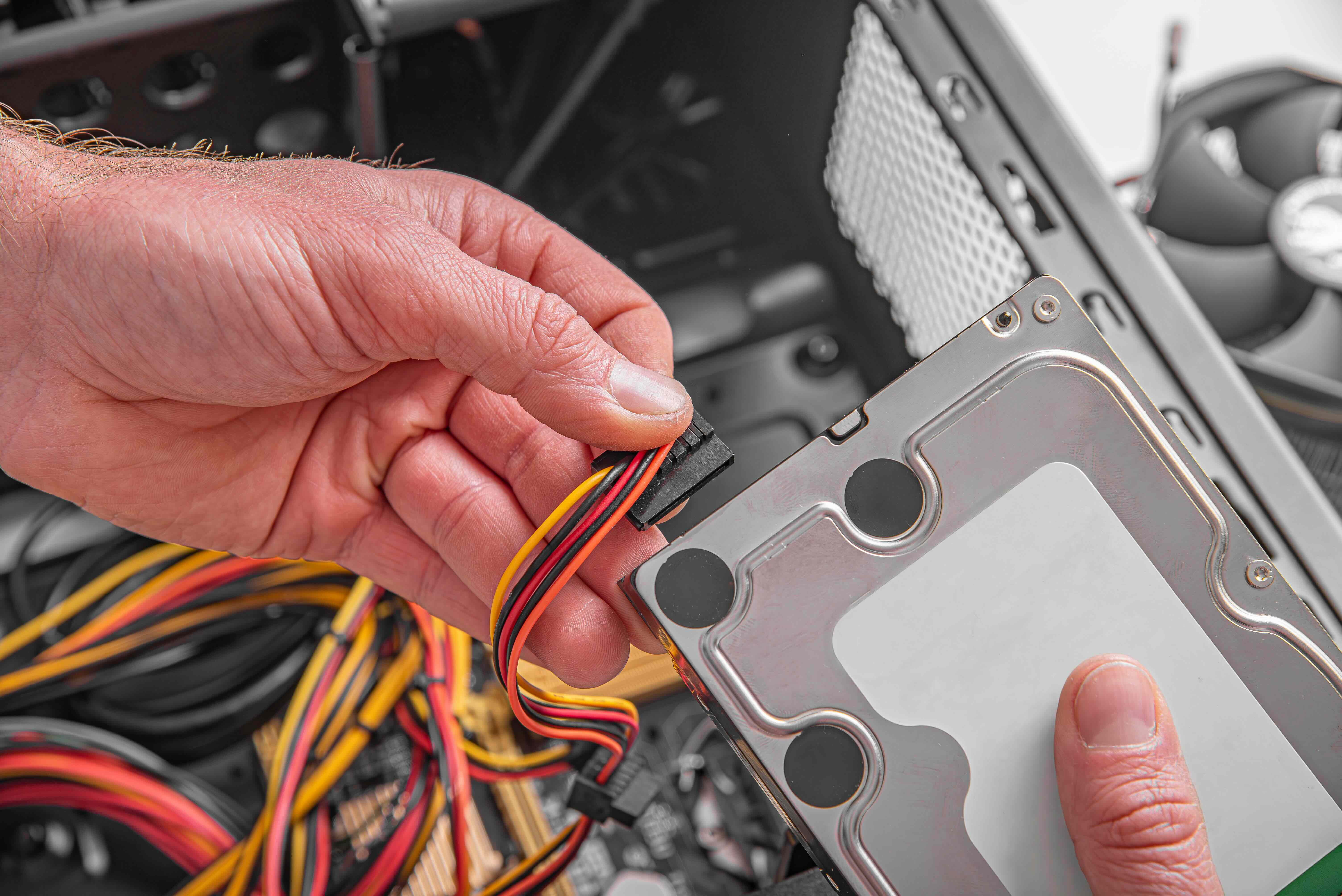
What Is a SATA Cable and Why Does It Matter for Your Build?
If you have ever cracked open a desktop PC or poked around inside a laptop, you have probably seen a thin, flat cable snaking between a drive and the motherboard. That is almost certainly a SATA cable. SATA stands for Serial Advanced Technology Attachment, and it is the standard interface used to connect storage devices like hard disk drives and solid-state drives to a computer's motherboard. It handles the transfer of data between those components, and it does that job quietly, efficiently, and consistently enough that most people never think twice about it. But understanding what a SATA cable is, how it works, and where it fits in your setup can genuinely help you make smarter decisions whether you are building a system from scratch or upgrading an existing one.
A Brief History of SATA: Where It Came From
Before SATA, there was PATA, which stands for Parallel ATA. PATA cables were wide, ribbon-like, and honestly kind of a mess to work with inside a case. They restricted airflow, were difficult to route, and had real performance ceilings. SATA was introduced in 2000 as a direct replacement and became the dominant storage interface standard almost immediately. The shift was significant. SATA brought smaller connectors, better data transfer speeds, and a much cleaner cable design. It also introduced hot-swapping capability in supported configurations, meaning you could technically connect or disconnect a drive without powering the system down. That was a meaningful change for server environments and power users especially. Three major revisions have followed over the years, each pushing the performance ceiling higher.
SATA Revisions Explained: SATA I, II, and III
There are three main generations of SATA that you are likely to encounter in modern hardware discussions. Each revision doubled the theoretical data transfer rate of the previous version, which matters quite a bit when you are moving large files or running storage-intensive applications.
- SATA I: Released in 2003, supports up to 1.5 Gb/s transfer speeds
- SATA II: Released in 2004, supports up to 3 Gb/s transfer speeds
- SATA III: Released in 2008, supports up to 6 Gb/s transfer speeds and is the current standard
Most modern systems ship with SATA III ports on the motherboard, and SATA III cables are backward compatible with older SATA devices. So if you are connecting an older SATA II hard drive to a SATA III port, it will still work, just at the lower speed. That backward compatibility is one of the genuinely useful things about this standard. You are rarely painted into a corner by mixing generations.
How a SATA Cable Works: The Basics
A SATA cable has two connectors, one on each end, that lock into corresponding ports on the storage device and the motherboard. The connector has a small L-shaped notch that prevents you from inserting it incorrectly, which is a practical design decision that saves a lot of frustration. Data travels serially through the cable, meaning bits are transmitted one after another in a single stream rather than simultaneously across multiple channels like the old parallel approach. This actually turns out to be faster and more reliable at scale, which is counterintuitive but true. A separate SATA power cable, typically coming from the power supply, delivers the electrical current the drive needs to operate. That part is separate from the data cable, so you are dealing with two cables per drive total.
Key Advantages of Using SATA Cables
SATA cables have stayed relevant for a long time, and that is not just inertia. There are real, practical reasons why they remain a go-to choice for storage connectivity in a wide variety of setups.
- Compact and flexible form factor makes routing inside cases far easier than legacy ribbon cables
- Backward and forward compatibility across all three SATA generations reduces upgrade friction
- Hot-swap support in compatible systems adds flexibility for workstations and servers
- Widely available and affordable, making replacements and upgrades cost-effective
- Supports both traditional spinning hard drives and modern SSDs within the same interface standard
For anyone building a budget-conscious home theater PC, a NAS system, or just adding secondary storage to an existing desktop, SATA is still one of the most accessible and reliable solutions available. It is not flashy, but it works consistently and the entry cost is genuinely low.
Common Drawbacks and Limitations to Know
SATA is not without its trade-offs. The most significant limitation in a modern context is speed. A SATA III connection maxes out at 6 Gb/s, which translates to roughly 600 MB/s of real-world throughput. For traditional hard drives, that ceiling is never actually reached. But for high-performance NVMe SSDs running over PCIe, SATA is a bottleneck. If you are building a performance-focused workstation or gaming rig and you want the fastest possible storage, NVMe M.2 drives are the better route. SATA SSDs are still meaningfully faster than spinning hard drives, but they will not match the read and write speeds of a current-generation NVMe drive. Additionally, each SATA drive requires its own dedicated cable, which can contribute to cable clutter inside a case if you are running multiple drives. Airflow management becomes more deliberate in those setups.
SATA vs. NVMe: Choosing the Right Interface for Your Needs
This comparison comes up constantly, and for good reason. NVMe drives have become increasingly affordable and are now the default recommendation for primary system drives in new builds. They connect directly to the PCIe bus via the M.2 slot and can deliver speeds that are four to seven times faster than SATA III. But that does not mean SATA is obsolete. For secondary storage, archival drives, budget builds, or older systems that lack M.2 slots, SATA remains entirely valid. Hard drives used for bulk storage are still almost exclusively SATA. If you are adding a 4TB or 8TB drive for media storage, backups, or project archives, a SATA connection is exactly what you need. Think of it this way: NVMe is for your OS and active applications, SATA is for everything else.
Practical Tips for Working With SATA Cables
A few things are worth keeping in mind when you are actually handling SATA cables. First, cable quality matters more than people expect. A poorly manufactured cable with loose connectors or inadequate shielding can cause intermittent read errors, data corruption, or drives that simply fail to be recognized by the system. Investing in well-built cables with locking connectors is a smart move, especially in setups where drives are accessed frequently or vibration is a factor. Second, cable length is a real consideration. SATA cables come in various lengths and some feature right-angle connectors that make routing cleaner in tight spaces. If your motherboard's SATA ports face downward or toward the side of the case, angled cables will make your life significantly easier. Third, always check that the cable is fully seated. A partially connected SATA cable is one of the most common causes of a drive not appearing in the BIOS.
Why Monoprice Is the Right Source for Your SATA Cable Needs
Here is where it comes together. When you need reliable, well-constructed SATA cables at a price that does not require a second thought, Monoprice delivers exactly that. The brand has built a respected reputation in the technology hardware space by offering products that meet real performance standards without padding the price tag for brand name alone. Whether you are a systems integrator wiring up a rack of storage servers, an IT professional sourcing cables for a fleet of workstations, or a home builder finishing up a custom rig, the value proposition is consistent. Monoprice cables are manufactured to spec, tested for quality, and priced in a way that makes ordering multiples genuinely practical. For anyone looking to stock up on high-quality SATA data cables for desktop and server storage builds, Monoprice is a sourcing decision you can make with confidence and not revisit. The combination of build quality, transparent specs, and accessible pricing makes it the kind of purchase that just makes sense.
Frequently Asked Questions About SATA Cables
What does SATA stand for?
SATA stands for Serial Advanced Technology Attachment. It is a computer interface standard used to connect storage devices such as hard drives and solid-state drives to a motherboard.
Are all SATA cables the same?
Not exactly. SATA cables share the same connector type, but they vary in length, cable quality, shielding, and whether they have straight or right-angle connectors. The version of SATA the cable supports also affects maximum data transfer speed, though the physical connector looks similar across generations.
Can I use a SATA II cable with a SATA III drive?
Yes. SATA cables are backward compatible across generations. A SATA II cable used with a SATA III device and motherboard port will work, but the connection will be limited to SATA II speeds. For full SATA III performance, use a SATA III rated cable.
How fast is a SATA III cable?
SATA III supports a maximum theoretical transfer rate of 6 Gb/s, which translates to approximately 600 MB/s of actual real-world throughput due to encoding overhead.
What is the difference between a SATA data cable and a SATA power cable?
A SATA data cable transmits data between the storage device and the motherboard. A SATA power cable delivers electrical power from the power supply unit to the drive. Both cables are required for the drive to function, and they connect to separate ports on the device.
Do SATA cables work with SSDs?
Yes. SATA SSDs use the same interface as traditional hard drives and connect using standard SATA data and power cables. However, NVMe SSDs use a different interface entirely and do not use SATA cables.
How long can a SATA cable be?
The SATA specification allows for cable lengths up to one meter, which is approximately 39 inches. Most consumer SATA cables are sold in lengths ranging from six inches to three feet, with longer options available for specific rack or workstation configurations.
What causes a SATA drive to not be recognized by the system?
Common causes include a SATA cable that is not fully seated, a damaged or defective cable, an incorrect BIOS setting, or a faulty SATA port on the motherboard. Swapping in a known-good cable is typically the first diagnostic step.
Is SATA becoming obsolete?
SATA is not obsolete, but it is no longer the recommended interface for primary drives in high-performance builds. NVMe over PCIe has become the preferred choice for OS and application storage. SATA remains widely used for secondary storage, hard drives, and budget-oriented builds.
Do SATA cables come with new motherboards?
Most new motherboards include two to four SATA cables in the box. However, if you are building a system with multiple storage drives, you will likely need to purchase additional cables separately to accommodate every device.


