

What Does a DVI Cable Do? Types, Uses, and Limits
What Does a DVI Cable Do? A Plain-Language Guide to Digital Visual Interface
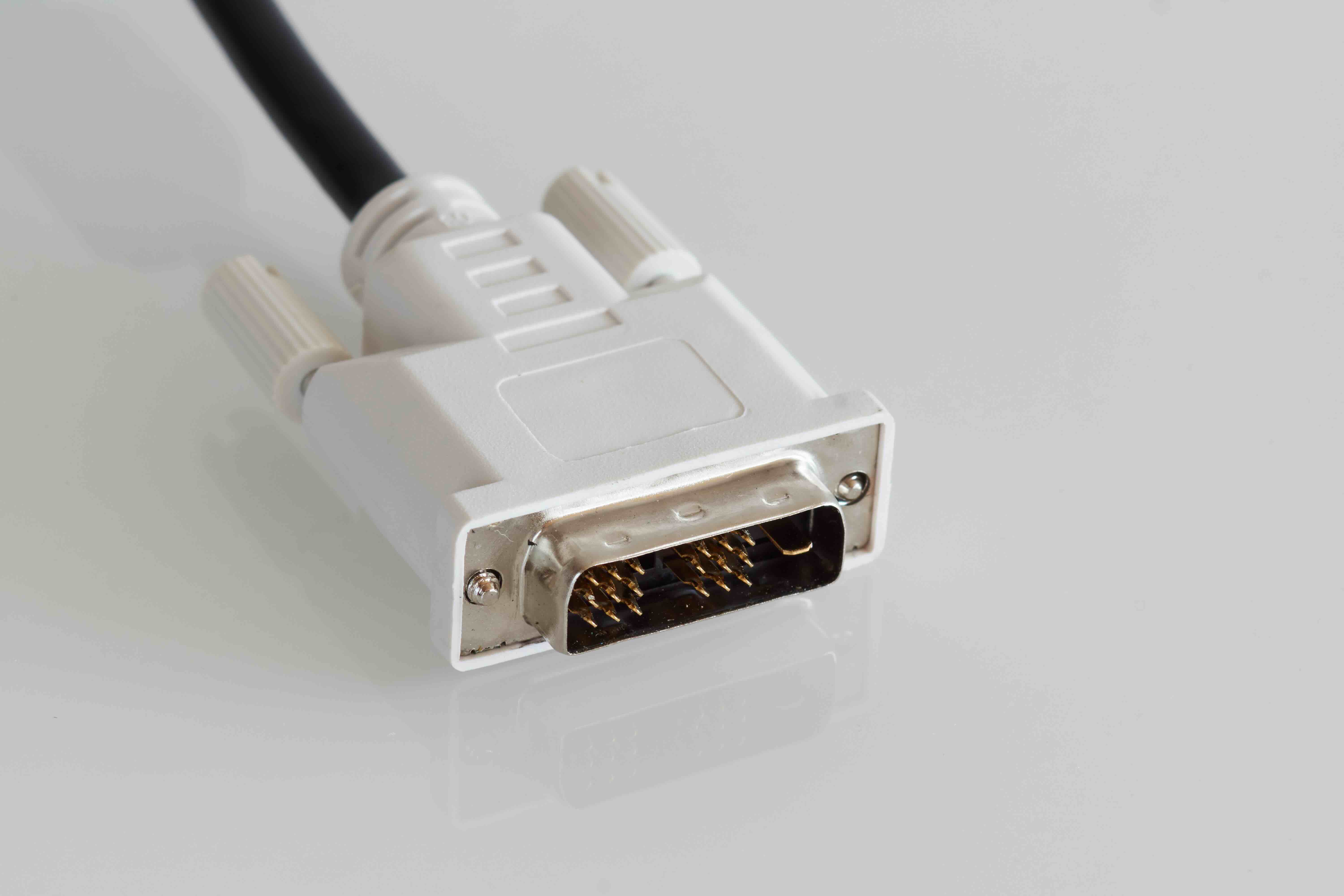
If you have ever stared at the back of a monitor or graphics card and wondered what that wide, multi-pin connector is for, you are probably looking at a DVI port. DVI, short for Digital Visual Interface, was developed in the late 1990s to replace the older VGA standard and deliver cleaner, sharper video output from a computer to a display. It does something pretty specific and does it well -- it transmits video signal from a source device, like a desktop GPU or laptop dock, directly to a monitor or projector. No audio, just video. That is kind of the whole deal with DVI, and understanding what it does -- and what it does not do -- can genuinely help you make smarter choices about your display setup.
The Core Function of a DVI Cable Explained
At its most basic level, a DVI cable carries video data between two devices. The signal can be digital, analog, or both depending on the connector type you are working with. When you connect a computer to a monitor using a DVI cable, the cable is responsible for transmitting the pixel data that forms everything you see on screen -- text, images, video, your desktop background, all of it. The quality of that transmission matters. A properly wired, well-shielded DVI cable delivers a clean, stable signal without interference or degradation, which translates directly to a sharper, more accurate image on your display. This is especially relevant in professional environments where color accuracy and image clarity are non-negotiable.
DVI Cable Types: Single Link vs. Dual Link and What That Means
Not all DVI cables are the same, and this is where things get a little more nuanced. There are a few distinct variants you will encounter in the field.
- DVI-D (Digital Only) -- carries only a digital signal, no analog compatibility
- DVI-A (Analog Only) -- carries only an analog signal, less common today
- DVI-I (Integrated) -- supports both digital and analog signals in a single connector
- Single-Link DVI -- supports resolutions up to 1920 x 1200 at 60Hz
- Dual-Link DVI -- supports higher resolutions up to 2560 x 1600, using more pins for additional bandwidth
The distinction between single-link and dual-link is particularly important for anyone pushing higher resolutions. If you are running a standard 1080p or even a 1200p display, single-link is typically sufficient. But for large format monitors or high-resolution workstation displays, dual-link DVI becomes relevant and necessary. Knowing which type you need before purchasing saves you a frustrating troubleshooting session later.
How DVI Compares to HDMI and DisplayPort
DVI was genuinely groundbreaking when it launched, but the display connection landscape has changed dramatically since then. HDMI and DisplayPort have both surpassed DVI in terms of feature sets. HDMI supports audio over the same cable, handles HDCP content protection, and is broadly used across consumer electronics from televisions to streaming devices. DisplayPort supports even higher refresh rates and resolutions, making it the preferred connector for modern gaming monitors and professional displays. DVI, by comparison, carries no audio signal, does not natively support HDCP 2.2, and tops out at resolutions that are increasingly considered dated for 2024 workflows. That said, DVI is still actively used in legacy setups, older professional monitors, and environments where the existing hardware simply does not need to be replaced yet. It works reliably within its defined capabilities, and that still matters.
Common Use Cases for DVI Cables Today
DVI has not disappeared -- far from it. You will still find it in use across a range of environments and applications where its performance characteristics are entirely appropriate for the task at hand.
- Corporate desktop workstations with older monitors still in service
- Educational institutions running existing monitor fleets on a replacement cycle
- Industrial control systems where displays are fixed and rarely upgraded
- Secondary monitor setups where a spare GPU port is DVI and the display matches
- Video production environments using legacy capture hardware or broadcast monitors
The common thread here is that DVI remains practical wherever the resolution and refresh rate demands are within its supported range and the hardware investment in replacing everything is not justified. For facilities managers and IT procurement teams, this is not a small consideration. Replacing every DVI-based display across a building just to adopt HDMI is a real cost, and sometimes the smarter call is to source quality DVI cables and keep the existing setup running cleanly.
Key Advantages of Using DVI Cables
Despite being an older standard, DVI does have a few genuine advantages that are worth acknowledging. The signal is stable and well understood at this point -- there are no compatibility surprises when you are connecting a DVI source to a DVI display. The connector locks in place physically, reducing accidental disconnection, which matters in environments where cables get bumped. Dual-link DVI can push respectable resolutions that still meet the needs of many professional monitor configurations. And because the standard is mature, well-made DVI cables at reasonable price points are widely available. There is no premium to pay for the interface itself -- just for cable quality, which is where your attention should be focused anyway.
Limitations and Drawbacks You Should Know About
Being honest about the limitations of DVI is just as important as understanding its strengths. No audio transmission is the most immediate limitation -- if your workflow requires a single cable to carry both audio and video, DVI is simply not the answer. The physical connector is also bulkier than modern alternatives, which can be a factor in compact or cable-managed builds. DVI does not support the adaptive sync technologies used in modern gaming monitors, so if variable refresh rate is part of your requirement list, you are looking at DisplayPort or HDMI. And at the highest resolutions and refresh rates driving current monitor technology, DVI has reached the ceiling of its capability. For 4K displays, high refresh rate gaming monitors, or HDR-enabled professional panels, DVI is not a viable connection option.
Tips for Getting the Most Out of Your DVI Connection
If you are working with DVI in your setup, a few practical considerations go a long way. Make sure the cable you are using matches the connector type on both ends -- using a DVI-I cable with a DVI-D port is fine, but the reverse matters depending on what signals you need. For resolutions above 1920 x 1200, confirm you have a dual-link cable and that both devices support dual-link DVI before assuming the setup will work. Keep cable runs reasonable in length -- excessively long DVI runs can introduce signal degradation, so if you are running longer distances, a shorter high-quality cable beats a long budget one every time. And if you are using an adapter to convert DVI to HDMI or DisplayPort, remember that audio will still not pass through the DVI side of the equation, so plan your audio routing separately.
Why Monoprice Is the Right Source for Your DVI Cable Needs
When it comes to sourcing reliable DVI cables that perform consistently and do not drain your budget, Monoprice has built its reputation on exactly that kind of practical, high-value hardware. Whether you are provisioning a single workstation or managing a multi-seat deployment, the quality difference between a well-constructed cable and a cheap one shows up in signal stability, connector durability, and long-term reliability -- and Monoprice delivers on all three without the inflated price tag that other brands attach to their products. If you are equipping a facility, refreshing a workstation fleet, or simply need a dependable connection between your GPU and display, sourcing your DVI cables and display connectivity solutions from Monoprice is the straightforward, value-conscious decision that IT professionals and AV integrators keep coming back to. The combination of verified performance, transparent specifications, and pricing that respects your budget is what makes Monoprice a trusted partner for technology infrastructure at any scale.
Frequently Asked Questions About DVI Cables
What does a DVI cable actually do?
A DVI cable transmits video signal from a source device, such as a computer graphics card, to a display like a monitor or projector. It carries only video data and does not transmit audio.
Does DVI support audio?
No. DVI does not carry an audio signal. If you need audio through the same cable as your video, you will need to use HDMI or DisplayPort instead.
What is the difference between DVI-D and DVI-I?
DVI-D carries only a digital signal, while DVI-I supports both digital and analog signals through a single connector. DVI-I is more versatile but requires compatible hardware on both ends to take advantage of that flexibility.
Can DVI support 1080p resolution?
Yes. Single-link DVI supports resolutions up to 1920 x 1200 at 60Hz, which covers 1080p displays comfortably. Dual-link DVI extends that capability up to 2560 x 1600.
Can I connect a DVI cable to an HDMI port?
Yes, using a DVI-to-HDMI adapter or cable. However, since DVI does not carry audio, only the video signal will pass through the connection. You will need a separate audio solution.
Is DVI better than VGA?
For digital displays, DVI-D delivers a cleaner image than VGA because it transmits a native digital signal rather than converting to analog. VGA is more susceptible to signal degradation and interference over longer cable runs.
What resolution can dual-link DVI support?
Dual-link DVI supports resolutions up to 2560 x 1600 at 60Hz by using additional pins to increase available bandwidth over the single-link configuration.
Is DVI still worth using in 2024?
DVI is still a practical choice for legacy hardware setups, older professional monitors, and environments where resolutions stay within its supported range. For new builds targeting 4K, high refresh rates, or HDR, more modern interfaces are the better option.
How long can a DVI cable run be before signal quality degrades?
For reliable signal quality, DVI cable runs are generally recommended to stay under 15 feet for single-link and around 10 feet for dual-link configurations. Beyond those lengths, signal integrity can begin to decline.
Can DVI handle 144Hz refresh rates?
Standard DVI connections do not support 144Hz at 1080p. Dual-link DVI can theoretically reach 144Hz at 1080p under specific conditions, but this is not broadly supported. For consistent high refresh rate performance, DisplayPort is the recommended interface.


