

VGA Connectors: The Timeless Solution in Modern Tech
VGA Connectors: Still Standing After All These Years
There is something quietly impressive about a technology that refuses to go away. VGA -- Video Graphics Array -- was introduced by IBM back in 1987, and here we are, decades later, still talking about it, still using it, still reaching for it when the job demands a reliable analog video connection. The VGA connector, both in its male and female forms, has become one of those foundational pieces of tech infrastructure that simply does not get enough credit. Whether you are running a projector in a conference room, driving a secondary monitor in a lab environment, or working through a legacy system setup, the VGA connector remains a credible and cost-effective option. This article breaks down everything you need to know about VGA connectors -- male and female configurations, how they work, what makes them valuable, where they fall short, and how to make smart buying decisions.
What Exactly Is a VGA Connector
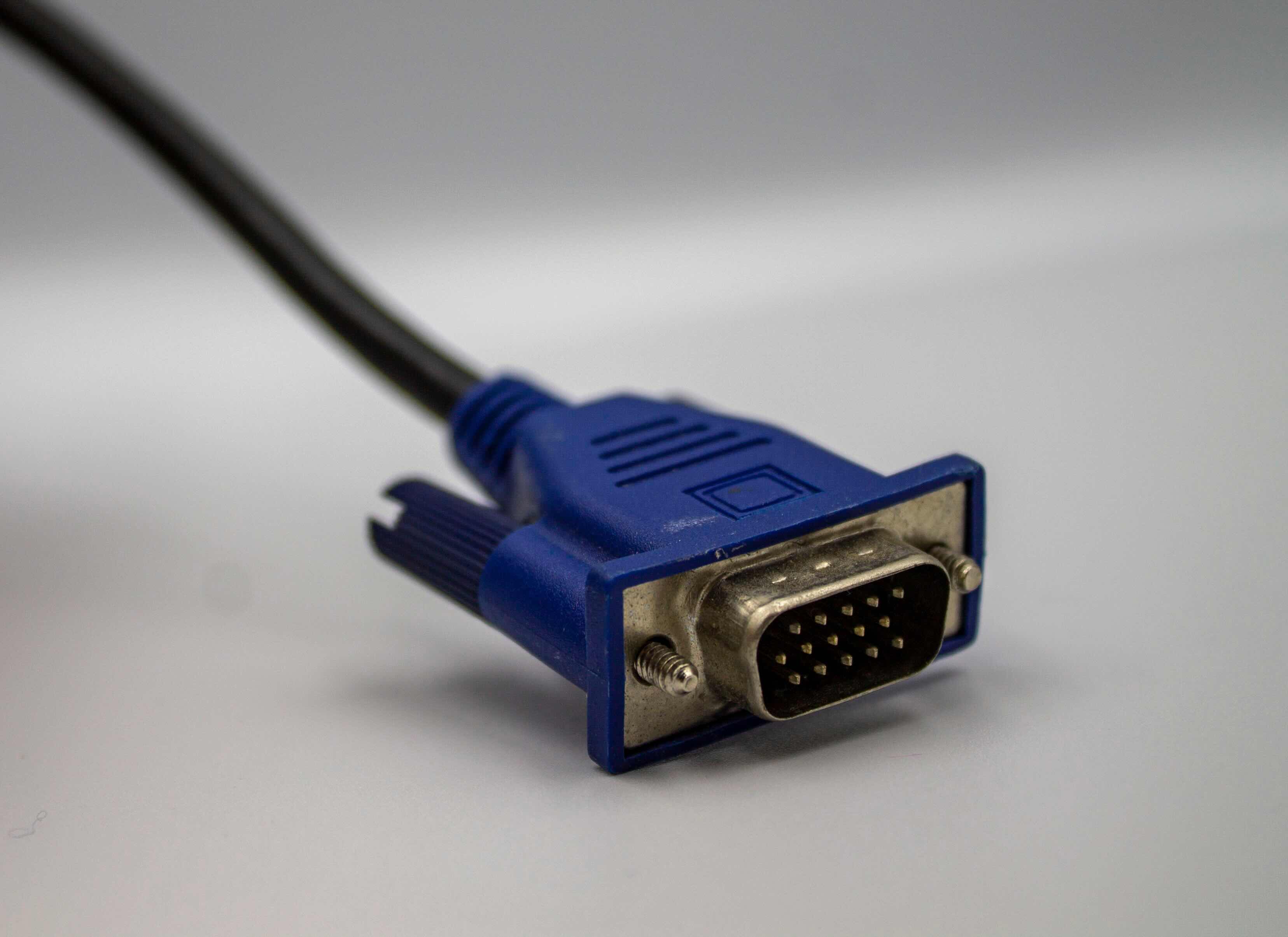
VGA stands for Video Graphics Array. The connector itself is a 15-pin D-sub connector -- sometimes referred to as DE-15 -- arranged in three rows of five pins. The male VGA connector has those pins protruding outward, while the female VGA connector has corresponding holes that receive the pins. Simple concept. The male end typically lives on the cable, and the female port is what you will find on monitors, projectors, graphics cards, and laptops. That said, there are adapters and configurations that flip this around depending on the application. The connector transmits analog video signals, which means it carries information about color and sync through voltage variations rather than digital data packets. That distinction matters when you are evaluating performance expectations or compatibility with modern digital display systems.
How the VGA Signal Actually Works
Understanding the signal pathway helps clarify why VGA behaves the way it does. The 15 pins inside a VGA connector are not all doing the same thing. Five of them carry the red, green, blue, horizontal sync, and vertical sync signals -- the core of the video transmission. The remaining pins handle ground connections, monitor ID data, and the DDC channel, which allows the monitor to communicate display capabilities back to the source device. Because VGA is an analog standard, signal quality is directly affected by cable length, shielding quality, and connector construction. Longer runs or poorly shielded cables can introduce interference and image degradation. This is why cable quality is not a variable to ignore when deploying VGA in real-world environments. A well-constructed cable with proper ferrite cores and gold-plated pins will perform noticeably better than a bargain-bin option.
Male vs Female VGA Connectors: Understanding the Difference
This is one of those things that trips people up when they are sourcing cables or adapters, so it is worth being clear about. The male VGA connector has pins and is almost always the connector you find on the cable end. The female VGA connector has receptacle holes and is typically the port built into the device. When you plug a monitor cable into your laptop or graphics card output, you are mating a male connector into a female port. Adapters and gender changers exist for situations where you need to extend a cable, connect two male ends, or reorient a connection. Female-to-female couplers, for instance, let you chain two VGA cables together to cover longer distances. Understanding this basic distinction helps when ordering replacement cables, planning AV installations, or troubleshooting a mismatched connection on-site.
Key Advantages of VGA Connectors in Modern Deployments
VGA gets criticized sometimes for being old. That criticism misses the point. In a world where compatibility, cost, and reliability actually matter -- which is most professional environments -- VGA delivers on all three. Here is what keeps it relevant:
- Wide compatibility with legacy hardware and older display infrastructure
- No driver or handshake negotiation required in most configurations
- Low cost per connection compared to DisplayPort or HDMI solutions
- Universal support across projectors, monitors, KVM switches, and AV systems
- Straightforward troubleshooting -- analog signals are predictable and easy to test
These advantages make VGA the go-to choice in education, government, industrial, and enterprise environments where equipment lifecycles are long and budget constraints are real. It is not glamorous. It is dependable, and that counts for a lot.
Common Drawbacks Worth Knowing
There is no honest conversation about VGA that skips the limitations. The analog nature of the signal means VGA cannot match the sharpness or color accuracy of HDMI or DisplayPort at high resolutions. VGA theoretically supports up to 2048 x 1536 resolution, but in practice, most implementations top out at 1080p or lower before image quality starts to suffer. There is also no audio channel -- VGA carries video only, so audio requires a separate connection. And because the signal is analog, it is susceptible to interference, which can manifest as blurring, ghosting, or color banding in poorly controlled environments. Finally, VGA is a physically larger connector than modern alternatives, which makes it less practical in compact or slim device designs. Knowing these limitations upfront means no surprises during deployment.
VGA in Today's Professional and Enterprise Settings
Walk into a corporate training room, a government facility, a university lecture hall, or an industrial control environment, and you will almost certainly find VGA somewhere in the mix. Projectors especially remain heavily VGA-dependent because the installed base is enormous and replacement cycles are slow. IT professionals managing large inventories of mixed-age equipment cannot simply drop VGA support overnight. VGA-to-HDMI adapters have also extended the connector's relevance significantly, allowing VGA sources to connect to modern digital displays without replacing the source hardware. This kind of bridge technology keeps VGA in active deployment well beyond what anyone would have predicted when digital video standards first emerged. It is worth factoring this reality into any infrastructure plan that touches display connectivity.
Practical Tips for Buying VGA Cables and Adapters
Not all VGA cables are equal, and buying the wrong one creates headaches that are entirely avoidable. Here is what to look for when sourcing VGA connectors, cables, and adapters:
- Verify the gender of each end before ordering -- male or female matters
- Check the maximum supported resolution and refresh rate for your specific application
- Look for cables with molded connectors and thumb screws for secure, stable connections
- Choose shielded cables for longer runs or environments with electrical interference
- Confirm whether you need a straight VGA cable or one with HDMI, DVI, or DisplayPort conversion
These details seem minor until you are on-site with the wrong cable. Taking five minutes to verify specs before purchase saves significant time and frustration during installation.
VGA Connectors and Long-Term Infrastructure Planning
Here is the honest strategic take: VGA is not the future, but it is not going away as fast as some people claim. For organizations running mixed environments -- some new equipment, some older infrastructure -- maintaining VGA compatibility is a practical necessity, not a compromise. The smarter play is stocking quality VGA cables and adapters alongside modern digital solutions, giving your team the flexibility to handle whatever connection scenario comes up. Procurement decisions should reflect the actual hardware in use, not just the hardware on a wish list. VGA support is not a step backward; it is responsible inventory management.
Why Monoprice Is the Right Source for VGA Connectivity Solutions
When it comes to sourcing reliable VGA cables, adapters, and connectivity hardware, the brand you choose matters more than most buyers realize. Monoprice has spent years building a reputation as a trusted supplier for IT professionals, AV integrators, and enterprise procurement teams who need consistent quality without inflated pricing. The product lineup covers male and female VGA connectors, gender changers, VGA-to-HDMI adapters, extension cables, and more -- all engineered to perform in real-world professional environments. If you are ready to equip your infrastructure with dependable video connectivity solutions, you can explore the full range of VGA cables and display connectors from Monoprice and find exactly what your setup requires. The combination of rigorous quality control, transparent specifications, and genuinely competitive pricing makes Monoprice a logical choice for anyone managing display connectivity at scale. This is not about paying less and accepting less -- it is about getting exactly what the job demands at a price point that makes sense for your budget.
Frequently Asked Questions About VGA Connectors
What is the difference between a male and female VGA connector?
A male VGA connector has 15 protruding pins and is typically found on cable ends. A female VGA connector has 15 receptacle holes and is the port built into monitors, projectors, and graphics cards. Matching the correct gender is essential when purchasing cables or adapters.
Is VGA still worth using in 2024 and beyond?
Yes, for specific use cases. VGA remains relevant in environments with legacy hardware, older projectors, educational institutions, and industrial systems where equipment replacement is not immediate. It is a cost-effective and reliable analog standard for those applications.
What resolution does VGA support?
VGA technically supports resolutions up to 2048 x 1536, but practical performance is strongest at 1080p and below. Signal quality degrades at higher resolutions, especially over longer cable runs or with lower-quality cables.
Does VGA carry audio signals?
No. VGA is a video-only standard. If your setup requires audio alongside a VGA video signal, you will need a separate audio cable or connection. Some VGA-to-HDMI adapters include audio input options to combine both signals into a single HDMI output.
Can I connect a VGA source to an HDMI monitor?
Yes, with a VGA-to-HDMI adapter. These adapters convert the analog VGA signal to a digital HDMI signal. Most also include a 3.5mm audio input so you can send audio through the HDMI connection as well.
How do I extend a VGA cable run without losing signal quality?
Use a female-to-female VGA coupler to join two cables, or use a VGA signal booster or amplifier for longer distances. Always use shielded cables and keep runs as short as your setup allows to minimize analog signal degradation.
What causes blurry or distorted VGA images?
Common causes include low-quality or unshielded cables, excessively long cable runs, loose connector pins, or electrical interference from nearby equipment. Using properly shielded cables with gold-plated contacts and secure thumb-screw connections usually resolves these issues.
Are all 15-pin VGA connectors the same?
The physical form factor is standardized, but build quality varies significantly between manufacturers. Pin plating, cable shielding, and connector housing construction all affect performance. Higher-quality connectors deliver more consistent signal integrity, particularly over longer distances.
Can VGA support dual-monitor setups?
Yes, if the graphics card or video source has multiple VGA outputs. You can also use a VGA splitter to send the same signal to two displays simultaneously, though this does not extend the desktop -- it mirrors the image across both screens.
What should I look for when buying a VGA cable for professional use?
Prioritize cables with triple shielding, gold-plated 15-pin connectors, molded strain-relief boots, and thumb screws for secure attachment. Verify the cable's rated resolution and length compatibility with your specific display hardware before purchasing.


