

VESA TV Mounts: Find the Right Fit for Your Setup
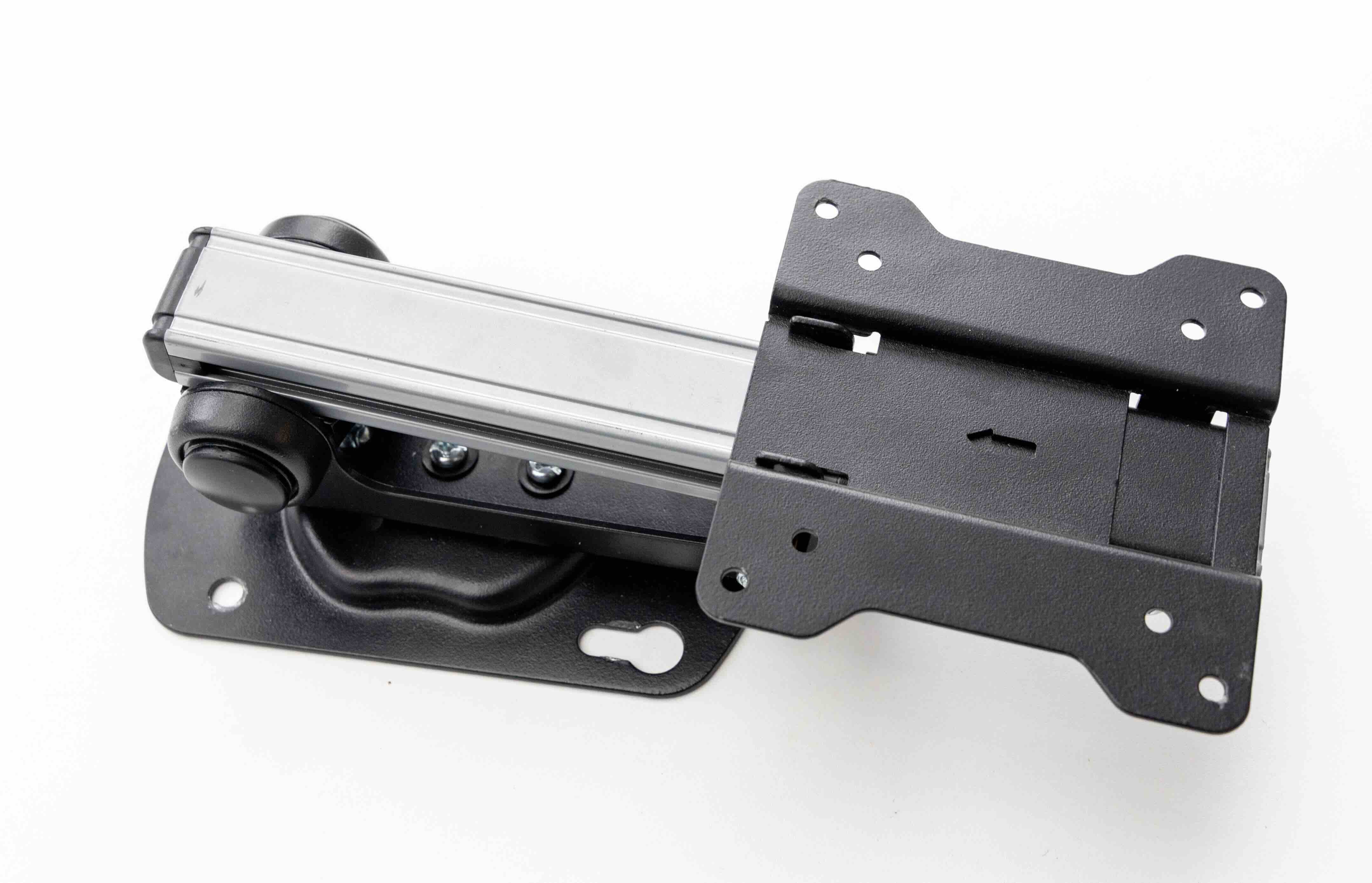
What Is a VESA TV Mount and Why Does It Matter for Your Setup
If you have ever tried to wall mount a television and found yourself staring at a confusing grid of holes on the back of the screen, you have already encountered VESA without knowing it. VESA stands for Video Electronics Standards Association, and the VESA mounting interface standard is basically the universal language that connects televisions and monitors to wall mounts, ceiling mounts, and display arms. It defines the spacing between the four mounting holes found on the back of virtually every modern flat-panel TV. Once you understand how this system works, choosing the right mount becomes a lot less intimidating, and your installation becomes something you can actually feel confident about rather than stressed by.
How the VESA Standard Actually Works
The VESA standard is expressed as a measurement in millimeters, representing the horizontal distance by the vertical distance between the four bolt holes on the back of your TV. For example, a common measurement you will see is 400x400, which means the holes are spaced 400mm apart horizontally and 400mm apart vertically. Smaller TVs often carry patterns like 100x100 or 200x200, while larger panels tend to require 600x400, 800x400, or even 900x600 patterns. The mount you purchase has to match the VESA pattern of your TV exactly, otherwise the hardware simply will not align. You can usually find your TV's VESA pattern in the owner's manual or by measuring the hole spacing directly on the back of the panel. It takes about two minutes and saves a significant amount of frustration later.
Types of VESA Compatible TV Mounts Available Today
Not all VESA mounts are built the same, and the type you choose will define how your TV sits in the room. Here is a quick breakdown of the main categories most buyers are working with:
- Fixed wall mounts hold the TV flat against the wall with no movement, offering the slimmest profile possible
- Tilting mounts allow the screen to angle downward, which is useful for high wall placements like above a fireplace
- Full motion or articulating mounts swing, tilt, and extend away from the wall, giving you maximum viewing flexibility
- Ceiling mounts suspend the TV overhead, typically used in commercial environments or unique room configurations
- Floor stands with VESA compatibility let you avoid drilling entirely while still using the standard mounting pattern
Each of these mount styles uses the same VESA hole pattern to attach to the back of your TV, so compatibility is not really the variable here. What changes is how the mount moves, what the installation looks like, and what kind of wall anchor requirements you are dealing with.
Key Advantages of Using a VESA TV Mount
There are real, practical reasons why wall mounting has become the default choice for most home theater setups and commercial display environments. First, mounting your TV to the wall frees up furniture space entirely. No TV stand, no console table eating up floor square footage. Second, you get to control the exact height and angle of the display, which matters more than people realize when it comes to reducing neck strain and optimizing viewing comfort during longer sessions. Third, cable management becomes far more achievable with a mounted television because most mounts include routing channels or integrated clips. Fourth, a properly mounted TV is actually more stable than a TV resting on a stand, which is relevant if you have kids, pets, or just high foot traffic in the room. From a commercial standpoint, VESA mounting allows consistent, repeatable installations across multiple displays in retail, hospitality, or corporate environments.
Common Drawbacks Worth Knowing Before You Buy
There are a few things that catch buyers off guard, and it is worth being upfront about them. The most common issue is purchasing a mount without confirming the VESA pattern first. If the measurements do not match, the mount is not usable for that particular TV, which means a return and a delay. Another consideration is wall compatibility. Most standard mounts are designed for stud-based drywall installation, but concrete, brick, or hollow walls require different anchors and a more involved process. Full motion mounts, while versatile, pull the TV further from the wall and can put more stress on the anchor points, so weight ratings matter a great deal here. And if you live in a rental, wall mounting may not be an option depending on your lease terms. None of these are reasons to avoid mounting altogether, but they are things to factor into your decision before you order anything.
How to Find the Right VESA Mount for Your TV
Start with the TV's specifications, not the mount's. Look up the model number and confirm the VESA pattern from the manufacturer's documentation. Then check the TV's weight, because every mount has a maximum load rating and exceeding it is a structural concern. After that, decide on mount type based on your room layout and how often you realistically plan to adjust the viewing angle. If the TV is going in a corner or a spot where you will need to angle it frequently, a full motion mount justifies its additional cost. If it is going centered on a flat wall at standard eye level, a fixed or tilt mount is likely all you need. Measure your wall, locate the studs, and match everything up before you finalize the purchase. A few extra minutes of preparation prevents almost every installation problem.
VESA Mounts in Commercial and Professional AV Environments
The VESA standard exists well beyond the living room. In professional AV and IT environments, VESA compatibility is a baseline requirement for any display installation. Digital signage in retail stores, video walls in control rooms, monitors in healthcare facilities, and conference room displays all rely on the VESA interface to ensure that hardware from multiple manufacturers can work together in a standardized way. Integrators and AV professionals count on this consistency to plan installations efficiently, minimize custom fabrication, and meet client expectations on schedule. The universality of VESA is actually one of the most underappreciated aspects of the standard. It means a display purchased today can be mounted using infrastructure already in place, and a mount purchased now will likely remain useful long after the current TV is replaced.
Practical Tips for a Cleaner, More Confident Installation
A few habits make a real difference in how the final installation looks and holds up over time. Always use a stud finder before drilling, and if possible, anchor into at least two studs for any mount carrying a TV larger than 50 inches. Use a level throughout the process, not just at the end. Run cables through the wall or use a surface raceway for a finished look that does not undermine the clean aesthetic a wall mount is supposed to create. Torque the bolts firmly but do not overtighten into the TV's threaded inserts, as stripping those is an expensive mistake. If mounting into concrete or masonry, use the appropriate toggle or wedge anchors rated for the combined weight of the TV and mount. And whenever possible, have a second person assist during the actual hanging step. It is faster, safer, and significantly less stressful.
Why Monoprice Is the Right Source for Your VESA TV Mount
When you are ready to buy, the brand behind the mount matters more than people typically acknowledge. Monoprice has built a well-earned reputation in the AV and IT space for delivering high-performance mounting solutions at pricing that makes sense for both individual buyers and professional installers working across multiple job sites. The selection covers fixed, tilting, and full motion configurations across a wide range of VESA patterns and weight capacities, so whether you are mounting a 32-inch bedroom TV or a 85-inch commercial display, the right hardware is available without overpaying. For anyone looking for VESA compatible TV wall mounts built for performance and long-term reliability, Monoprice delivers the kind of value that holds up in real-world use, not just on a spec sheet. The builds are solid, the documentation is clear, and the price point reflects a genuine commitment to making quality installation hardware accessible to everyone from first-time homeowners to seasoned AV integrators.
Frequently Asked Questions About VESA TV Mounts
What does VESA stand for in TV mounting?
VESA stands for Video Electronics Standards Association. In the context of TV mounting, it refers to the standardized hole pattern on the back of flat-panel displays that allows them to connect with compatible mounts and brackets.
How do I find the VESA pattern for my TV?
Check your TV's owner's manual or the manufacturer's product page for the model number. You can also measure the distance between the four mounting holes on the back of the TV yourself using a tape measure, recording the horizontal and vertical spacing in millimeters.
Are all VESA mounts universal?
VESA mounts are standardized but not fully universal. A mount supports specific VESA patterns and weight ranges, so you must confirm that your TV's pattern and weight fall within the mount's listed specifications before purchasing.
What is the most common VESA pattern for TVs?
The most commonly found VESA patterns are 200x200, 300x300, and 400x400 for mid-size televisions. Larger screens typically use 400x600, 600x400, or 800x400 patterns. Always confirm the specific pattern for your model rather than assuming based on screen size alone.
Can I use a VESA mount on any wall type?
Most VESA mounts are designed for standard stud-framed drywall installation. Concrete, brick, and hollow walls require specific anchor hardware rated for those surfaces. Always verify that the wall material and anchor type are appropriate for the combined weight of the mount and television.
What is the difference between a fixed mount and a full motion VESA mount?
A fixed mount holds the TV flat against the wall with no adjustability. A full motion mount, also called an articulating mount, allows the TV to swing outward, tilt up or down, and sometimes rotate, giving you significantly more flexibility in viewing angles.
How much weight can a VESA TV mount support?
Weight capacity varies by mount model and is always listed in the product specifications. Most mounts for consumer televisions support between 50 and 200 pounds. Always choose a mount whose weight rating exceeds the actual weight of your TV for a safe installation.
Is it safe to mount a TV above a fireplace using a VESA mount?
It can be done safely if the mount used is a tilting or full motion model that allows the screen to angle downward toward eye level. Heat exposure is a consideration, so ensure adequate clearance and verify that the installation area does not exceed the TV's operating temperature limits.
Do VESA mounts work with monitors as well as TVs?
Yes. The VESA standard applies to both televisions and computer monitors. Many desktop monitors carry 75x75 or 100x100 VESA patterns and can be mounted on wall mounts, monitor arms, or desk stands that support those specifications.
What tools do I need to install a VESA TV mount?
A standard installation typically requires a stud finder, a power drill with appropriate bits, a level, a socket wrench or screwdriver set, and a tape measure. Some mount kits include basic hardware, but having your own tools ensures you are prepared for different wall materials and bolt sizes.


