

USB Type-C Explained: What It Is and Why It Matters
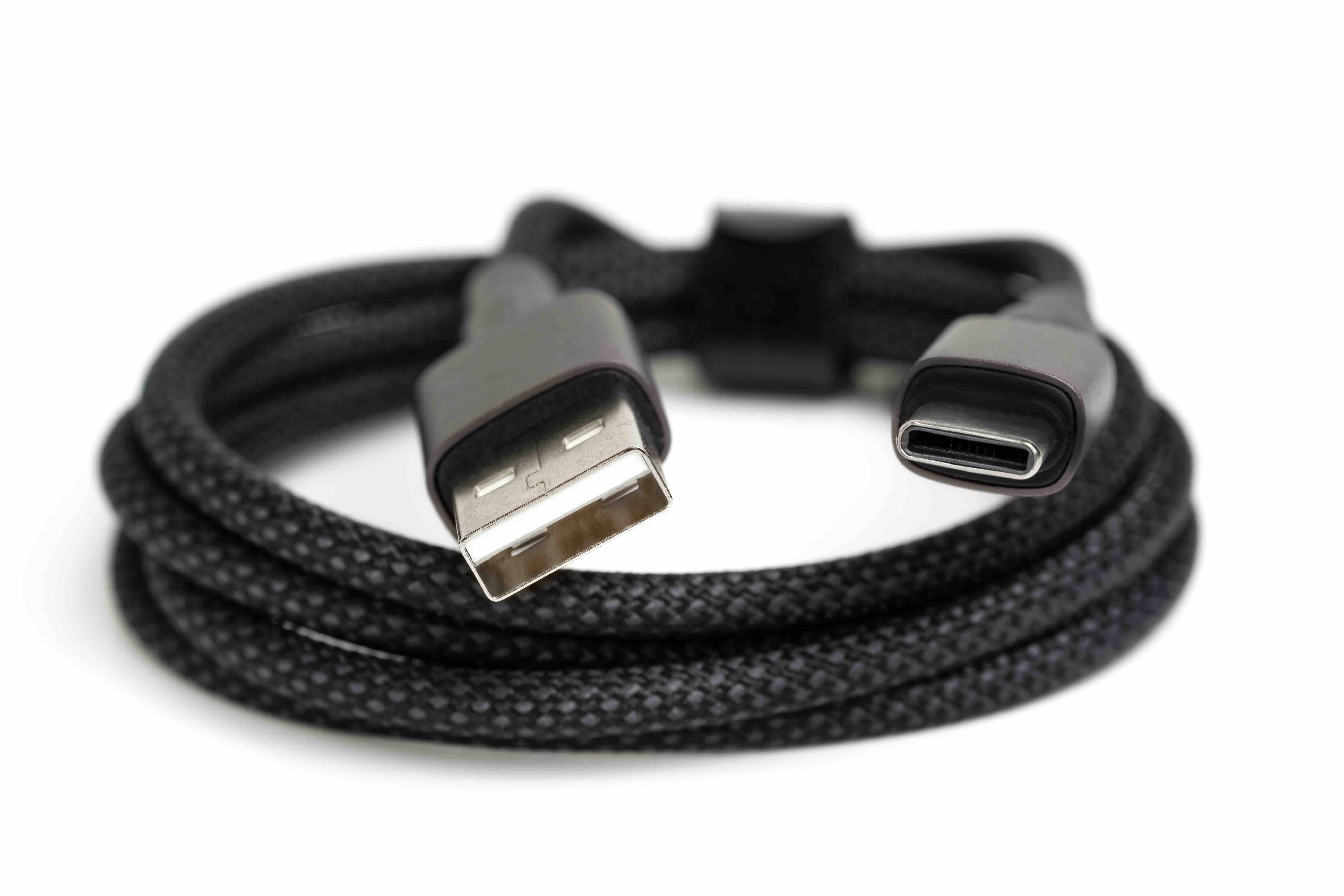
What Is USB Type-C and Why Does It Matter in 2024
If you have bought a laptop, smartphone, or tablet recently, you have probably noticed that a lot of devices now come with a small, oval-shaped port instead of the older, rectangular ones you might remember. That is USB Type-C, and honestly, it has changed the way we connect and power just about everything. It is one of those standards that kind of snuck up on people and now it is everywhere. Understanding what USB-C actually is, how it works, and what it can and cannot do will help you make smarter decisions about your cables, adapters, hubs, and devices going forward.
The Basic Definition: What USB Type-C Actually Is
USB Type-C, often just called USB-C, is a physical connector standard developed by the USB Implementers Forum and introduced back in 2014. The connector itself is small, symmetrical, and reversible, meaning you cannot plug it in the wrong way. That alone was a massive improvement over the older USB-A and USB-B connectors. But the physical shape is really just the beginning. USB-C is a connector format, not a protocol on its own. It can carry different protocols depending on the hardware and firmware behind it, which is part of what makes it so versatile but also, at times, a little confusing to sort out.
How USB Type-C Works: The Technology Behind the Port
Here is where things get a bit layered, so bear with this. USB-C can support multiple underlying technologies. The connector itself is capable of carrying USB 3.2, USB4, Thunderbolt 3, Thunderbolt 4, DisplayPort, HDMI, and Power Delivery all through that same small port. The actual capabilities of any given USB-C port depend entirely on what the host device and cable support. That is a key point people miss. Not every USB-C port is created equal, and not every USB-C cable will support every feature. A cable rated for USB 2.0 speeds plugged into a Thunderbolt 4 port is going to bottleneck your performance significantly. Knowing what your specific port supports is critical before you assume a cable or accessory will work at full capability.
USB Power Delivery: Charging Through a Single Port
One of the most practical and genuinely useful things USB-C brought to the table is USB Power Delivery, commonly called USB PD. This allows a single USB-C port to negotiate higher wattage charging, up to 240W with the latest revision of the specification. That covers everything from earbuds and phones all the way up to high-performance laptops and even some monitors. The days of carrying three separate chargers for three separate devices are becoming less necessary when USB PD is involved. The device and charger communicate to figure out the optimal charging voltage and current, which is a smarter and safer approach than earlier fixed-voltage charging standards.
Key Advantages of USB Type-C Connectivity
The benefits of USB-C are real and they add up quickly once you start building out a workspace or travel kit around the standard. Here is a clear breakdown of what makes it stand out:
- Reversible connector eliminates fumbling with orientation
- One port type for data, video, and power
- Supports high-speed data transfer up to 40 Gbps with USB4 or Thunderbolt 4
- USB Power Delivery supports charging up to 240W
- Compatible with DisplayPort, HDMI, and Thunderbolt through a single cable or adapter
- Compact form factor ideal for thin laptops, tablets, and mobile devices
- Increasingly universal across manufacturers and operating systems
That combination of power, video output, and high-speed data through one connector makes USB-C a genuine productivity upgrade for professionals managing multi-monitor setups, video editing workflows, or complex AV installations.
Common Drawbacks and Limitations You Should Know
No technology is perfect, and USB-C has a few areas where users tend to run into friction. The biggest one is the lack of visual differentiation between cables and ports with vastly different capabilities. A USB-C cable that only supports 480 Mbps looks identical to one supporting 40 Gbps. That creates real confusion on the purchasing side. Additionally, not all USB-C ports on a given device support the same features. Some manufacturers include one Thunderbolt port and one basic USB-C port on the same laptop, and it is not always obvious which is which without reading documentation carefully. Compatibility between devices, cables, and chargers also still requires attention, particularly when mixing third-party accessories.
USB-C vs Thunderbolt: Understanding the Difference
This one trips up a lot of people, even experienced users. Thunderbolt 3 and Thunderbolt 4 both use the USB-C physical connector, which means Thunderbolt ports are USB-C ports, but not all USB-C ports are Thunderbolt. Thunderbolt adds Intel-developed protocols on top of the USB-C interface that allow for significantly higher performance, daisy-chaining of multiple devices, and support for external GPU enclosures. Thunderbolt 4, for instance, guarantees a minimum performance floor that generic USB4 does not always meet. If your workflow demands peak throughput or you are running dual 4K displays off a single cable connection, you will want to confirm Thunderbolt support rather than assuming USB-C alone gets you there.
Practical Tips for Buying USB-C Cables and Accessories
Shopping for USB-C gear without a bit of knowledge behind you can lead to wasted money and frustrating performance. A few practical guidelines go a long way here:
- Always check the rated speed and wattage of a cable before purchasing
- Look for cables certified for the protocol you need, such as USB4 or Thunderbolt 4
- For charging, confirm wattage compatibility between the cable, charger, and device
- Use hubs and docking stations that are matched to your port's capabilities
- When using USB-C for display output, verify the cable supports video passthrough
- Choose cables with clearly labeled specifications rather than generic, unbranded options
Cable quality matters more with USB-C than it ever did with older standards simply because the performance ceiling is so much higher. Cutting corners on cable quality is an easy way to limit a system that is capable of much more.
Why Monoprice Is a Smart Choice for USB Type-C Cables and Accessories
When it comes to sourcing USB-C cables, hubs, docking stations, and adapters that actually perform the way they are supposed to, Monoprice has built a well-earned reputation for delivering certified, high-performance connectivity products without inflating the price tag. The product lineup covers everything from compact USB-C charging cables to full-featured multiport hubs capable of supporting 4K display output, Ethernet, USB-A passthrough, and Power Delivery simultaneously. For integrators, IT professionals, or anyone building out a clean and capable workspace, the value-to-performance ratio is hard to argue with. Professionals who want reliable USB-C infrastructure at a reasonable cost consistently find that high-performance USB Type-C cables and accessories from Monoprice meet both the technical requirements and the budget reality of modern technology setups. That combination of quality, specification transparency, and accessible pricing is exactly what the USB-C category needs more of.
Frequently Asked Questions About USB Type-C
Is USB-C the same as Thunderbolt?
No. USB-C is a physical connector format, while Thunderbolt is a separate protocol developed by Intel that uses the USB-C connector. All Thunderbolt 3 and Thunderbolt 4 ports use USB-C, but most USB-C ports do not support Thunderbolt.
Can I use any USB-C cable to charge my laptop?
Not necessarily. You need a cable that supports USB Power Delivery and is rated for the wattage your laptop requires. Using an underpowered cable may result in slow charging or no charging at all.
Why does my USB-C device charge slowly even with a new cable?
Slow charging is typically caused by a cable that does not support higher wattage USB Power Delivery, a charger that outputs insufficient wattage, or a mismatch between the cable rating and the device's requirements.
Can USB-C output video to a monitor?
Yes, but only if the USB-C port on your device supports video output via DisplayPort Alternate Mode or Thunderbolt. Standard USB-C data-only ports will not carry video signal.
What is the maximum data transfer speed USB-C supports?
USB-C can support up to 40 Gbps when paired with USB4 or Thunderbolt 4 protocols. However, actual speeds vary depending on the cable rating and the capabilities of both connected devices.
Are all USB-C ports on my laptop the same?
Not always. Some laptops include USB-C ports with different capability levels on the same chassis. One port may support Thunderbolt while another supports only basic USB 3.2. Check your device specifications to confirm each port's capabilities.
Can I connect USB-C to an older USB-A port?
Yes, with the appropriate adapter or cable. Data transfer will operate at the speed of the slower connection, and charging through USB-A is limited by the USB-A port's wattage output rather than USB Power Delivery standards.
What does USB4 mean and how does it relate to USB-C?
USB4 is a data transfer specification that uses the USB-C connector. It supports speeds up to 40 Gbps and is based on the Thunderbolt 3 protocol. USB4 requires a USB-C port and a compatible cable to achieve its rated performance.
Do I need a special USB-C hub to support dual monitors?
Yes. Dual monitor support from a single USB-C port typically requires a hub or docking station that supports Multi-Stream Transport via DisplayPort or specific display output chipsets. Not all hubs support dual independent display output.
How do I know if a USB-C cable is high quality?
Look for cables with clearly printed specifications on the packaging including rated wattage, data transfer speed, and any protocol certifications such as USB4 or Thunderbolt 4. Avoid unlabeled or generic cables when performance is a priority.


