USB-C Revolutionizing Consumer Electronics Connectivity
USB-C Is Changing Everything -- Here Is What You Need to Know
There is a quiet revolution happening on the back of laptops, the sides of smartphones, and along the edges of tablets. It does not announce itself loudly, but once you notice it, you see it everywhere. USB-C -- that small, oval-shaped port that seems almost too simple for everything it can do -- has become the defining connectivity standard of modern consumer electronics. And honestly, if you are still sorting out what separates it from older USB types, or why so many devices have made the switch, this is exactly the right place to start. Understanding USB-C is not just a tech trivia exercise -- it is practical knowledge that shapes how you buy cables, charge devices, and build a smarter workspace without overspending.
What Is USB-C and Why Does the Port Size Actually Matter
USB-C refers to a specific physical connector type introduced by the USB Implementers Forum. The connector itself is compact -- roughly 8.4 mm by 2.6 mm -- and features a symmetrical, reversible design. That last part matters more than it might seem. Anyone who has fumbled with a USB-A connector in the dark, flipping it over twice before getting it right, already understands the frustration that USB-C eliminates entirely. The small, oval port accepts the cable in either orientation, every single time. No guessing. No forcing. Just a clean, confident connection. Beyond the form factor, the USB-C port is engineered to support a wide range of protocols depending on the hardware it is built into. That means one port can potentially handle data transfer, video output, and power delivery simultaneously -- functionality that previous connector types simply could not consolidate at this scale.
How USB-C Actually Works -- The Technology Behind the Port
The USB-C connector itself is just the physical interface. What determines performance is the underlying protocol running through it. USB-C ports can carry USB 3.1, USB 3.2, USB4, or Thunderbolt 4 signals depending on the host device. This distinction is critical because not all USB-C ports are created equal. A USB-C port on a budget smartphone might only support USB 2.0 speeds, while the same-looking port on a high-end laptop could deliver Thunderbolt 4 performance with up to 40 Gbps throughput. Additionally, the USB Power Delivery specification -- commonly abbreviated as USB PD -- allows USB-C to negotiate voltage and current levels dynamically, enabling fast charging for everything from earbuds to laptops. And then there is DisplayPort Alternate Mode, which lets USB-C carry display signals, turning a single cable into a pathway for high-resolution video output to external monitors. It is genuinely a lot going on behind one small oval opening.
Key Advantages of USB-C Connectivity in Consumer Electronics
The adoption of USB-C across consumer electronics is not arbitrary -- it is driven by real, measurable benefits that affect everyday use. Here are the primary advantages worth understanding before your next hardware purchase:
- Universal compatibility across a growing ecosystem of devices
- Reversible plug design eliminates connection errors
- Supports simultaneous power delivery, data transfer, and video output
- USB Power Delivery enables fast charging for phones, tablets, and laptops
- Slim form factor fits the design requirements of ultra-thin modern devices
- Single cable can replace multiple adapter types in many workflows
- Backward compatibility through adapters with legacy USB-A and HDMI connections
What makes USB-C particularly compelling is not any one of these features in isolation -- it is the combination. A single USB-C cable connecting a laptop to a docking station can deliver power to the machine, push video to a 4K monitor, and transfer files at high speed without any additional hardware. That level of consolidation was simply not available with older connector standards, and it represents a meaningful shift in how people set up workstations, travel kits, and entertainment systems.
Common Drawbacks and Limitations You Should Know Before Buying
USB-C is not without complications, and being honest about that is part of making informed decisions. The biggest source of confusion is the inconsistency in what any given USB-C port actually supports. Because the connector shape is standardized but the internal protocol is not, two identical-looking ports can perform very differently. A cable that works fine for charging might not carry video signals. A port that supports DisplayPort Alt Mode might not support Thunderbolt. This ambiguity has frustrated consumers and slowed adoption in certain markets. Additionally, the transition away from USB-A has created a period of friction where older peripherals require dongles or adapters, adding cost and clutter that somewhat undercuts the simplicity argument. Buying cheap, unbranded USB-C cables also introduces real risk -- low-quality cables can underperform on power delivery or, in worst cases, damage connected devices. This is precisely why cable quality and certified specifications from reputable brands matter more with USB-C than they did with previous standards.
USB-C in Everyday Consumer Devices -- Real-World Applications
Walk through a realistic day and USB-C shows up constantly. A smartphone charges from a USB-C cable on the nightstand. A laptop connects to a portable monitor via a single USB-C cable at a coffee shop. A pair of wireless earbuds charges in their case through a USB-C port. A gaming controller connects to a console. An external SSD transfers files in seconds. USB-C has embedded itself into nearly every product category in consumer electronics -- cameras, e-readers, handheld gaming devices, VR headsets, and even some automobile dashboards now include it as a standard interface. The European Union has moved to mandate USB-C as the universal charging standard for consumer electronics sold in member countries, which signals that this connector is not a transitional technology -- it is the foundation of the next decade of consumer hardware design.
Choosing the Right USB-C Cable -- What Specifications to Look For
Not all USB-C cables are built the same, and this is where buyers need to slow down and look at specifications rather than just price. Key factors to evaluate include:
- USB specification version -- USB 2.0, 3.2, USB4, or Thunderbolt 4
- Maximum wattage supported for power delivery -- look for 60W, 100W, or 240W ratings
- Data transfer speed rated in Gbps
- Cable length and its effect on performance -- longer cables can reduce max throughput
- Certification marks from USB-IF or Thunderbolt certification programs
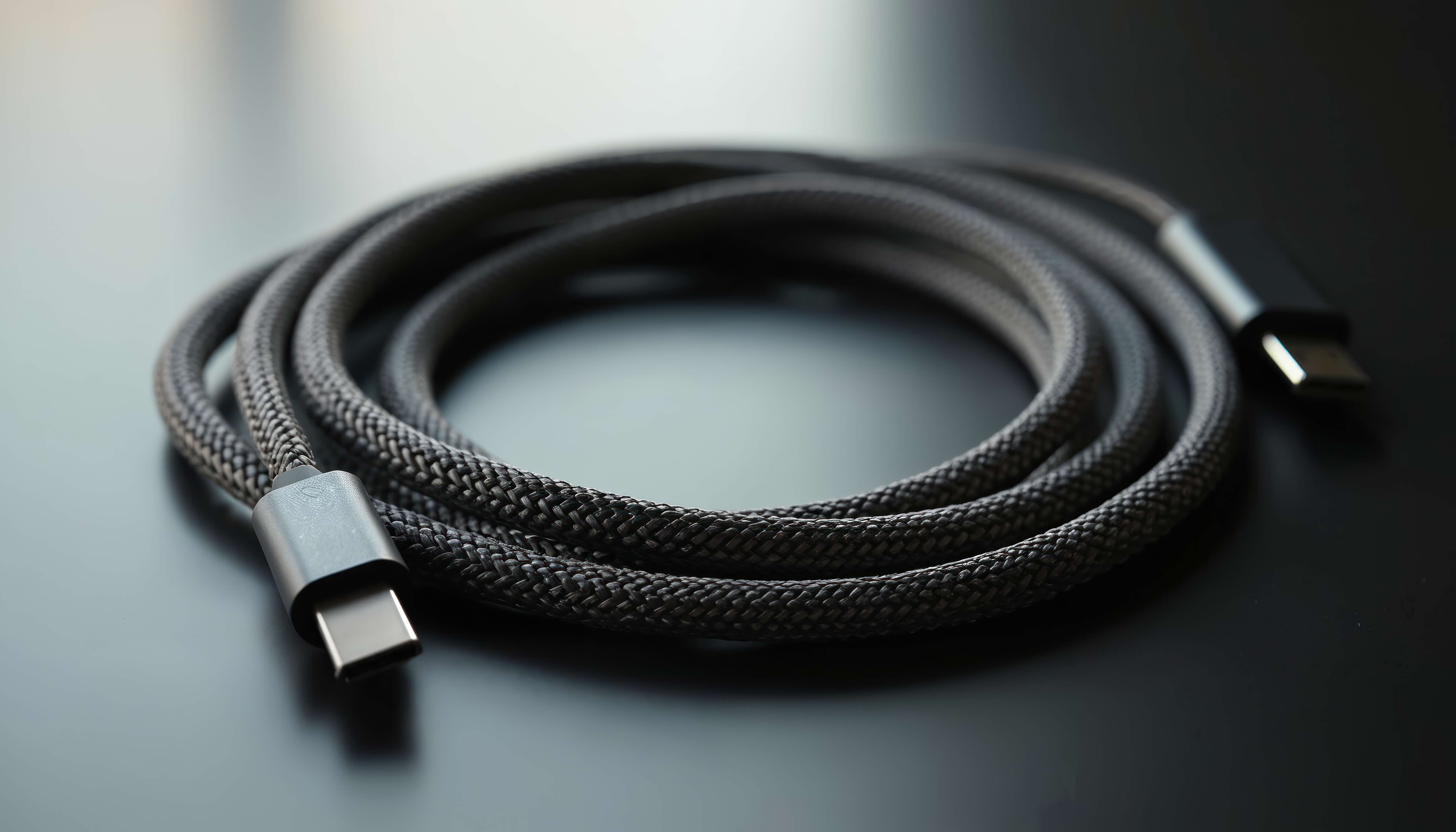
- Build quality indicators like braided nylon jackets and reinforced connectors
A cable rated for 100W USB Power Delivery and USB 3.2 Gen 2 speeds is going to serve a professional workspace significantly better than a generic cable purchased without any specification data on the packaging. Investing a small amount more for verified, certified cables eliminates the guesswork and protects connected hardware over the long term.
USB-C and the Future of Consumer Connectivity Standards
USB4 Version 2.0 is already pushing bandwidth ceilings to 80 Gbps, and Thunderbolt 5 builds on that with even higher throughput capabilities for content creators and power users. The USB-C physical connector will serve as the interface for these next-generation standards, meaning the port itself is not going anywhere -- it is just going to get more capable. Display technology is also evolving in step. USB-C already supports HDMI 2.1 equivalent output through Alt Mode, enabling 8K video passthrough in high-end implementations. For consumers building home theaters, professional editing suites, or hybrid work environments, this convergence of data, power, and display over a single cable type simplifies infrastructure in ways that would have seemed impractical just a few years ago. The technology roadmap for USB-C is strong, and products built around it today are well-positioned for long-term relevance.
Practical Tips for Getting the Most Out of Your USB-C Setup
Understanding USB-C is one thing -- actually optimizing a setup around it is another. A few straightforward practices make a real difference in day-to-day reliability and performance. First, always verify the specifications of both the port on your device and the cable you are using before assuming a particular capability is supported. Second, use a USB-C hub or docking station with clearly documented specs when expanding port availability -- not all hubs support power passthrough at full wattage. Third, keep cable lengths practical -- for high-speed data or video applications, shorter cables consistently outperform longer ones. Fourth, store cables without tight bends near the connector ends to extend lifespan. Fifth, pay attention to USB-IF certification when purchasing cables from any brand, as this is a reliable signal that the cable has been tested to meet published performance standards. Small habits like these translate directly into fewer connection issues and longer hardware life.
Why Monoprice Is the Smart Choice for USB-C Cables and Accessories
When it comes to outfitting a workspace, home setup, or mobile kit with reliable USB-C accessories, the brand behind the cable matters as much as the cable itself. Monoprice has built a well-earned reputation for delivering certified, high-performance connectivity products at prices that make sense for both individual consumers and business buyers. Whether someone needs a 100W USB-C charging cable for a laptop, a USB-C hub for a minimalist desk setup, or a high-speed cable supporting USB 3.2 for fast external storage, Monoprice offers a broad catalog with transparent specifications that take the guesswork out of purchasing decisions. For anyone ready to build or upgrade a USB-C-based connectivity ecosystem without paying inflated retail prices, exploring the full range of USB-C cables and accessories from Monoprice is a practical, value-conscious move that professionals and everyday users alike can feel confident about. The combination of rigorous product standards, accessible pricing, and a catalog depth that covers every use case makes Monoprice a genuinely reliable partner in the shift toward universal USB-C connectivity.
Frequently Asked Questions About USB-C
What is the physical size of a USB-C port?
A USB-C connector measures approximately 8.4 mm wide and 2.6 mm tall, making it significantly smaller than USB-A and USB-B connectors. Its symmetrical oval shape allows it to be inserted in either direction.
Is USB-C the same as Thunderbolt?
No, though they share the same physical connector. Thunderbolt 3 and Thunderbolt 4 use the USB-C port shape but carry Intel-developed protocols that offer higher bandwidth and additional capabilities not available on standard USB-C connections.
Can a USB-C cable charge a laptop?
Yes, provided the cable and port both support USB Power Delivery at the required wattage. Many modern laptops charge via USB-C using 45W, 65W, or 100W USB PD, depending on the device's power requirements.
Why do some USB-C ports not support video output?
Video output over USB-C requires support for DisplayPort Alternate Mode or Thunderbolt, which is determined by the host device's hardware, not the cable or port shape alone. Not all USB-C ports are built with this capability.
Are all USB-C cables interchangeable?
No. While USB-C cables share the same connector form factor, they vary significantly in supported data speeds, maximum power delivery wattage, and protocol compatibility. Always check cable specifications before assuming universal functionality.
What does USB Power Delivery mean for charging speed?
USB Power Delivery is a charging protocol that allows USB-C connections to negotiate higher voltage and current levels dynamically. This enables fast charging across a wide range of devices, from smartphones to laptops, through a single cable type.
Is USB-C becoming mandatory for consumer electronics?
The European Union has enacted legislation requiring USB-C as the standard charging port for most consumer electronics sold in EU member states. This regulation is accelerating global adoption of the USB-C standard across product categories.
What is the maximum data transfer speed of USB-C?
Data transfer speed depends on the underlying protocol. USB 2.0 over USB-C tops out at 480 Mbps, USB 3.2 Gen 2 reaches 10 Gbps, USB4 supports up to 40 Gbps, and Thunderbolt 5 pushes throughput to 120 Gbps in bandwidth-intensive bursts.
How do I know if a USB-C cable is high quality?
Look for cables certified by the USB Implementers Forum, clear wattage and speed ratings printed on packaging, and construction details like braided jackets and reinforced connector ends. Avoid unbranded cables with no specification data.
Can I use a USB-C adapter with older USB-A devices?
Yes. USB-C to USB-A adapters and cables are widely available and allow backward compatibility with legacy peripherals and chargers. However, the connection will operate at the performance ceiling of the older USB-A standard, not full USB-C capability.