

USB-C Explained: Power, Speed, and Compatibility in One Port
What Is USB-C and Why Does It Matter Right Now
There is a moment in technology when something genuinely useful replaces something frustrating, and USB-C is exactly that moment. If you have ever fumbled with a cable in the dark, flipped it over, failed, flipped it again -- USB-C ended that particular annoyance. But beyond orientation, the port is doing something much more interesting. It is consolidating power delivery, high-speed data transfer, and video output into one compact, reversible connector that works across an enormous range of devices. Laptops, smartphones, monitors, docking stations, gaming peripherals -- USB-C has quietly become the backbone of modern device connectivity, and understanding it properly gives you real leverage when buying cables, chargers, hubs, or anything else in your setup.
The Physical Design and Why It Is Actually Smarter Than It Looks
USB-C measures just 8.4mm by 2.6mm, which makes it noticeably smaller than the older USB-A connectors most people grew up with. The oval shape and symmetrical pin layout are what enable the reversible insertion everyone talks about, but the engineering underneath is considerably more involved than just flipping the plug. The connector uses a 24-pin configuration internally, which is part of what makes it capable of handling so many different protocols simultaneously. It is rated for up to 10,000 insertion cycles, meaning it is built for the kind of daily connect-disconnect routine that would wear out older ports much faster. One port doing the job of three is both an aesthetic and a practical improvement, and that is worth acknowledging plainly.
USB-C Power Delivery Explained in Plain Terms
Power Delivery, usually abbreviated as USB-PD, is the charging specification that allows USB-C ports to negotiate variable voltage and current levels between a charger and a device. Standard USB charging used to cap out at around 5 watts. USB-PD changes that significantly, with the specification now supporting up to 240 watts under the USB PD 3.1 standard. That range covers everything from earbuds to high-performance laptops without requiring proprietary chargers. The two devices communicate electronically and settle on the safest, most efficient power profile. The real-world outcome is that you can charge a phone quickly, power a laptop fully, and run a monitor off the same type of cable -- provided the cable and charger are rated appropriately. Not all USB-C cables support high-wattage delivery, which is an important distinction that gets glossed over too often.
Data Transfer Speeds and What the Different USB Versions Actually Mean
This is where things get genuinely confusing for a lot of people, and it is worth slowing down here. USB-C is a connector shape. The speed you get depends on the USB version or alternate protocol the hardware supports. USB 3.2 Gen 1 delivers up to 5 Gbps. USB 3.2 Gen 2 doubles that to 10 Gbps. USB4, which uses the USB-C form factor, reaches 40 Gbps and is built on the Thunderbolt 3 architecture. Thunderbolt 4, also using USB-C, maintains 40 Gbps with stricter certification requirements. These distinctions matter when you are moving large video files, running high-resolution external displays, or connecting fast NVMe enclosures. A cable that looks identical on the outside might perform very differently depending on what it was built to carry. Always check the spec sheet and not just the connector type.
Video Output and Display Capabilities Over USB-C
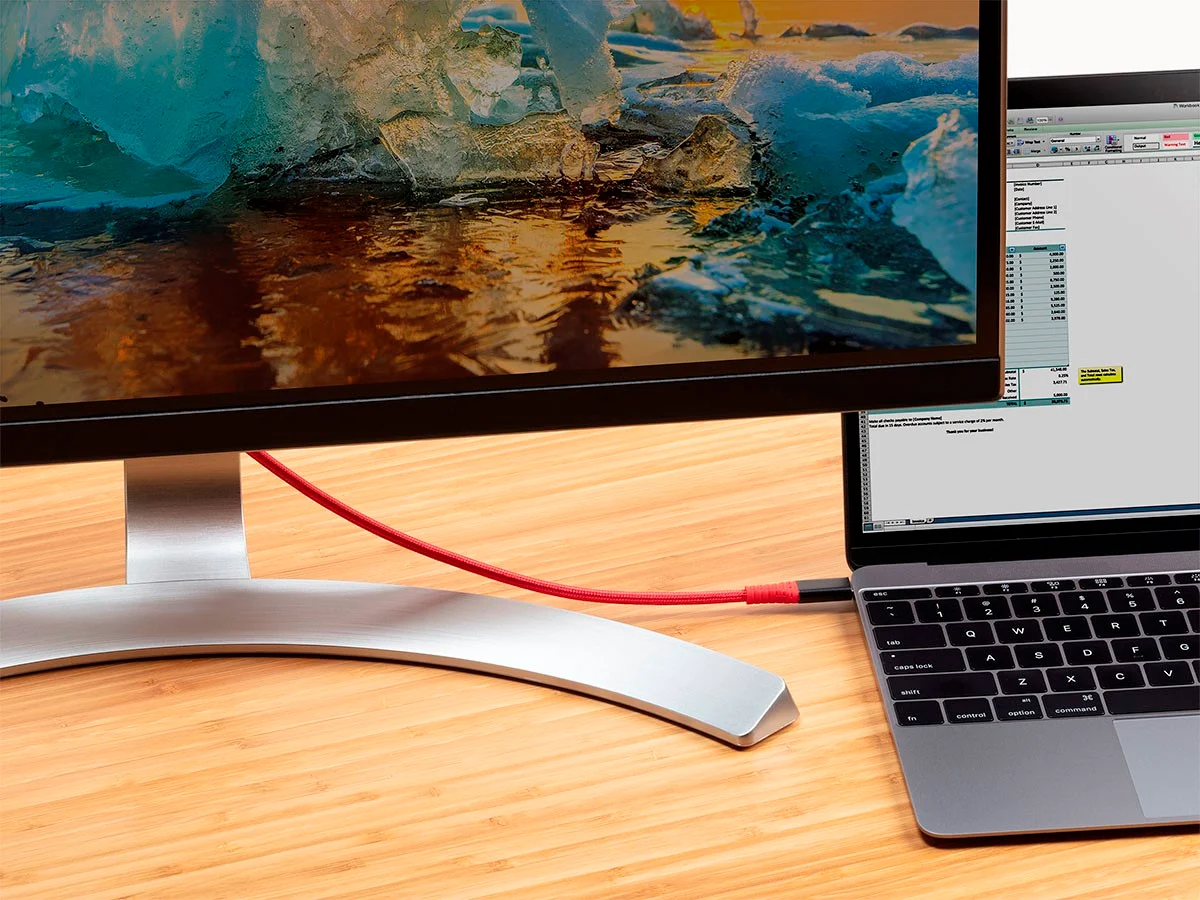
USB-C supports DisplayPort Alternate Mode and HDMI Alternate Mode, which means it can carry full video signals without an adapter in most modern setups. DisplayPort 2.0 over USB-C can push 8K resolution at 60Hz or 4K at 144Hz, depending on the hardware. Thunderbolt-enabled USB-C ports can daisy-chain multiple monitors, which is particularly useful in workstation or content creation environments where screen real estate matters. The consolidation of video and power in one cable is part of what makes USB-C docking stations so practical -- one cable on a desk connects a laptop to power, multiple monitors, a network connection, and peripherals simultaneously. That single-cable desk setup was not really achievable before USB-C made it straightforward.
Key Advantages of USB-C Worth Knowing
The benefits stack up quickly once you start looking at how USB-C performs across real scenarios. These are the advantages that matter most for everyday users and professionals alike:
Universal compatibility across a broad and growing range of devices Reversible connector design that eliminates insertion errors Support for high-wattage charging up to 240 watts via USB PD 3.1 High-speed data transfer reaching 40 Gbps with USB4 and Thunderbolt 4 Video output up to 8K resolution through Alternate Mode Single-cable docking station functionality for streamlined desk setups Compact port footprint that frees up device chassis space for other features Rated for up to 10,000 insertion cycles for reliable long-term useCommon Drawbacks and Frustrations to Be Aware Of
USB-C has real limitations that are easy to overlook when the marketing focuses on the positives. The biggest issue is the lack of visual differentiation. Two cables that look completely identical might support completely different speeds and wattages. A cable rated for 60 watts will not safely deliver 100 watts, and a cable built for USB 2.0 speeds will bottleneck a Thunderbolt 4 device without any obvious warning. Compatibility confusion is also common because not every USB-C port supports every feature -- a phone's USB-C port might only support charging and basic data transfer, with no video output at all. Device labeling has improved but remains inconsistent. The lesson is to treat the connector as a starting point for research, not a guarantee of capability. Buying certified, clearly-specified cables and accessories reduces most of these headaches significantly.
Practical Tips for Getting the Most Out of USB-C
Working with USB-C effectively comes down to knowing what your specific hardware supports and matching your cables and accessories accordingly. A few practical habits make a real difference:
Always check whether a USB-C port supports Power Delivery before using it for fast charging Look for cables that list both their wattage rating and data transfer speed clearly Use Thunderbolt 4 certified cables for daisy-chaining monitors or connecting fast external storage Match your charger wattage to your device's maximum input for the fastest possible charge Invest in a USB-C hub or dock with clearly specified port speeds rather than assuming all ports are equal When buying cables for video output, confirm DisplayPort or HDMI Alternate Mode support explicitlyWhy Monoprice Is the Right Source for Your USB-C Cables and Accessories
Choosing the right USB-C accessories is not just about picking a cable off a shelf -- it is about trusting that the specs are accurate, the materials hold up, and the price reflects genuine value rather than a brand premium. That is where Monoprice consistently delivers. With clearly labeled products, robust certification standards, and a product line built specifically to meet the demands of both everyday consumers and professional integrators, Monoprice removes the guesswork from USB-C purchases. Whether you need a high-wattage charging cable, a Thunderbolt 4 cable for a multi-monitor workstation, or a USB-C hub that actually performs what it promises, the range covers it. Anyone looking for reliable, high-performance USB-C cables and accessories for professional or home use will find that Monoprice offers the kind of transparent, spec-accurate product information that makes confident purchasing decisions straightforward. The combination of performance and price is not a compromise -- it is the core of what the brand is built on.
Frequently Asked Questions About USB-C
Is every USB-C cable the same?
No. USB-C cables vary significantly in their supported wattage, data transfer speeds, and protocol compatibility. A cable might support only basic charging while another supports 100 watts and 40 Gbps data transfer. Always check the specifications before purchasing.
Can USB-C charge a laptop?
Yes, provided the laptop and charger both support USB Power Delivery and the cable is rated for the required wattage. Many modern laptops charge at 45 to 100 watts over USB-C, and some high-performance models require up to 140 watts or more.
What is the difference between USB-C and Thunderbolt 4?
USB-C is a connector shape. Thunderbolt 4 is a high-performance protocol that uses the USB-C connector. Thunderbolt 4 guarantees 40 Gbps transfer speeds, video output support, and daisy-chaining capabilities, all of which exceed what standard USB-C requires.
Does USB-C support video output to a monitor?
It can, but only if the USB-C port supports DisplayPort or HDMI Alternate Mode. Not all USB-C ports include this functionality. Check the device specifications to confirm video output support before purchasing a cable or adapter for this purpose.
What is USB Power Delivery and how does it work?
USB Power Delivery is a charging specification that allows USB-C devices to negotiate the optimal voltage and current levels for safe, efficient charging. It supports up to 240 watts under the USB PD 3.1 standard, enabling fast charging for everything from phones to high-performance laptops.
Can I use a USB-C cable from my phone to charge my laptop?
Possibly, but only if the cable supports the required wattage and both devices support USB Power Delivery. A cable rated for 18 watts may not deliver enough power to charge a laptop adequately, and some cables are not built to carry higher current safely.
Why do some USB-C ports charge slowly even with a fast charger?
Slow charging over USB-C is usually caused by a cable that does not support high wattage, a port that does not support USB Power Delivery, or a mismatch between the charger output and what the device is designed to accept. The cable is often the limiting factor.
Is USB4 the same as USB-C?
No. USB4 is a data transfer protocol that uses the USB-C connector. It supports speeds up to 40 Gbps and is built on Thunderbolt 3 architecture. Not all USB-C ports support USB4, so checking device specifications is necessary to confirm compatibility.
How many devices can I connect through a single USB-C Thunderbolt port?
Using a Thunderbolt 4 certified hub or dock, you can connect multiple monitors, external storage drives, peripherals, and a network connection through a single USB-C port. Daisy-chaining supports up to six devices in a single chain depending on the hardware configuration.
Are USB-C connectors durable enough for daily use?
USB-C connectors are rated for up to 10,000 insertion cycles, which exceeds the durability of older USB-A connectors by a wide margin. With quality cables and careful handling, a USB-C port used multiple times daily should remain reliable for years under normal conditions.


