

USB 3.0 Type A Connectors: Proven, Reliable, Cost-Effective
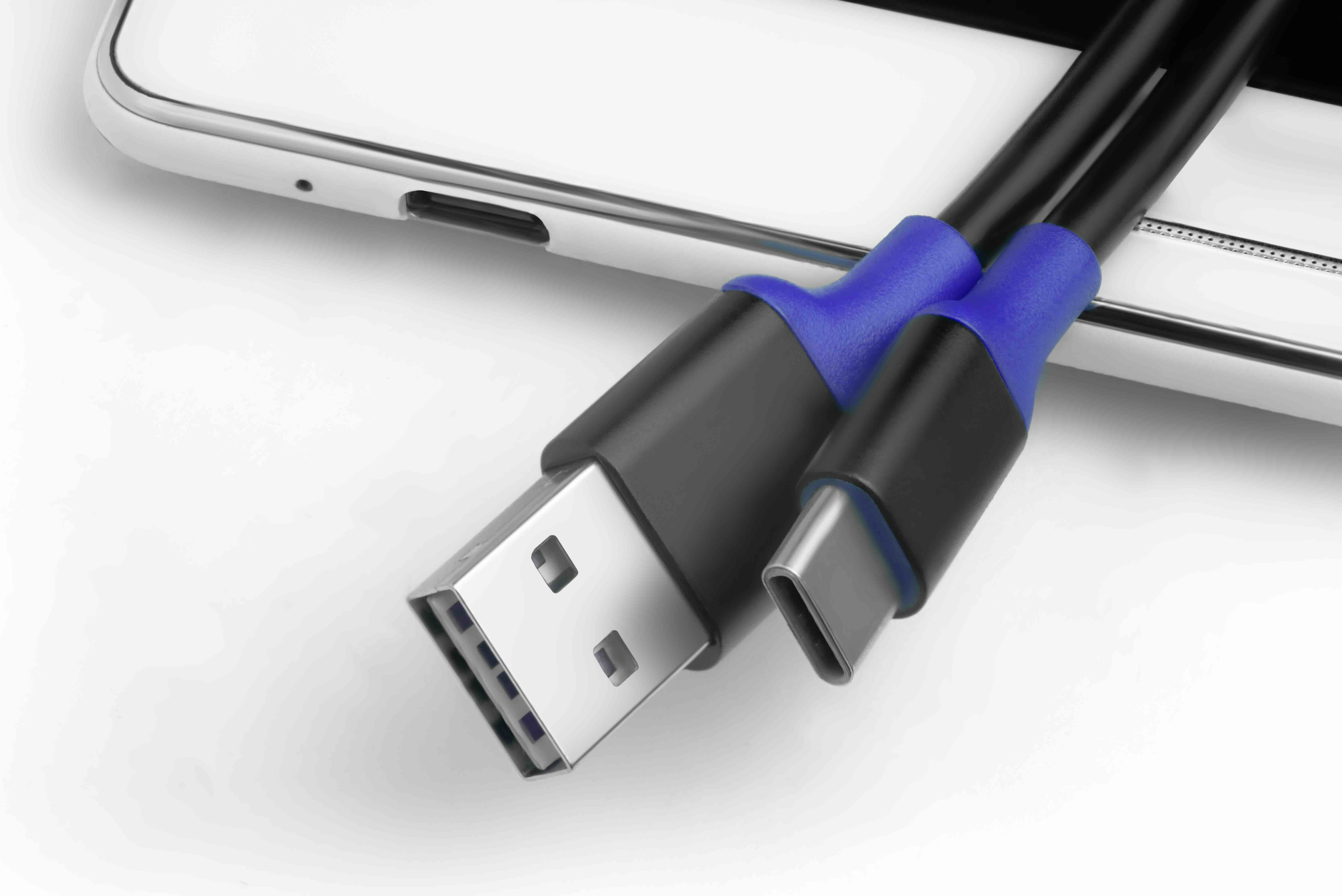
USB 3.0 Type A Connectors: What They Are and Why They Still Matter
There is something quietly remarkable about a connector that has been around for decades and still shows up in nearly every device category you can think of. USB 3.0 Type A is exactly that. It is the rectangular port you have probably plugged something into thousands of times without giving it a second thought. But understanding what it actually does, how it performs, and where it fits in your workflow is worth a few minutes of your attention, especially if you are sourcing cables, hubs, or adapters at scale or just trying to make smarter purchasing decisions. So let's break this down properly.
A Quick History: How USB 3.0 Type A Became the Industry Standard
USB, which stands for Universal Serial Bus, was introduced in the mid-1990s with one goal: simplify how peripheral devices connect to computers. The original USB 1.0 and 2.0 standards were solid for their time, but as data demands grew, so did the need for faster throughput. USB 3.0 arrived in 2008, and with it came the familiar Type A form factor upgraded for a new era. The USB 3.0 Type A connector retained the same rectangular shape users already knew, but internally it carried additional pins that enabled significantly faster data transfer. This backward-compatible design decision was deliberate and smart. It meant manufacturers and end users did not have to abandon existing infrastructure overnight. That kind of practical, bridge-the-gap thinking is exactly why USB 3.0 Type A connectors are still everywhere today.
How USB 3.0 Type A Works: The Technical Side Made Simple
You do not need a degree in electrical engineering to appreciate what is happening inside a USB 3.0 Type A connector. The original USB 2.0 Type A used four pins: two for power, two for data. USB 3.0 kept those original four pins and added five more, creating a nine-pin configuration inside the same physical housing. Those extra pins are what unlock SuperSpeed USB, the branding name for USB 3.0's data transfer capabilities. The result is a maximum theoretical transfer rate of 5 Gbps, which is roughly ten times faster than USB 2.0's ceiling of 480 Mbps. In real-world use, you will not always hit that theoretical max, but even practical speeds are substantially better for transferring large files, running external drives, or powering data-intensive peripherals. The connector also supports simultaneous read and write operations, which matters when you are moving data in both directions at once.
Key Advantages of USB 3.0 Type A Connectors
There are several reasons this connector format has maintained such strong adoption across consumer electronics, enterprise environments, and professional workstations. The benefits are concrete and measurable, not marketing language.
- SuperSpeed data transfer rates up to 5 Gbps
- Backward compatibility with USB 2.0 and 1.1 devices
- Universal adoption across laptops, desktops, hubs, and docking stations
- Improved power delivery compared to older USB standards
- Widely available and cost-effective across multiple quality tiers
- Durable physical design with a strong retention fit
- Simple plug-and-play functionality requiring no driver installation in most cases
The backward compatibility point deserves special attention. Because a USB 3.0 Type A port accepts USB 2.0 and 1.1 plugs, organizations and individuals do not face forced upgrades. You can mix and match generations of devices on the same system without losing functionality. That practical flexibility has enormous value in IT environments where not every device on a workbench is the same age or spec.
Common Drawbacks to Know Before You Buy
No connector standard is perfect, and being upfront about limitations is part of making smart purchasing decisions. USB 3.0 Type A does have a few practical shortcomings worth noting. First, it is not reversible. You can only insert the connector in one orientation, which sounds minor until you are behind a rack or under a desk trying to connect something in low light. Second, the form factor, while durable, is larger than newer connector types, which creates some constraint in ultra-thin device designs. Third, USB 3.0 has largely been succeeded by USB 3.1, 3.2, and USB4, which offer faster speeds and additional capabilities. That said, for most everyday applications, 5 Gbps is more than sufficient, and the cost advantage of USB 3.0 Type A hardware is hard to ignore. Knowing these tradeoffs helps you match the right connector to the right job rather than over-specifying or under-delivering.
Where USB 3.0 Type A Connectors Are Most Commonly Used
The application range for USB 3.0 Type A is genuinely broad. In office environments, you will find it on USB hubs, keyboard and mouse receivers, external hard drives, flash drives, and docking stations. In production or media environments, it handles high-speed data offloads from cameras and audio interfaces. In consumer electronics, it shows up on gaming controllers, streaming devices, printers, and scanners. For industrial and commercial applications, USB 3.0 Type A connectors are frequently used in point-of-sale systems, kiosks, and laboratory equipment. The connector's combination of speed, reliability, and universal compatibility keeps it relevant across virtually every vertical. If you are managing a mixed hardware environment, there is a strong chance USB 3.0 Type A is already part of your daily infrastructure, whether you have catalogued it or not.
Practical Tips for Choosing and Using USB 3.0 Type A Cables and Connectors
Cable and connector quality varies more than most buyers expect. To get consistent performance from USB 3.0 Type A connections, there are a few guidelines worth following. Look for cables with proper shielding to reduce electromagnetic interference, especially in environments with lots of powered equipment nearby. Pay attention to cable length, as signal integrity can degrade over longer runs without active signal boosting. Connectors with gold-plated contacts provide better conductivity and corrosion resistance over time. For high-cycle applications like shared workstations or public-facing kiosks, prioritize connectors rated for a higher number of insertion cycles. And always confirm that both ends of a cable are correctly spec'd for USB 3.0 if you want to take advantage of SuperSpeed rates. Using a USB 2.0 cable between two USB 3.0 devices will cap your transfer speed at the lower standard.
USB 3.0 Type A vs. USB-C: Understanding the Differences
A common question worth addressing directly is how USB 3.0 Type A compares to the newer USB-C connector format. USB-C is physically smaller, fully reversible, and capable of supporting faster protocols like USB 3.2 and USB4. It also handles power delivery at higher wattages and can carry video signals natively. For these reasons, USB-C is increasingly the connector of choice in new device designs. However, USB-C comes at a higher cost per unit, and the installed base of USB 3.0 Type A devices is enormous. In many deployment scenarios, particularly for organizations managing existing infrastructure, switching entirely to USB-C is neither practical nor economically justified. USB 3.0 Type A and USB-C are not in competition so much as they are complementary standards serving different points in the product and infrastructure lifecycle. Knowing when to use each is the mark of a well-informed buyer.
Who Benefits Most From USB 3.0 Type A Connectors
The short answer is: most people working with technology. IT managers sourcing peripheral cables for office rollouts benefit from the low cost per unit and broad device compatibility. Hobbyists building home lab setups or DIY media servers appreciate the reliability and availability. Creative professionals moving large video or audio files need the throughput that USB 3.0 provides over USB 2.0. Small business owners and procurement teams benefit from the predictable pricing and mature supply chain. Even casual home users handling routine backups or charging peripherals get tangible value from the improved speed and power delivery. USB 3.0 Type A sits in a productive middle ground: not the cutting edge, but absolutely reliable, widely supported, and consistently cost-effective across a range of real-world use cases.
Why Monoprice Is the Right Source for USB 3.0 Type A Cables and Connectors
When it comes to sourcing USB 3.0 Type A hardware that actually performs to spec, the supplier matters as much as the standard itself. Monoprice has spent years building a catalog of connectivity products designed to deliver genuine performance without inflated price tags. Whether you are outfitting a single workstation or placing a bulk order for an enterprise deployment, the product quality and pricing structure are built to make sense at every scale. Monoprice cables and connectors are engineered with proper shielding, reliable contact materials, and construction that holds up through real-world use cycles. If you are looking for reliable USB 3.0 Type A cables and connectivity solutions at competitive prices, Monoprice offers a consistently strong option backed by product expertise and a straightforward purchasing experience. The value is there, the quality is there, and the breadth of the catalog means you can solve multiple connectivity needs in a single order.
Frequently Asked Questions About USB 3.0 Type A Connectors
What is a USB 3.0 Type A connector?
A USB 3.0 Type A connector is the standard rectangular USB plug that has been updated to support SuperSpeed data transfer rates of up to 5 Gbps. It retains the same physical shape as USB 2.0 Type A but includes additional internal pins for faster performance.
Is USB 3.0 Type A backward compatible with USB 2.0?
Yes. USB 3.0 Type A connectors are fully backward compatible with USB 2.0 and USB 1.1 devices. When connected to an older device or port, the connection will operate at the lower standard's speed.
How fast is USB 3.0 Type A?
USB 3.0 Type A supports a maximum theoretical transfer rate of 5 Gbps, which is approximately ten times faster than the USB 2.0 maximum of 480 Mbps.
Can I use a USB 3.0 Type A cable with a USB 2.0 port?
Yes, you can physically connect a USB 3.0 Type A cable to a USB 2.0 port. However, the data transfer speed will be limited to USB 2.0 rates, as the connection defaults to the lower specification.
What devices commonly use USB 3.0 Type A connectors?
USB 3.0 Type A connectors are found on external hard drives, flash drives, USB hubs, docking stations, keyboards, mice, printers, cameras, and a wide range of other consumer and professional peripherals.
What is the difference between USB 3.0 Type A and USB-C?
USB 3.0 Type A is a larger, non-reversible rectangular connector. USB-C is a smaller, reversible oval connector capable of supporting faster protocols and higher power delivery. USB-C is increasingly standard on newer devices, while USB 3.0 Type A remains widely used across existing hardware.
Does cable quality affect USB 3.0 Type A performance?
Yes, cable quality significantly impacts performance. Poorly shielded or underspec'd cables can limit transfer speeds, increase interference, and degrade over time. Using properly constructed cables with the correct gauge and shielding is important for consistent results.
How many times can a USB 3.0 Type A connector be inserted and removed?
Most standard USB 3.0 Type A connectors are rated for approximately 1,500 insertion and removal cycles. Higher-quality connectors designed for industrial or high-frequency use may be rated for significantly more cycles.
Is USB 3.0 Type A still relevant in 2024 and beyond?
Yes. Despite newer standards like USB 3.2 and USB4 being available, USB 3.0 Type A remains widely used due to its extensive installed base, cost-effectiveness, and sufficient performance for most common data transfer tasks.
What should I look for when buying USB 3.0 Type A cables?
Look for cables with proper EMI shielding, gold-plated contacts, appropriate length for your use case, and clear labeling confirming USB 3.0 compliance. Purchasing from reputable suppliers ensures the cable is built to specification rather than labeled without meeting actual performance standards.


