USB 3.0 Cables and Accessories: Fast, Reliable Transfers
USB 3.0 Explained: What It Is, How It Works, and Why It Still Matters
USB 3.0 has been around for a while now, but honestly, there is still a lot of confusion around it -- what it actually does, how it compares to newer specs, and whether it is still worth caring about. Short answer: yes, absolutely. USB 3.0 -- also referred to as USB 3.1 Gen 1 or SuperSpeed USB -- remains one of the most widely deployed connectivity standards across consumer electronics, professional workstations, and enterprise environments. If you are buying cables, hubs, docks, or peripherals today, understanding USB 3.0 is not optional. It is foundational.
A Quick History: How USB 3.0 Came to Be
The original USB 1.1 standard maxed out at a humble 12 Mbps. Then USB 2.0 arrived in 2000 and pushed that ceiling to 480 Mbps, which felt revolutionary at the time. Fast forward to 2008, and the USB 3.0 spec was officially released, delivering a theoretical data transfer rate of 5 Gbps -- roughly ten times faster than its predecessor. That was a significant leap. The USB Implementers Forum later rebranded USB 3.0 as USB 3.1 Gen 1 and then USB 3.2 Gen 1 as the naming conventions evolved and newer tiers were introduced. It gets a little messy with the labeling, but underneath all the renaming, the core 5 Gbps performance tier remains what most people refer to when they say USB 3.0.
How USB 3.0 Actually Works
USB 3.0 introduced a dual-bus architecture -- meaning it added a new set of physical data lanes to the existing USB 2.0 infrastructure. This is actually why USB 3.0 ports are backward compatible with USB 2.0 devices. The connector physically contains both older and newer data pathways. The technology uses a full-duplex signaling method, allowing data to be sent and received simultaneously rather than taking turns, which is part of why the speed jump was so dramatic. USB 3.0 also improved power delivery, bumping the available current from 500 mA to 900 mA. That means faster charging for devices connected to a USB 3.0 port compared to a legacy USB 2.0 port, even when data transfer is not happening.
USB 3.0 Connector Types: What You Need to Know
One of the things that trips people up is the variety of physical connectors that fall under the USB 3.0 umbrella. Knowing the differences matters when you are shopping for cables or peripherals.
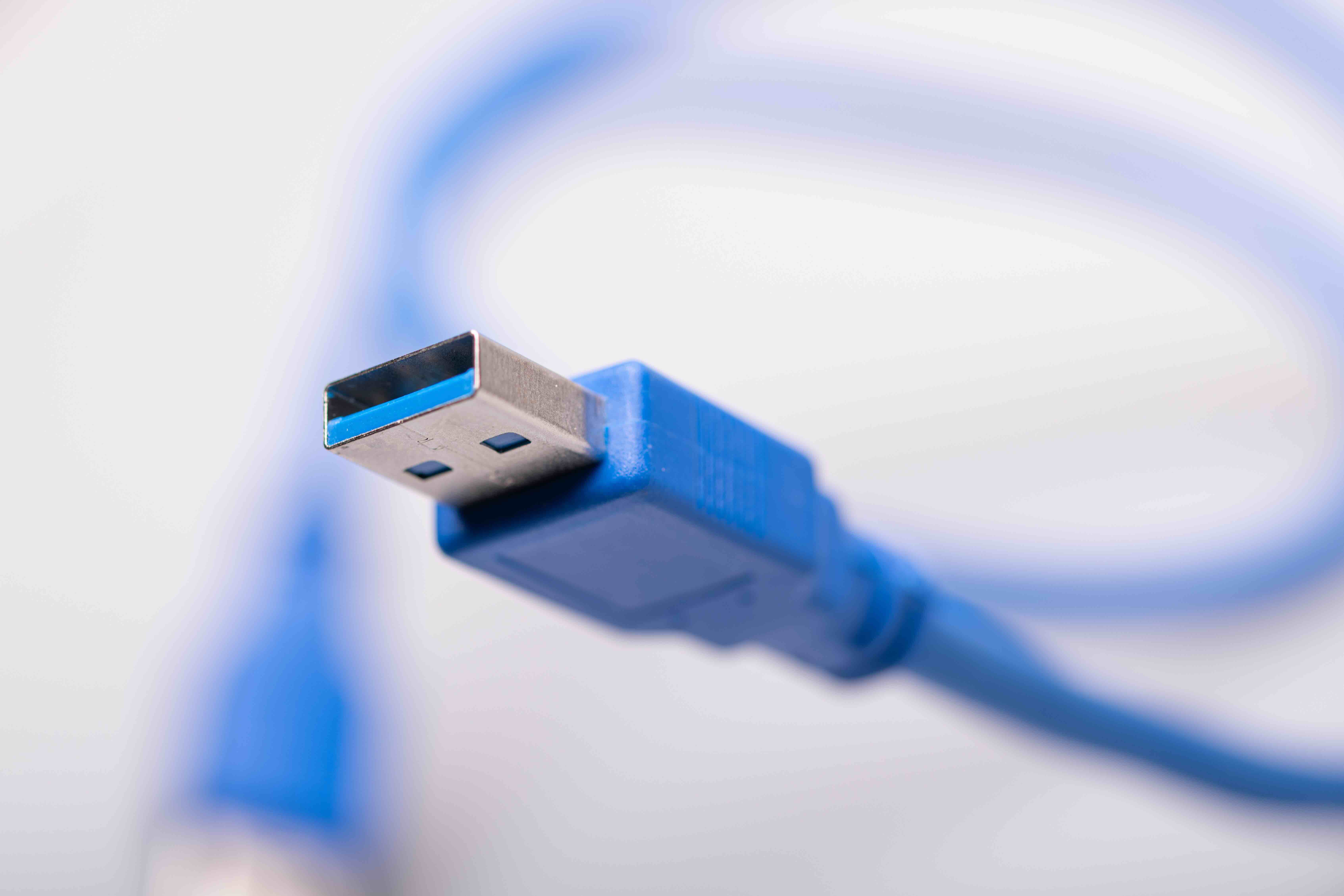
- Type-A (Standard): The traditional rectangular connector, still found on desktops, laptops, and USB hubs
- Type-B: The squarer, industrial-style connector used on devices like external hard drives and printers
- Micro-B: A smaller connector common on older portable hard drives and some Android devices
- Type-C: The newer oval-shaped reversible connector that supports USB 3.2, USB4, and Thunderbolt depending on the host implementation
It is worth noting that not all USB-C cables or ports automatically support USB 3.0 speeds. The connector type and the protocol are separate things, and that distinction matters when sourcing cables. A USB-C cable rated only for USB 2.0 will not get you 5 Gbps speeds even if both devices technically support them. Spec the cable correctly -- always.
Key Advantages of USB 3.0
There are concrete, practical reasons USB 3.0 remains relevant across so many categories of hardware. Here is what makes it worth specifying.
- Transfer speeds up to 5 Gbps, suitable for large file transfers, video editing workflows, and backup drives
- Backward compatibility with USB 2.0 and 1.1 devices -- no adapters needed in most cases
- Improved power delivery at 900 mA, enabling faster charging and better performance for bus-powered devices
- Wider availability across a broad range of affordable hardware and peripherals
- Mature, proven standard with excellent driver support across Windows, macOS, and Linux environments
For most everyday use cases -- external storage, webcams, audio interfaces, USB hubs, and peripherals -- USB 3.0 delivers more than enough bandwidth. It is a stable, cost-effective standard that does not require cutting-edge hardware to implement properly.
Common Drawbacks and Limitations to Consider
No standard is without trade-offs, and USB 3.0 is no exception. The 5 Gbps ceiling can become a real constraint in high-throughput scenarios -- think NVMe SSDs in external enclosures, where the drive itself is capable of far exceeding what USB 3.0 can push. For those applications, USB 3.2 Gen 2 at 10 Gbps or USB4 at 40 Gbps would be the appropriate upgrade path. There are also signal integrity considerations. Longer USB 3.0 cables can introduce latency or dropout issues if the cable is not properly shielded or rated for the application. USB 3.0 also does not natively support video output or advanced power delivery profiles -- those features belong to USB-C with the right alternate mode implementations. If your workflow demands higher bandwidth, display output, or 100W power delivery, you are looking beyond the base USB 3.0 spec.
USB 3.0 vs USB 3.1 vs USB 3.2: Clearing Up the Confusion
The USB naming situation is genuinely confusing, and it has frustrated buyers and integrators for years. Here is the simplified version: USB 3.0 equals USB 3.1 Gen 1 equals USB 3.2 Gen 1 -- all refer to 5 Gbps transfer speeds. USB 3.1 Gen 2 and USB 3.2 Gen 2 both refer to 10 Gbps speeds. USB 3.2 Gen 2x2 pushes 20 Gbps using two lanes simultaneously and requires USB-C. These are all different performance tiers within the broader USB 3 family. When a manufacturer labels a product as USB 3.0, they are almost always referring to that 5 Gbps Gen 1 baseline -- which, again, covers a massive portion of the real-world peripheral market just fine.
Practical Tips for Getting the Most Out of USB 3.0
Getting full USB 3.0 performance is not automatic -- it depends on using the right cables, ports, and devices together. Always connect USB 3.0 peripherals to USB 3.0 ports, typically identified by a blue color coding or a SS marking. Using a USB 2.0 port with a USB 3.0 device will cap you at 2.0 speeds regardless of the cable. Use quality, properly shielded cables -- especially for runs longer than a meter. Cheap, unshielded cables are one of the most common causes of intermittent connections or reduced transfer rates. If you are running USB 3.0 through an active extension or hub, make sure the hub itself is USB 3.0 rated and has an external power source for power-hungry devices. Host controller quality also matters -- some older motherboards with USB 3.0 ports have poor on-board controllers that limit real-world throughput. In those cases, a PCIe USB expansion card can make a measurable difference.
Why Monoprice Should Be Your Source for USB 3.0 Cables and Accessories
If you are speccing out a USB 3.0 infrastructure for a home office, a production studio, or an enterprise deployment, the quality of your cables and accessories is not a place to cut corners -- but that does not mean overpaying. Monoprice has built a trusted reputation in the technology space by delivering high-performance connectivity products at prices that make sense for both individual buyers and procurement teams. When you are sourcing USB 3.0 cables, hubs, and high-speed data transfer accessories, Monoprice offers a range of rigorously designed options backed by real engineering -- not just spec-sheet promises. Every cable is built to perform at the rated spec, with proper shielding and connector construction to ensure signal integrity across the full transfer rate. Whether you need a single USB 3.0 cable or a bulk order for an enterprise rollout, the value-to-performance ratio is hard to beat. Monoprice is the kind of supplier that earns long-term trust by consistently delivering products that do exactly what they are supposed to do, without inflated pricing.
Frequently Asked Questions About USB 3.0
What is the maximum data transfer speed of USB 3.0?
USB 3.0 supports a theoretical maximum data transfer rate of 5 Gbps, which is approximately ten times faster than USB 2.0's 480 Mbps ceiling. Real-world speeds will vary depending on cable quality, host controller, and the device being used.
Is USB 3.0 backward compatible with USB 2.0?
Yes. USB 3.0 is fully backward compatible with USB 2.0 and USB 1.1 devices. When a USB 2.0 device is connected to a USB 3.0 port, it will operate at USB 2.0 speeds. No adapter is required in most configurations.
How can I identify a USB 3.0 port on my computer?
USB 3.0 ports are commonly color-coded blue on the inside of the connector. Many ports also carry a SuperSpeed or SS label printed near the port itself. Checking your device specifications will confirm the exact USB version supported.
What is the difference between USB 3.0 and USB 3.1?
USB 3.0 and USB 3.1 Gen 1 are the same specification -- both deliver 5 Gbps transfer speeds. USB 3.1 Gen 2 doubles that to 10 Gbps. The renaming was introduced by the USB Implementers Forum as part of a broader effort to unify the USB 3 naming convention.
Does USB 3.0 charge devices faster than USB 2.0?
Yes. USB 3.0 provides up to 900 mA of current compared to USB 2.0's 500 mA. This means devices connected to a USB 3.0 port can charge faster, even when data transfer is not actively occurring.
Can I use a USB 3.0 cable with a USB-C port?
USB-C is a connector form factor, not a speed specification. A USB-C cable can support USB 2.0, USB 3.0, USB 3.2, or USB4 speeds depending on how it is rated. Always verify the cable's rated specification before assuming USB 3.0 performance over a USB-C connection.
Is USB 3.0 fast enough for external SSDs?
For SATA-based external SSDs, USB 3.0 at 5 Gbps is generally adequate. However, NVMe-based external SSDs are capable of much higher throughput, and those drives will benefit from USB 3.2 Gen 2 at 10 Gbps or faster to avoid a bottleneck at the interface level.
Does cable length affect USB 3.0 performance?
Yes. The USB 3.0 specification recommends a maximum passive cable length of approximately 3 meters for reliable performance. Longer runs can introduce signal degradation, requiring an active extension cable or powered USB hub to maintain consistent data transfer rates.
What devices commonly use USB 3.0?
USB 3.0 is used across a wide range of devices including external hard drives, flash drives, webcams, audio interfaces, USB hubs, docking stations, and keyboard or mouse receivers. It remains one of the most common connectivity standards in active use today.
Is USB 3.0 still worth using in 2024 and beyond?
Yes. USB 3.0 remains highly relevant for the vast majority of peripheral and storage use cases. Its broad hardware compatibility, mature driver support, and accessible pricing make it a practical choice for most users. Higher-tier USB specifications are beneficial for specialized high-bandwidth applications, but USB 3.0 handles everyday connectivity needs reliably and efficiently.