

USB 3.0 Cable Max Length: What You Need to Know
What Is the Maximum Length of a USB 3.0 Cable and Why Does It Matter?
So here is something that comes up more than you would think -- someone runs a USB 3.0 cable across a room, plugs everything in, and then wonders why their transfer speeds are crawling or why the device is not even being recognized. Nine times out of ten, the cable length is the culprit. The USB 3.0 specification defines a maximum cable length of 3 meters, which is roughly 9.8 feet. That is not a suggestion -- that is the engineering boundary built into the standard itself. Push past it and you start running into signal degradation, data errors, and unreliable connections. Understanding this limit before you buy or install is the kind of thing that saves real time and money.
Understanding USB 3.0: A Quick Rundown of the Standard
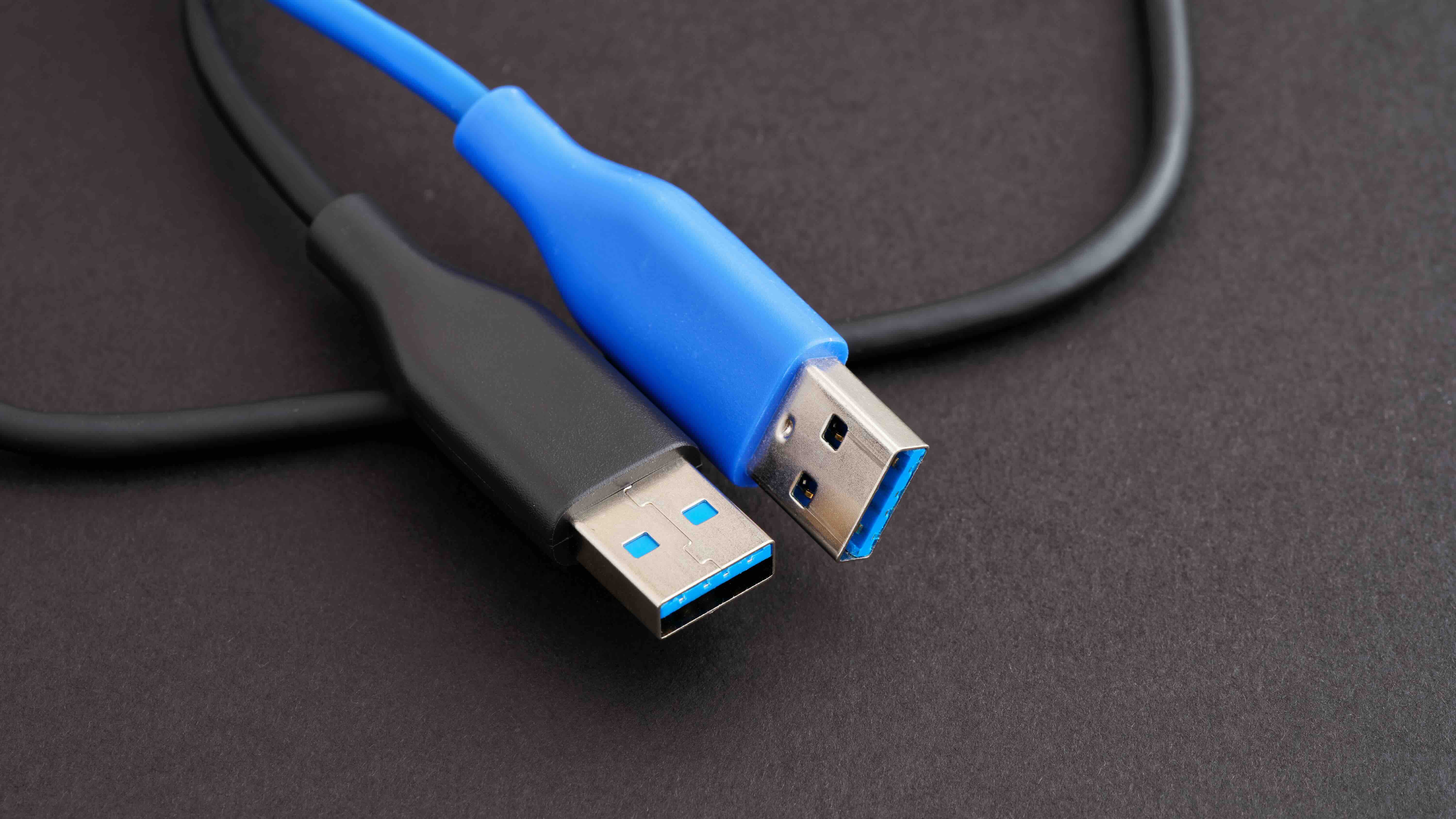
USB 3.0, also referred to as USB 3.1 Gen 1 or SuperSpeed USB, was introduced to replace the slower USB 2.0 standard. It operates at theoretical transfer speeds up to 5 Gbps, which is around ten times faster than USB 2.0's 480 Mbps ceiling. It introduced new connector designs -- the recognizable blue-colored Type-A ports -- and backward compatibility with USB 2.0 devices. The standard was developed to support high-bandwidth applications like external hard drives, video capture equipment, industrial cameras, and data-heavy peripherals. What makes USB 3.0 genuinely useful in professional and consumer contexts is that combination of speed and broad device compatibility. But that speed comes with a tradeoff -- the signal is more sensitive to cable quality and length than its predecessor.
Why USB 3.0 Has a 3-Meter Cable Length Limit
The 3-meter limitation is not arbitrary. It comes directly from how USB 3.0 handles signal transmission. At 5 Gbps, electrical signals traveling through copper conductors begin to degrade over distance. This degradation is caused by signal attenuation -- basically, the signal loses strength as it travels further. USB 3.0 cables are also unshielded twisted pair at their core, which means they are more susceptible to interference at longer lengths. The USB Implementers Forum, the organization that governs the USB specification, set the 3-meter limit as the point at which a passive cable can reliably maintain signal integrity without requiring amplification or signal conditioning. Go beyond that and you are essentially outside the spec's guarantee zone.
Can You Extend a USB 3.0 Cable Beyond 3 Meters?
Yes, but there are important caveats. Passive extension cables or standard USB extenders daisy-chained together will almost always cause problems at USB 3.0 speeds. You might maintain a connection, but the data rate typically drops to USB 2.0 speeds -- or the device disconnects intermittently. The reliable solutions for longer USB 3.0 runs include the following options:
- Active USB 3.0 extension cables -- these have built-in signal repeaters that boost the signal and can extend runs up to around 10 meters in some cases
- USB 3.0 over fiber optic cables -- capable of reaching distances of 30 meters or more with zero signal degradation
- USB 3.0 hubs with active repeaters -- useful for managing multiple devices at extended distances
- USB extender systems over Cat5e or Cat6 networking cable -- a practical solution for AV installations and industrial environments
Each of these approaches has specific use cases and cost considerations. Active cables are the simplest drop-in solution for moderate distance needs. Fiber-based extenders are the go-to for longer distances in professional AV or IT environments where signal integrity is non-negotiable.
How Cable Quality Affects USB 3.0 Performance Within the 3-Meter Limit
Here is something worth paying attention to even within the allowed 3-meter range -- not all USB 3.0 cables perform equally. Cable construction, conductor gauge, shielding quality, and connector contacts all affect real-world performance. A poorly built cable operating at 2.5 meters can underperform a well-built cable at 3 meters. Look for cables with 28 AWG data conductors, double-shielded construction, and gold-plated contacts for the most consistent results. The spec defines the maximum length, but quality defines how reliably you hit that limit without issues. Especially in environments with a lot of electromagnetic interference -- think server rooms, AV racks, or manufacturing floors -- a shielded, well-constructed cable is not optional, it is essential.
USB 3.0 Cable Length vs. USB 2.0 and USB 3.1 or 3.2
Comparing USB generations helps put the 3-meter limit into context. USB 2.0 supports passive cable lengths up to 5 meters -- a noticeably longer limit because of its lower 480 Mbps operating speed. USB 3.1 Gen 2 and USB 3.2, which operate at 10 Gbps and 20 Gbps respectively, have even tighter passive cable length tolerances. USB4 and Thunderbolt 3 and 4 cables, which use similar physical connectors, max out at 2 meters for passive copper cables at full speed. The pattern is clear -- as data rates increase, passive cable length decreases. If your application requires long cable runs, you need to plan around these constraints from the start rather than troubleshoot after the fact.
Practical Tips for Managing USB 3.0 Cable Runs
Whether you are setting up a workstation, an AV installation, or an industrial sensing system, cable management decisions made early save headaches later. A few practical approaches that actually work in the real world include the following:
- Always measure your actual run before purchasing -- add 10 to 15 percent for routing around obstacles
- Use active extension cables if your run approaches or exceeds 3 meters
- Do not coil excess cable tightly -- tight coils create inductance that can degrade signal quality
- Avoid running USB 3.0 cables parallel to power cables for long distances
- Label your cables at both ends, especially in rack environments
- Test with your actual devices before finalizing any installation
None of this is overly complicated, but skipping these steps is how you end up troubleshooting a perfectly good device because the cable run was three inches too long.
Common Mistakes People Make with USB 3.0 Cable Lengths
One of the most frequent errors is assuming that a cable marketed as USB 3.0 will perform at USB 3.0 speeds regardless of length or quality. That is not how the specification works. Another common mistake is using passive extension cables and expecting full 5 Gbps throughput -- which is not going to happen past the 3-meter threshold. Some users also confuse USB 3.0 with USB-C, which is a connector format, not a speed specification on its own. A USB-C cable can carry USB 2.0, 3.0, 3.1, or Thunderbolt signals depending on how it was built. Always verify what specification the cable actually supports, not just the connector type.
Why Monoprice Is the Right Source for USB 3.0 Cables and Extension Solutions
When you are buying cables that need to perform at spec -- every time, across a range of demanding environments -- the source matters. Monoprice has built a trusted reputation among IT professionals, AV integrators, and everyday consumers by delivering high-quality connectivity solutions at prices that make sense. Whether you need a precision-built passive USB 3.0 cable within the 3-meter limit or an active extension solution for a longer installation, finding reliable USB 3.0 cables and SuperSpeed USB extension solutions is straightforward when you have a supplier that stands behind every product with real specs and honest pricing. Monoprice does not cut corners on conductor quality, shielding, or connector construction -- and that matters enormously when signal integrity is on the line. For professionals speccing out AV racks, enterprise IT builds, or studio setups, Monoprice delivers the performance and value that makes the decision easy.
Frequently Asked Questions About USB 3.0 Cable Length
What is the maximum length of a USB 3.0 cable?
The USB 3.0 specification defines a maximum passive cable length of 3 meters, approximately 9.8 feet. Beyond this length, signal degradation becomes significant enough to cause data errors, speed reductions, or device disconnection.
Can I use a USB 3.0 cable longer than 3 meters?
Yes, but only with active solutions such as active extension cables with built-in repeaters, fiber optic USB extenders, or USB-over-Cat6 extender systems. Passive cables longer than 3 meters will not reliably support USB 3.0 speeds.
What happens if my USB 3.0 cable is too long?
Signal attenuation causes the connection to drop to USB 2.0 speeds, become intermittent, or fail entirely. Devices may not be recognized or may disconnect randomly during operation.
How far can a USB 3.0 active extension cable reach?
Active USB 3.0 extension cables can typically extend a connection up to 10 meters. Fiber optic USB 3.0 extenders can reach 30 meters or more while maintaining full 5 Gbps throughput.
Does USB 3.0 cable quality matter within the 3-meter limit?
Absolutely. Cable construction, conductor gauge, shielding quality, and connector contact materials all affect performance. A poorly constructed cable can degrade signal quality even within the allowed 3-meter range.
Is a USB-C cable the same as a USB 3.0 cable?
No. USB-C refers to the physical connector format only. A USB-C cable can carry USB 2.0, USB 3.0, USB 3.1, USB 3.2, or Thunderbolt signals depending on how it is built. Always check the specified data transfer standard, not just the connector type.
What is the difference in maximum cable length between USB 2.0 and USB 3.0?
USB 2.0 supports passive cable runs up to 5 meters because it operates at the slower speed of 480 Mbps. USB 3.0 operates at 5 Gbps and is limited to 3 meters passively due to the higher sensitivity to signal attenuation at faster data rates.
Can I daisy-chain USB 3.0 extension cables to get more length?
Daisy-chaining passive USB 3.0 extension cables is not recommended and will typically result in dropped speeds, device recognition failures, or connection instability. Use active extension solutions instead for runs beyond 3 meters.
What is the best way to extend a USB 3.0 connection across a room?
For room-scale distances, a USB 3.0 extender over Cat5e or Cat6 cable is a practical and cost-effective solution. These systems use standard networking cable infrastructure and can maintain reliable USB 3.0 performance at distances up to 30 meters depending on the extender model.
Does cable shielding matter for USB 3.0 performance?
Yes, especially in environments with electromagnetic interference such as server rooms, production facilities, or AV installations with high-power equipment. Shielded USB 3.0 cables reduce the risk of interference-related data errors and are strongly recommended for professional applications.


