

The Evolution of Cabling: Unveiling High-Performance Connectivity
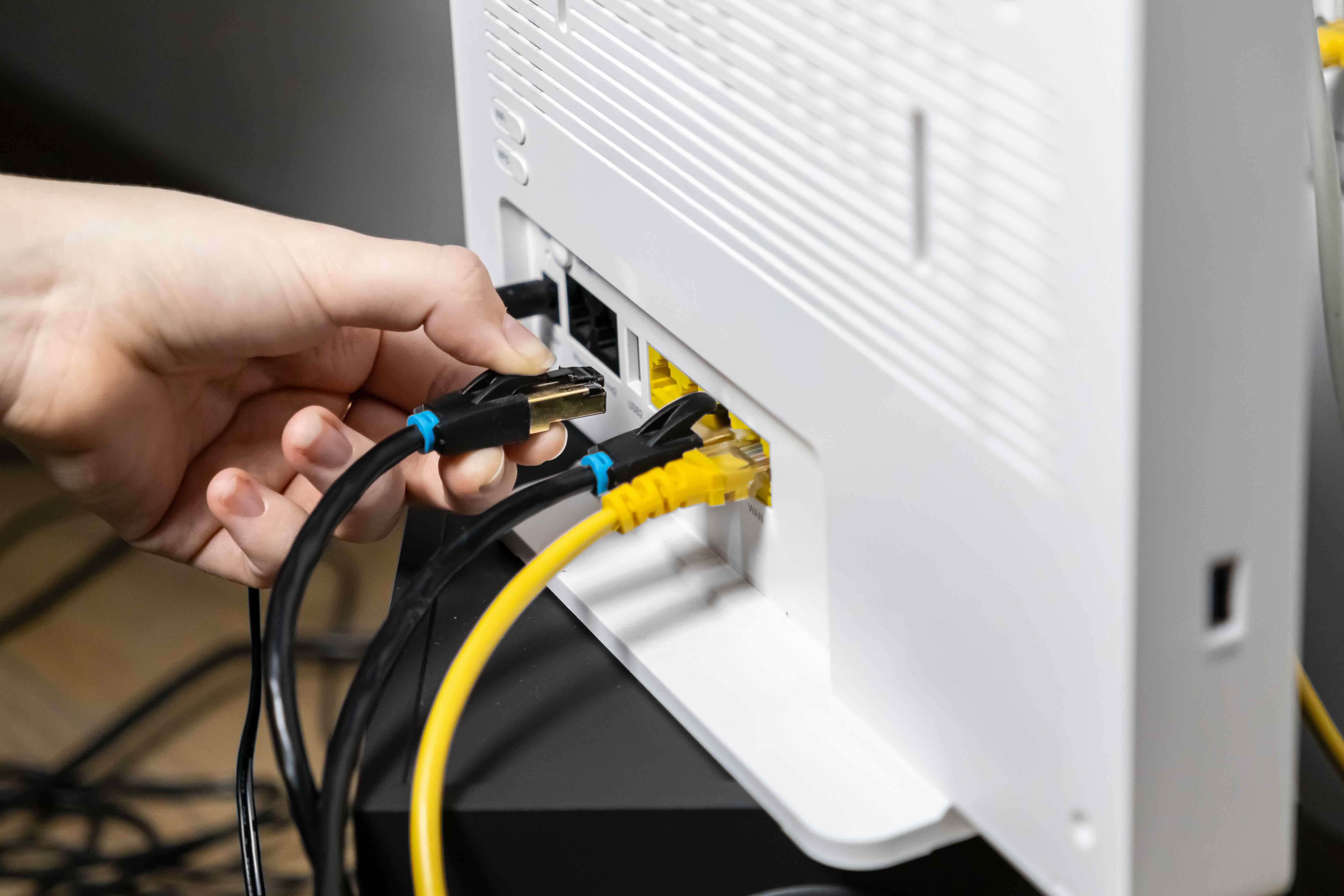
The Evolution of Cabling: What You Need to Know Before You Buy
Cabling is one of those things most people never think about until something stops working. A slow network, a dropped signal, a connection that just keeps cutting out -- and suddenly you're down a rabbit hole wondering whether your cables are actually the problem. Spoiler: they usually are. The good news is that understanding cabling doesn't require an engineering degree. Whether you're wiring a home office, building out a commercial network, or just trying to get a solid connection from your router to your gaming setup, the right cable makes a measurable difference. And right now, the gap between what's available and what most people actually use is wider than it's ever been.
A Quick History: How Cabling Got to Where It Is Today
Cable technology has been evolving steadily since the early days of analog telephone lines and coaxial TV connections. The shift to structured cabling in the 1980s and 1990s changed everything for enterprise networking, introducing standardized twisted-pair cables that could carry data reliably across buildings and campuses. Then came Cat5, Cat5e, Cat6 -- each generation pushing faster speeds, tighter interference resistance, and better shielding. Fiber optic cables entered the picture and offered something copper never could: near-zero signal degradation over long distances at extraordinary bandwidths. Today, we're living in an era where 10-gigabit networking is accessible to residential users, and multi-mode fiber is installed in small businesses without a second thought. The infrastructure has genuinely caught up with the demand, and that's a big deal for anyone building or upgrading a connected space.
Types of Cables You'll Actually Encounter
There's a lot of cable vocabulary out there and it can get overwhelming fast. The core categories worth knowing are Ethernet cables, fiber optic cables, coaxial cables, USB cables, and HDMI or audio-video cables. Each serves a different purpose. Ethernet cables -- your Cat5e, Cat6, Cat6A, Cat8 -- are the backbone of wired networking. Cat6 handles gigabit speeds up to 100 meters and is the current baseline for most residential and light commercial installs. Cat6A pushes to 10 gigabits and handles higher frequencies, making it better for longer runs in data-dense environments. Cat8 is the current ceiling for copper, rated at 25 to 40 gigabits at shorter distances, and designed for data center applications. Fiber optic cable -- both single-mode and multi-mode -- is the choice when distance and bandwidth are priorities and electromagnetic interference is a concern. Coaxial is still common for cable TV and certain broadband setups. HDMI and USB cables move audiovisual data and power, and their specs vary widely based on version. Knowing what you need before you buy saves time, money, and frustration.
How Ethernet Cabling Actually Works
Ethernet cables use twisted pairs of copper wire to transmit data as electrical signals. The twisting isn't just structural -- it's functional. It reduces electromagnetic interference by canceling out noise picked up along the cable run. Higher-category cables have tighter twists and sometimes additional shielding to further suppress crosstalk and external interference. Shielded twisted pair cables, often labeled as STP or FTP, add a foil or braided layer around the conductor pairs. Unshielded twisted pair, or UTP, works fine in most home and office environments where interference sources are minimal. The connector standard for most Ethernet cabling is the RJ45, the flat plastic plug you've probably seen on a router or network switch. Data travels through the cable in both directions simultaneously using a process called full-duplex transmission, which is why modern Ethernet can hit those multi-gigabit speeds without the collisions and slowdowns that plagued older network designs.
Key Advantages of Using High-Quality Cabling
The performance difference between a budget cable and a well-engineered one isn't always visible on a spec sheet. But in real-world conditions -- longer runs, high-traffic networks, environments with electrical noise -- the gap shows up fast. High-quality cabling offers consistent signal integrity over the full rated distance, which matters when you're pulling cable through walls and can't easily swap it out later. It supports PoE, or Power over Ethernet, reliably, which is critical if you're powering security cameras, access points, or VoIP phones over the same cable that carries data. Good cabling also holds up physically -- the jacket resists cracking, the connectors stay seated, and the cable doesn't develop internal breaks from being bent or pinched. In commercial or high-demand residential environments, those physical properties translate directly into uptime and reliability.
Common Drawbacks and Limitations Worth Knowing
No cable type is perfect for every application, and knowing the limitations helps you plan better. Copper Ethernet has a hard distance limit -- 100 meters for most categories before signal degradation becomes a problem. Going beyond that requires a switch, repeater, or a move to fiber. Cat8 trades longer-run capability for higher speeds, with a recommended distance of only 30 meters, which limits it to rack-to-rack or device-to-device connections in dense setups. Fiber optic cabling is faster and more resilient over distance, but it requires more careful handling, specialized connectors, and compatible equipment on both ends -- cost and complexity go up accordingly. Coaxial cables are durable but carry limited bandwidth compared to modern twisted-pair or fiber alternatives. USB cables are version-dependent in ways that aren't always clearly labeled, leading to real confusion about whether a cable actually supports the speed or power delivery it looks like it should. The safest approach is always to match the cable specification to the actual use case rather than assuming the cheapest or most convenient option will perform.
Practical Tips for Choosing and Installing Cables
A few straightforward principles go a long way when you're selecting and installing cabling. First, think about future-proofing. Installing Cat6A instead of Cat6 during a new build or renovation costs relatively little more upfront and gives you 10-gigabit headroom for years ahead. Second, pay attention to the cable jacket rating. Plenum-rated cable is required in spaces with air circulation for HVAC systems because it doesn't emit toxic fumes when burned. Riser-rated cable is for vertical runs between floors. Using the wrong jacket type in the wrong environment isn't just a code issue -- it's a safety issue. Third, keep cable runs away from fluorescent lighting and large electrical conduits where possible, as these generate interference. Fourth, don't over-bend or zip-tie cables too tightly -- both can damage the internal pairs and degrade performance. Finally, label everything. It sounds tedious but anyone who has ever had to troubleshoot an unlabeled patch panel will tell you it's worth every minute.
What High-Performance Connectivity Really Means for Your Setup
High-performance connectivity isn't just a marketing phrase. It means your network can handle simultaneous 4K streams, video calls, cloud backups, and gaming traffic without one use case eating into another. It means your PoE devices get stable power without voltage drop. It means a security camera at the far end of a cable run delivers the same image quality as one plugged in next to the switch. In a business context, it means fewer support calls, less downtime, and infrastructure that doesn't need to be redone in three years. The cable is often the last thing people invest in when building out a network and the first thing they blame when something goes wrong. Getting it right from the start -- spec, installation, and quality -- removes a significant variable from an already complex system.
Why Monoprice Is the Right Source for Your Cabling Needs
When it comes to building reliable, high-performance infrastructure without overpaying for it, Monoprice consistently delivers. Their cabling lineup spans Cat6, Cat6A, Cat8, fiber optic, coaxial, and specialty cables built to industry standards and tested for real-world performance. Whether you're an IT professional speccing out a commercial deployment or a homeowner running cable through the walls for the first time, the product quality holds up and the pricing makes sense. Monoprice doesn't cut corners on conductor quality, jacket materials, or connector construction -- and that's exactly what you want from a cable you're pulling through a wall and not touching again for a decade. For anyone serious about building or upgrading a connected space, exploring the full range of high-performance Ethernet and networking cables from Monoprice is a practical first step toward infrastructure that performs now and scales later. Affordable, reliable, and built to last -- that's not a tagline, it's just how the products actually work.
Frequently Asked Questions About Computer Cabling
What is the difference between Cat6 and Cat6A cable?
Cat6 supports gigabit speeds up to 100 meters and handles frequencies up to 250 MHz. Cat6A supports 10-gigabit speeds over the same 100-meter distance and operates at 500 MHz, offering better performance in high-traffic or interference-prone environments.
How far can you run an Ethernet cable before signal loss becomes a problem?
For most standard copper Ethernet categories, including Cat5e, Cat6, and Cat6A, the maximum recommended run is 100 meters, or about 328 feet. Beyond that, signal integrity degrades and a switch or media converter is required.
Is shielded or unshielded cable better for home use?
Unshielded twisted pair cable works well in most residential environments where electromagnetic interference is minimal. Shielded cable is more appropriate in commercial spaces near industrial equipment, fluorescent lighting banks, or dense electrical infrastructure.
What does plenum-rated cable mean and when do I need it?
Plenum-rated cable has a special jacket that resists burning and does not release toxic fumes when exposed to fire. It is required by building codes in plenum spaces -- areas used for air circulation in HVAC systems, such as above drop ceilings or below raised floors.
Can I use Cat8 cable for a home network?
You can, but Cat8 is engineered for data center environments with short runs of 30 meters or less. For a typical home network, Cat6A offers the better balance of performance, distance capability, and cost-effectiveness.
What is PoE and how does cabling affect it?
Power over Ethernet allows a single cable to carry both data and electrical power to devices like IP cameras, wireless access points, and VoIP phones. Higher-quality cables with lower resistance and consistent conductor diameter support PoE more reliably, especially over longer runs.
What is the difference between single-mode and multi-mode fiber optic cable?
Single-mode fiber uses a smaller core and is designed for long-distance transmission, often spanning kilometers. Multi-mode fiber has a larger core suited for shorter distances within buildings or campuses. Single-mode typically requires more specialized and costly equipment.
Does cable quality actually affect internet speed?
Yes, cable quality directly affects network performance. Poorly constructed cables introduce signal loss, crosstalk, and interference that throttle speeds, increase latency, and cause dropped connections even when your router and service plan are fully capable.
How do I know which cable category I need for my setup?
Identify the maximum speed your network devices and switches support, the length of your cable runs, and whether interference is a concern in your environment. Cat6 is appropriate for most residential and light commercial gigabit networks. Cat6A is the smart choice for 10-gigabit or future-ready installs.
What is the easiest way to future-proof a cabling installation?
Install Cat6A or higher during any new construction or renovation, use conduit where possible to allow cable replacement without reopening walls, label all runs clearly, and choose cables rated for the environment where they will be installed.


