

Stereo Rack Cabinets: Organize Your Audio Setup Right
What Is a Stereo Rack Cabinet and Why Does It Matter for Your Setup?
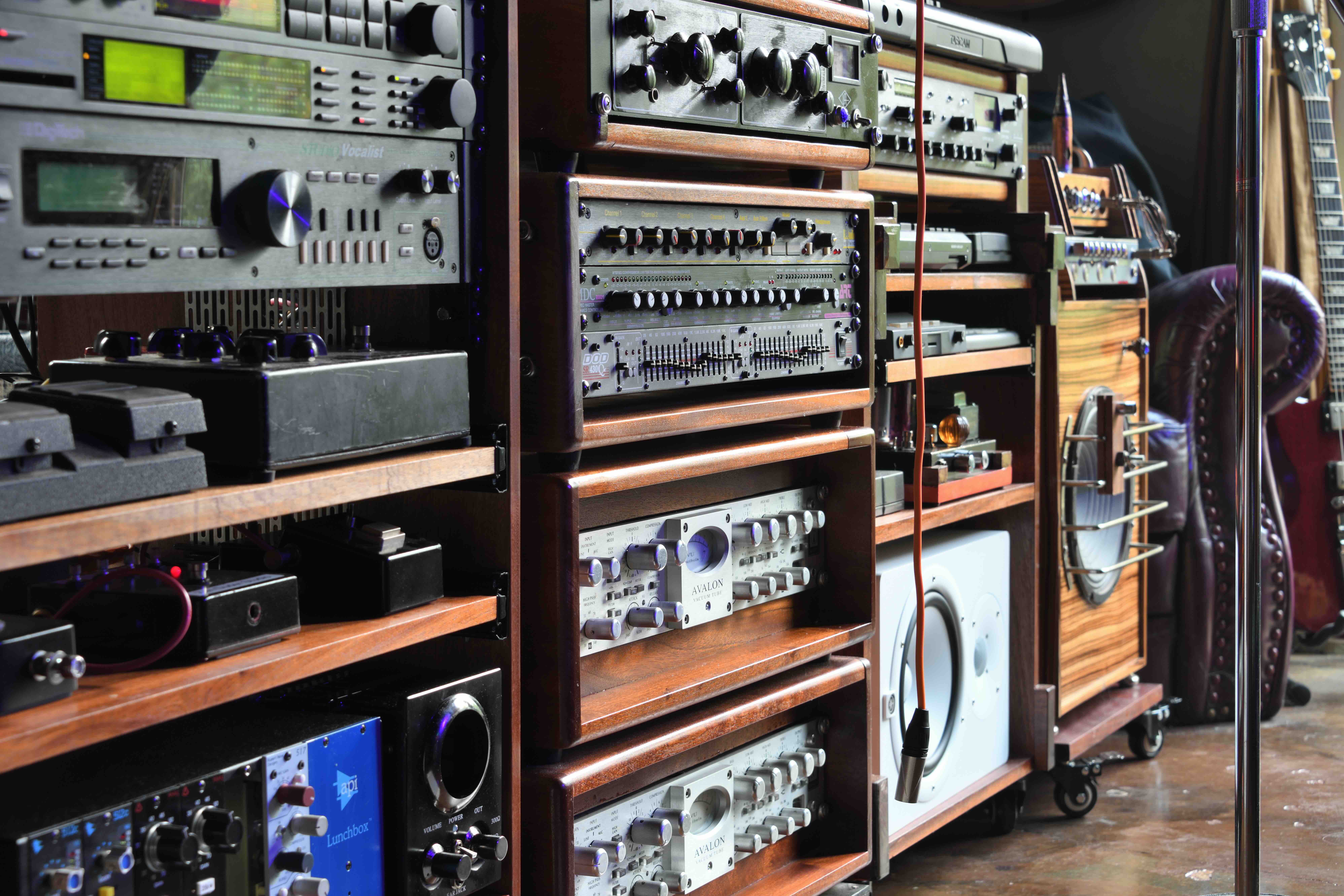
If you have ever looked at a professional audio setup -- a recording studio, a home theater, a live sound rig -- and noticed that clean wall of stacked gear all mounted neatly in one enclosure, that is a stereo rack cabinet at work. Also called an audio rack or equipment rack, it is essentially a standardized mounting system designed to hold audio components, amplifiers, signal processors, patch bays, power conditioners, and related gear in a structured, accessible way. The concept has been around for decades in professional AV and broadcast environments, and it has made its way into home setups, project studios, and small business installs because the logic behind it just works. You get organization, airflow management, cable control, and easier access to your equipment all in one purpose-built enclosure. It is one of those things that seems minor until you actually use one, and then you wonder how you managed without it.
How a Stereo Rack Cabinet Actually Works
The whole system is built around a universal measurement standard called a rack unit, abbreviated as U or RU. One rack unit equals 1.75 inches of vertical space. So a 2U device takes up 3.5 inches of vertical space in the rack, a 4U device takes up 7 inches, and so on. Most professional audio and AV equipment is designed to conform to this standard, which means a mixer, an amplifier, and a power conditioner from three completely different manufacturers can all mount cleanly in the same enclosure. The rack itself has two vertical rails with evenly spaced threaded holes or square holes, and equipment is secured using rack screws or cage nuts depending on the rail type. Some racks are open-frame designs -- just the rails with no enclosure -- while others are fully enclosed cabinets with front and rear doors, side panels, and ventilation. The enclosed cabinet style, which is what most people refer to when they say stereo rack cabinet, offers more protection, better aesthetics, and often better cable management options through integrated rear panels and routing channels.
Common Types of Stereo Rack Cabinets
Not all rack cabinets are the same, and the differences matter depending on your use case. Here is a breakdown of what you will typically encounter when shopping for one:
- Open-Frame Rack: No side panels or doors, maximum airflow, best for server rooms or utility installs where appearance is secondary
- Enclosed Rack Cabinet: Full enclosure with front and rear doors, offers protection and a cleaner look for home theaters or studios
- Wall-Mount Rack: Shallower depth, designed to mount directly to a wall, great for smaller setups or tight spaces
- Portable or Studio Rack: Built for mobility, often reinforced with handles or wheels, popular in live sound and touring applications
- Desktop Rack: Compact, sits on a surface, ideal for small project studios or home audio setups with limited space
Key Advantages of Using a Stereo Rack Cabinet
The organizational benefit alone is enough to sell most people on a rack system. When your amplifier, EQ, signal processor, power conditioner, and media player are all stacked cleanly in a single enclosure, troubleshooting becomes dramatically easier. You know exactly where everything is. Cable management improves substantially because rack-mounted gear typically lines up at the rear, giving you a consistent plane to route cables along. Enclosed cabinets also provide a degree of physical protection against dust, accidental contact, and vibration -- things that can degrade equipment over time especially in shared or semi-public spaces. For home theater setups, the aesthetic improvement is significant. A well-organized rack cabinet just looks intentional and professional. There is also a real thermal management benefit when you plan the layout correctly, spacing high-heat components and using blanking panels to direct airflow rather than letting hot air pool around sensitive gear.
Drawbacks and Limitations Worth Knowing
Nothing is perfect, and rack cabinets do come with tradeoffs. The most immediate one is weight. A fully loaded enclosed rack cabinet can be extremely heavy, which makes placement and relocation a real consideration. You will want to think carefully about floor load capacity, especially for larger 40U or 44U enclosures loaded with heavy amplifiers. Depth is another factor -- many enclosed rack cabinets are 24 to 30 inches deep, which means they need real floor space and rear clearance for cable access. Cost can also add up quickly. A quality rack cabinet, combined with proper rack screws, blanking panels, cable management accessories, and a power conditioner, represents a meaningful investment. It is absolutely worth it for a permanent or semi-permanent installation, but maybe overkill for a very small casual setup. And then there is the learning curve of actually planning a rack layout properly, accounting for airflow, weight distribution, and accessibility.
How to Choose the Right Rack Cabinet for Your Needs
Start with a count of your current rack-mountable equipment and add some buffer for future expansion -- that is almost always the smarter approach. If you have 10U of gear today, a 16U or 20U cabinet gives you room to grow. Measure your space carefully, especially depth. Many home and studio installations underestimate how much rear clearance a full cabinet needs for cabling. Consider whether you need portability. If this is a fixed home theater or studio installation, a heavier enclosed cabinet is fine. If you are building a portable live rig, look at cases with recessed hardware and reinforced rails. Pay attention to rail type as well -- some older or budget equipment uses different hole patterns, and compatibility matters. And think about ventilation, particularly if you are mounting power amplifiers or high-output processing gear that generates significant heat. Some enclosed cabinets include built-in fans or vented top panels to address this directly.
Rack Accessories That Complete the System
A rack cabinet by itself is just the shell. The accessories are what make it functional and efficient. Here are the essentials worth adding to any build:
- Blanking Panels: Cover unused rack spaces to direct airflow and prevent heat recirculation
- Rack Power Conditioner or PDU: Provides clean, filtered power to all components from a single managed source
- Cable Management Panels: Keep rear cabling organized and reduce stress on connectors
- Rack Shelves: Add mounting surface for non-rack equipment like turntables, keyboards, or media players
- Rack Fans or Ventilation Units: Essential for heat-generating equipment in enclosed environments
- Cage Nuts and Rack Screws: The basic hardware that secures everything, easy to overlook until you need them
Rack Cabinets in Different Environments
The use cases for stereo rack cabinets extend well beyond recording studios. In home theater setups, a rack keeps AV receivers, streaming devices, amplifiers, and network switches centralized and accessible without cluttering shelving or entertainment consoles. In commercial installs -- restaurants, retail, conference rooms -- a locked enclosed rack cabinet protects gear from tampering while keeping everything neatly integrated into the space. Small venue live sound setups often use portable rack cases to consolidate processing gear, ensuring the same signal chain every time without re-patching from scratch. Even home networking benefits from this approach; many IT professionals and enthusiasts use rack cabinets to house switches, patch panels, UPS units, and NAS devices in a clean, managed enclosure. The 19-inch rack standard is remarkably universal, which is part of why this type of product has remained relevant and widely used across so many different industries for so long.
Why Monoprice Is a Smart Choice for Stereo Rack Cabinets and AV Infrastructure
When you are building out a rack system, the cabinet itself sets the foundation for everything else -- the power management, the cable organization, the mounting hardware, all of it. Choosing the right supplier matters, and that is where Monoprice consistently earns its reputation. Whether you are outfitting a home studio, a commercial AV installation, or a growing home theater, Monoprice offers a range of rack cabinets, rack accessories, patch panels, power conditioners, and supporting hardware that deliver genuine performance without the inflated price tags that often accompany brand-name AV gear. For integrators and B2B buyers, the value proposition is even sharper -- you can spec complete rack builds at a cost that keeps projects on budget without cutting corners on quality. If you are ready to build or upgrade your rack system, exploring the full catalog of professional stereo rack cabinets and AV mounting solutions at Monoprice is a logical and practical starting point for any serious build.
Frequently Asked Questions About Stereo Rack Cabinets
What does rack unit or U mean in the context of a stereo rack cabinet?
A rack unit, abbreviated as U or RU, is a standard unit of measurement equal to 1.75 inches of vertical mounting space. Equipment designed for rack mounting is measured in these units, so a 2U device occupies 3.5 inches of vertical space in the rack. This standardization allows equipment from different manufacturers to be mounted in the same enclosure.
What is the standard width for a stereo rack cabinet?
The industry standard for rack-mountable audio and AV equipment is 19 inches wide. Most stereo rack cabinets are built to accommodate this standard, which is why it is sometimes referred to as a 19-inch rack. Some specialty applications use 23-inch racks, but 19-inch is by far the most common format in audio, AV, and IT environments.
How many rack units do I need for a home theater or studio setup?
This depends entirely on how many rack-mountable components you have or plan to add. Count the rack units your current equipment requires, then add at least 20 to 30 percent additional space for future expansion, cable management panels, and blanking panels. A 12U to 20U cabinet covers most modest home theater and project studio builds.
Do I need a ventilated rack cabinet for audio equipment?
If your rack includes power amplifiers, AV receivers, or any equipment that generates significant heat, ventilation is important. Enclosed cabinets can trap heat, which degrades performance and shortens component lifespan. Look for cabinets with vented front and rear doors, or plan to add rack-mount fan units to manage airflow actively.
What is the difference between an open-frame rack and an enclosed rack cabinet?
An open-frame rack has no panels or doors, just the vertical rails and a frame structure. It offers maximum airflow and easy access but no physical protection or aesthetic enclosure. An enclosed rack cabinet has side panels, front and rear doors, and a finished exterior, making it better suited for visible installations, environments where dust or contact is a concern, and setups where a clean appearance matters.
Can I mount non-rack equipment in a stereo rack cabinet?
Yes, using rack shelves. A rack shelf mounts in the standard rail holes and provides a flat surface for equipment that is not rack-mountable, such as a turntable, a small keyboard controller, or a media player. Shelves come in various depths and rack unit heights to accommodate different gear sizes.
What are blanking panels and why are they used?
Blanking panels are flat filler plates that cover unused rack spaces in an enclosure. They serve an important thermal management function by preventing hot exhaust air from equipment from recirculating back through the intake of other components. They also give the rack a cleaner, finished appearance and are an inexpensive but worthwhile accessory for any serious rack build.
How much weight can a stereo rack cabinet hold?
Weight capacity varies by cabinet design and construction. Most quality rack cabinets specify a maximum load rating in the product documentation. It is important to check this before loading heavy amplifiers or multiple dense components into a single enclosure. Also consider floor load capacity if placing a heavily loaded rack in an older building or on elevated flooring.
Is a rack power conditioner necessary or just an optional upgrade?
A rack power conditioner filters incoming AC power to reduce noise and provide clean, stable power to your components. For audio applications, power conditioning can noticeably reduce ground hum and interference. It is not strictly required for every setup, but it is a practical addition for any rack build that includes sensitive audio equipment or components where consistent, clean power directly impacts performance quality.
What should I consider when planning the layout of equipment inside a rack cabinet?
Place heavier components like amplifiers and power conditioners toward the bottom to lower the center of gravity and improve rack stability. Position high-heat equipment near the top or adjacent to ventilation sources so heat can exhaust efficiently. Group related equipment together to simplify cabling, and use blanking panels in any unused spaces to maintain airflow integrity throughout the entire enclosure.


