Single Mode vs Multimode Fiber: Key Differences Explained
Single Mode vs. Multimode Fiber: What Is the Difference and Which One Do You Need?
If you have spent any time speccing out a network infrastructure project, you have probably run into the single mode versus multimode fiber debate. And honestly, it is one of those decisions that sounds more complicated than it actually is once you break it down. Both are optical fiber cables, both transmit data using light, and both deliver performance that copper cables simply cannot match over long runs. But the differences between them are real, and choosing the wrong one for your deployment can cost you time, money, and a lot of frustration down the road. So let us walk through it.
What Is Optical Fiber and How Does It Actually Work?
Right, so at the core of all this is the basic concept of fiber optic transmission. A fiber optic cable contains one or more strands of glass or plastic, each thinner than a human hair. Light pulses travel through these strands to carry data from one point to another. The cable itself does not conduct electricity, which is part of why fiber is so valued in environments where electromagnetic interference is a concern. The light bounces or travels through the fiber core depending on the cable type, and that distinction is essentially what separates single mode from multimode.
Understanding Multimode Fiber: The Workhorse for Short Distances
Multimode fiber has a larger core diameter, typically 50 or 62.5 microns, which allows multiple light modes or pathways to travel simultaneously through the cable. That wider core makes it easier and more cost-effective to couple with LED or VCSEL light sources, which keeps the overall system cost down. It is a practical choice for campus networks, data centers, and building interconnects where runs are generally under 550 meters. You will see multimode fiber categorized under the OM designation system, ranging from OM1 through OM5, each supporting progressively higher bandwidths and longer reach.
Common multimode fiber categories at a glance:
- OM1 - 62.5 micron core, legacy installations, supports up to 10G at short distances
- OM2 - 50 micron core, improved bandwidth over OM1, still limited to shorter runs
- OM3 - 50 micron laser-optimized, supports 10G up to 300 meters and 40G or 100G at shorter runs
- OM4 - Higher bandwidth OM3 upgrade, supports 100G up to 150 meters
- OM5 - Wideband multimode, supports 40G and 100G with wavelength division multiplexing
Understanding Single Mode Fiber: Built for Long-Haul Performance
Single mode fiber, by contrast, has a much smaller core, typically 8 to 10 microns, which constrains light to a single pathway. This eliminates modal dispersion, the signal degradation that occurs when multiple light paths arrive at slightly different times in multimode systems. The result is dramatically extended reach and higher bandwidth capability. Single mode is the standard for telecommunications infrastructure, long-distance campus connections, and any deployment where you need to push signal reliably beyond a few hundred meters. Single mode transceivers and light sources do cost more upfront, but the performance payoff over distance is significant. OS1 and OS2 are the primary single mode classifications, with OS2 being the more modern loose-tube outdoor-rated variant.
Key Advantages and Drawbacks of Each Fiber Type
Neither cable type is universally superior. It depends entirely on the application. Here is a practical breakdown.
Multimode Fiber Advantages:
- Lower cost transceivers and light sources
- Easier termination and installation
- Ideal for short-distance, high-density environments like data centers
- Wide compatibility with existing equipment in enterprise networks
Multimode Fiber Drawbacks:
- Limited to shorter distances before signal degradation occurs
- Lower bandwidth capacity compared to single mode at scale
- Older OM1 and OM2 installations may become a bottleneck as speeds increase
Single Mode Fiber Advantages:
- Supports distances up to 40 kilometers or more with the right transceivers
- Higher bandwidth ceiling, future-proofed for 400G and beyond
- Lower signal attenuation over long runs
- OS2 cables are rated for outdoor and direct burial applications
Single Mode Fiber Drawbacks:
- Higher upfront cost for transceivers and light sources
- Tighter tolerances require more precision during termination
- May be overkill for short-distance applications where multimode is more cost-efficient
Practical Applications: When to Use Each Type
This is where it gets useful for actual planning. Multimode fiber is the go-to for structured cabling within a building, interconnecting server racks inside a data center, or linking floors in a multi-story facility. The cost efficiency and ease of deployment make it the logical default for these scenarios. Single mode makes more sense when you are connecting buildings across a campus, running fiber between data centers in different locations, or building out a telecom backbone. Any run over 300 to 500 meters should prompt serious consideration of single mode, even if the initial cost is higher. Getting this wrong early means expensive rework later.
Fiber Connectors and Compatibility: What to Watch For
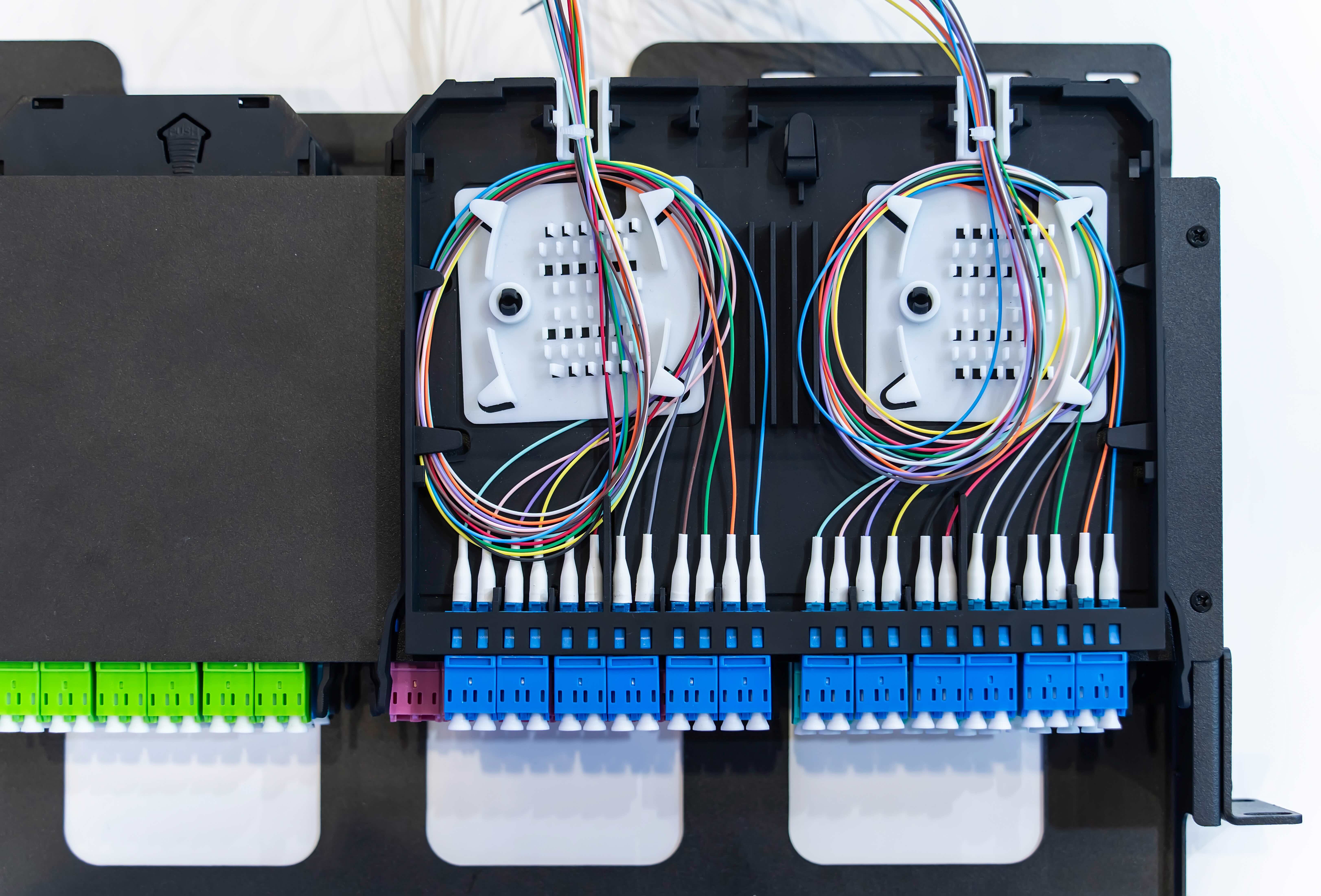
Both fiber types use similar connector formats, LC, SC, ST, and MTP/MPO among them, but you cannot mix single mode and multimode components in the same link without significant performance issues. The transceivers, patch cables, and adapters all need to match the fiber type. Single mode components typically have a blue or yellow color coding, while multimode components are often coded in aqua, orange, or violet depending on the OM category. It is a small thing to overlook when you are building out a large installation, but it matters. Always confirm end-to-end compatibility before deployment.
Future-Proofing Your Fiber Infrastructure
One question worth considering during any new build or upgrade is how your fiber choice holds up as speeds evolve. Multimode OM4 and OM5 are solid for current 100G deployments and have headroom for near-term growth. OM5 specifically adds support for shortwave wavelength division multiplexing, which is relevant if you are thinking about 400G over existing infrastructure. Single mode, however, has a fundamentally longer runway. With the right transceivers, single mode fiber already installed today can support 400G and beyond without replacing the physical cable plant. For large enterprise and carrier deployments, that long-term flexibility often justifies the higher initial investment.
Installation Tips for Getting Fiber Right the First Time
Whether you go multimode or single mode, the physical installation quality determines how well the cabling performs over time. Fiber is less forgiving of poor terminations than copper. Dirty connectors are one of the leading causes of signal loss and link failures, so always clean connectors before mating them. Use the correct fusion splicer settings for the fiber type you are working with. For multimode, ensure your cable management maintains appropriate bend radius to avoid stressing the fiber. For single mode outdoor runs, make sure you are using OS2 or armored cable designed for the environmental conditions. These details are not glamorous, but they are the difference between a clean install and a troubleshooting headache six months later.
Why Monoprice Is a Smart Source for Your Fiber Optic Cabling Needs
When it comes to stocking fiber for a project, whether that is a short multimode run in a data center or a long-reach single mode backbone across a campus, quality and consistency matter as much as price. Monoprice delivers on both. The product lineup covers OM1 through OM4 multimode patch cables, OS2 single mode options, MTP/MPO assemblies, and the connectors and adapters needed to build out a complete, standards-compliant cabling infrastructure. Every cable is built to perform, tested to spec, and priced without the inflated margins you find elsewhere. If you are a network integrator, IT manager, or infrastructure planner looking for high-performance fiber optic cables and networking solutions that deliver reliable results without stretching the budget, Monoprice is the kind of supplier that earns a permanent spot in your procurement workflow. The combination of product depth, transparent specifications, and value-driven pricing makes it a straightforward decision for both one-off purchases and large-scale project sourcing.
Frequently Asked Questions About Single Mode and Multimode Fiber
What is the main difference between single mode and multimode fiber?
Single mode fiber has a small core of around 8 to 10 microns and carries one light path, enabling long-distance transmission with minimal signal loss. Multimode fiber has a larger core of 50 or 62.5 microns and supports multiple light paths, making it cost-effective for shorter distances.
Can I connect single mode fiber to multimode fiber directly?
No. Connecting single mode to multimode fiber directly causes significant signal loss and is not a supported configuration. You would need a media converter designed to bridge the two fiber types if interconnection is absolutely necessary.
Which fiber type is better for a data center?
Multimode fiber, particularly OM3, OM4, or OM5, is the standard choice for most data center applications due to its lower transceiver costs and suitability for short-to-medium distance runs between switches, servers, and storage systems.
How far can multimode fiber transmit a signal?
It depends on the OM category and data rate. OM3 supports 10G up to 300 meters and 100G up to 100 meters. OM4 extends those distances slightly, while OM5 adds support for 100G using multiple wavelengths over up to 150 meters.
How far can single mode fiber transmit a signal?
Single mode fiber can reliably transmit signals across distances ranging from a few kilometers to over 40 kilometers, depending on the transceiver type and whether amplification or signal regeneration equipment is used along the route.
What do OM1, OM2, OM3, OM4, and OM5 mean?
These are standardized multimode fiber classifications defined by the ISO/IEC 11801 standard. Each designation reflects the fiber's bandwidth capability and supported transmission distances at various data rates, with higher numbers indicating better performance.
Is single mode fiber more expensive than multimode?
The cable itself is comparably priced, but single mode transceivers and light sources typically cost more than their multimode equivalents. For short-distance deployments, multimode tends to be more cost-effective overall when you factor in the full system cost.
What color coding is used to identify fiber types and categories?
Single mode cables and connectors are typically yellow for OS2 or blue for OS1. Multimode OM1 and OM2 are usually orange, OM3 is aqua, OM4 is aqua or violet, and OM5 is lime green. Color coding standards help prevent mismatched connections during installation.
Can I upgrade from multimode to single mode without replacing all my cabling?
Generally, no. Upgrading from multimode to single mode requires replacing the fiber cable plant, transceivers, and associated patch panels and connectors. It is a significant infrastructure change, which is why planning for future capacity during the initial installation is important.
What is OM5 fiber and when should I use it?
OM5 is a wideband multimode fiber designed to support shortwave wavelength division multiplexing, allowing it to carry multiple data streams across different wavelengths simultaneously. It is a good choice for high-density, high-speed data center environments where upgrading to 400G over existing fiber infrastructure is a future consideration.