Seamless RCA to HDMI Connection for Modern Devices
What Does It Mean to Connect RCA to HDMI and Why Does It Matter?
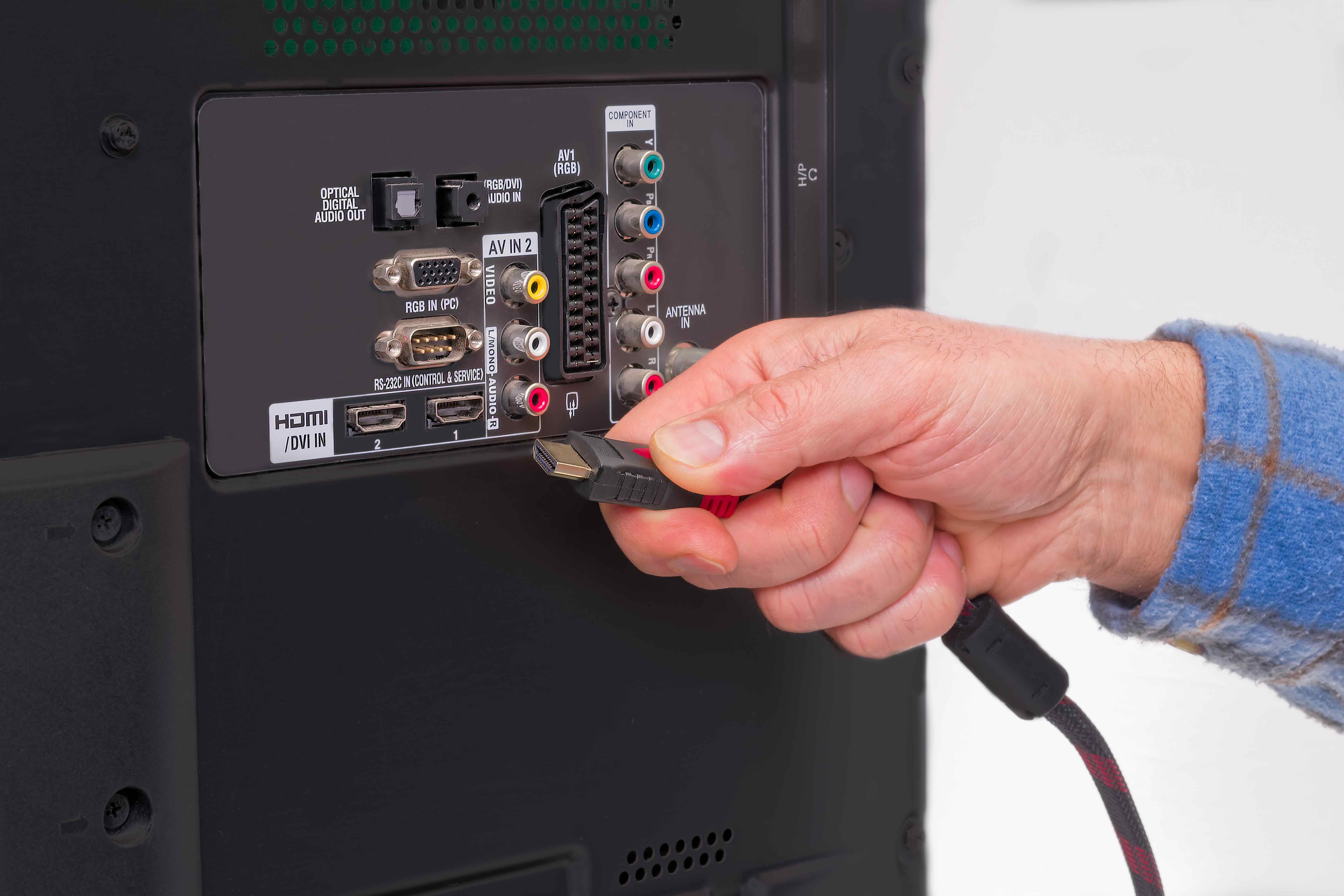
So you have an older device — a VCR, a DVD player, maybe a retro gaming console — and your modern TV only has HDMI ports. That gap between old and new technology is something a lot of people run into, and honestly it's more common than you'd think. RCA connectors, those familiar red, white, and yellow plugs, were the standard for decades. HDMI came along and basically replaced all of that. The problem is that millions of devices still use RCA outputs, and tossing them just because your TV moved on feels wasteful. That's where an RCA to HDMI converter comes in. It bridges two completely different signal worlds and makes them communicate. Understanding what that actually involves helps you pick the right solution and avoid buying something that won't work the way you expect.
Understanding the Difference Between RCA and HDMI Signals
This is where things get a little technical, but stay with it because it matters. RCA outputs an analog signal. HDMI carries a digital signal. These are not just different connector shapes — they are fundamentally different types of data transmission. The yellow RCA cable carries composite video, which is a relatively low-resolution analog format. The red and white cables carry stereo audio. HDMI, on the other hand, bundles high-definition video and audio together into a single digital stream. Because of that difference, a passive adapter — the kind that's just a physical plug converter with no electronics inside — will not work. You need an active converter, one that actually processes and re-encodes the analog signal into a digital format that an HDMI display can read. This is a detail that catches a lot of buyers off guard when they order the wrong product and wonder why nothing shows up on screen.
How an RCA to HDMI Converter Actually Works
An active RCA to HDMI converter contains internal circuitry that does real signal processing work. When your RCA source sends out that analog composite video signal, the converter captures it, digitizes it, and upscales the resolution to something closer to what your HDMI display expects — typically 720p or 1080p output. The audio from the red and white RCA cables gets digitized and embedded into the HDMI signal as well, so everything comes out of a single HDMI cable going to your TV or monitor. Most converters require a power source, usually via USB, because that signal processing takes actual power to run. The whole process happens fast enough to feel seamless during normal playback. You are not going to get 4K quality out of a standard definition source, but the image is clean, stable, and watchable on a modern display, which is the whole point.
Key Advantages of Using an RCA to HDMI Adapter
There are some genuinely practical reasons to invest in one of these converters instead of other workarounds. Here is what makes them worth considering for most users.
- Extends the usable life of legacy AV equipment without replacing it entirely
- Works with a wide range of source devices including VCRs, older gaming consoles, camcorders, and DVD players
- Produces a stable, upscaled digital output compatible with virtually any modern HDMI display
- Compact form factor that takes up minimal space in any setup
- Typically easy to configure with minimal technical knowledge required
- Cost-effective solution compared to buying new source equipment
- Eliminates the need for adapters that require additional software or driver installation
Common Drawbacks to Keep in Mind Before You Buy
Honest assessment matters here, because an RCA to HDMI converter is not magic. The source signal is still composite video, which is inherently limited in resolution and sharpness. Upscaling it to 1080p does not add detail that was never there — it just makes the existing image fit a modern screen without letterboxing or compatibility errors. Some cheaper converters introduce noticeable lag, color distortion, or audio sync issues that can make playback frustrating. Build quality varies widely in this product category, which is why sourcing from a reputable brand with proven quality control actually matters. Power requirements also mean you need a USB port or power adapter nearby. And finally, not every converter handles every RCA source equally well, so checking compatibility with your specific device before purchasing is a smart move.
What to Look for in a Quality RCA to HDMI Converter
When you are evaluating options, a few specific features separate a reliable converter from a frustrating one. You want a unit that clearly states it supports HDCP compliance if you plan to use it with content-protected sources. Look for converters that output at least 1080p upscaling for the cleanest possible image on a full HD display. Audio handling matters too — check that the converter properly embeds stereo audio into the HDMI output rather than dropping it. A USB-powered design is generally more convenient than a proprietary power brick. And build quality is not a minor detail; connectors that fit firmly and cables that do not fray after a few months of use are worth paying a bit more for. Monoprice products consistently check these boxes, which is why they come up repeatedly in conversations about reliable, affordable AV adapters.
Practical Setup Tips for a Seamless RCA to HDMI Connection
Getting everything working correctly is usually straightforward if you follow a logical setup sequence. Plug your RCA cables into the converter first — yellow to video, red and white to audio. Connect the HDMI output cable from the converter to an available HDMI port on your display. Power the converter via USB, either from your TV's USB port or a separate USB adapter. Switch your TV's input source to the correct HDMI channel. Power on your RCA source device. In most cases, signal will appear within a few seconds. If you see a black screen, verify that the converter is receiving power and that the HDMI input selection on your display matches the port you connected to. Audio issues are often resolved by confirming your TV's audio output settings have not defaulted to a different input. The whole process from unboxing to working image typically takes under ten minutes.
Who Benefits Most from RCA to HDMI Conversion Technology
The range of users who genuinely benefit from this technology is broader than it might first appear. Retro gaming enthusiasts want to play classic consoles on large modern screens without sacrificing image stability. Home users digitizing old VHS tapes need a reliable way to route that analog signal to a capture card or display. Educators and presenters who rely on older AV equipment in classrooms or conference rooms need a bridge solution that just works without technical drama. Small businesses with legacy surveillance systems or training video libraries face the same compatibility gap. And honestly, anyone who has inherited older electronics and does not want to throw them out has a practical use case here. This technology quietly solves a real problem for a wide audience, which is part of why demand for quality converters has remained steady even as HDMI has become dominant.
Why Monoprice Is the Right Choice for Your RCA to HDMI Needs
Monoprice has spent years building a reputation as the go-to source for high-performance AV and connectivity solutions at prices that make sense for both individual users and larger purchasing operations. When it comes to something as specific as RCA to HDMI conversion, the details of product engineering matter — signal integrity, upscaling accuracy, build durability — and those are areas where Monoprice consistently delivers. The adapters and converters in the Monoprice lineup are designed with real-world use in mind, not just spec sheet checkboxes. If you are looking for a reliable RCA to HDMI adapter for modern displays, Monoprice offers options that are tested, trusted, and backed by the kind of customer support that actually resolves issues. You are not paying for a brand name premium — you are paying for quality that performs. Explore the full range of connectivity solutions available at Monoprice RCA to HDMI converters and AV adapters and find the right fit for your setup without overcomplicating the decision.
Frequently Asked Questions About RCA to HDMI Conversion
Can I use a simple plug adapter to connect RCA to HDMI without a converter?
No. RCA carries an analog signal and HDMI carries a digital signal. A passive plug adapter has no electronics to convert between these formats, so it will not produce any image or audio. You need an active converter with internal signal processing circuitry.
Will an RCA to HDMI converter improve the video quality of my old device?
It will upscale the output resolution to fit a modern display, but it cannot add detail or clarity that the original source does not contain. The image will be compatible with your HDMI screen and generally cleaner in presentation, but the inherent limitations of composite video remain.
Does an RCA to HDMI converter require drivers or software installation?
Most active RCA to HDMI converters are plug-and-play and do not require any driver installation. You connect the cables, power the unit, and select the correct input on your display. No computer or software configuration is typically needed.
What resolution does an RCA to HDMI converter output?
Most converters upscale the composite video signal to 720p or 1080p for output over HDMI. This makes the signal compatible with HD displays. The upscaled resolution depends on the specific converter model, so check the product specifications before purchasing.
Will there be any audio delay or lip sync issues with an RCA to HDMI converter?
Quality converters process audio and video simultaneously to minimize sync issues. Cheaper or poorly designed units can introduce noticeable lag. Choosing a converter from a reputable manufacturer significantly reduces the likelihood of audio sync problems during playback.
Can I connect a Nintendo 64 or other retro gaming console to my HDTV using an RCA to HDMI converter?
Yes. Retro consoles that output composite video through RCA cables are a common and compatible use case for these converters. The converter will upscale the signal and send it to your HDTV via HDMI, allowing you to play on a modern display.
Does the RCA to HDMI converter need its own power source?
Yes, active converters require power to run the internal signal processing electronics. Most are powered via a USB cable, which can connect to a TV's USB port or a standard USB power adapter. Always verify power requirements in the product specifications.
Is it possible to convert HDMI back to RCA using the same converter?
No. An RCA to HDMI converter is a one-directional device. It converts analog RCA input into digital HDMI output. If you need to go in the reverse direction, from HDMI to RCA, you would need a separate HDMI to RCA converter designed specifically for that signal path.
Are all RCA to HDMI converters compatible with every TV brand?
Most converters that output a standard HDMI signal will work with any HDMI-equipped display regardless of brand. Compatibility issues are rare but can occur with certain older HDMI implementations. Checking the converter's HDCP and HDMI version specifications against your display's requirements helps avoid edge cases.
How do I know which RCA cables to connect to which ports on the converter?
Standard color coding applies. The yellow RCA cable carries composite video and connects to the yellow video input. The red cable carries right channel audio and the white cable carries left channel audio. These color-coded inputs are clearly labeled on virtually all converters.