

SAS Connector Types: The Complete Enterprise Guide
SAS Connector Types Explained: A Complete Guide to Serial Attached SCSI Interfaces
If you work in enterprise storage, data centers, or server infrastructure, you have probably run into the term SAS more than a few times. Serial Attached SCSI, or SAS, is one of the most reliable and widely adopted storage interface standards in professional IT environments. But here is the part that trips people up -- there is not just one SAS connector. There are several, and each one serves a different purpose, supports different speeds, and fits different use cases. Understanding which connector type belongs where can save you from compatibility headaches, wasted budget, and downtime you really cannot afford. This guide walks through the major SAS connector types, what makes each one distinct, and how to choose the right one for your setup.
What Is SAS and Why Does It Matter for Storage Infrastructure
SAS stands for Serial Attached SCSI, and it is an interface protocol designed to move data between computers and storage devices -- think hard disk drives, solid-state drives, and tape libraries. It replaced the older parallel SCSI standard and brought with it faster speeds, better scalability, and a more efficient point-to-point architecture. Unlike SATA, which is typically used in consumer-grade environments, SAS is engineered for enterprise workloads where reliability, throughput, and drive density are non-negotiable. SAS supports full-duplex communication, meaning it can send and receive data simultaneously, and it allows for long cable runs and large drive counts within a single system. That combination of performance and resilience is exactly why SAS remains a foundational technology in modern data centers.
SFF-8482: The Original Internal SAS Connector
The SFF-8482 connector is the standard internal SAS drive connector, and it is the one most people picture when they think about SAS. It physically resembles a SATA connector, which is intentional -- SAS backplanes are often designed to accept both SAS and SATA drives, and the SFF-8482 connector makes that backward compatibility possible. It supports data transfer rates up to 6 Gbps on SAS-2 implementations. You will find this connector on the drive end of an internal SAS cable, plugging directly into a 3.5-inch or 2.5-inch SAS hard drive. One thing to keep in mind: while a SATA drive can be inserted into a SAS backplane, a SAS drive cannot be used in a SATA-only controller. The physical similarity does not mean full interchangeability on the host side.
SFF-8087: Mini SAS HD Internal Host Connector
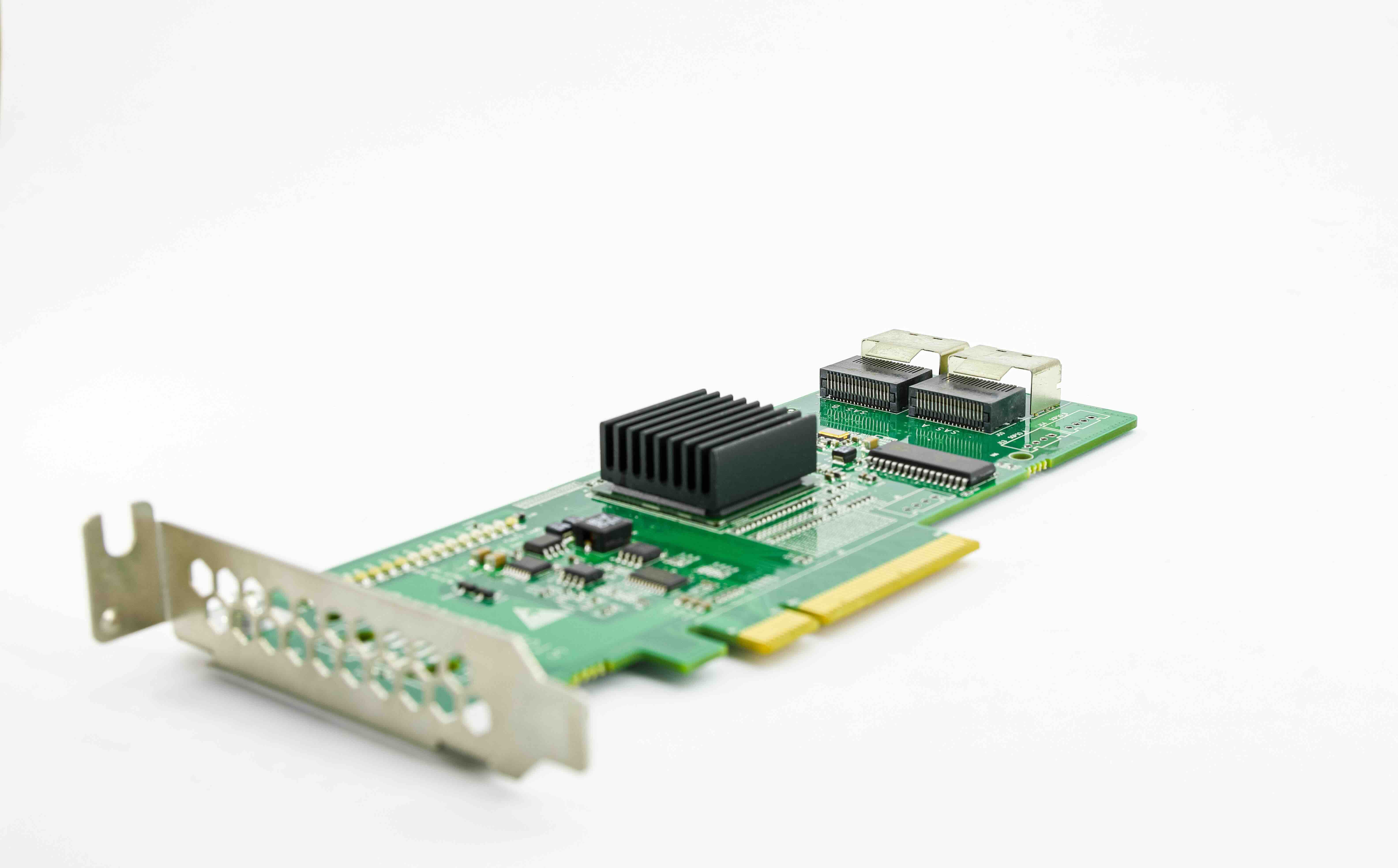
The SFF-8087 is an internal connector found on SAS host bus adapters and RAID controllers. It is compact, supporting four SAS lanes in a single connector footprint, which makes it highly efficient in dense server builds where cable management is critical. This connector supports SAS-2 speeds at up to 6 Gbps per lane, giving you up to 24 Gbps of aggregate bandwidth across the four lanes. It is commonly paired with a breakout cable that fans out to four individual SFF-8482 connectors on the drive side. The SFF-8087 is one of the most frequently used internal SAS connectors in rack-mounted servers, and it remains relevant in many existing infrastructure deployments even as newer standards emerge.
SFF-8643: Mini SAS HD for SAS-3 Performance
As SAS evolved to its third generation, the industry needed a connector that could handle 12 Gbps per lane -- double the throughput of SFF-8087. That is where the SFF-8643 comes in. Also known as Mini SAS HD, this internal connector supports SAS-3 and delivers up to 48 Gbps of aggregate bandwidth across four lanes. It is physically similar in size to the SFF-8087 but is not backward compatible with it, so mixing the two without an adapter will not work. The SFF-8643 has become the go-to internal connector for high-performance NVMe and SAS-3 environments, particularly in servers handling large-scale database workloads, virtualization, or video production infrastructure where latency and throughput are critical metrics.
SFF-8088 and SFF-8644: External SAS Connector Options
Not all SAS connections happen inside a chassis. External SAS connectors are used to link servers to external storage arrays, tape libraries, or JBOD expansion enclosures. The SFF-8088 is the external counterpart to the SFF-8087, supporting SAS-2 speeds and four lanes in a shielded, locking connector format built to withstand repeated connection cycles. The SFF-8644, on the other hand, is the external Mini SAS HD connector designed for SAS-3 environments, matching the internal SFF-8643 in throughput capability at 12 Gbps per lane. External SAS cables are typically shielded more aggressively than internal ones, and they use latching mechanisms to prevent accidental disconnection -- a practical detail that matters in production environments where cable pulls can cause unplanned outages.
SlimSAS and U.2: Emerging and NVMe-Aligned SAS Connector Formats
The storage landscape is shifting, and newer connector formats have emerged to support both SAS and NVMe protocols across evolving server designs. SlimSAS, also based on the SFF-8654 specification, is a compact internal connector increasingly used in high-density server designs where board real estate is limited. It supports SAS-3 and PCIe Gen 4 signaling, making it versatile for hybrid storage architectures. The U.2 connector, sometimes referred to as SFF-8639, is commonly seen on NVMe SSDs but also supports SAS and SATA, making it a flexible interface for enterprise drives. These newer formats reflect the industry trend toward unified connector standards that can handle multiple protocols without redesigning the entire backplane or controller infrastructure.
Key Advantages and Common Drawbacks of SAS Connectors
Understanding the pros and limitations of SAS connectors helps you make better infrastructure decisions before you commit to a design or purchase.
Advantages of SAS connectors:
- High throughput with SAS-3 delivering up to 12 Gbps per lane
- Full-duplex data transfer for simultaneous read and write operations
- Long cable run support compared to SATA, up to 10 meters for external connections
- Multi-initiator support enables shared storage configurations
- Backward compatibility with SATA drives on SAS backplanes
Common drawbacks to be aware of:
- Higher cost per drive and per connector compared to SATA
- SAS drives and controllers are not compatible with standard SATA host controllers
- Newer connector formats like SFF-8643 are not backward compatible with older SFF-8087 ports
- SAS infrastructure requires careful planning for cable management in dense environments
- Consumer-grade systems rarely support SAS natively, limiting its use to professional deployments
How to Choose the Right SAS Connector Type for Your Deployment
Choosing the right SAS connector comes down to three factors: the generation of SAS your controller supports, whether you are working internally or externally, and how many drives you need to address per connection. If you are running a SAS-2 environment with an older RAID controller, SFF-8087 for internal connections and SFF-8088 for external links are your practical options. If you are building or upgrading to a SAS-3 infrastructure for higher throughput, you want SFF-8643 internally and SFF-8644 for external expansion. Always verify the connector specification on both the host controller and the target device or enclosure before ordering cables. A mismatch in connector type or protocol generation can render hardware unusable without an adapter, which adds cost and potential signal integrity concerns.
Why Monoprice Is the Right Source for Your SAS Cabling Needs
When it comes to sourcing SAS cables and connectors for your server infrastructure, quality and compatibility are not things you want to gamble on. Monoprice has built a well-earned reputation as a trusted supplier of professional-grade cabling and connectivity solutions, offering the kind of reliable performance that IT teams and data center managers count on. Whether you need internal Mini SAS breakout cables, external SAS-3 connections, or specialty adapters for dense storage configurations, you will find purpose-built options engineered to meet real-world demands without an inflated price tag. Professionals who need high-performance SAS cables and enterprise storage connectivity solutions will find that Monoprice delivers consistent quality, broad compatibility, and straightforward value across every product in the lineup. That combination of technical reliability and cost-conscious pricing is exactly what makes Monoprice a practical partner for infrastructure builds at any scale.
Frequently Asked Questions About SAS Connector Types
What is the difference between SAS and SATA connectors?
SAS and SATA connectors look similar but are designed for different performance tiers. SAS supports full-duplex communication, higher speeds, and longer cable runs, making it suited for enterprise storage. SATA is designed for consumer and prosumer workloads and does not support the multi-initiator configurations that SAS enables. SAS backplanes can accept SATA drives, but SATA controllers cannot use SAS drives.
Can I use an SFF-8087 cable with an SFF-8643 port?
No, these two connectors are not directly compatible. The SFF-8087 is a SAS-2 connector while the SFF-8643 is designed for SAS-3 speeds. Although they are similar in physical size, the pin configurations differ. You would need a specific adapter to bridge the two, and doing so may limit performance to the lower of the two supported speeds.
What does SAS-3 mean in terms of data transfer speed?
SAS-3 refers to the third generation of the Serial Attached SCSI standard, which supports data transfer rates of up to 12 Gbps per lane. In a four-lane configuration using connectors like the SFF-8643 or SFF-8644, that translates to up to 48 Gbps of aggregate bandwidth, which is significant for high-demand enterprise storage environments.
Is SAS faster than NVMe?
In most configurations, NVMe over PCIe outperforms SAS in raw sequential throughput and latency. NVMe was designed specifically to take advantage of flash storage characteristics, while SAS was originally optimized for spinning disk drives. However, SAS-3 remains highly competitive for mixed workloads and environments where drive density, reliability, and protocol maturity are priorities.
What is a SAS breakout cable used for?
A SAS breakout cable connects a multi-lane SAS port on a controller or HBA to multiple individual drive connectors. For example, an SFF-8087 to four SFF-8482 breakout cable takes a single four-lane host connection and fans it out to connect four individual SAS or SATA drives. These cables are standard in server builds where a single controller port needs to address multiple storage devices.
How long can a SAS cable run be?
Internal SAS cables are typically limited to around one meter due to signal integrity requirements in high-speed environments. External SAS cables using shielded connectors like the SFF-8088 or SFF-8644 can support cable runs of up to 10 meters, making them practical for connecting servers to external storage enclosures or tape libraries across a rack or adjacent cabinet.
What is the SFF-8482 connector used for?
The SFF-8482 connector is the standard drive-side SAS connector used on internal SAS hard drives and SSDs. It is the point of contact between a SAS cable and the physical storage device. Its design is backward compatible with SATA drives, which is why many enterprise backplanes can accept both SAS and SATA devices using the same slot.
Are SAS connectors hot-swappable?
Yes, SAS drives and connectors are designed to support hot-swap functionality, which means you can remove and insert drives while the system is running without shutting it down. This is a critical feature in enterprise environments where uptime is a primary concern and drive replacements need to happen without scheduling maintenance windows.
What is the U.2 connector and how does it relate to SAS?
The U.2 connector, defined by the SFF-8639 specification, is a multi-protocol interface that supports NVMe, SAS, and SATA signaling. It is commonly seen on enterprise NVMe SSDs but can also interface with SAS devices depending on the controller and backplane configuration. Its versatility makes it a practical choice in hybrid storage environments where multiple drive technologies coexist.
Do I need a special controller to use SAS drives?
Yes, SAS drives require a SAS host bus adapter or RAID controller that supports the SAS protocol. Standard SATA controllers found in consumer motherboards do not support SAS. Enterprise server motherboards and dedicated HBA cards are the typical hosts for SAS infrastructure, and matching the controller generation to the drive and cable specification ensures optimal performance and compatibility.


