

Port USB Extender: Expand Your Connections Effortlessly
What Is a Port USB Extender and Why Does It Matter?
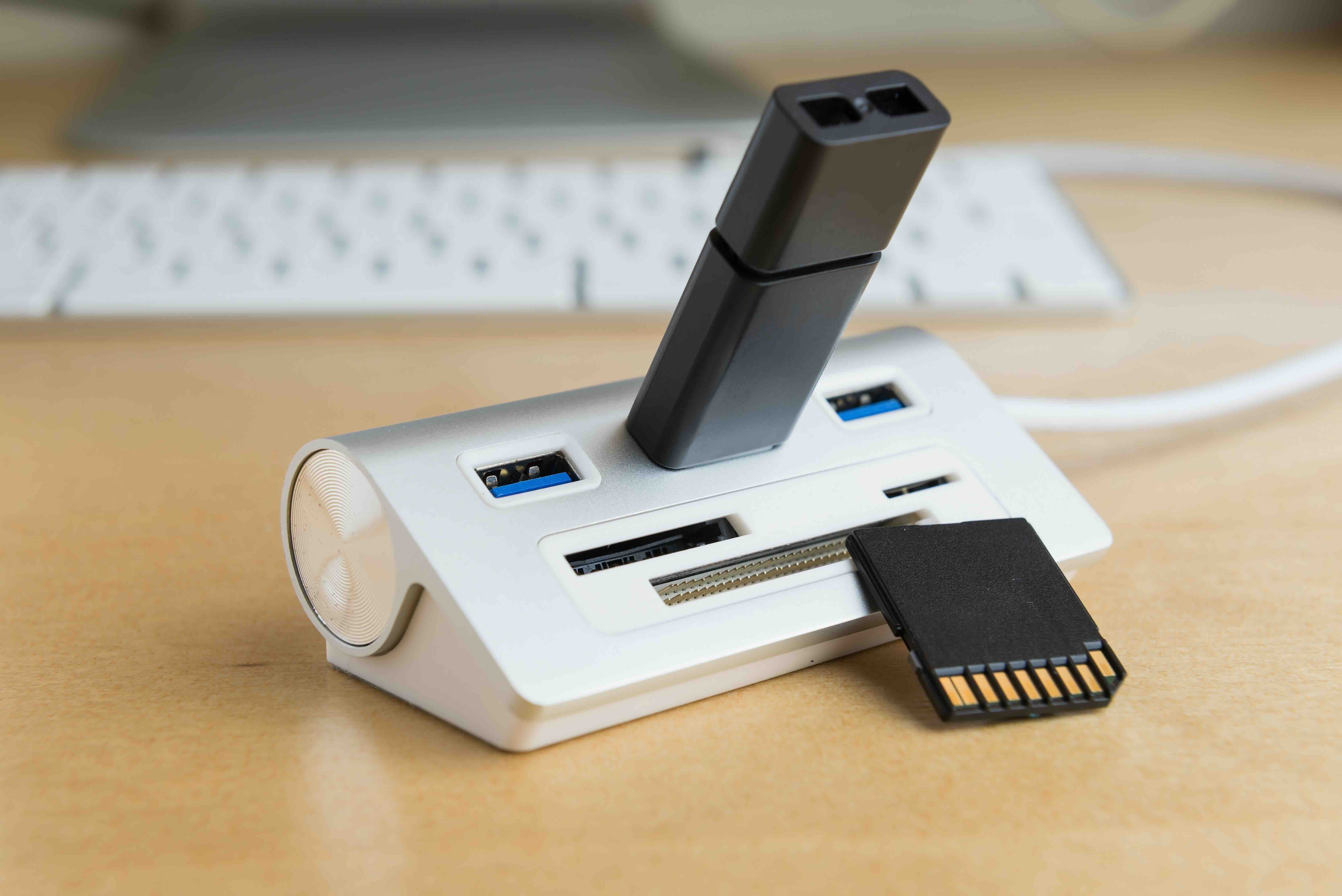
So here is the thing -- you have a laptop, a desktop, maybe a workstation setup, and somehow you are always running out of USB ports. It happens constantly. You have a keyboard, mouse, external drive, webcam, charging cable -- and your machine only has two or three ports to share between all of them. That is exactly where a port USB extender comes in. At its core, a USB extender is a device that expands the number of available USB connections from a single port on your computer or hub. Think of it as a power strip, but specifically for your USB ecosystem. It gives you more real estate to plug things in without having to constantly swap cables or invest in a full docking station setup. For professionals, creatives, IT administrators, and everyday users alike, understanding what a USB extender does and how to choose the right one can genuinely change how efficiently you work.
How a USB Port Extender Actually Works
Okay, so under the hood, a USB extender takes the signal from one USB host port and multiplies the available connections. There are two primary types worth understanding. The first is a USB hub, which is the most common form of extender. It splits one upstream USB connection into multiple downstream ports. The second type is an active USB extension cable, which boosts the signal over longer distances -- useful when your peripheral needs to be placed far from the host machine. Most standard USB cables max out at around five meters before signal degradation starts to creep in. Active extenders use signal amplification or even Ethernet infrastructure to stretch that distance dramatically, sometimes up to 50 meters or more. For most users sitting at a desk, a hub-style extender covers the need well. For AV integrators, classroom setups, or conference room installs, the signal extension variety becomes much more relevant. Both types are relatively simple to set up -- usually plug and play -- and require no special software in most modern operating systems.
Key Types of USB Extenders Available Today
There is more variety in this space than most people realize. Here is a quick breakdown of the main categories you will encounter when shopping for a port USB extender.
- Passive USB Hub: Splits USB ports with no additional power source; best for low-power peripherals.
- Powered USB Hub: Includes an AC adapter to support power-hungry devices like external hard drives.
- Active USB Extension Cable: Amplifies signal over long distances without a hub.
- USB Over Cat5/Cat6 Extender: Uses existing Ethernet cabling infrastructure to extend USB signals across a room or building.
- Wireless USB Extender: Transmits USB signals wirelessly, though this category is more limited in speed and reliability.
- USB-C Hub with Extension: Modern multi-port adapters often built into a single compact form for laptops and mobile workstations.
Each type has its use case. The powered hub is probably the most universally practical for office and home setups. The Cat5/Cat6 USB extender is a staple in professional AV and IT installation environments where cable runs are long and clean routing matters.
Key Advantages of Using a USB Port Extender
Let us talk benefits, because there are quite a few good reasons to add one of these to your setup. First and foremost, the obvious one: more ports. Having five, seven, or even ten USB ports accessible from a single host connection changes the entire workflow. You stop yanking cables in and out, which reduces connector wear and accidental disconnections. Beyond that, powered hubs ensure every connected device gets adequate power delivery, which is particularly relevant for devices like external SSDs or peripherals that draw more current. Organization is another real benefit -- a good USB extender centralizes your connections, reduces desktop clutter, and can consolidate cable management. In enterprise and B2B environments, USB extenders over Cat6 infrastructure allow for centralized computing setups where a single host machine serves multiple workstations or kiosk points. The scalability this provides is genuinely valuable in large deployments.
Common Drawbacks to Be Aware Of
Not everything is perfect here, and being informed means knowing the limitations too. Bandwidth is shared across all ports on a hub. So if you are running multiple high-throughput devices simultaneously -- say, two external drives and a high-resolution webcam -- you may notice performance degradation. USB 3.0 and USB 3.2 hubs handle this much better than older USB 2.0 models, but the shared bandwidth principle still applies. Passive hubs, the kind without an external power adapter, can also struggle to adequately power certain devices, causing connection drops or slow charging. For long-distance signal extension, latency can become a factor depending on the method used -- Cat6 extenders generally perform better than wireless options in this regard. Driver compatibility is rarely an issue on modern systems, but older hardware or specialized operating environments may occasionally require attention. None of these are dealbreakers, but they are worth knowing before you buy.
What to Look for When Buying a USB Extender
Choosing the right device does not have to be complicated. Here are the factors that genuinely matter when evaluating options.
- USB Version: USB 3.0 or higher is recommended for most users; avoid USB 2.0 if speed matters.
- Number of Ports: Match the port count to your actual peripheral count, with room to grow.
- Power Delivery: Look for powered hubs if you are connecting hard drives, high-draw devices, or want to charge smartphones.
- Cable Length: For extension types, confirm the maximum supported run length meets your installation needs.
- Build Quality: Connectors, housing material, and thermal management affect long-term reliability.
- Compatibility: Confirm support for your OS and host port type -- USB-A, USB-C, or Thunderbolt.
Spending a few extra minutes thinking through your actual use case before purchasing will save you from a frustrating return or an underperforming setup. It is worth doing it right the first time.
USB Extenders in Professional and Commercial Environments
This is an area where the right extender really earns its place. In conference rooms, digital signage setups, classrooms, and healthcare environments, USB extenders allow for cleaner, more flexible installations. A USB over Cat5/Cat6 extender can place a keyboard and mouse at a reception desk while the actual computer remains locked in a secure IT closet. In AV installations, USB extenders enable camera and capture device connections to be routed through structured cabling rather than long, ungainly USB runs. For systems integrators and IT professionals managing multi-unit deployments, investing in quality USB extenders with stable signal integrity and predictable compatibility is not optional -- it is a core part of infrastructure design. The cost savings compared to running individual computers at every endpoint can be substantial.
Practical Tips to Get the Most From Your USB Port Extender
A few things that make a genuine difference in day-to-day use. Always use the external power adapter if your hub comes with one -- do not skip it just because things seem to work without it at first. Devices may appear functional but underperform or drop connection under load without adequate power. If you are using a USB extender over Cat6, always use shielded cabling in electrically noisy environments to protect signal integrity. Keep your USB extender firmware or drivers updated if the manufacturer provides them -- this is especially relevant in managed IT environments. Also, avoid daisy-chaining multiple passive hubs together; this compounds signal degradation and power limitations. When in doubt, a single higher-quality hub with more ports is almost always preferable to connecting multiple low-end hubs in a chain.
Why Monoprice Is the Right Choice for USB Extenders and Connectivity Solutions
If you have gotten this far, you already know what to look for. The next step is finding a source that consistently delivers on quality without making you pay a premium you cannot justify. Monoprice has built a well-earned reputation in the connectivity space precisely because the products are designed for real-world use cases -- not spec sheets. Whether you need a straightforward powered USB hub for a home office or a robust USB over Cat6 extender for a commercial AV installation, the lineup covers both ends of the spectrum with the kind of build quality and reliability that professionals actually depend on. You can browse a wide selection of high-performance USB port extenders and connectivity solutions that are engineered for both everyday users and demanding B2B environments. The value proposition is clear: premium performance, smart pricing, and the confidence that comes from working with a brand that knows this technology as well as anyone in the industry.
Frequently Asked Questions About USB Port Extenders
What is the difference between a USB hub and a USB extender?
A USB hub adds more ports by splitting one connection into several. A USB extender specifically refers to extending the physical reach of a USB connection over a greater distance, sometimes using active amplification or Cat5/Cat6 cabling. Many products do both simultaneously.
How far can a USB signal be extended?
Standard passive USB cables support up to five meters. Active USB extenders using Cat5/Cat6 infrastructure can extend signals up to 50 meters or more depending on the USB standard and extender quality.
Do USB extenders work with USB-C ports?
Yes, many modern USB extenders and hubs include USB-C upstream connections, making them compatible with laptops and devices that no longer include USB-A ports. Verify the extender specifications before purchasing.
Will a USB extender slow down my transfer speeds?
On a USB 3.0 or higher hub, speeds are generally sufficient for most tasks. However, bandwidth is shared across all connected ports, so running multiple high-throughput devices simultaneously can reduce individual transfer performance.
Do I need a powered USB hub or will a passive one work?
For low-power peripherals like keyboards and mice, a passive hub typically works fine. For external hard drives, SSDs, or devices that require charging, a powered hub with an AC adapter is strongly recommended.
Can I connect a USB hub to another USB hub?
Technically yes, but it is not recommended. Daisy-chaining hubs compounds bandwidth limitations, can cause power delivery issues, and increases the likelihood of connection instability.
Are USB extenders plug and play?
Most USB extenders and hubs are plug and play on Windows, macOS, and Linux systems. Some enterprise-grade extenders may include drivers for additional management functionality, but basic operation typically requires no installation.
What USB version should I look for in a port extender?
USB 3.0 at minimum is the practical standard for most users today. USB 3.1 and USB 3.2 options offer higher bandwidth and are preferable for environments with multiple high-throughput devices connected simultaneously.
Can a USB extender be used for video output?
Not directly through standard USB extenders. However, USB-C hubs with DisplayPort or HDMI outputs can facilitate video output alongside data and power delivery. Verify the hub specifications to confirm video support.
Are USB over Cat6 extenders reliable enough for professional installations?
Yes, USB over Cat6 extenders are widely used in professional AV and IT installations. When deployed with quality shielded cabling and installed within the supported distance range, they deliver stable and reliable performance suitable for commercial environments.


