

Patch Panels vs. Network Switches: Key Differences
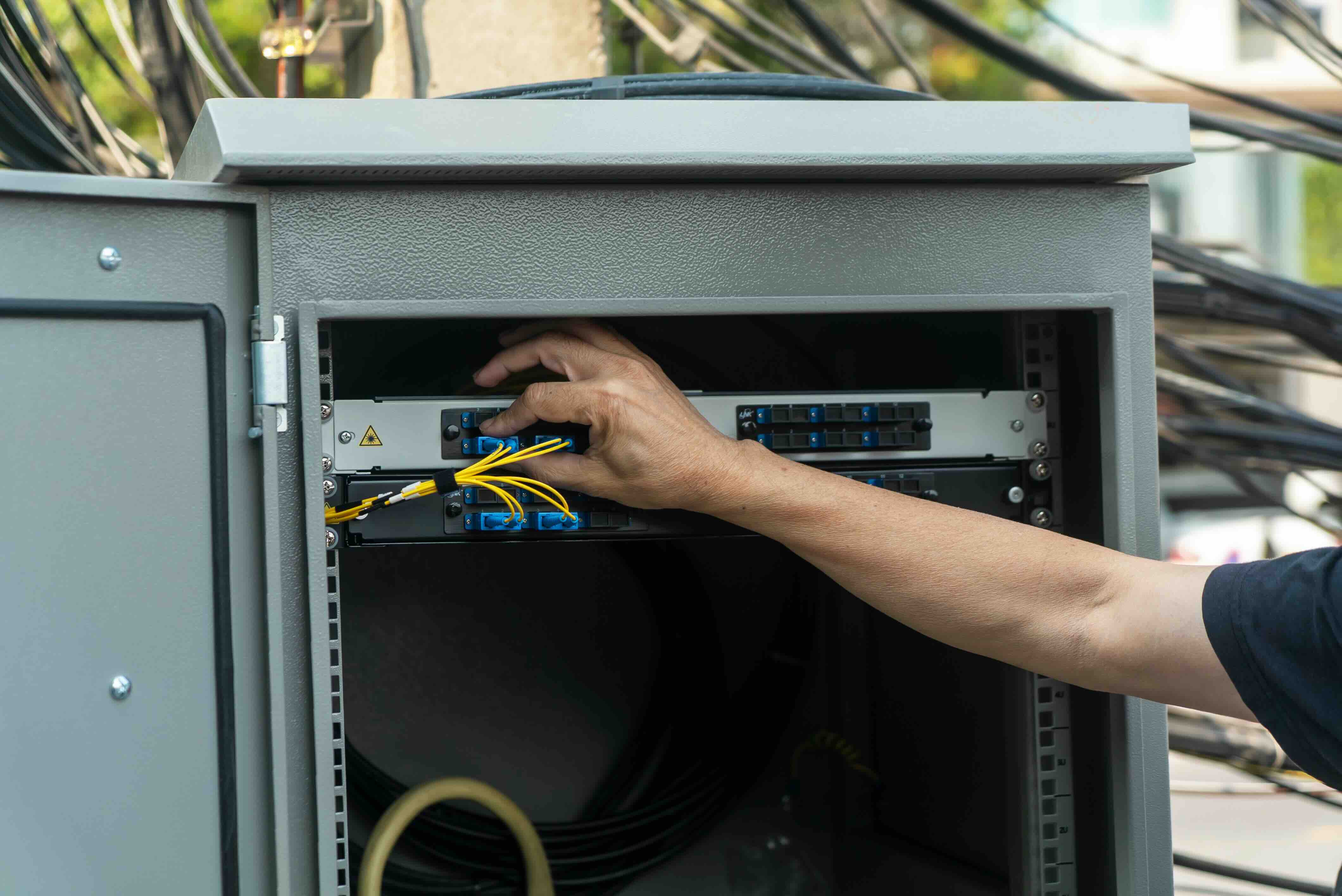
Patch Panels vs. Network Switches: What Is the Difference and Why It Matters
If you have ever looked at the back of a server rack or tried to make sense of a commercial network installation, you have probably seen both a patch panel and a network switch mounted side by side. They look similar at a glance, both have rows of ports, both live in the rack, and both deal with network cables. But they do very different things. Understanding what each one actually does, and how they work together, is genuinely useful whether you are setting up a small office, designing a data center layout, or just trying to make sense of what your IT contractor is billing you for. So let us break it all down clearly.
What Is a Patch Panel and How Does It Work
A patch panel is essentially a passive termination point. It does not process data, it does not direct traffic, and it does not require power. What it does is provide a centralized, organized interface where all the structured cabling in a building terminates in one place. Think of it like a junction box for your network cables. Each port on the patch panel connects to a wall jack somewhere else in the building through a run of solid core cable. You then use short, flexible patch cables to connect those ports to a switch. That is the whole job. Neat, organized, and straightforward. Patch panels come in various configurations including 24-port, 48-port, and beyond, typically in 1U or 2U rack form factors. They support different cable categories like Cat5e, Cat6, and Cat6A, which determines the maximum bandwidth and frequency the connection can handle.
What Is a Network Switch and How Does It Work
A network switch is an active device. It actually reads the data packets traveling across your network and directs them intelligently to the right destination. When a computer sends data, the switch looks at the MAC address of the intended recipient and forwards that packet only to the correct port, rather than broadcasting it to everyone. This is what separates a switch from an older hub. Switches range from simple unmanaged models designed for small setups to fully managed enterprise switches with features like VLAN segmentation, QoS prioritization, link aggregation, and SNMP monitoring. They require power to operate, and more advanced models may support Power over Ethernet, commonly called PoE, which lets them deliver electrical power through the network cable to devices like IP cameras, VoIP phones, and wireless access points.
Why Use Both a Patch Panel and a Switch Together
This is the question most people get stuck on. If the switch is the smart device, why bother with a patch panel at all? The answer comes down to flexibility, organization, and the protection of your permanent cabling infrastructure. The structured cabling that runs through walls and ceilings uses solid core copper wire, which is less flexible and more prone to damage from repeated bending. You do not want to plug that directly into a switch and then move it around. The patch panel acts as a buffer. Solid core cables terminate at the patch panel once, and then short, flexible stranded patch cables connect the panel to the switch. If you need to reconfigure which room connects to which switch port, you just move a patch cable. No pulling cable through walls, no rewiring. It is efficient and keeps your infrastructure intact long-term.
Key Advantages of Using a Patch Panel
There are several practical benefits worth understanding before you decide how to design your network infrastructure.
- Clean cable management and organized terminations in one central location
- Simple moves and changes without disturbing permanent cabling runs
- Protection of solid core cabling from repeated flex stress
- Easy troubleshooting because every connection is labeled and accessible
- Scalability because you can add ports or reconfigure connections without rewiring
- Reduced wear on switch ports since patch cables handle the physical strain
Key Advantages of Using a Managed Network Switch
On the switch side, particularly with managed models, the feature set goes well beyond basic connectivity.
- VLAN support for segmenting network traffic between departments or systems
- QoS settings that prioritize critical applications like video conferencing or VoIP
- PoE capability to power devices without separate power adapters
- Remote monitoring and configuration through web interfaces or CLI
- Link aggregation for combining multiple connections for added bandwidth
- Enhanced security features including port-based authentication and storm control
Common Drawbacks to Be Aware Of
Neither of these components is without its limitations, and it helps to go in with realistic expectations. Patch panels add a layer to your infrastructure, which means one more set of connections that can be improperly terminated or labeled. A poorly punched-down patch panel can introduce signal loss or cross-talk, particularly at higher frequencies associated with Cat6A or above. Labeling discipline is non-negotiable, because an unlabeled patch panel quickly becomes a liability rather than an asset. On the switch side, managed switches are powerful but they do come with a learning curve. Misconfigured VLANs or spanning tree settings can take down a network fast. Unmanaged switches are simpler but offer no visibility into what is happening on your network, which can make troubleshooting genuinely difficult. Cost is also a factor. High-port-count managed switches with PoE+ support can represent a significant line item, and cheap alternatives may sacrifice reliability or thermal performance over time.
Practical Tips for Planning Your Network Infrastructure
Whether you are wiring a small office or spec-ing out a multi-floor deployment, a few practical considerations will save you time and money later. First, always plan your cabling infrastructure around the highest category you reasonably anticipate needing over the next five to seven years. Running Cat6A now costs marginally more but future-proofs your structured cabling for 10-gigabit speeds. Second, label every patch panel port and corresponding wall jack during installation, not after. Third, use color-coded patch cables to visually distinguish network segments like data, voice, and management traffic. Fourth, leave spare patch panel ports when possible because network requirements always grow. Fifth, match your patch panel category rating to your cabling and switch capabilities. Mixing a Cat5e patch panel with a Cat6A run eliminates the performance benefit of the higher-grade cable entirely.
Patch Panel and Switch Configurations for Different Use Cases
The right configuration really depends on the scale and complexity of your environment. A small business with a single closet and under twenty users might be perfectly served by a 24-port Cat6 patch panel paired with a 24-port gigabit PoE managed switch. A multi-floor enterprise environment may require multiple intermediate distribution frames on each floor, each with their own patch panels and access layer switches, all connecting back to a central main distribution frame with a high-capacity core switch. Data centers operate at another level entirely, with high-density patch panels, 10GbE or 25GbE switches, and extensive cable management systems designed for airflow and serviceability. The underlying logic is the same regardless of scale, the patch panel organizes and protects permanent infrastructure while the switch handles intelligent traffic routing.
Why Monoprice Is the Right Source for Patch Panels and Network Switches
When you are putting together a network infrastructure, the quality of your components matters from the cable through the panel to the switch. Monoprice has built a serious reputation among IT professionals, AV integrators, and enterprise buyers for delivering high-performance networking hardware at pricing that genuinely makes sense for both small deployments and large-scale rollouts. The patch panels are built to standard rack specifications, support Cat6 and Cat6A terminations, and are designed for clean, reliable connectivity without requiring a premium brand markup. For anyone looking at professional-grade patch panels and network switches for structured cabling infrastructure, Monoprice offers the depth of product selection and the consistent quality that installation professionals and procurement teams depend on. The value proposition is straightforward: you get the performance you need, the documentation to back it up, and pricing that keeps your project budget intact. That combination is hard to argue with.
Frequently Asked Questions About Patch Panels and Network Switches
What is the main difference between a patch panel and a network switch?
A patch panel is a passive termination device that organizes and centralizes cable connections without processing data. A network switch is an active device that reads MAC addresses and routes data packets to the correct destination on the network.
Do I need both a patch panel and a switch?
In most structured cabling environments, yes. The patch panel protects permanent cabling and provides flexibility for reconfiguration, while the switch handles all active data routing. Together they form the foundation of a well-organized, scalable network.
Can I connect structured cabling directly to a switch without a patch panel?
Technically yes, but it is not recommended. Solid core cabling is not designed for repeated flexing and can degrade if plugged directly into switch ports that are frequently changed. A patch panel extends the life of your permanent cabling infrastructure.
What is the difference between a managed and unmanaged switch?
An unmanaged switch operates automatically with no configuration options, suitable for simple setups. A managed switch allows administrators to configure VLANs, QoS, port monitoring, security settings, and more, making it essential for business and enterprise environments.
What does PoE mean on a network switch?
PoE stands for Power over Ethernet. A PoE switch can deliver electrical power through the network cable to compatible devices such as IP cameras, wireless access points, and VoIP phones, eliminating the need for separate power adapters at each device location.
How many ports should my patch panel have?
Plan for at least 20 to 25 percent more ports than you currently need. Network requirements grow over time, and adding capacity during initial installation is far less expensive than retrofitting later. Common configurations are 24-port and 48-port panels in standard 1U rack space.
What cable category should I use for a patch panel?
Cat6 is the current standard for most business installations supporting gigabit speeds. Cat6A is recommended when 10-gigabit performance or longer cable runs are required. The patch panel category rating must match or exceed the rating of the cabling it terminates.
How do I know if my patch panel is properly terminated?
Use a network cable tester after punching down each port. A quality tester will verify continuity, wiring sequence, and identify any cross-pairs or split pairs that would degrade performance or cause connectivity failures.
What is VLAN support and why does it matter on a switch?
A VLAN, or Virtual Local Area Network, allows you to logically segment network traffic on a single physical switch. This improves security, reduces broadcast traffic, and allows different departments or device types to operate on isolated network segments without requiring separate physical hardware.
How often should network switches and patch panels be replaced?
Patch panels, being passive components, can last ten to fifteen years or longer if properly installed and maintained. Network switches typically have a practical lifespan of five to eight years before performance capabilities, security support, or port density requirements necessitate an upgrade.


