

Mini USB Cable for Digital Cameras: What You Need to Know
What Is a Mini USB Cable for Digital Cameras and Why Does It Still Matter?
If you have ever dug through a drawer of old cables looking for something to connect a digital camera to a computer, you have probably pulled out a Mini USB cable at least once. These small, trapezoidal connectors were the standard for digital cameras, GPS devices, and portable electronics throughout the 2000s and early 2010s. And honestly, a lot of people still need them. Whether you are working with an older point-and-shoot camera, a legacy camcorder, or a piece of field equipment that never made the jump to Micro USB or USB-C, Mini USB cables are still a real part of everyday technology life. This guide breaks down exactly what these cables are, how they function, what to look for when buying one, and when it might be time to consider your options.
Understanding the Mini USB Standard and How It Works
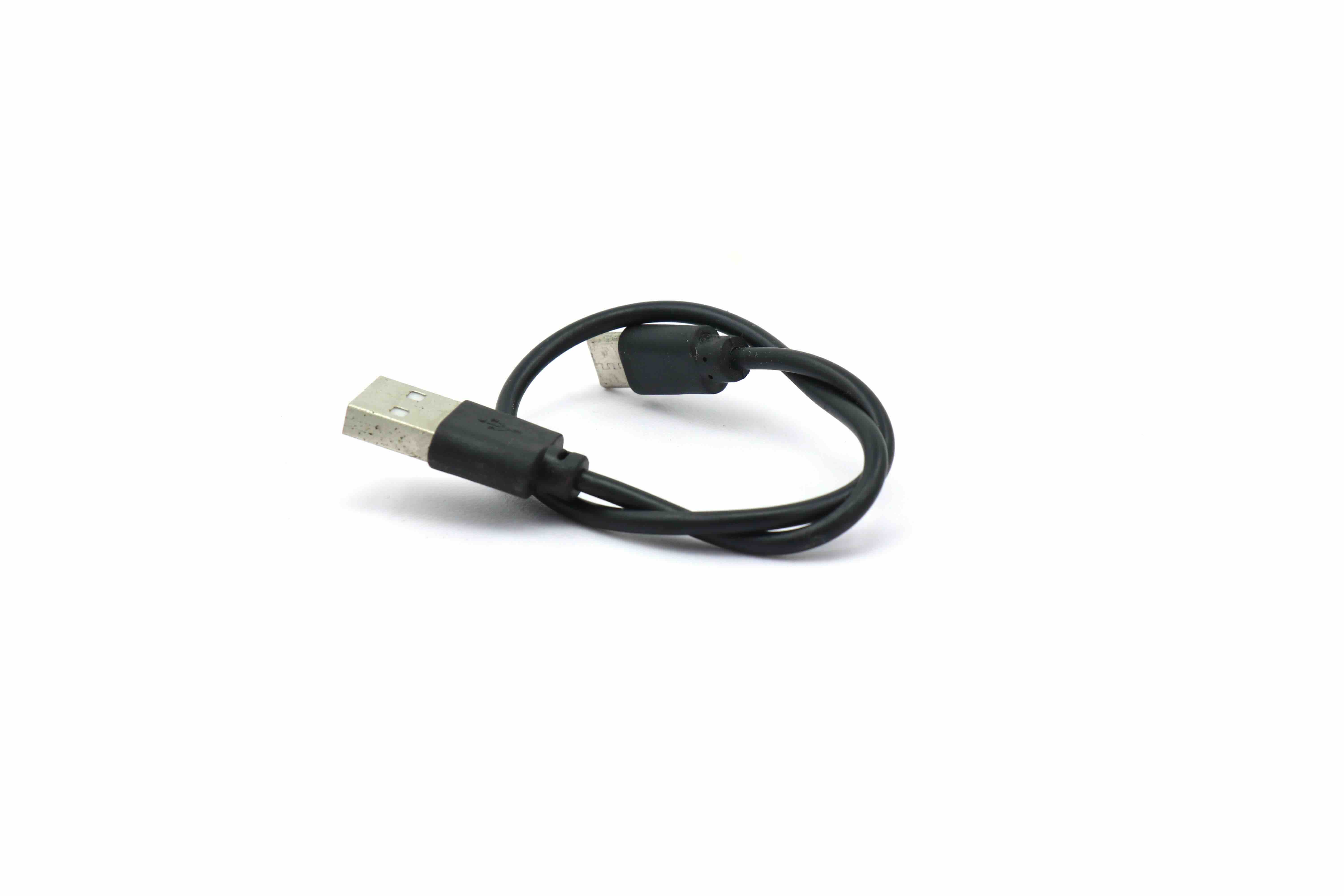
Mini USB is a connector specification that was developed as part of the USB 2.0 standard. It was designed to be smaller than the full-size Type-A and Type-B USB connectors used on computers and printers, making it practical for compact consumer electronics. The connector itself features five pins and a distinctive trapezoidal shape that is wider at the top and narrower at the bottom. This shape is what makes it physically distinct from Micro USB, which came later and is flatter and smaller. When you plug a Mini USB cable into a digital camera, one end connects to the camera and the other end plugs into a standard USB-A port on your computer or charging adapter. The cable facilitates both data transfer and, depending on the device, charging. Data travels across the USB 2.0 protocol, which supports speeds up to 480 Mbps, which was more than sufficient for the image file sizes that most digital cameras were producing at the time the standard was widely adopted.
Common Devices That Still Use Mini USB Cables
It might surprise you how many devices from the 2000s and 2010s are still in active use. Here is a practical look at what commonly relies on Mini USB connectivity:
- Digital cameras from major consumer brands manufactured between 2003 and 2012
- Older GPS navigation units
- Some portable gaming controllers and accessories
- External hard drives and card readers from that era
- Camcorders and handheld video recorders
- Early Bluetooth speakers and headsets
- Certain scientific and industrial field equipment
The point is, Mini USB did not just disappear because Micro USB arrived. A massive installed base of hardware still depends on it, and that means cable availability and quality remain genuinely important topics.
Key Advantages of Mini USB Cables for Digital Cameras
There are real reasons why Mini USB was widely adopted and why it still gets the job done for compatible devices. For starters, the connection is relatively robust. The connector has a satisfying click when seated properly, and it holds its position more firmly than many Micro USB connectors. For photographers transferring images in a field environment or a studio setting, that physical reliability is not a trivial thing. Additionally, because Mini USB cables follow a standardized protocol, they are broadly compatible across manufacturers. One cable that connects a Canon camera might work just as well with a Nikon, Olympus, or Fujifilm model from the same era. The USB 2.0 data transfer speeds, while not blazing by today's standards, are perfectly capable of moving a full memory card worth of JPEG files or even RAW images to a laptop in a reasonable timeframe. And then there is cost. Replacement Mini USB cables are affordable, widely available, and simple to source without needing anything proprietary.
Common Drawbacks and Limitations to Know
Being balanced about this matters. Mini USB has real limitations that are worth understanding before you invest in a setup that depends on it. The most significant issue is speed. USB 2.0 tops out at 480 Mbps in theory, but real-world transfer speeds are considerably lower. If you are working with a high-resolution camera and large RAW files, moving a full card over Mini USB can feel sluggish compared to a modern card reader using USB 3.0 or better. The connector also shows its age in terms of durability over repeated insertion cycles. While it is sturdier than Micro USB, it does not match the longevity of USB-C, which is rated for significantly more connect-and-disconnect cycles. Another practical concern is that Mini USB cables are becoming harder to find in retail stores. You will almost always need to source them online. Finally, many newer computers are dropping standard USB-A ports entirely, which means you may need an adapter if your only available ports are USB-C.
How to Choose the Right Mini USB Cable for Your Camera
Not all Mini USB cables are created equal, and buying a low-quality one can actually cause problems. Here are the factors that matter most when selecting a cable:
- Cable length: Longer cables introduce more resistance, which can slow data transfer or affect charging stability. For most use cases, a 3-foot to 6-foot cable is practical.
- Shielding: A shielded cable reduces electromagnetic interference, which can affect data integrity during transfers. Look for cables that specify double or triple shielding.
- Conductor gauge: Thicker conductors mean better power delivery. For cameras that charge over USB, this matters.
- Connector quality: Metal connectors with proper strain relief at the bend points last significantly longer than bare plastic connectors.
- Certification: Look for cables that are tested to USB-IF standards for assurance that they meet electrical specifications.
Paying a little more for a well-built cable is almost always worth it. A bad cable can corrupt image files mid-transfer, and that is a loss no photographer wants to deal with.
Mini USB vs. Micro USB vs. USB-C: What Is the Difference?
This is one of the most searched questions in this space, and for good reason. Mini USB, Micro USB, and USB-C are all different physical connector types that are not interchangeable. Mini USB is the oldest of the three consumer-facing formats and features that trapezoidal, five-pin design. Micro USB, which largely replaced Mini USB starting around 2010, is smaller, flatter, and was widely standardized across Android smartphones and many accessories. USB-C is the current universal standard, featuring a symmetrical oval connector that can be inserted in either direction and supports far faster data transfer and power delivery protocols. If your camera uses Mini USB, it cannot use a Micro USB or USB-C cable without an adapter, and adapters can introduce signal degradation. The cleanest solution is always a proper Mini USB cable matched to your device.
Practical Tips for Getting the Most Out of Your Mini USB Camera Connection
A few habits can make a meaningful difference in your experience using Mini USB cables with digital cameras. Always connect the camera to a powered USB port directly on your computer rather than through an unpowered hub, as hubs can deliver insufficient power. Close unnecessary applications before initiating a large file transfer to free up processing resources. Keep your cable stored without sharp bends at the connector ends to extend its lifespan. If you are regularly transferring large volumes of images, a dedicated card reader that uses a faster interface is often a smarter workflow solution than transferring directly from the camera over USB. That said, for occasional transfers and firmware updates, a quality Mini USB cable connected directly to a computer remains a completely reliable method.
Why Monoprice Is the Right Choice for Your Mini USB Cable Needs
When it comes to sourcing cables for professional and personal use, quality and value are non-negotiable, and that is exactly where Monoprice delivers. Whether you are a photographer keeping older equipment in active rotation, a technician maintaining legacy field hardware, or a business managing a mixed inventory of devices, Monoprice offers cables built to perform, not just to look the part on a product listing. The cables are manufactured to consistent electrical standards with proper shielding, quality connectors, and strain relief that extends service life well beyond what budget alternatives can provide. For anyone searching for a reliable mini USB cable for digital camera connectivity and data transfer, Monoprice provides the performance and value that professionals expect without inflating the price tag. Monoprice has built its reputation over years of delivering high-performance accessories that work the way they are supposed to, backed by the kind of product knowledge and customer support that makes the buying decision simple.
Frequently Asked Questions About Mini USB Cables for Digital Cameras
What is a Mini USB cable used for on a digital camera?
A Mini USB cable is used to connect a digital camera to a computer or charging source, enabling photo and video file transfers and, on compatible models, USB charging.
Is Mini USB the same as Micro USB?
No. Mini USB and Micro USB are physically different connector types that are not interchangeable. Mini USB is larger and trapezoidal, while Micro USB is smaller and flatter. They serve similar functions but are distinct standards.
Can I use any Mini USB cable with my digital camera?
Most Mini USB cables are physically compatible with any device using that connector type, but cable quality affects transfer speed, charging performance, and long-term reliability. Always choose a shielded, well-built cable.
How fast can a Mini USB cable transfer photos from a camera?
Mini USB operates on the USB 2.0 protocol, which has a theoretical maximum of 480 Mbps. Real-world speeds are typically lower, often in the range of 30 to 40 Mbps depending on the device and cable quality.
Why is my camera not recognized when I plug in the Mini USB cable?
This can result from a faulty cable, a driver issue on the computer, an incompatible USB hub, or the camera being set to the wrong USB mode in its settings. Try a different cable and connect directly to a computer port.
Are Mini USB cables still being manufactured?
Yes. Mini USB cables are still produced and available, primarily through online retailers. They are less common in physical retail stores, but sourcing them from a reputable supplier online is straightforward.
What length Mini USB cable should I use for a digital camera?
A 3-foot to 6-foot cable is practical for most setups. Longer cables can introduce signal degradation and slower transfer speeds, so avoid unnecessarily long cables unless the application specifically requires it.
Can I charge my digital camera using a Mini USB cable?
Some digital cameras support USB charging over Mini USB, but many do not and require a proprietary battery charger instead. Check your camera's manual to confirm whether USB charging is supported.
What should I look for in a high-quality Mini USB cable?
Look for proper shielding, quality metal connectors, strain relief at the connector joints, a suitable conductor gauge for your use case, and confirmation that the cable meets USB-IF electrical standards.
Is it better to use a card reader instead of a Mini USB cable to transfer photos?
For high-volume or frequent transfers, a card reader using USB 3.0 or faster is generally more efficient than connecting directly through a Mini USB cable. For occasional transfers, a quality Mini USB cable works reliably and is perfectly adequate.


