

Mini DisplayPort Cables and Adapters: What You Need
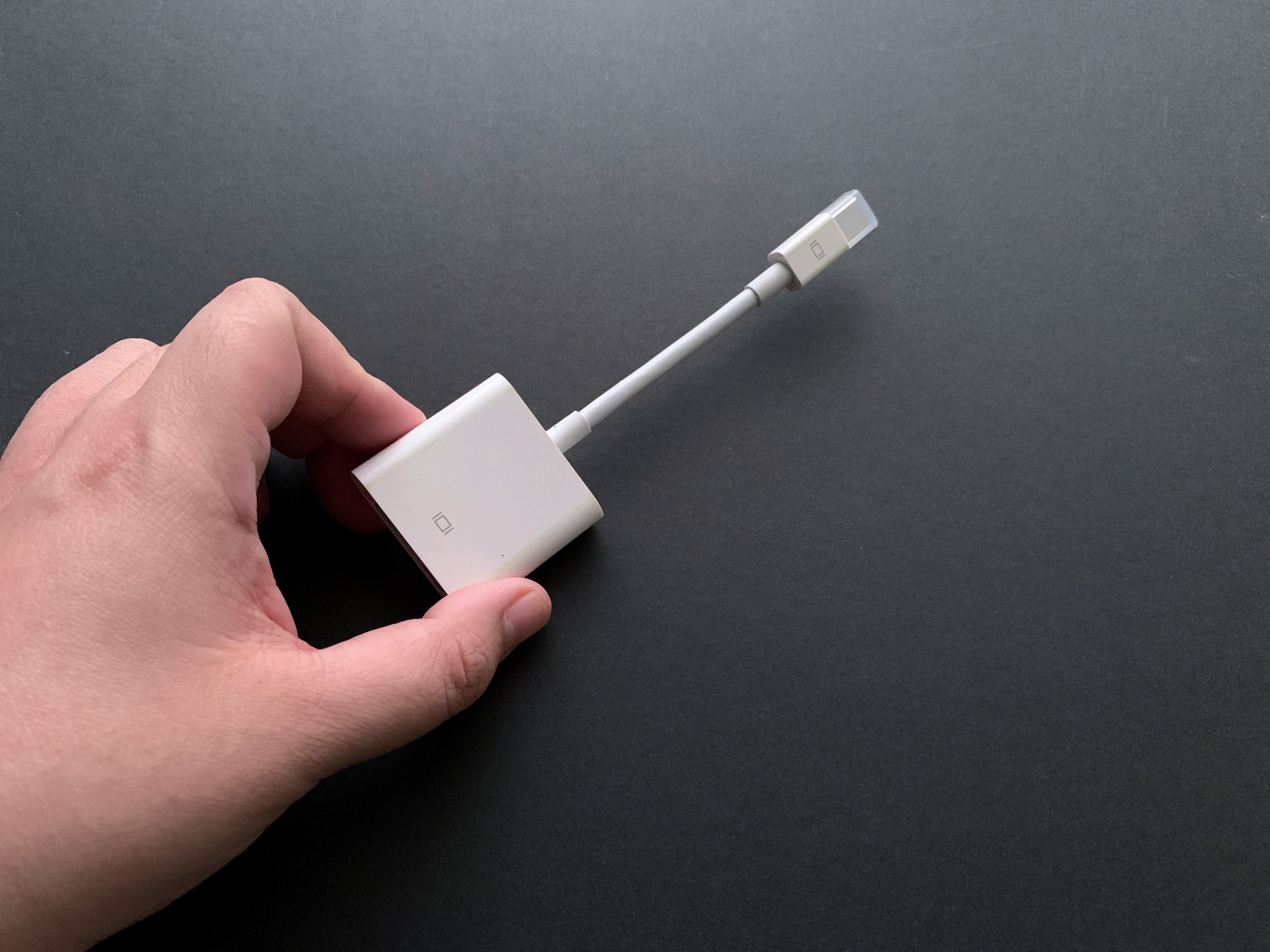
What Is Mini DisplayPort and Why Does It Still Matter?
Mini DisplayPort is a compact digital audio and video interface developed by Apple in 2008 and later standardized by VESA as part of the DisplayPort specification. It was designed to deliver the full capabilities of standard DisplayPort in a significantly smaller connector form factor, making it practical for use in slim laptops, ultrabooks, and other space-constrained devices. Despite being introduced well over a decade ago, Mini DisplayPort remains relevant today because of its wide compatibility with existing hardware, its strong video and audio performance, and the sheer number of adapters and cables that support it. If you have a MacBook from 2008 through roughly 2015, or a Windows laptop from that same era, there is a very real chance you have a Mini DisplayPort on your device right now.
How Mini DisplayPort Works: The Technical Side Made Simple
Mini DisplayPort transmits both video and audio signals over a single cable using a packetized data format, which is different from how older analog connections like VGA operate. It uses what the DisplayPort specification calls a Main Link, made up of data lanes that carry compressed video and audio packets from a source device to a display. The connector itself is a 20-pin interface, roughly 7.5 millimeters wide, and it supports the same bandwidth and feature set as full-size DisplayPort. This means a device with a Mini DisplayPort output can drive high-resolution displays, support daisy-chaining through compatible monitors, and pass through multi-channel audio simultaneously. The signal is entirely digital, which contributes to sharper image quality and reduced signal degradation over compatible cable lengths. The mechanical design includes a latch mechanism to keep the connector seated securely during use, which is a practical touch that gets overlooked until you actually need it.
Mini DisplayPort vs. DisplayPort vs. Thunderbolt: Clearing Up the Confusion
One source of genuine confusion in this space is the relationship between Mini DisplayPort, full-size DisplayPort, and Thunderbolt. All three share the same physical connector shape at the Mini DisplayPort level, which means they look identical from the outside. Full-size DisplayPort is simply the larger connector version of the same standard, offering the same signal capabilities in a bigger housing. Thunderbolt versions 1 and 2, developed by Intel and Apple together, use the Mini DisplayPort connector form factor but add high-speed data transfer capabilities layered on top of DisplayPort. This means a Thunderbolt port can output Mini DisplayPort video, but a Mini DisplayPort source device cannot use Thunderbolt-specific data features. It is worth paying close attention to port labeling on your hardware before purchasing cables or adapters to make sure you are getting the right compatibility for your specific use case.
Key Advantages of Mini DisplayPort
There are several practical reasons why Mini DisplayPort earned its place in consumer and professional technology over the years.
- High resolution support, with versions capable of driving displays up to 4K and beyond depending on the DisplayPort version in use
- Single-cable audio and video delivery, reducing clutter at the desk or workstation
- Compact connector size that fits comfortably in thin laptops and portable devices
- Broad adapter ecosystem covering HDMI, DVI, VGA, and full-size DisplayPort
- Daisy-chaining support for compatible monitors, allowing multiple displays from a single port
- Royalty-free licensing that encouraged wide adoption across manufacturers
For users working in creative fields or professional AV environments, the ability to drive a high-resolution external display over a single compact connection was genuinely useful at a time when competing standards were still catching up. Even today, Mini DisplayPort to HDMI and Mini DisplayPort to DisplayPort cables are among the more commonly requested connection solutions because so much existing hardware still carries the port.
Common Drawbacks to Know Before You Buy
Mini DisplayPort is not without its limitations, and it is worth being clear about those before making a purchasing decision. The port has largely been replaced by USB-C with DisplayPort Alt Mode and Thunderbolt 3 or 4 on newer devices, meaning new hardware rarely ships with it. Adapter dependency is real, since Mini DisplayPort outputs are not directly compatible with HDMI or DVI displays without a conversion accessory. Some passive adapters only support specific video formats and may not carry audio, which catches people off guard when they expect full signal passthrough. Additionally, the connector, while secure, is smaller and can be more prone to mechanical wear over time compared to larger, more robust connectors. Cable length is also a consideration, as signal integrity can degrade at longer runs without the use of active cables or signal boosters.
Practical Tips for Using Mini DisplayPort Cables and Adapters
Getting the most out of a Mini DisplayPort setup comes down to a few straightforward principles. First, verify the DisplayPort version your source device supports, since older hardware may cap out at 1.1 or 1.2 while newer displays benefit from 1.4. Second, if you need audio passthrough over an HDMI adapter, look specifically for active adapters that are rated to carry audio, not just video. Third, for multi-display setups, confirm that your GPU supports Multi-Stream Transport, which is required for daisy-chaining. Fourth, use quality cables from reputable sources because signal issues at higher resolutions and refresh rates are frequently traced back to poorly constructed or unshielded cables rather than the devices themselves. A reliable cable that meets specification is genuinely the simplest upgrade available in most connection troubleshooting situations.
Mini DisplayPort in Modern Workflows: Still Relevant?
The honest answer is yes, though with appropriate context. For users with hardware from the 2010 to 2018 range, Mini DisplayPort is often the primary video output available, and building a reliable adapter and cable setup around it is a cost-effective approach compared to replacing functional equipment. In commercial and enterprise environments, the installed base of Mini DisplayPort-equipped workstations and conference room setups is large enough that IT departments and AV integrators still source cables and adapters regularly. The broader move to USB-C and Thunderbolt 4 is happening steadily, but it is not an overnight transition. Mini DisplayPort continues to serve a defined and legitimate role in real-world technology infrastructure, particularly where budget and compatibility with existing equipment take priority over having the latest connector standard.
What to Look for When Buying Mini DisplayPort Cables and Adapters
When shopping for Mini DisplayPort accessories, focusing on a few key specifications will save time and prevent compatibility issues. Look for cables and adapters that clearly state which DisplayPort version they support. Confirm whether the adapter is passive or active, since active adapters handle signal conversion with onboard circuitry and support wider display compatibility. Check the maximum resolution and refresh rate the product is rated to handle, especially if you are working with 1440p or 4K displays. For longer cable runs, active cables with built-in signal boosting are worth the investment. And generally, buying from manufacturers with clear product documentation and stated certifications is a more reliable approach than chasing the lowest possible price point without any specification transparency.
Why Monoprice Is a Smart Choice for Mini DisplayPort Cables and Adapters
When you are building out a reliable connection setup around Mini DisplayPort, the cable and adapter quality matters more than most people initially expect. Monoprice has built a well-earned reputation as a trusted source for high-performance connectivity products at pricing that makes sense for both individual users and large-scale deployments. The product lineup covers the full range of Mini DisplayPort needs, from straightforward cables to multi-format adapters engineered for consistent signal delivery. If you are looking for Mini DisplayPort cables and adapters built for reliable audio and video performance, Monoprice offers the combination of documented specifications, honest pricing, and a product catalog designed to serve both everyday users and professional integrators without unnecessary markup. For anyone managing a mixed hardware environment where Mini DisplayPort connections are still active and required, that level of consistency and value is genuinely hard to pass up.
Frequently Asked Questions About Mini DisplayPort
What devices commonly use Mini DisplayPort?
Mini DisplayPort is most commonly found on Apple MacBooks and Mac Minis manufactured between 2008 and 2015, as well as many Windows laptops and ultrabooks from major manufacturers like Microsoft Surface Pro models and various Dell and Lenovo devices from the same era.
Can I connect a Mini DisplayPort device to an HDMI monitor?
Yes, but you will need a Mini DisplayPort to HDMI adapter or cable. For audio passthrough over HDMI, make sure the adapter is rated as active and explicitly supports audio transmission, since passive video-only adapters are common and do not carry sound.
Is Mini DisplayPort the same as Thunderbolt?
They share the same physical connector shape, but they are not the same standard. Thunderbolt 1 and 2 use the Mini DisplayPort connector and can output video just like Mini DisplayPort, but Thunderbolt also supports high-speed data transfer that Mini DisplayPort does not.
What resolution can Mini DisplayPort support?
Resolution support depends on the DisplayPort version used by the source device. DisplayPort 1.2 supports up to 4K at 60Hz, while DisplayPort 1.4 can handle 8K at reduced refresh rates. Older devices with DisplayPort 1.1 are generally limited to 1080p or 1440p at standard refresh rates.
Do I need a special cable for audio over Mini DisplayPort?
Not for connecting to a DisplayPort display, which natively handles audio. However, if you are adapting to HDMI, you need an adapter specifically rated for audio passthrough. Standard passive video adapters typically do not transmit audio signals.
Can Mini DisplayPort support multiple monitors?
Yes, through a feature called Multi-Stream Transport, which allows daisy-chaining compatible displays. This requires both the source device GPU and the monitors to support MST, and the total bandwidth of the connected displays must fall within the limits of the DisplayPort version in use.
Is Mini DisplayPort being phased out?
In terms of new hardware, yes. Most modern laptops and devices have shifted to USB-C with DisplayPort Alt Mode or Thunderbolt 3 and 4. However, Mini DisplayPort remains in active use across a large installed base of existing devices and continues to be supported through cables, adapters, and docking stations.
What is the difference between a passive and active Mini DisplayPort adapter?
A passive adapter performs a simple mechanical conversion with no active electronics and works best with DisplayPort-native displays. An active adapter contains circuitry that actively converts the signal, enabling compatibility with DVI single-link and dual-link displays, as well as HDMI displays with audio support.
How long can a Mini DisplayPort cable run before signal quality degrades?
Passive Mini DisplayPort cables typically perform reliably up to about 6 feet, or roughly 1.8 meters, for high resolutions. For longer runs, active cables with built-in signal amplification are recommended to maintain signal integrity at resolutions above 1080p.
Can I use a Mini DisplayPort adapter with a 4K monitor?
Yes, provided your source device supports DisplayPort 1.2 or higher and you are using a high-quality cable or active adapter rated for 4K output. Always verify the specifications of both the adapter and the source device before purchasing to confirm 4K compatibility.


