Lightning to USB Cables: Charge Every Apple Device Right
Lightning to USB Cables Explained: What They Are and Why They Still Matter
If you have ever owned an iPhone, an older iPad, or a pair of Apple AirPods, you have almost certainly used a Lightning to USB cable at some point. It is one of those things that most people just take for granted -- plug it in, charge the device, unplug it, move on. But there is actually a fair amount going on behind that small connector, and understanding how these cables work can save you money, protect your devices, and help you make smarter purchasing decisions. So, right, let's actually break this down properly.
What Is a Lightning Connector and How Did It Come About
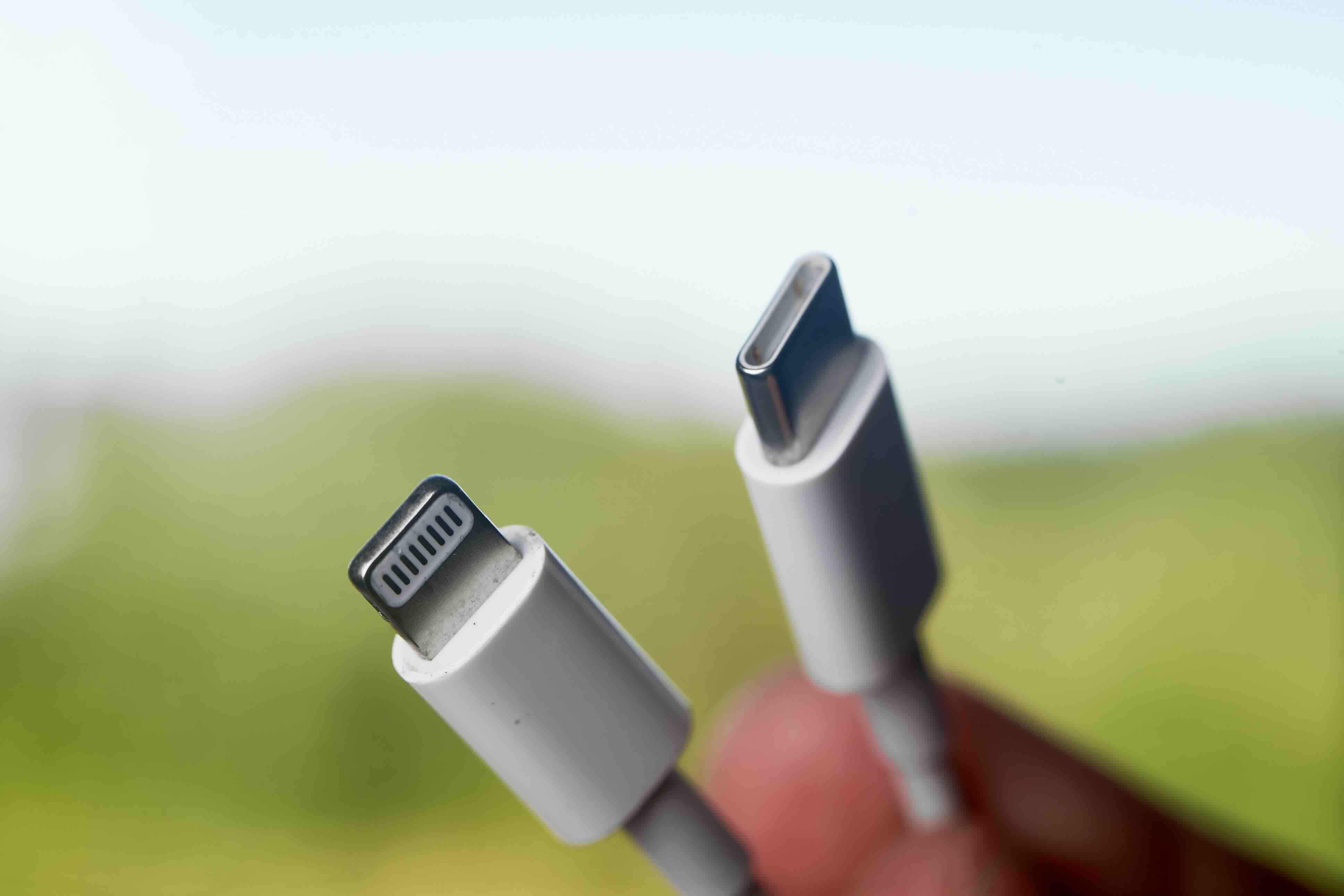
Apple introduced the Lightning connector back in 2012, replacing the older, bulkier 30-pin dock connector that had been around since the early iPod days. The switch was a big deal at the time -- the new connector was significantly smaller, reversible on both ends for most configurations, and designed with durability in mind. Lightning cables carry both power and data, which means a single cable can handle charging your device and syncing your files to a computer. The standard Lightning to USB cable connects the Lightning end to your Apple device and the USB-A end to a wall adapter, laptop port, or USB hub. That is really the core of it. Apple maintained this connector across its product lineup for over a decade, which speaks to how well the design held up over time.
How Lightning to USB Charging Actually Works
At a technical level, a Lightning cable transmits power and data through a set of pins embedded in that narrow connector head. When you plug it into a compatible charger and wall adapter, power travels through the cable to your device's battery. The Lightning port communicates with the charger to negotiate how much power gets delivered -- a process that helps protect your battery from receiving too much current too fast. Standard Lightning to USB-A cables typically support up to 12W charging, which is more than enough for everyday use on most iPhones and smaller iPads. Higher-wattage charging for Apple devices generally requires USB-C to Lightning cables paired with a USB-C power adapter, but the classic USB-A Lightning cable remains widely relevant and widely used.
Key Advantages of Lightning to USB Cables
There are real, practical reasons why Lightning cables became so popular and why they remain useful even as USB-C takes over more of the market. Here is what stands out:
- Wide device compatibility across a decade of Apple hardware
- Reversible Lightning connector end eliminates the guessing game when plugging in
- Compact connector profile that fits well in slim device designs
- Dual-purpose functionality covering both charging and data transfer
- Strong ecosystem support with accessories, docks, and adapters built around the standard
- Proven reliability when cables are built to proper quality standards
That compatibility point is worth lingering on for a second. If you manage a household or office environment with a mix of older Apple devices -- say, an iPhone SE, a pair of AirPods, and an older iPad -- a Lightning cable keeps everything talking to the same charging standard without the need for multiple cable types.
Common Drawbacks and Limitations Worth Knowing
No technology is without trade-offs, and Lightning cables are no exception. The most notable limitation is speed. Lightning to USB-A cables top out at USB 2.0 data transfer speeds, which is around 480 Mbps. That is perfectly fine for syncing music and photos in moderate volumes, but if you are moving large video files or backing up substantial amounts of data, it can feel slow by modern standards. There is also the broader industry shift happening right now -- Apple has moved to USB-C on the iPhone 15 and newer models, as well as on newer iPad and MacBook lines. That means Lightning, while still highly relevant for a massive installed base of devices, is gradually becoming a legacy standard. Cable quality is another real concern; not all Lightning cables are built the same, and cheaply made options can fail prematurely or deliver inconsistent power, which is frustrating and potentially damaging to your hardware over time.
Apple MFi Certification and Why It Matters for Your Devices
This is one of those things that gets skipped over constantly, and it really should not be. MFi stands for Made for iPhone, iPad, and iPod -- it is Apple's licensing program for third-party accessory manufacturers. When a Lightning cable carries MFi certification, it means the cable has been tested and approved by Apple to meet specific electrical and performance standards. Non-certified cables can trigger warning messages on your device, deliver unreliable charging, or in worst-case scenarios, cause hardware issues. Choosing MFi-certified Lightning cables is not just a technicality -- it is a practical safeguard for devices that cost hundreds of dollars. Always check for that certification when purchasing from any third-party manufacturer.
Practical Tips for Getting the Most Out of Your Lightning Cable
A few straightforward habits can meaningfully extend the life of your Lightning cables and improve your overall experience with them. Avoid bending the cable sharply at the connector ends, which is where most wear and eventual failure occurs. Do not wrap cables tightly around adapters for storage, as this stresses the internal wiring over time. Keep the Lightning port on your device free of lint and debris, which can prevent a secure connection and cause intermittent charging. Also, match your cable to an appropriate wattage adapter -- using an underpowered adapter with a larger iPad will charge the device, but it will charge slowly and may not keep pace with active use. And yes, cable length matters: shorter cables generally experience fewer signal integrity issues, while longer cables are more convenient in certain setups but should still meet quality standards throughout their length.
Lightning vs. USB-C: Understanding the Transition
The industry is clearly moving toward USB-C as a universal standard, driven in part by regulatory pressure in the European Union and by the natural evolution of device design. USB-C offers faster data transfer, higher power delivery ceilings, and a single connector standard across a much wider range of devices. Apple has acknowledged this by moving its newest iPhone and iPad models to USB-C. That said, the transition does not make Lightning cables obsolete overnight. There is a genuinely enormous installed base of Lightning-compatible devices in active use globally, and those devices still need reliable cables for charging and syncing. Lightning cables will remain a practical necessity for millions of users for years to come, even as USB-C continues to expand its footprint.
Choosing the Right Lightning to USB Cable for Your Needs
When you are shopping for a Lightning cable, a few factors should drive your decision: cable length, build quality, MFi certification status, and price point. Cable length options typically range from one foot to ten feet or more -- shorter for desk use and travel, longer for bedside charging or situations where outlets are not conveniently located. Build quality encompasses the materials used for the cable jacket, strain relief at the connectors, and the quality of the internal conductors. Braided nylon jackets tend to offer better durability than standard PVC options. Price is always a factor, but the cheapest option available frequently ends up costing more in the long run through early failure or device compatibility issues. A mid-range cable from a reputable manufacturer that carries MFi certification is almost always the smarter investment.
Why Monoprice Is a Smart Choice for Lightning to USB Cables
Here is the honest case for Monoprice: the brand has spent years building a reputation for delivering reliable, well-constructed cables and connectivity accessories at prices that do not require a second thought. If you are looking to stock up on dependable Lightning cables for a home, office, or managed device environment, the value proposition is straightforward and hard to argue with. Monoprice engineers its products with real-world use in mind -- durability, consistent performance, and compatibility are not afterthoughts; they are built into the design process from the start. Browsing the full lineup of Lightning to USB charging cables and Apple device accessories gives you a clear sense of how much performance is available at genuinely fair prices. Whether you need a single replacement cable or a bulk supply for a corporate device fleet, Monoprice delivers the kind of cost-effective reliability that IT professionals and everyday users both depend on.
Frequently Asked Questions About Lightning to USB Cables
What devices use a Lightning to USB cable?
Lightning cables are compatible with iPhone models up through the iPhone 14 series, older iPad models, AirPods charging cases, and iPod touch. Apple moved to USB-C on the iPhone 15 and newer models.
Is there a difference between Lightning to USB-A and Lightning to USB-C cables?
Yes. Lightning to USB-A cables connect to standard USB ports and typically support up to 12W charging. Lightning to USB-C cables support faster charging when paired with a USB-C power adapter, delivering up to 20W on compatible iPhones.
Do I need an MFi-certified Lightning cable?
Using an MFi-certified cable is strongly recommended. Non-certified cables may cause error messages, deliver unstable power, or potentially damage your device over time. Certification confirms the cable meets Apple's electrical and safety standards.
How fast can a Lightning cable transfer data?
Standard Lightning to USB-A cables support USB 2.0 data transfer speeds, which top out at approximately 480 Mbps. This is sufficient for general syncing but slower than USB-C cables when moving large files.
Why does my iPhone say the accessory is not supported?
This message typically appears when a non-MFi-certified cable or accessory is connected. It can also appear if the Lightning port on your device is dirty or damaged. Try cleaning the port gently and using a certified cable.
Can a Lightning cable damage my iPhone battery?
A low-quality or non-certified cable can deliver inconsistent power that stresses the battery over time. Using a certified cable from a reputable manufacturer, paired with an appropriate wattage adapter, helps protect long-term battery health.
How long do Lightning cables typically last?
Cable lifespan depends heavily on build quality and how the cable is handled. Cheaply made cables may fail within months. Higher-quality cables with reinforced strain relief and durable jacket materials can last several years with normal use.
Are longer Lightning cables less effective than shorter ones?
Longer cables can experience minor power loss over distance, but for standard household lengths up to 10 feet, the difference in charging performance is generally negligible when using a quality cable. Data transfer reliability can be more sensitive to cable length and quality.
Can I use a Lightning cable with a USB hub instead of a wall adapter?
Yes, Lightning cables can be used with USB hubs for charging and data transfer. However, some hubs provide lower amperage output than wall adapters, which may result in slower charging speeds, particularly on larger devices like iPads.
Will Lightning cables become obsolete as USB-C takes over?
Lightning cables will remain relevant for years due to the large global installed base of compatible Apple devices. While Apple is transitioning newer products to USB-C, anyone using older iPhones, iPads, or AirPods will continue to need Lightning cables for charging and syncing.