

Lightning Cables for iPhone 13: MFi Certified Options
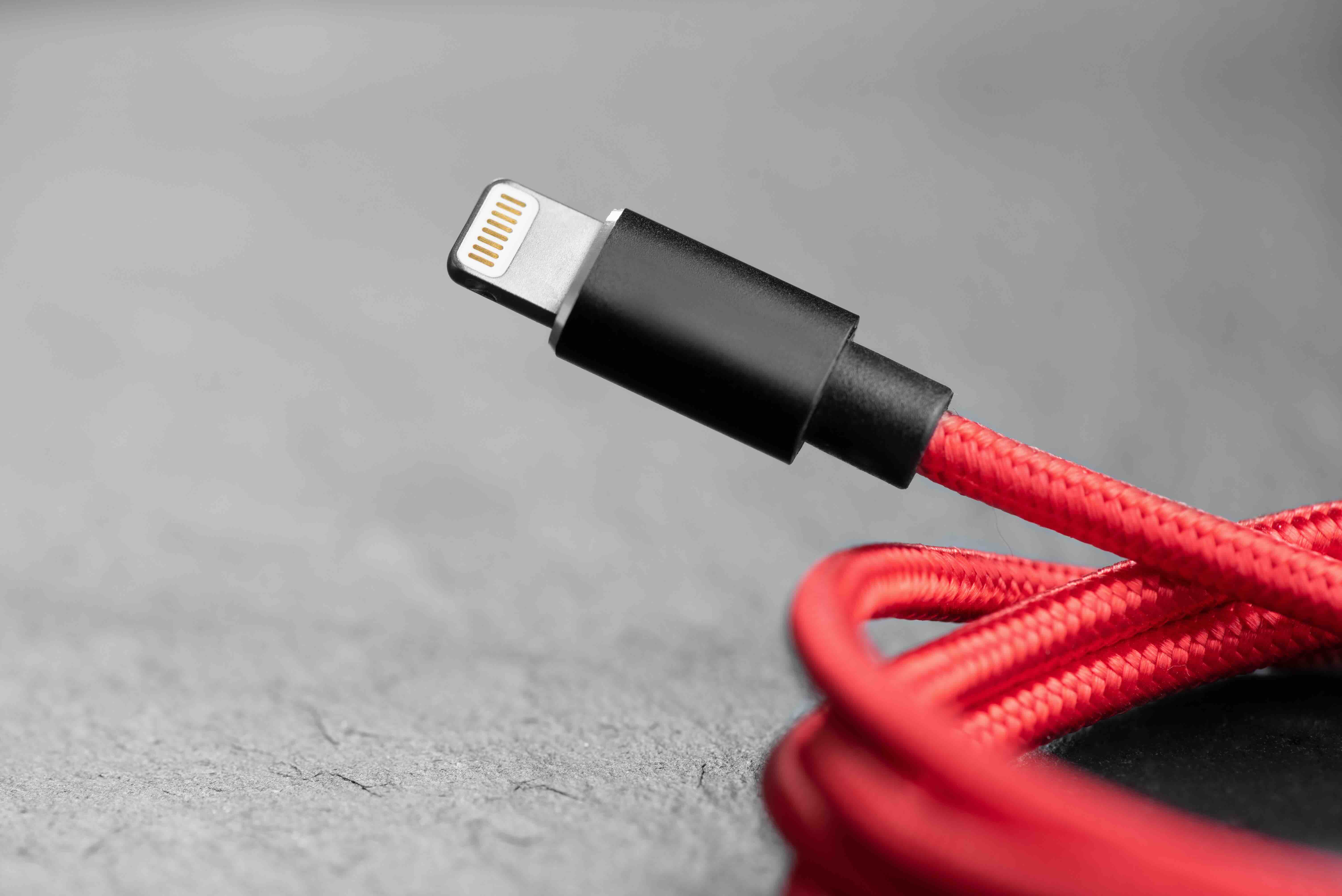
What Is a Lightning Cable and Why Does It Matter for iPhone 13 Users
If you own an iPhone 13, you already know the Lightning cable is your lifeline. It is how you charge your phone, sync your data, connect to CarPlay, and keep everything running. Apple introduced the Lightning connector back in 2012, and while the rest of the smartphone world eventually moved toward USB-C, the iPhone 13 lineup still uses Lightning. So understanding what you are actually plugging into your device every single day matters more than most people realize. The right cable makes a real difference in speed, durability, and overall reliability. The wrong one can be a slow, frustrating, or even damaging experience.
How the Lightning Cable Actually Works
The Lightning connector is an 8-pin proprietary interface developed by Apple. Unlike older 30-pin connectors, it is reversible, meaning you can plug it in either direction without fumbling. Inside the cable, those pins communicate power delivery and data transfer signals between your iPhone 13 and whatever it is connected to, whether that is a wall adapter, a laptop, or a car. The cable works with Apple's authentication chip, which is why not every third-party cable performs identically. Cables that carry MFi certification, which stands for Made for iPhone, are licensed by Apple and built to meet specific electrical and communication standards. That certification is not just a marketing label. It is a functional indicator of compatibility and safety.
USB-A vs USB-C Lightning Cables: What Is the Difference
This is where people get confused, which is fair. The Lightning end is always the same small connector that goes into your iPhone 13. The other end of the cable is where the variation comes in. You have two main options.
- USB-A to Lightning cables plug into standard USB wall adapters, older laptops, and USB hubs. This is the traditional format most people are familiar with.
- USB-C to Lightning cables connect to newer adapters, MacBooks, and USB-C hubs, and they support faster charging when paired with a compatible power adapter.
The USB-C to Lightning configuration is actually what Apple has been including with newer iPhones for a while now, partly because it enables faster charging speeds. If you are still using a USB-A cable and wonder why your iPhone 13 charges slowly, switching to USB-C on the adapter end alongside a quality cable could solve that. Worth checking what adapter you already have before buying a new cable.
Charging Speed and Data Transfer: What to Realistically Expect
The Lightning standard supports USB 2.0 data transfer speeds, which tops out around 480 Mbps. For syncing photos, music, or backups through a cable, that is functional but not blazing fast by modern standards. On the charging side, the iPhone 13 supports fast charging at up to 20W, but you need the right combination to get there. That means a USB-C to Lightning cable paired with a 20W or higher USB-C power adapter. Using an older USB-A adapter and cable will cap your charging at slower speeds, sometimes around 5W or 12W depending on the setup. It is not dangerous, just slower than what the hardware is capable of. Knowing this helps you make smarter buying decisions.
Key Advantages of Lightning Cables for iPhone 13
There are genuine reasons why Lightning cables have remained relevant, even as USB-C has taken over elsewhere. Here is what works in their favor.
- Reversible connector design eliminates fumbling in the dark or when you are in a hurry
- Wide ecosystem of compatible accessories, docks, and chargers already built around the Lightning standard
- MFi-certified options provide reliable, Apple-approved performance without needing first-party pricing
- Compact connector size fits slim phone cases without requiring adapter workarounds
- Proven stability over years of real-world use across millions of devices
For iPhone 13 users specifically, the Lightning ecosystem is mature. That means plenty of accessory options, competitive pricing from reputable third-party manufacturers, and consistent availability. The infrastructure is already there.
Common Drawbacks Worth Knowing Before You Buy
No cable standard is without its limitations, and Lightning is no exception. The most significant one is longevity concerns with low-quality cables. Cheap, uncertified Lightning cables tend to fray at the connector ends, fail to charge intermittently, and sometimes trigger the dreaded "accessory not supported" alert on your iPhone. This happens because uncertified cables may skip or counterfeit the authentication chip, causing iOS to reject them. Beyond that, Lightning's data transfer ceiling at USB 2.0 speeds feels outdated for users who regularly move large files. And since Apple has now moved to USB-C with the iPhone 15 and later, the Lightning standard is gradually being phased out, which means eventually the accessory ecosystem will shrink. That is not an immediate problem for iPhone 13 owners, but it is something to keep in mind when planning long-term.
How to Choose the Right Lightning Cable for Your iPhone 13
Shopping for a Lightning cable sounds simple until you are staring at a product listing trying to figure out what actually matters. A few practical things to look for: MFi certification should be non-negotiable since it is your clearest indicator that the cable will work correctly with iOS without triggering warnings or causing charging issues. Cable length is another practical consideration. A 3-foot cable is fine for nightstand charging but frustrating if your outlet is across the room. A 6-foot or 10-foot option gives you flexibility. Braided nylon jackets significantly outlast standard rubber or PVC coatings, especially at the stress points near the connectors. Reinforced strain relief at both ends of the cable is worth paying attention to as well. These are the spots that fail first on cheaper cables. Getting the right cable upfront costs less than replacing a mediocre one every few months.
Caring for Your Lightning Cable to Extend Its Lifespan
Even a quality cable can fail early if it is treated poorly, and honestly most people do not think about this at all. Avoid wrapping cables tightly around your hand or a charger block, since repeated tight coiling stresses the internal wiring over time. Unplug by gripping the connector itself, not by yanking the cable. Storing cables loosely coiled or in a cable organizer reduces wear significantly. If you notice any fraying, exposed wire, or intermittent charging behavior, replace the cable promptly. Using a damaged cable is not just inconvenient, it can potentially affect charging safety. Treating your cable with basic care extends its useful life considerably, which is both practical and cost-effective.
Why Monoprice Is a Smart Choice for Lightning Cables and iPhone 13 Accessories
When it comes to finding reliable Lightning cables without overpaying, Monoprice delivers exactly what iPhone 13 users need. The brand has built a well-earned reputation for high-performance accessories at prices that make sense for both individual consumers and teams equipping a workplace. Monoprice MFi-certified Lightning cables are built to Apple's standards, which means they charge correctly, transfer data reliably, and do not trigger iOS compatibility warnings. Options include various lengths and jacket types, so whether you need a short desk cable or a longer reach for a conference room setup, there is something that fits. For anyone looking for MFi-certified Lightning cables for iPhone 13 charging and data sync, Monoprice offers the kind of value-driven quality that replaces the need to gamble on unverified listings elsewhere. The combination of fair pricing, solid construction, and genuine certification makes Monoprice a straightforward answer to a question a lot of iPhone 13 users are still figuring out.
Frequently Asked Questions About Lightning Cables for iPhone 13
Does the iPhone 13 use a Lightning cable?
Yes, the iPhone 13 and all models in the iPhone 13 lineup use Apple's proprietary Lightning connector for charging and data transfer.
What is the fastest way to charge an iPhone 13 with a Lightning cable?
Use a USB-C to Lightning cable paired with a 20W or higher USB-C power adapter to achieve fast charging speeds on the iPhone 13.
Are third-party Lightning cables safe for iPhone 13?
Third-party Lightning cables are safe as long as they carry MFi certification from Apple. Uncertified cables can cause charging errors, slow performance, or trigger iOS compatibility warnings.
What does MFi certified mean for Lightning cables?
MFi stands for Made for iPhone. It is Apple's licensing program that ensures a cable meets specific electrical and compatibility standards required to work properly with iOS devices.
Can I use a USB-A Lightning cable to fast charge my iPhone 13?
No, USB-A Lightning cables do not support fast charging. You need a USB-C to Lightning cable combined with a compatible high-wattage USB-C power adapter to fast charge the iPhone 13.
How long should a quality Lightning cable last?
A well-made, MFi-certified Lightning cable with reinforced strain relief and a braided jacket can last one to three years or longer with proper care and regular use.
Why does my iPhone 13 say "accessory not supported" when I plug in a cable?
This message appears when iOS detects a cable that lacks proper MFi authentication. Switching to a certified Lightning cable resolves the issue in most cases.
Will Lightning cables become obsolete for iPhone users?
Apple transitioned to USB-C starting with the iPhone 15. The Lightning standard is being phased out over time, but it remains fully functional and supported for iPhone 13 users for the foreseeable future.
What length Lightning cable is best for everyday iPhone 13 use?
A 6-foot Lightning cable is a practical choice for most users, offering enough reach for bedside charging, desk setups, and travel without excessive cable bulk.
Is there a data transfer speed difference between Lightning cable brands?
All standard Lightning cables are limited to USB 2.0 data transfer speeds regardless of brand, so data transfer speed is not a differentiating factor. Build quality, certification, and durability are what actually vary between brands.


