

Laptop Projector Cord: Find the Right Cable Fast
What Is a Laptop Projector Cord and Why Does It Matter?
If you have ever set up a presentation in a conference room, a classroom, or even just tried to mirror your laptop display onto a big screen at home, you have dealt with a laptop projector cord whether you realized it or not. It is that cable connecting your computer to a projector -- seems simple, right? But there is actually a lot going on beneath the surface. The type of cord you use, the connector standard it relies on, and how well it is built all play a real role in signal quality, resolution output, and whether your presentation goes smoothly or turns into a technical headache mid-meeting. Getting this right is worth a few minutes of your time.
How a Laptop Projector Cord Works
At its core, a laptop projector cord carries video signal data from your laptop's output port to the projector's input port. The cable encodes and transmits that signal -- sometimes analog, sometimes digital -- and the projector decodes it to display the image. The type of signal and the connector standard determine the resolution you can push through, how far the signal stays clean, and whether you get audio over the same cable or need a separate audio connection. Older systems relied on analog transmission; modern setups lean heavily on digital. That difference alone changes the kind of cable you need entirely.
The Main Types of Laptop Projector Cables
There is no single standard here, which is honestly one of the more frustrating things about this category. Your options depend on what ports your laptop actually has and what your projector supports. Here is a breakdown of the most common types you will encounter:
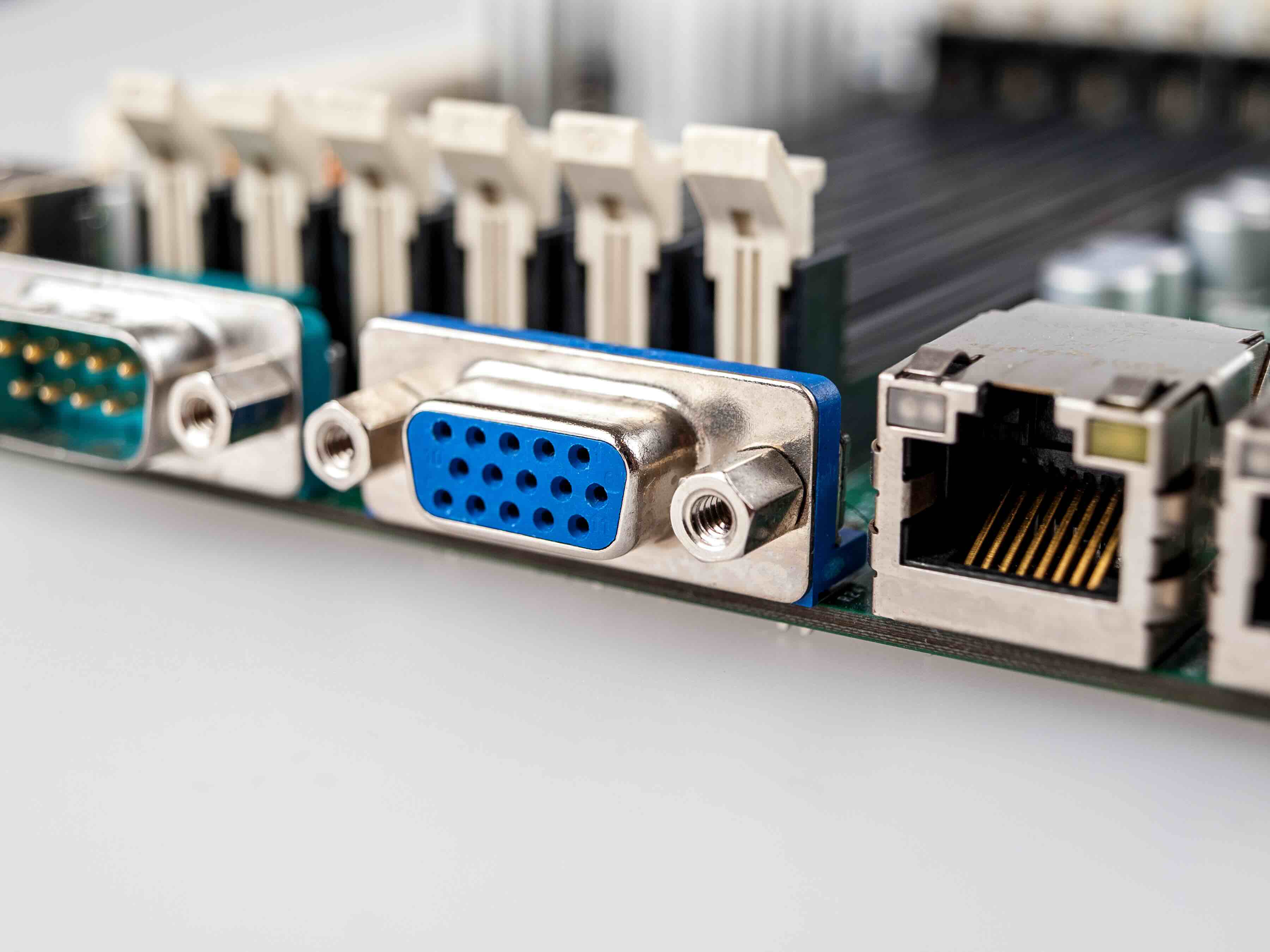
- VGA (HD15) Cable -- The classic analog option. Still found in older projectors and some legacy laptops. Carries video only, no audio.
- HDMI Cable -- The current mainstream standard for digital video and audio in a single cable. Supports high resolutions and is widely compatible.
- DisplayPort Cable -- Common on business and gaming laptops. High bandwidth, supports 4K and beyond, often preferred for high-performance setups.
- USB-C to HDMI or VGA -- Increasingly relevant as modern ultrabooks drop traditional ports in favor of USB-C. Requires either a direct cable or an adapter.
- Mini DisplayPort to HDMI -- Found on older MacBooks and some Windows machines. A straightforward solution for older Apple hardware.
Knowing which port your laptop has -- and which input your projector supports -- is genuinely the first step before purchasing anything. Mismatched connectors mean nothing works, no matter how good the cable is.
Key Advantages of Using the Right Projector Cable
Using the correct, well-built cable for your laptop-to-projector connection delivers real benefits that go beyond just getting an image on screen. A quality cable maintains signal integrity across longer runs, which matters a lot in larger rooms. It also supports the resolution your content actually requires -- there is a significant visual difference between a VGA signal maxing out at 1080p and an HDMI or DisplayPort cable that can push 4K content cleanly. For business environments, a reliable cable reduces setup time, minimizes technical failures during presentations, and eliminates the awkward troubleshooting moments that derail meetings. It is a small investment that pays off consistently.
Common Drawbacks and Limitations to Know
That said, there are real limitations to understand before you commit to any particular cable or setup. VGA cables, while widely compatible, are analog -- meaning signal degradation is possible over longer runs, and you simply cannot get the crispness of a digital connection for modern high-resolution content. HDMI and DisplayPort cables solve the signal quality issue but introduce compatibility challenges when your laptop only has USB-C ports, which is increasingly common in thin-and-light designs. Adapter chains -- USB-C to DisplayPort to HDMI, for example -- introduce potential failure points and latency. Cable length also matters more than people think; longer passive cables can drop signal strength, particularly with HDMI at higher resolutions. Active cables exist to address this but cost more.
Choosing the Right Length for Your Setup
Cable length is one of those practical details that gets overlooked during purchasing and then causes real problems during setup. In a small conference room or home office, a 6-foot cable is usually sufficient. For larger boardrooms, auditoriums, or classrooms where the projector is ceiling-mounted and the laptop is at a podium or desk, you may need 15, 25, or even 50 feet of cable. Standard passive HDMI cables perform reliably up to about 25 feet at 1080p. Beyond that, signal quality can degrade depending on cable construction and the specific HDMI version. For longer runs at higher resolutions, look at active HDMI cables, fiber optic HDMI, or consider a signal extender solution. Getting the length right the first time saves a lot of frustration.
Practical Tips for Better Projector Connections
A few straightforward habits make a real difference when working with laptop projector cables regularly. Always test your connection before the actual meeting or event -- this sounds obvious but gets skipped constantly. Keep an adapter kit on hand if your environment has mixed hardware, covering at least USB-C to HDMI and VGA to HDMI conversions. For permanent installations, label and secure cables to prevent wear at the connector ends, which is where most cable failures originate. If you are running cables through walls or along ceilings in a professional setting, use in-wall rated cables designed for that application. And if you are dealing with 4K projection content, verify that every link in your chain -- laptop, cable, projector -- actually supports 4K at your desired refresh rate.
Laptop Projector Cables in Professional and Business Environments
For IT managers, AV integrators, and facilities teams, the laptop projector cable is not just a peripheral -- it is an infrastructure component. Conference rooms, training centers, and event spaces get used hard, and the cables in those environments need to hold up. Cheap cables fail at the connector housing, develop intermittent connections, and generate support tickets. Standardizing on a reliable cable across an organization reduces variability and support overhead. There is also the compatibility management side: as the laptop fleet transitions to newer USB-C-only models, the adapter and cable ecosystem needs to evolve alongside it. Planning that transition proactively, rather than reactively, is the smarter call.
Why Monoprice Is Worth Considering for Your Projector Cable Needs
When it comes to sourcing laptop projector cables and display connectivity solutions, quality and value are not mutually exclusive -- and that is exactly the position Monoprice occupies in this market. Whether you are outfitting a single home office setup or standardizing cable infrastructure across dozens of conference rooms, Monoprice delivers the performance and reliability you need without the inflated price tag that comes from other brands. From HDMI and DisplayPort cables to USB-C adapters and VGA solutions, the product range covers every connection scenario you will realistically encounter. For anyone serious about building a clean, reliable AV setup, exploring laptop projector cables and display connectivity solutions at Monoprice is a practical next step that aligns quality with budget in a way that genuinely makes sense for both individual buyers and procurement teams.
Frequently Asked Questions About Laptop Projector Cords
What type of cable do I need to connect my laptop to a projector?
It depends on the ports available on your laptop and projector. HDMI is the most common option for modern devices. Older setups may use VGA. Newer laptops with only USB-C ports will require a USB-C to HDMI or USB-C to VGA cable or adapter.
Can I use an HDMI cable for both audio and video to a projector?
Yes. HDMI carries both audio and video signals over a single cable, provided your projector has built-in speakers or an audio output connected to external speakers. VGA cables carry video only and require a separate audio cable.
What is the maximum length for a laptop projector HDMI cable?
Passive HDMI cables reliably carry 1080p signal up to approximately 25 feet. For longer runs or higher resolutions like 4K, active HDMI cables or fiber optic HDMI solutions are recommended to maintain signal quality.
Does the quality of a projector cable affect image quality?
Yes, particularly for digital cables at longer lengths or higher resolutions. A poorly constructed cable can cause signal dropouts, flickering, or resolution limitations. A well-built cable with proper shielding maintains consistent signal integrity.
What is the difference between VGA and HDMI for projector connections?
VGA is an analog signal standard that maxes out at 1080p and carries video only. HDMI is a digital standard that supports higher resolutions, carries audio, and delivers a sharper image. HDMI is the preferred choice for any modern setup.
My laptop only has USB-C ports. How do I connect it to a projector?
You need a USB-C to HDMI cable or a USB-C to HDMI adapter. Make sure your USB-C port supports DisplayPort Alt Mode or Thunderbolt, as not all USB-C ports output video signal.
Why is my laptop not detecting the projector even though the cable is connected?
Check that the cable is fully seated in both ports, the projector is powered on and set to the correct input source, and your laptop display settings are configured to extend or duplicate to an external display. A faulty cable or adapter is also a common culprit.
Can I use a DisplayPort to HDMI cable to connect a laptop to a projector?
Yes. A DisplayPort to HDMI cable works well for this connection and supports high resolutions. Note that this is a unidirectional connection, meaning the DisplayPort end must go into the source device and the HDMI end into the projector.
How do I know which cable length to buy for my room setup?
Measure the distance from your laptop or presentation station to the projector input, accounting for cable routing along walls or through ceilings. Add a small buffer for flexibility. A 6-foot cable works for close setups; larger rooms typically need 15 to 25 feet or more.
Are expensive projector cables significantly better than affordable ones?
Not necessarily. For standard lengths and resolutions, a well-made affordable cable performs comparably to a premium-priced one. The key factors are build quality, shielding, and connector construction -- not brand markup. Buying from a reputable manufacturer at a fair price is the smart move.


