

How Many Wires Are Inside an HDMI Cable Explained
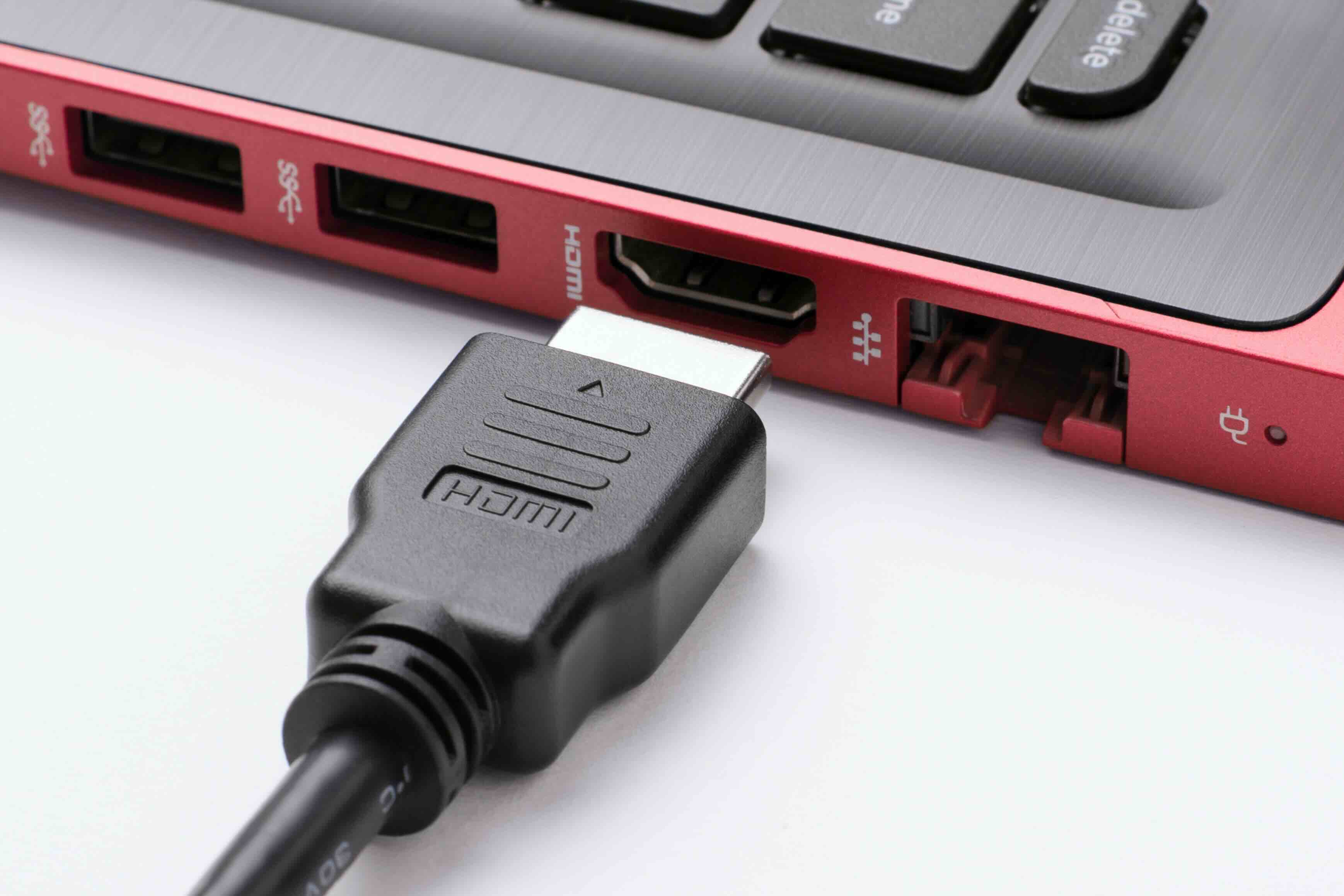
How Many Wires Are Inside an HDMI Cable and Why Does It Matter?
So you picked up an HDMI cable, maybe glanced at the packaging, and thought -- wait, how does all of that actually work? It's a fair question. HDMI is one of those technologies most people use every single day without really thinking about what's happening inside the cable itself. Turns out there's quite a bit going on in there. Understanding the internal wire configuration not only satisfies some useful technical curiosity, it also helps explain why cable quality, shielding, and construction can have a real impact on the signal you get at the other end.
The Total Wire Count Inside a Standard HDMI Cable
A standard HDMI cable contains 19 pins and, depending on the version and build quality, typically houses between 19 and 29 individual wires or conductors inside the outer jacket. The exact count can vary slightly based on how the manufacturer handles shielding and internal configuration, but the core signal-carrying structure is based on 19 conductors that align with those 19 pins. Some higher-end cables include additional drain wires for shielding purposes, which can push that count higher. For most everyday consumers, the key number to remember is 19 active conductors -- each one serving a specific function in transmitting video, audio, and control data simultaneously.
What Are All Those Wires Actually Doing?
This is where it gets genuinely interesting. The 19 conductors inside an HDMI cable are not all doing the same job. They are organized into distinct functional groups that work together to carry the complete signal from source to display. Here is a breakdown of how those conductors are generally allocated:
- TMDS Data Channels (3 pairs, 6 wires total) -- these carry the actual video and audio data
- TMDS Clock Channel (1 pair, 2 wires) -- synchronizes the data transmission
- DDC Lines (2 wires) -- handle Display Data Channel communication for device identification
- CEC Line (1 wire) -- enables Consumer Electronics Control for device commands
- HEAC Lines (2 wires, in newer versions) -- support Ethernet and Audio Return Channel
- HPD Line (1 wire) -- Hot Plug Detect, signals when a device is connected
- Power and Ground wires -- provide power to the DDC and other control functions
The TMDS channels do the heavy lifting. Each of those three data pairs transmits one-third of the image signal using a method called differential signaling, where two wires carry opposing versions of the same signal. This approach dramatically reduces interference and signal degradation, which is a big reason why HDMI can reliably carry high-bandwidth content over reasonable distances.
Understanding Differential Signaling and Why It Reduces Noise
Differential signaling is worth understanding because it directly explains why HDMI is so resilient to electromagnetic interference. Instead of sending one signal on a single wire and relying on a common ground as a reference, differential pairs send two complementary signals simultaneously -- one positive, one negative. At the receiving end, the device compares the two and extracts the actual data from the difference between them. Any noise that enters the cable affects both wires equally, so when the signals are compared, the noise effectively cancels out. This is the engineering principle that lets a well-built HDMI cable maintain clean signal integrity even in environments with moderate electrical interference nearby.
Grounding Inside HDMI Cables: More Important Than People Realize
Grounding is one of those topics that tends to get glossed over, but it plays a critical role in how well an HDMI cable performs. Each TMDS pair and the clock pair are accompanied by a dedicated ground wire, which means there are at least four ground conductors associated with just the core signal channels. There are also additional ground connections tied to the power, DDC, and other lines. The total ground wire count can reach six or more depending on the cable construction. These grounds serve as the reference point for the differential signals and also contribute to shielding effectiveness. A cable with poorly managed grounds or improper shielding on its internal pairs will exhibit more noise susceptibility and can produce visible artifacts, signal dropouts, or handshake failures at higher resolutions.
How HDMI Version Affects Internal Complexity
Not all HDMI cables are built the same on the inside, and as the HDMI specification has evolved, so has the internal complexity required to meet bandwidth demands. HDMI 1.4 cables need to support up to 10.2 Gbps of bandwidth. HDMI 2.0 pushes that to 18 Gbps. HDMI 2.1 cables designed for 8K content and 4K at 120Hz need to handle up to 48 Gbps. To achieve those higher bandwidths without sacrificing signal integrity, cable manufacturers must use tighter twisted pair geometry, higher-quality dielectric materials, better foil and braid shielding around each internal pair, and more precise impedance control throughout. The wire count does not necessarily increase dramatically between versions, but the tolerance requirements and construction quality become significantly more demanding. This is why a cheap, unbranded HDMI 2.1 cable can fail at 4K120 even though it has the right number of wires -- those wires need to be built and shielded correctly to perform.
Common Problems Caused by Poor Internal Wire Construction
If the wires inside an HDMI cable are not properly shielded, grounded, or terminated, the performance issues that result are predictable and frustrating. Some of the most common symptoms include:
- Intermittent signal loss or screen flickering
- No signal detected on connection -- often a grounding issue
- Visible noise or color artifacts on screen
- Audio dropouts or sync problems
- Failure to maintain 4K or HDR signal consistently
- Device handshake failures, especially with AV receivers in the chain
Most of these issues trace back to poor shielding, inadequate grounding, or substandard conductor quality. Spending a little more on a properly engineered cable almost always resolves these problems before they start.
What to Look for When Choosing a Quality HDMI Cable
Knowing what is inside a cable helps frame what to look for when buying one. The spec sheet matters, but so does the construction detail. Look for cables that specify individual pair shielding rather than just an overall outer shield. Confirm the cable is rated and tested for the HDMI version it claims -- HDMI 2.1 certification from HDMI.org is a meaningful indicator of real-world performance validation. Check for oxygen-free copper conductors, which reduce signal resistance over longer runs. For installations over ten feet or in commercial environments, consider active HDMI cables that include signal-boosting circuitry built into one of the connector housings. These are especially useful when running cable through walls or across rooms where passive signal loss becomes a real factor.
Why Monoprice Is the Right Source for HDMI Cables Built to Perform
When it comes to sourcing HDMI cables that actually deliver on their specifications, construction quality and price-to-performance ratio matter more than brand hype. Monoprice has spent years engineering cables that meet or exceed HDMI specification requirements -- with proper internal shielding, clean grounding architecture, and verified bandwidth support across their full lineup. Whether you are connecting a 4K projector in a conference room, building out a home theater system, or spec-ing cables for a large commercial AV installation, Monoprice offers options built for real-world reliability without inflated pricing. You can explore the full range of high-performance HDMI cables and AV connectivity solutions directly from Monoprice to find the right cable for every resolution, run length, and application. From standard HDMI 1.4 to certified Ultra High Speed HDMI 2.1 -- it is all there, built right, and priced for both individual buyers and procurement teams managing large-scale deployments.
Frequently Asked Questions About HDMI Cable Wires and Grounding
How many wires are inside a standard HDMI cable?
A standard HDMI cable contains 19 conductors corresponding to its 19-pin connector. Some cables include additional drain or ground wires as part of their shielding design, which can raise the total internal wire count to 25 or more depending on construction.
What is the purpose of the ground wires in an HDMI cable?
Ground wires in an HDMI cable provide a reference point for differential signal pairs, reduce electromagnetic interference, and contribute to the overall shielding effectiveness of the cable. Poor grounding is a common cause of signal instability and handshake failures.
Does the number of wires inside an HDMI cable affect performance?
The wire count itself is less important than how well those wires are shielded, terminated, and constructed. A cable with the correct 19 conductors but poor shielding will underperform compared to a well-built cable with the same wire count.
What is differential signaling in HDMI cables?
Differential signaling is a transmission method where two wires carry opposing versions of the same signal simultaneously. At the receiving device, the difference between the two signals is used to extract data, which effectively cancels out any noise picked up along the cable.
How does HDMI 2.1 differ internally from HDMI 2.0 cables?
HDMI 2.1 cables are built to tighter tolerances with better pair shielding, higher-quality dielectric materials, and more precise impedance control to support bandwidths up to 48 Gbps. The core wire count remains 19, but the construction requirements are significantly more demanding.
Can a bad HDMI cable cause no signal or screen flickering?
Yes. Poor internal construction, inadequate shielding, or compromised grounding within an HDMI cable can result in no signal detection, intermittent flickering, color artifacts, or audio dropouts -- particularly at higher resolutions like 4K or 8K.
What does CEC mean in the context of HDMI cable wiring?
CEC stands for Consumer Electronics Control. It is carried over a dedicated wire inside the HDMI cable and allows connected devices to communicate commands with each other, such as turning on a TV when a source device powers on.
Is shielding on individual wire pairs important in HDMI cables?
Individual pair shielding is one of the most important construction factors in a high-quality HDMI cable. It isolates each signal pair from cross-talk and external electromagnetic interference, which becomes especially critical at the bandwidths required by HDMI 2.0 and 2.1.
What is an active HDMI cable and when should I use one?
An active HDMI cable contains signal-boosting electronics built into one of its connector housings. Active cables are recommended for runs exceeding 10 to 15 feet, wall installations, or commercial deployments where passive signal loss over distance could degrade performance.
Does HDMI cable wire quality matter for 4K and HDR content?
Absolutely. Delivering 4K resolution with HDR requires sustained high-bandwidth signal transmission. Inferior wire construction, poor shielding, or substandard conductor materials increase the risk of signal degradation that prevents 4K and HDR content from displaying correctly.


