

High-Wattage Laptop Docking Stations: Power That Delivers
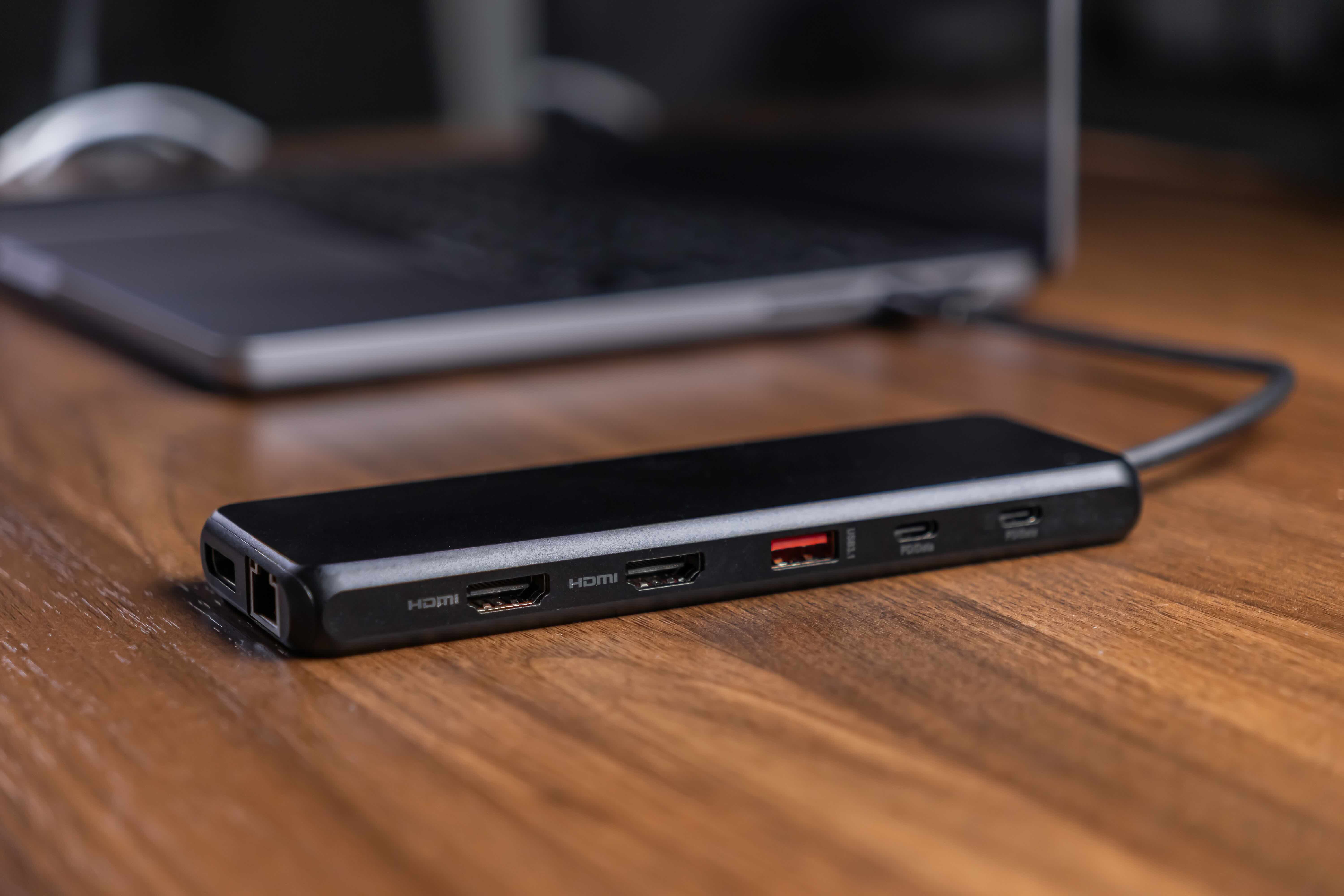
What Is a High-Wattage Laptop Docking Station and Why Does It Matter?
So if you have been searching for a docking station that actually delivers serious power to your laptop — not just a USB hub with a fancy name — you have probably run into a lot of confusing specs and marketing language. Here is the thing though: wattage is one of the most important numbers to understand when you are shopping for a docking station. The wattage output of a docking station determines whether it can charge your laptop while you are running demanding workloads, connected to multiple monitors, and pushing data through a dozen peripherals at once. Get it wrong and you are watching your battery drain even while the dock is plugged in. Get it right and everything just works. That is really what this comes down to.
How Laptop Docking Station Power Delivery Actually Works
Most modern docking stations use USB-C or Thunderbolt connections to deliver power, video, and data simultaneously over a single cable. The technology that handles the charging side of that is called USB Power Delivery, or USB-PD. This protocol negotiates the voltage and current between the dock and the laptop, determining how many watts get pushed through. Standard docks often deliver somewhere between 60W and 85W of power, which is fine for lightweight laptops and general office use. But high-performance docking stations — the ones designed for workstations, creative professionals, and enterprise environments — can push 90W, 100W, or even higher. The current ceiling that the USB Power Delivery 3.1 specification supports reaches up to 240W, though most commercial docking stations available today top out around 96W to 100W for laptop charging specifically. Some specialized units are beginning to push past that threshold as the hardware ecosystem catches up.
Which Docking Stations Currently Output the Highest Wattage?
When you are looking at the top of the market right now, a few brands and product lines consistently come up in conversations about high-wattage docking stations. Thunderbolt 4 docks are generally the most capable, with Thunderbolt's architecture supporting higher bandwidth and more efficient power management. Several enterprise-grade docking solutions from manufacturers in the B2B space deliver up to 96W or 100W of Power Delivery through a single USB-C or Thunderbolt 4 port, which is enough to fully charge most business laptops, including 15-inch and 16-inch models, under load. Some dual-host docks and industrial-grade solutions are also beginning to incorporate support for the newer 140W or 240W USB-PD 3.1 standard, though widespread adoption in consumer and prosumer docking stations is still rolling out. The key metric to evaluate is not just total system wattage — which accounts for all connected devices — but specifically the Power Delivery wattage allocated to the host laptop itself.
Key Features That Define a High-Performance Docking Station
Wattage is critical but it is not the only spec worth paying attention to. A high-output docking station built for serious use typically combines several capabilities in one unit. Here is what separates a capable dock from a great one:
- Thunderbolt 4 or USB4 connectivity for maximum bandwidth and compatibility
- Support for dual 4K monitors or a single 8K display
- USB-PD output of 90W or higher dedicated to laptop charging
- Multiple USB-A and USB-C ports for peripherals
- Integrated Ethernet, SD card reader, and audio jack
- Compact or rack-mountable form factor depending on the deployment
These are the features that come up again and again when IT managers and power users are speccing out a dock for real work. Everything else is a bonus.
Advantages of Using a High-Wattage Docking Station
The practical case for investing in a high-wattage dock is straightforward. First, you get genuine one-cable convenience without any compromises. When you sit down at your desk, you plug in one Thunderbolt or USB-C cable and your laptop immediately begins charging at full speed, your monitors light up, and every peripheral comes online. No juggling power bricks and USB hubs. Second, high-wattage docks can actually keep pace with demanding workloads. A video editor rendering in the background, a developer compiling code, a designer running multiple applications — these users need a dock that charges the laptop rather than just slowing the discharge rate. Third, from a productivity standpoint, a dock simplifies the workspace significantly and reduces cable clutter, which is genuinely underrated when you spend eight-plus hours at a desk.
Common Drawbacks and Limitations to Keep in Mind
Nothing is perfect, and high-wattage docking stations have a few real limitations worth knowing before you buy. Cost is the obvious one — high-output Thunderbolt 4 docks with 90W or 100W charging tend to sit at a higher price point than basic USB-C hubs. Compatibility is another consideration. Not every laptop supports the same Power Delivery profile, and some systems cap the wattage they will accept regardless of what the dock offers. Heat management can also be a factor, since a dock pushing significant power through multiple connections over extended periods generates heat, and cheaper builds sometimes throttle performance as a result. Finally, some docks are optimized for Windows ecosystems and may have limited or reduced functionality when paired with macOS or Linux machines. Always verify compatibility before purchasing.
Thunderbolt 4 vs. USB4 vs. USB-C: Understanding the Differences
This is where a lot of buyers get confused, and honestly it is understandable because the naming conventions are genuinely a mess. USB-C is a physical connector type, not a performance specification. You can have a USB-C port that supports only 10W of charging, or one that supports 100W through USB-PD — the connector looks identical. USB4 is the protocol standard that delivers up to 40Gbps bandwidth and supports Power Delivery, but implementation quality varies between manufacturers. Thunderbolt 4 is Intel's certified standard built on the USB4 architecture, and it enforces minimum performance requirements — including mandatory support for at least 15W of Power Delivery to connected devices, though docks themselves typically deliver far more to the host laptop. For the highest and most reliable wattage output in a docking station, Thunderbolt 4 remains the safest and most consistent choice at this point in time.
Practical Tips for Choosing the Right High-Wattage Docking Station
Before you spend money on a dock, run through this quick checklist to avoid buying something that does not actually solve your problem. Check your laptop's maximum accepted wattage — most are listed in the user manual or on the manufacturer's support page. Confirm whether your laptop has a Thunderbolt 4 port or a standard USB-C port, because that determines which docks are compatible. Look at the dock's dedicated Power Delivery output for the host device specifically, not its total system wattage. Think about how many monitors you need to drive and at what resolution, because that affects which Thunderbolt or DisplayPort configurations you need. And if you are in an office or enterprise environment, factor in whether the dock supports firmware updates and centralized management — that matters at scale.
Why Monoprice Is a Smart Choice for High-Wattage Docking Solutions
Here is where it gets practical for anyone who wants solid performance without paying a premium for brand name alone. Monoprice has built a reputation for delivering high-quality connectivity and docking products that are engineered to perform and priced to make sense for both individual buyers and procurement teams. Whether you are outfitting a single workstation or sourcing docks for an entire office deployment, Monoprice brings the kind of straightforward, value-driven approach that professionals rely on. The product lineup is grounded in real-world use cases, and everything is designed to integrate cleanly into existing setups without unnecessary complexity. If you are in the market for reliable, high-performance docking solutions built for demanding workloads, exploring high-wattage USB-C and Thunderbolt laptop docking stations from Monoprice is a practical and cost-conscious starting point for any serious buyer.
Frequently Asked Questions About High-Wattage Laptop Docking Stations
What is the highest wattage a laptop docking station can deliver?
Currently, most high-performance docking stations deliver between 90W and 100W of Power Delivery to the host laptop. The USB Power Delivery 3.1 specification supports up to 240W, and some newer enterprise docks are beginning to reach 140W or higher, though 100W remains the most common ceiling in widely available consumer and prosumer products.
Is 65W Power Delivery enough for a gaming or workstation laptop?
Generally, no. High-performance laptops used for gaming, video editing, or engineering workloads typically require 90W to 130W or more to charge at full speed under load. A 65W dock may slow discharge rather than actively charge the battery during intensive tasks.
Does a Thunderbolt 4 docking station work with a USB-C laptop?
Yes, Thunderbolt 4 docks are backward compatible with USB-C devices, but the connection will operate at USB-C speeds and capabilities rather than full Thunderbolt bandwidth. Power Delivery will still function, but you may not get the maximum wattage or display output.
Can a high-wattage docking station damage my laptop's battery?
No. USB Power Delivery is a negotiated protocol, meaning the laptop and dock communicate to agree on a safe wattage level. The laptop will never accept more power than it is designed to handle, so there is no risk of overcharging or damage from using a higher-wattage dock.
How many monitors can I connect to a high-wattage Thunderbolt 4 dock?
Most Thunderbolt 4 docks support dual 4K displays at 60Hz simultaneously. Some advanced models support a single 8K display or use DisplayPort daisy-chaining for additional screens. Always verify the display output specifications for the specific dock model you are considering.
What is the difference between a docking station and a USB hub?
A USB hub expands port count but typically does not offer significant Power Delivery, high-bandwidth video output, or enterprise-grade connectivity. A docking station is a more robust solution that centralizes video output, high-speed data transfer, and substantial laptop charging through a single cable connection.
Do I need a specific cable to get the highest wattage from my docking station?
Yes. Not all USB-C cables support high-wattage Power Delivery. For 100W or higher charging, you need a cable that is rated for that wattage and marked accordingly. Using an underpowered cable can limit or prevent high-wattage charging even if both the dock and laptop support it.
Are high-wattage docking stations compatible with macOS laptops?
Most Thunderbolt 4 docks work with Apple Silicon and Intel-based MacBooks, since Apple supports the Thunderbolt standard. However, some dock features — particularly multi-monitor configurations — may behave differently on macOS due to Apple's own display management architecture, especially on M1 and M2 MacBooks which have native dual-display limitations.
Is it worth paying more for a Thunderbolt 4 dock over a standard USB-C dock?
For power users who need reliable high-wattage charging, dual 4K monitors, and fast data throughput simultaneously, Thunderbolt 4 is worth the investment. For lighter use cases involving a single monitor and basic peripherals, a quality USB-C dock with good Power Delivery may be sufficient and more cost-effective.
What should I look for in a docking station for a hybrid work setup?
Prioritize a dock with at least 85W to 100W of Power Delivery, dual monitor support, integrated Gigabit Ethernet, and enough USB-A and USB-C ports to cover your peripherals without needing an additional hub. Compact form factor and plug-and-play compatibility are also important for setups that alternate between home and office environments.


