

HDMI to RCA Converters: What You Need to Know
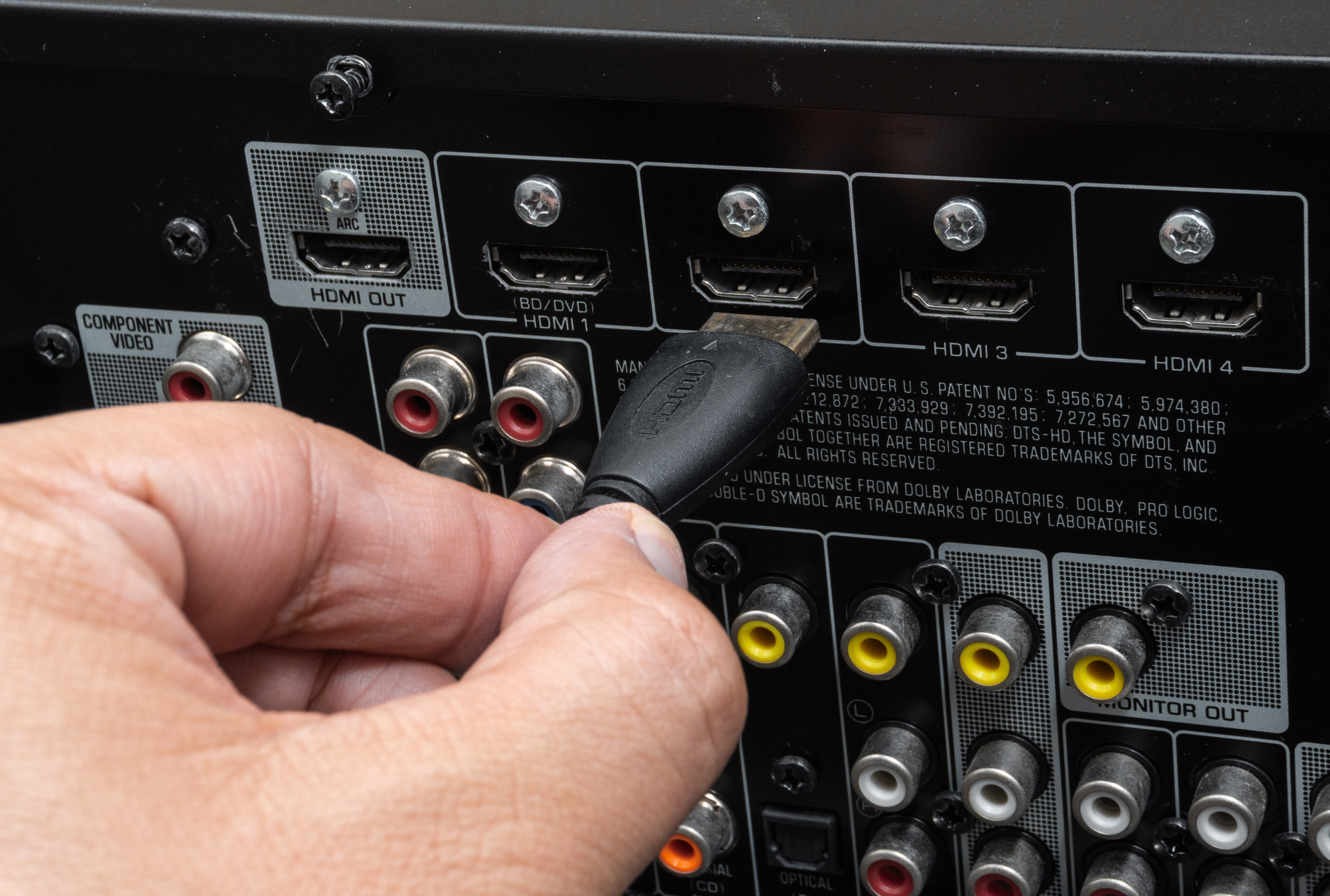
Converting HDMI to RCA: What You Need to Know Before You Buy
So you've got a newer device pushing out an HDMI signal and an older TV or projector that only accepts RCA inputs. It's a frustrating situation, honestly. You're not alone in this. Millions of households and businesses still have older displays, monitors, or AV equipment running composite or component connections, and bridging that gap takes a specific kind of converter. This guide breaks down exactly what HDMI to RCA conversion means, how the hardware actually works, what to look for, and when it's genuinely worth doing versus when you should reconsider. Understanding the full picture before buying a converter can save you time, money, and a lot of troubleshooting headaches.
Understanding the Difference Between HDMI and RCA Signals
HDMI is a fully digital interface. It transmits audio and video as compressed digital data through a single cable, supporting high resolutions, multi-channel audio, and content protection protocols like HDCP. RCA, on the other hand, is an analog signal format. The classic red, white, and yellow connectors carry separate channels for right audio, left audio, and composite video. They operate on completely different electrical principles. That distinction matters because converting between them is not a simple passive process. You cannot just use a cable adapter to go from HDMI to RCA. The signal has to be decoded, processed, and re-encoded from digital to analog. That requires active circuitry, which is why every legitimate HDMI to RCA converter needs its own power source or draws power from a USB connection.
How an HDMI to RCA Converter Actually Works
Inside an HDMI to RCA converter is a small but important signal processing chip. When an HDMI source, like a streaming box, Blu-ray player, or laptop, outputs a digital signal, the converter receives it and runs it through a digital-to-analog conversion process. The chip decodes the video into a composite format at a resolution the older display can accept, usually 480i or 576i depending on your region. The audio channels are similarly downmixed and converted into analog L/R outputs. Some converters also offer component video output, which keeps the red, green, and blue video channels separated and can support higher resolutions up to 1080i. The whole process happens in real time, though cheap converters can introduce minor latency or color inaccuracies. Quality of the internal DAC chip makes a significant difference in output performance.
Common Use Cases for HDMI to RCA Conversion
There are more legitimate reasons to convert HDMI to RCA than people realize. This is not just a niche edge case. Some of the most practical applications include:
- Connecting a modern streaming device to an older CRT television
- Running a laptop or gaming console output to a vintage monitor or projector
- Using newer media players with legacy AV receivers that only accept composite inputs
- Setting up secondary displays in commercial environments that still use older screens
- Archiving or dubbing content through older VHS or DVD recording equipment
- Running digital sources through analog presentation systems in schools or conference rooms
Each of these scenarios benefits from a reliable converter that handles the digital-to-analog transition cleanly. In commercial AV installations especially, the need to support legacy equipment while integrating modern source devices is common, and having a dependable converter in the signal chain is standard practice.
Key Advantages of Using an HDMI to RCA Converter
The biggest upside is cost. Replacing a functional older display purely to get HDMI compatibility does not always make financial sense, particularly in business environments where multiple screens are involved. A good converter extends the useful life of existing equipment at a fraction of the cost of new hardware. Converters are also compact and require minimal setup. Most plug directly between source and display, with no drivers or software installation needed. For AV integrators handling legacy installations, this simplicity is valuable. The signal conversion also allows you to run audio and video through a single HDMI cable from the source, then split them out cleanly on the other end for older equipment that requires separate audio and video connections.
Common Drawbacks and Limitations to Expect
HDMI to RCA conversion does come with real limitations, and it helps to know them upfront. Because composite video is an analog format with a low bandwidth ceiling, you will not get HD quality output. The final image on your older display will be limited to standard definition regardless of the resolution your source device is outputting. Color accuracy can shift depending on the quality of the converter's DAC. Some cheaper units produce washed-out or oversaturated images. HDCP-protected content can also be a problem. Many streaming services and Blu-ray players output HDCP-encrypted signals, and some converters cannot strip or pass through that protection, resulting in no signal or a blank screen. Always verify HDCP compatibility when selecting a converter for use with protected content sources.
What to Look for When Choosing a Converter
Not all converters are built equally. When evaluating your options, a few factors consistently separate reliable products from the frustrating ones. Look for converters that specify DAC chip quality and output resolution support clearly. Verify whether the unit supports component video output in addition to composite, since component will deliver noticeably better image quality on displays that support it. Check whether the converter handles audio downmixing from 5.1 or 7.1 HDMI audio streams to stereo analog output. Power delivery method matters too. USB-powered converters are convenient but occasionally underpowered, while wall-powered units tend to be more stable. Build quality, shielding, and connector durability also affect long-term reliability, especially in permanent or semi-permanent installations.
Tips for Getting the Best Picture Quality From Your Converter
A few practical habits can noticeably improve your results when running an HDMI to RCA setup. First, manually set your source device output resolution to 480p or 576p before passing it through the converter. Many source devices default to 1080p or higher, and the converter has to scale that down, which can degrade image quality. Matching the resolution at the source reduces processing strain and often produces a cleaner output. Use high-quality shielded RCA cables on the output side. Cheap analog cables introduce noise, which shows up as graininess or color distortion on older displays. If your display supports component input, use a converter that offers component output and connect via component rather than composite. It is a meaningful upgrade in visual clarity for displays that support it.
When HDMI to RCA Conversion Makes Sense vs. When It Does Not
This is worth being direct about. HDMI to RCA conversion is the right call when your older display is still fully functional and the cost of replacement is not justified by the use case. It is also a sensible short-term bridge solution when transitioning between equipment upgrades. However, if your goal is high-definition video quality, this approach will not deliver it. The analog composite output is fundamentally limited to standard definition. For anyone whose primary concern is image quality for gaming, cinema viewing, or professional presentation, investing in a modern display with native HDMI input is the better long-term solution. Use conversion for what it is: a practical compatibility bridge, not a performance upgrade.
Why Monoprice Is a Reliable Source for HDMI to RCA Conversion Solutions
When you are sourcing AV conversion equipment, the brand behind the product matters as much as the spec sheet. Monoprice has built a well-earned reputation for delivering high-performance electronics and AV accessories without the inflated price tags that come with bigger brand names. Their catalog includes precisely the kind of signal conversion tools that AV professionals and home users need to solve real compatibility challenges. Whether you are an integrator outfitting a commercial space with mixed legacy and modern equipment or a homeowner trying to connect a streaming stick to an older television, the right converter makes the difference between a clean install and a troubleshooting nightmare. You can explore the full range of AV adapters and signal conversion tools available at Monoprice HDMI to RCA converters and AV signal adapters, where quality and value consistently meet. Monoprice also backs its products with solid warranty support and responsive customer service, which matters when you are relying on a converter as a permanent part of your signal chain. For budget-conscious buyers and professional integrators alike, that combination of performance, price, and reliability is hard to beat.
Frequently Asked Questions About HDMI to RCA Conversion
Can I use a simple cable to convert HDMI to RCA?
No. HDMI outputs a digital signal and RCA accepts an analog signal. A passive cable cannot convert between these two signal types. You need an active converter with internal processing circuitry to handle the digital-to-analog conversion.
Will I get HD quality video output when using an HDMI to RCA converter?
No. RCA composite video is limited to standard definition, typically 480i or 576i. Even if your source outputs at 1080p, the final image on a composite display will be in standard definition.
Why is my HDMI to RCA converter showing no signal or a black screen?
This is often caused by HDCP copy protection on the HDMI source. Some streaming devices and Blu-ray players output HDCP-encrypted signals that certain converters cannot process. Check that your converter is compatible with HDCP-protected sources.
Does an HDMI to RCA converter need power?
Yes. All HDMI to RCA converters require power to run the active signal processing circuitry. Most are powered via USB, either from the source device or a wall adapter. Some higher-end units use a dedicated DC power supply.
What is the difference between composite RCA and component RCA output?
Composite RCA combines all video information into a single yellow connector, limiting quality to standard definition. Component RCA splits video into three separate channels, red, green, and blue, supporting higher resolutions like 1080i with noticeably better image clarity.
Can an HDMI to RCA converter handle 5.1 surround sound?
Most HDMI to RCA converters downmix multi-channel HDMI audio into stereo analog output delivered through the red and white RCA connectors. They do not output discrete 5.1 channels through RCA connections.
Will there be any lag or delay when using an HDMI to RCA converter?
Low-quality converters can introduce minor signal processing delay. For general video viewing this is rarely noticeable, but for gaming or applications where audio sync is critical, it is worth selecting a converter with a reputable DAC chip and low-latency processing.
Can I connect a gaming console to an old TV using an HDMI to RCA converter?
Yes. Many users connect modern consoles to older CRT televisions using HDMI to RCA converters. Set your console output resolution to 480p before connecting for the best results. Note that the image quality will be standard definition regardless of the console's capabilities.
Is component video output better than composite when using an HDMI converter?
Yes, significantly. If your display has component inputs, using a converter that outputs component video will produce a sharper, more accurate image compared to composite. Always choose component output over composite when the option is available on both the converter and your display.
How do I know if my HDMI source is compatible with an RCA converter?
Most HDMI sources are compatible, but the main concern is HDCP protection on the output. If your source device outputs HDCP-encrypted content, verify that your chosen converter explicitly supports HDCP passthrough or signal handling before purchasing.


