

HDMI to RCA Converter: Bridge Old and New Displays
What Is an HDMI to RCA Converter and Why Would You Need One?
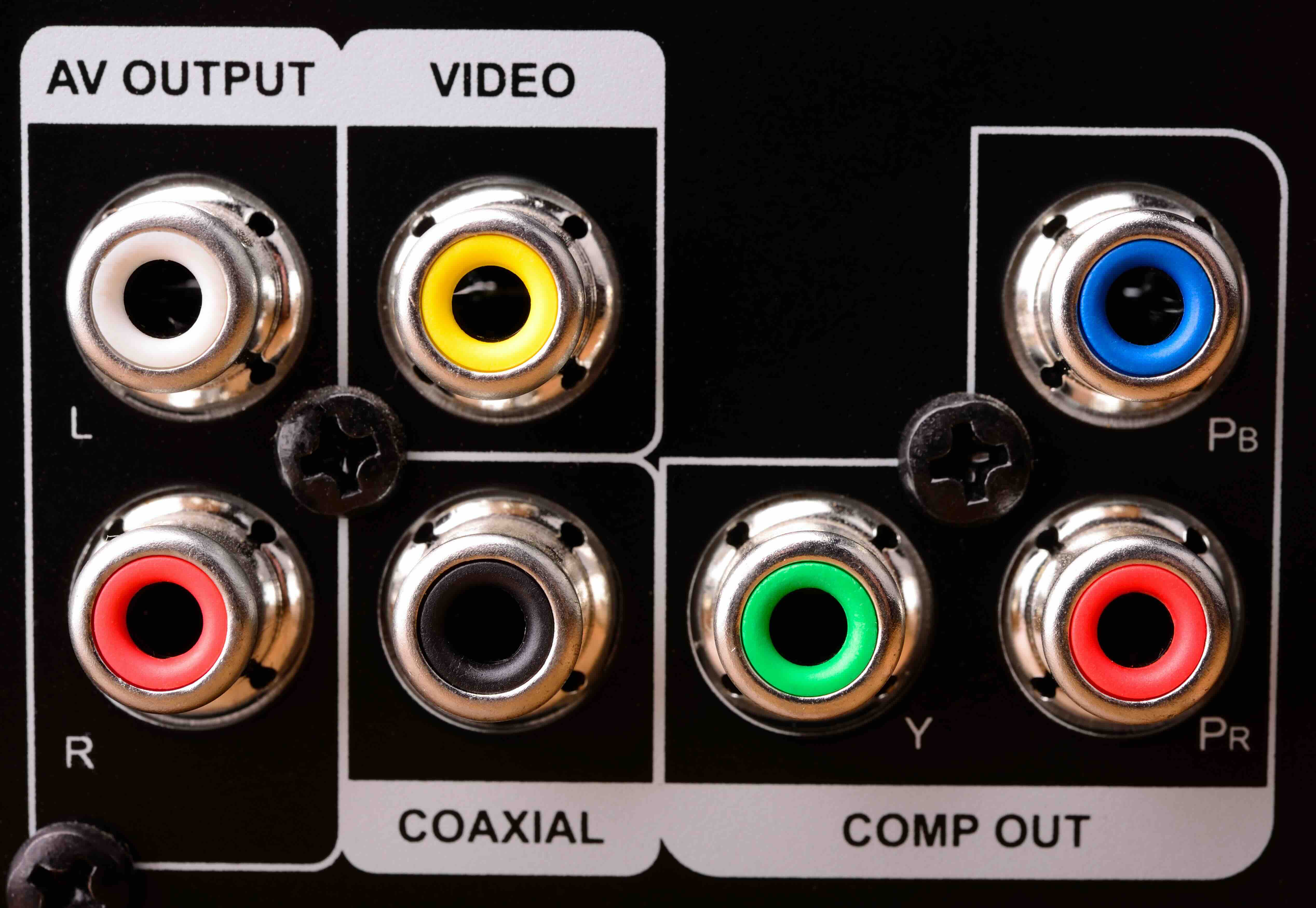
So here is the thing -- not everyone has a brand new television. There are millions of older TVs, projectors, and monitors still in active use that rely on composite RCA connections, those familiar red, white, and yellow cables that defined home entertainment for decades. The problem is that most modern devices, streaming boxes, gaming consoles, laptops, and Blu-ray players, output through HDMI exclusively. That gap is where an HDMI to RCA converter steps in. It is a compact piece of hardware that translates a digital HDMI signal into an analog composite video and stereo audio output. Simple idea, pretty important function if you are dealing with legacy display equipment that you are not quite ready to retire.
How Does an HDMI to RCA Converter Actually Work?
At its core, this converter is doing something that sounds straightforward but is technically involved. HDMI carries a fully digital signal, compressed and encoded with high-bandwidth data including video, audio, and metadata. RCA composite output is analog. These two formats are not naturally compatible, so the converter contains internal processing circuitry that decodes the digital HDMI signal and re-encodes it as an analog waveform that older displays understand. The video typically outputs at standard definition, usually 480i or 576i depending on your region, because that is the ceiling for composite video. Audio separates into two channels, left and right, carried through the red and white RCA jacks. The yellow jack handles the video. Most converters also require a dedicated USB power source to run the internal electronics. It is not a passive adapter. There is real signal processing happening inside that small shell.
Common Use Cases for HDMI to RCA Adapters
The people reaching for one of these converters are usually solving a very specific problem. Here are the most common situations where this type of adapter becomes genuinely useful:
- Using an older CRT television for retro gaming with a modern console
- Connecting a streaming device like a Roku or Fire Stick to a vintage projection system
- Displaying content from a laptop or tablet onto an older classroom or boardroom monitor
- Running a secondary display in a workshop, garage, or basement where an older TV lives
- Providing video output to legacy security or recording systems that accept only composite input
These scenarios come up more than people expect. Older infrastructure does not just disappear overnight, especially in commercial or educational environments where budgets do not always allow for full display refreshes. The converter bridges that gap without forcing a hardware overhaul.
Key Advantages of Using an HDMI to RCA Converter
The practical appeal of these devices is hard to argue with. First and foremost, cost. A quality converter is an affordable solution compared to replacing a functioning display just because it lacks an HDMI input. You are extending the usable life of equipment you already own. Second, setup is usually very straightforward. Plug in HDMI on one end, connect your RCA cables on the other, apply USB power, and you are generally operational within a couple of minutes. No drivers, no software configuration. Third, these converters tend to be compact and easy to relocate, which matters if you are moving equipment between rooms or between job sites. For integrators managing older commercial installations, that portability and plug-and-play simplicity translates directly into reduced labor time on site.
Drawbacks and Limitations You Should Know About
Honesty matters here, and there are real limitations to understand before purchasing. The biggest one is resolution. Composite RCA is a standard definition format. No matter how crisp your source content is, the output through this converter will be 480i at best. If you were hoping to watch 4K or even 1080p content on that older television, it is not going to happen through a composite connection. The image quality will look noticeably soft compared to what you might see on a modern display. There can also be minor color accuracy shifts and occasional signal timing issues depending on the source device and how it handles EDID communication with the converter. Some HDCP-protected content may not pass through at all, which is a known limitation of analog output paths. Audio latency is generally not a meaningful issue, but video and audio sync should be verified on setup, particularly with older source devices.
What to Look for When Choosing an HDMI to RCA Converter
Not every converter on the market is built the same. Some key specifications and features to evaluate before purchasing:
- Supported input resolutions on the HDMI side, ideally 1080p or higher for source flexibility
- Output format options, some units support both NTSC and PAL for regional compatibility
- Build quality of the housing and connector ports, since loose ports cause signal dropout
- USB power method, whether via included cable or wall adapter
- Indicator LEDs for connection status, a small but useful diagnostic feature
- Compatibility notes regarding HDCP, which affects protected content playback
Reading through product specifications carefully before purchase is always worth the extra few minutes. A converter with solid input range and stable output circuitry will outperform a cheaper alternative in real-world conditions, especially over extended or repeated use.
HDMI to RCA vs. Other Signal Conversion Options
It is worth briefly noting where this converter fits relative to other adapters in the market. An HDMI to component converter is a different product entirely, and component video supports higher resolutions than composite RCA, making it preferable when the destination display supports it. HDMI to VGA converters serve computer monitors and projectors with VGA inputs, which is another common legacy format. If your older display has S-Video input, there are converters for that path as well. Understanding which output format your display actually accepts before purchasing is the single most important step. Buying the right converter for the right connection type saves time, money, and frustration. A composite RCA converter will not do anything useful if your TV only has component or S-Video inputs.
Installation Tips for First-Time Users
Setup is designed to be simple, but a few practical pointers help avoid common mistakes. Always power the converter before switching on the source device. Connect the HDMI cable first, then the RCA cables, then apply USB power. Give the converter a few seconds to initialize before expecting output. On the television side, set the input to the appropriate AV channel, usually labeled AV1 or Video on older sets. If the picture appears in black and white, there is a good chance the output is set to PAL and your TV expects NTSC, or vice versa. Some converters include a small switch on the housing to toggle between the two formats. If audio comes through but video does not appear, confirm the yellow RCA cable is firmly seated in the correct input jack. These are small things that cause most first-time setup issues, and they are all quick to resolve.
Why Monoprice Is the Right Source for Your HDMI to RCA Converter Needs
When you are sourcing a converter like this, the brand behind it matters more than the form factor suggests. Monoprice has built its reputation on delivering reliable, well-engineered connectivity products at prices that make sense for both individual buyers and procurement teams managing large installations. The quality controls, the product documentation, the warranty support -- these are areas where purchasing from a trusted supplier pays off, especially when the converter is being deployed in a commercial or institutional environment where consistent performance is expected. Whether you are an AV integrator bridging legacy systems or a home user extending the life of a vintage television, you can find a dependable HDMI to RCA signal converter and AV adapter solution that performs reliably and fits your budget without compromise. That is the Monoprice difference -- straightforward value, no inflated margins, products built for real-world use by people who understand what connectivity actually demands.
Frequently Asked Questions About HDMI to RCA Converters
Will an HDMI to RCA converter work with any HDMI source device?
Most standard HDMI source devices including streaming sticks, game consoles, laptops, and Blu-ray players are compatible. However, devices that output HDCP-protected signals may be restricted from passing content through to analog outputs, which is a rights management limitation rather than a converter defect.
What resolution will I get from an HDMI to RCA converter?
Composite RCA video is limited to standard definition output, typically 480i for NTSC regions or 576i for PAL regions. The source resolution does not affect this ceiling. The converter downscales all input to match the composite format.
Does the converter need external power to operate?
Yes. HDMI to RCA converters contain active signal processing components and require a dedicated power source, typically supplied via a USB cable connected to a wall adapter or powered USB port. They are not passive adapters.
Can I use an HDMI to RCA converter in reverse to connect an older device to a modern TV?
No. These converters are directional. The HDMI to RCA converter sends signal from an HDMI source to an RCA display. If you need to go the other direction, from an RCA source to an HDMI display, you need a separate RCA to HDMI converter designed for that specific signal path.
Will the audio and video be in sync when using this converter?
In most cases, yes. Quality converters maintain acceptable audio-video synchronization. Minor latency can occasionally occur depending on the source device. Verifying sync during initial setup is recommended, especially for video content where lip-sync is noticeable.
What is the difference between composite RCA and component video?
Composite video combines all color and brightness information into a single yellow RCA cable, resulting in lower image quality. Component video separates the signal across three cables and supports higher resolutions. They are distinct formats requiring different cables and converters.
Is the image quality noticeably worse through an HDMI to RCA converter?
Yes, because composite video is a standard definition analog format. The output will appear softer and less detailed compared to the original HDMI signal. This is a limitation of the composite format itself, not the converter. It is acceptable for casual viewing on older displays but not suited for quality-critical applications.
Do I need a special HDMI cable to use with this converter?
No special cable is required. Any standard HDMI cable that supports the output resolution of your source device will work. For most users, a basic high-speed HDMI cable is more than sufficient for this application.
Will an HDMI to RCA converter work with a CRT television?
Yes, this is actually one of the most common use cases. CRT televisions with composite RCA inputs are directly compatible with the output from these converters, making them popular for retro gaming setups and similar applications.
Are there any HDMI to RCA converters that support higher output resolutions?
No. Composite RCA is inherently a standard definition format with a fixed resolution ceiling. If your display supports component video or other higher-resolution analog formats, a different type of converter designed for that output format would be necessary to achieve improved image quality.


