

HDMI Explained: Versions, Types, and Setup Tips
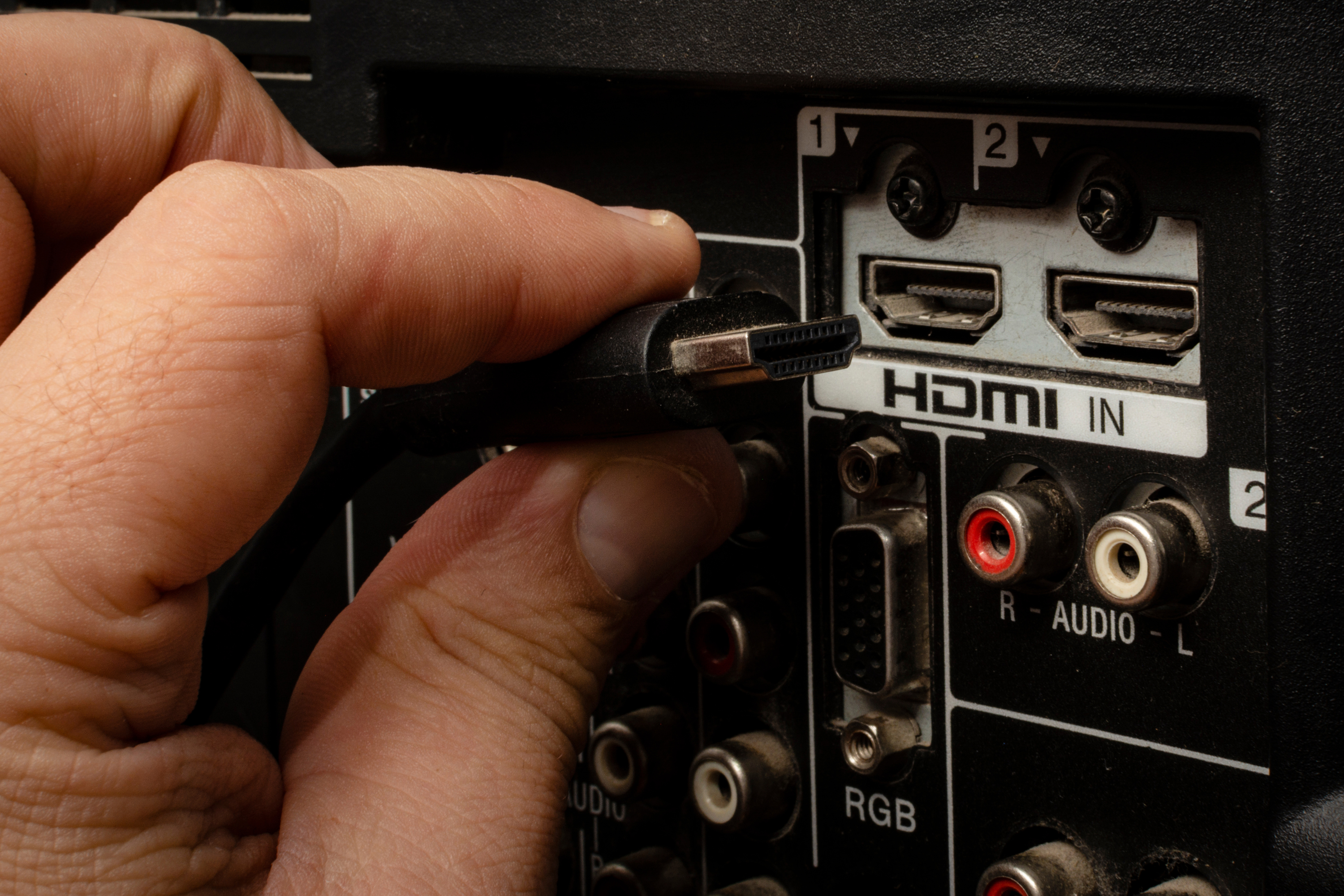
What Is HDMI and Why Does It Matter for Your Setup
If you have ever plugged a cable from your laptop into a TV or connected a gaming console to a monitor, there is a very good chance you used HDMI without even thinking twice about it. High-Definition Multimedia Interface, better known as HDMI, is one of the most widely adopted connection standards in consumer electronics and professional AV environments alike. It carries both high-definition video and audio over a single cable, which sounds simple enough, but the technology behind it is genuinely impressive when you dig into it. This guide breaks down everything you need to know about HDMI, from how it works to what version actually matters for your specific situation, so you can make a smarter buying decision without needing an engineering degree to get there.
How HDMI Actually Works
At its core, HDMI transmits uncompressed digital video and audio data between devices. That matters because uncompressed means no quality loss in the signal chain. The interface uses a 19-pin connector in its most common form, and the cable itself contains multiple channels dedicated to data, clock signals, and control communications. There is also something called the HDMI Ethernet Channel, or HEC, which allows compatible devices to share a network connection through the same cable. The standard also supports a protocol called Consumer Electronics Control, or CEC, which lets you control multiple devices with a single remote. So when you turn on your TV and your soundbar automatically powers up too, that is CEC doing its job quietly in the background. The whole system is designed to be plug-and-play, and honestly, that convenience has a lot to do with why HDMI became the dominant interface it is today.
A Quick Look at HDMI Versions and What Changed
Not all HDMI cables or ports are created equal. Over the years, the HDMI specification has gone through several significant revisions, each adding new capabilities. Understanding the differences helps you avoid buying equipment that bottlenecks your setup.
- HDMI 1.4 introduced 4K support at 30Hz and added the Ethernet channel
- HDMI 2.0 pushed 4K up to 60Hz and added support for HDR content
- HDMI 2.0a and 2.0b refined HDR signaling with HDR10 and Dolby Vision support
- HDMI 2.1 is the current high-water mark, supporting 8K at 60Hz, 4K at 120Hz, and features like Variable Refresh Rate and Enhanced Audio Return Channel
If you are running a modern gaming console, a high-end graphics card, or building a home theater that is meant to last a few years, HDMI 2.1 is where you want to be. It is the version that gives you real headroom, not just for today but for content formats that are still becoming mainstream.
The Different HDMI Connector Types Explained
Beyond the version number, the physical connector type matters too, especially when you are dealing with smaller devices. The standard Type A connector is the full-size one you see on TVs and home theater equipment. The Type C, also called Mini HDMI, shows up on some cameras and older tablets. Type D, or Micro HDMI, is smaller still and was common on mobile devices and compact cameras for a period. There is also Type B, which was defined in the original spec but never really made it into consumer products in any meaningful way. Knowing which connector type your device uses before purchasing a cable saves a frustrating trip back to the returns queue. Worth double-checking, especially with cameras and field monitors.
Key Advantages of Using HDMI
HDMI has maintained its dominance for good reasons. The combination of convenience, capability, and broad compatibility is hard to match. Here is where the standard genuinely earns its reputation.
- Single cable carries both audio and video, reducing cable clutter significantly
- Supports lossless audio formats including Dolby TrueHD and DTS-HD Master Audio
- Wide compatibility across TVs, monitors, projectors, consoles, laptops, and AV receivers
- CEC enables device automation across an entire entertainment system
- HDCP copy protection compliance ensures compatibility with protected streaming content
- HDMI 2.1 supports Variable Refresh Rate for smoother gaming performance
For home users and professionals alike, these advantages translate to real-world simplicity and performance. Fewer cables, higher quality signal, and a standard that just about every device manufacturer has committed to.
Common Drawbacks Worth Knowing About
No technology is without its limitations, and HDMI is no exception. Cable length is one of the more practical constraints. Passive HDMI cables generally perform reliably up to about 25 feet, after which signal degradation can become a real problem. Active cables and HDMI extenders address this, but they add cost and complexity. There is also the occasional HDCP handshake issue, where two otherwise compatible devices struggle to authenticate with each other and you end up with a blank screen or a signal error message. This happens more than it should, particularly in more complex signal chains involving AV receivers and switchers. Additionally, while HDMI 2.1 is capable of a great deal, actually getting 48Gbps bandwidth requires a cable rated for it. Not every cable labeled HDMI 2.1 is built to the same standard, which creates confusion in the market and sometimes frustration at the setup stage.
HDMI vs DisplayPort: When to Choose Which
This comparison comes up constantly, especially among PC users and gamers. DisplayPort and HDMI serve overlapping purposes but with some meaningful differences. DisplayPort is generally preferred for PC monitor connections, particularly in multi-monitor setups, since it supports daisy-chaining through a single cable run. It also historically offered higher refresh rate support at high resolutions slightly ahead of HDMI. However, HDMI is still the better choice for connecting to TVs, AV receivers, and most consumer electronics. DisplayPort is less common on televisions and is essentially absent from streaming sticks and game consoles. The practical answer is this: use DisplayPort for your PC monitors if the hardware supports it, and use HDMI for everything in your living room or home theater rack.
Practical Tips for Getting the Most Out of Your HDMI Setup
A few straightforward habits can prevent the most common HDMI headaches. First, match your cable to your use case. If you are running 4K HDR content at 60Hz, make sure your cable is rated to handle the bandwidth required. Check that any HDMI switcher, splitter, or AV receiver in your signal chain is rated for the same spec as your source and display. When experiencing a handshake failure, power cycling the devices in sequence starting from the source and ending at the display often resolves it. For longer cable runs in permanent installations, active fiber HDMI cables offer a much more stable solution than passive copper at distance. And if you are in a rack or wall installation environment, organizing cables with consistent labeling from the start prevents a significant amount of troubleshooting time down the road.
Why Monoprice Is the Smart Choice for HDMI Cables and AV Solutions
When it comes to sourcing reliable HDMI cables and the broader ecosystem of AV products around them, there is a clear case for not overspending on brand name markup when the underlying performance is what actually matters. Monoprice has built a well-earned reputation for delivering exactly that: high-performance cables, switchers, adapters, and AV accessories at prices that make sense for both individual buyers and large-scale integrators. Whether you need a single certified HDMI 2.1 cable for a home theater or dozens of units for a commercial installation, premium HDMI cables and AV accessories from Monoprice give you the performance specifications and build quality you need without the inflated price tag. The product lineup is extensive, the specifications are clearly communicated, and the value proposition is consistent across every category. For integrators, IT professionals, and home users who have done their homework, Monoprice is simply the practical and reliable choice.
Frequently Asked Questions About HDMI
What does HDMI stand for?
HDMI stands for High-Definition Multimedia Interface. It is a proprietary audio and video interface standard used to transmit uncompressed digital data between compatible devices such as TVs, monitors, gaming consoles, and computers.
Do I need an HDMI 2.1 cable for 4K content?
Not necessarily. HDMI 2.0 cables support 4K resolution at 60Hz with HDR, which is sufficient for most streaming and Blu-ray playback. HDMI 2.1 becomes important if you need 4K at 120Hz or 8K resolution, which is primarily relevant for next-generation gaming and future-proofing your setup.
How long can an HDMI cable be before signal loss occurs?
Passive HDMI cables reliably carry signal up to around 25 feet. Beyond that, signal quality can degrade. For longer runs, active HDMI cables or fiber optic HDMI cables are recommended to maintain full signal integrity.
What is HDMI ARC and how does it work?
ARC stands for Audio Return Channel. It allows audio to travel in both directions over a single HDMI cable, meaning your TV can send audio output back to a connected AV receiver or soundbar without a separate optical cable. HDMI 2.1 introduced eARC, which supports higher-bandwidth audio formats.
Is there a difference between HDMI cables in terms of quality?
Yes. While all certified cables must meet specification thresholds, build quality, shielding, and conductor materials vary. Cables carrying higher bandwidth signals such as HDMI 2.1 require tighter manufacturing tolerances, and poorly made cables may fail to sustain full-speed performance reliably.
Why does my HDMI connection show a black screen sometimes?
This is typically an HDCP handshake failure between devices. Power cycling the source device, the display, and any equipment in between usually resolves it. It can also indicate an incompatible cable or a device in the chain that does not support the HDCP version required by the content.
Can I use HDMI for audio only?
Yes. HDMI can carry audio independently without a video signal in certain configurations. This is less common but is supported by the specification and is sometimes used in audio distribution setups.
What is the difference between HDMI and DisplayPort?
Both carry digital audio and video, but they are optimized for different use cases. HDMI is the standard for TVs, AV receivers, and consumer electronics. DisplayPort is more common in PC monitor applications and supports daisy-chaining multiple displays. For home theater use, HDMI is the more practical and compatible choice.
What is Variable Refresh Rate and does HDMI support it?
Variable Refresh Rate, or VRR, synchronizes the frame output of a GPU or game console with the refresh rate of the display to reduce screen tearing and stuttering. HDMI 2.1 introduced native VRR support, making it particularly relevant for gaming setups using modern consoles and high-refresh monitors.
Are all HDMI cables backward compatible?
Yes, HDMI maintains backward compatibility across versions. An HDMI 2.1 cable will work with a device that only supports HDMI 1.4, though it will operate at the capabilities of the lower-spec device. You will not break anything by mixing versions, but you will be limited to the lowest common specification in the chain.


