

HDMI Cables Explained: Types, Features, and How to Choose
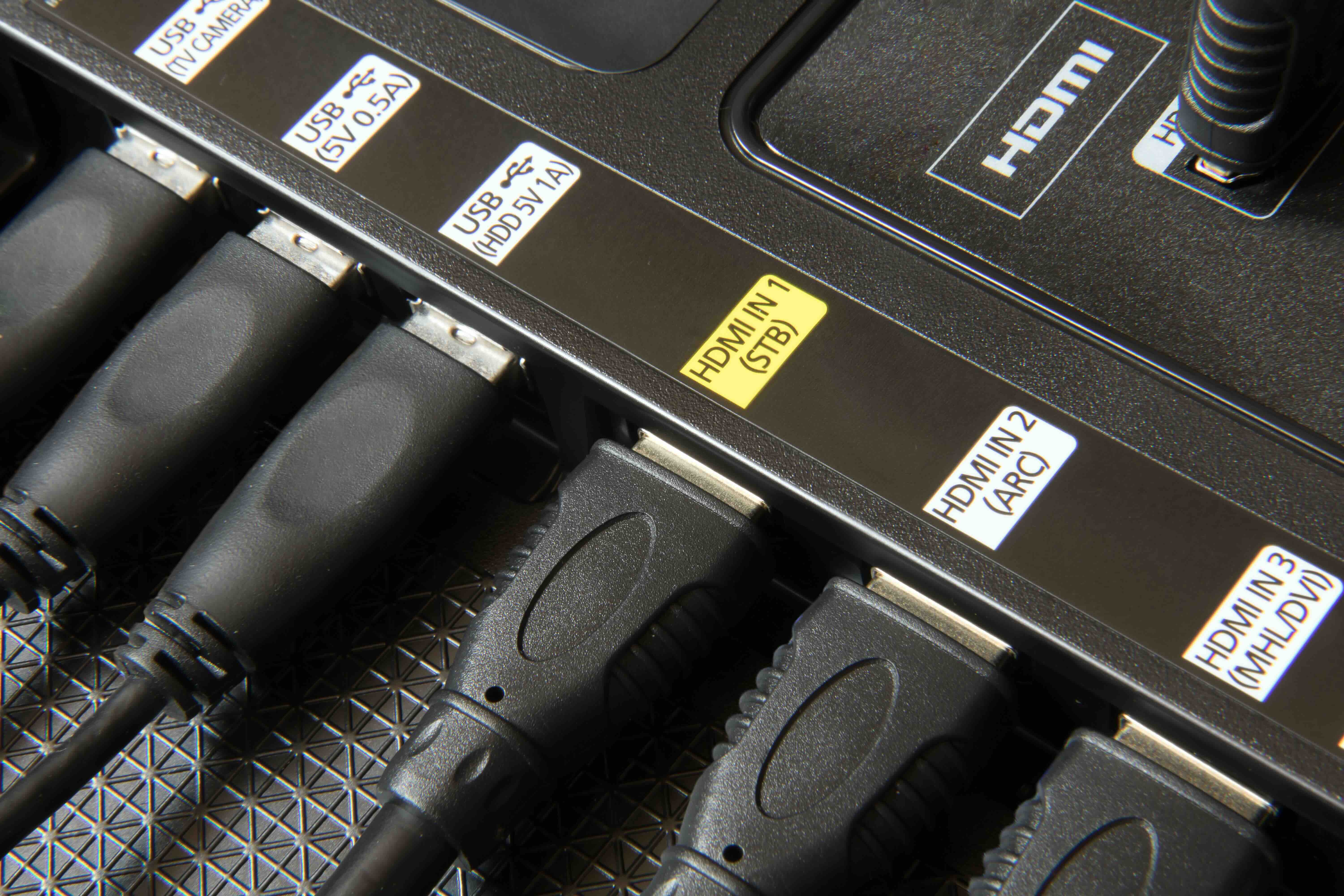
What Are HDMI Cables and Why Do They Matter for Your Setup?
If you have a TV, a gaming console, a laptop, or really any modern display device, you have almost certainly dealt with an HDMI cable at some point. HDMI, which stands for High-Definition Multimedia Interface, is the dominant standard for transmitting high-quality audio and video signals between devices over a single cable. It replaced older analog connections like composite, component, and VGA in most consumer and professional applications, and for good reason. One cable handling both audio and video simultaneously is just cleaner, simpler, and more capable. What gets confusing is that not all HDMI cables are the same, and the differences between them actually matter depending on what you are trying to do with your equipment.
A Quick History of How HDMI Evolved
HDMI was introduced back in 2002, developed collaboratively by a group of major electronics manufacturers who recognized that the industry needed a unified digital interface. The original 1.0 specification supported up to 1080i video and basic audio formats, which was already a significant leap from what analog connections could deliver. Over time, the specification expanded considerably. HDMI 1.4 added support for 4K resolution and 3D content. HDMI 2.0 dramatically increased bandwidth to accommodate 4K at 60 frames per second with HDR. Then HDMI 2.1 arrived and changed the game again, pushing bandwidth up to 48 gigabits per second, enabling 8K at 60Hz, 4K at 120Hz, and advanced features like Variable Refresh Rate and Enhanced Audio Return Channel. So the cable sitting behind your television from ten years ago might technically plug in just fine, but it could be quietly bottlenecking your entire viewing experience without you even realizing it.
The Main Types of HDMI Cables Explained
There are several distinct HDMI cable categories defined by the HDMI specification, and understanding them helps you buy the right product without overspending or underbuying. Here is a breakdown of the primary types currently relevant to consumers and professionals:
Standard HDMI Cable
- Supports up to 720p and 1080i at bandwidth up to 4.95 Gbps, mostly legacy use cases now
High Speed HDMI Cable
- Handles 1080p, 4K at 30Hz, and 3D content with bandwidth up to 10.2 Gbps
Premium High Speed HDMI Cable
- Certified for 4K at 60Hz with HDR and wide color gamut, bandwidth up to 18 Gbps, ideal for most modern home theater setups
Ultra High Speed HDMI Cable
- The current top-tier specification, supporting 8K at 60Hz and 4K at 120Hz with full HDR passthrough, bandwidth up to 48 Gbps, required for HDMI 2.1 features
Most people setting up a home theater with a modern 4K HDR television and a streaming device or current-generation gaming console will be well served by a Premium High Speed or Ultra High Speed HDMI cable. Standard and High Speed versions are increasingly outdated for new installations, though they still function perfectly in legacy environments.
Active vs. Passive HDMI Cables: What Is the Difference?
This distinction comes up more often in commercial and professional AV installations but is worth understanding broadly. Passive HDMI cables are your standard copper conductor cables, and they work reliably at shorter distances. The signal degrades naturally over longer runs, which is why passive cables beyond roughly 25 to 30 feet can become problematic depending on the resolution and bandwidth being transmitted. Active HDMI cables incorporate small electronic components, often built into the connector housing, that amplify and boost the signal, allowing for longer cable runs without degradation. For most residential installations, a quality passive cable under 15 feet is completely sufficient. For larger commercial installs, boardrooms, classrooms, or any scenario involving cable runs over 20 feet, an active cable or an HDMI extender solution becomes worth considering seriously.
Key Advantages of HDMI Cables
The reasons HDMI became the universal standard are not arbitrary. The format delivers real, tangible benefits that matter to both everyday users and professional integrators. When you look at what HDMI actually does well, the case for it is straightforward.
- Single cable audio and video transmission eliminates clutter and simplifies connections significantly
- Consumer Electronics Control, known as CEC, allows compatible devices to communicate and control each other through a single HDMI connection
- Audio Return Channel and Enhanced Audio Return Channel enable audio to flow back from a display to a receiver without a separate cable
- Plug and play compatibility means almost no configuration is required in most setups
- Support for advanced formats including Dolby Atmos, DTS:X, and high-resolution lossless audio through eARC-capable connections
Common Drawbacks and Limitations to Know About
HDMI is not without its limitations. The most practical one for anyone planning a larger installation is cable length. As mentioned, passive HDMI cables start to show signal integrity issues beyond roughly 25 to 30 feet, especially at higher resolutions and framerates. Another common frustration is HDCP, which stands for High-bandwidth Digital Content Protection. It is a copy protection protocol embedded in HDMI, and while it is invisible most of the time, it can occasionally cause handshake failures where a display goes black or shows an error, particularly when signals pass through multiple devices like AV receivers, switches, or splitters. Compatibility between HDMI versions can also cause confusion when mixing older devices with newer cables or vice versa. Additionally, the physical connector can be fragile depending on the build quality of the cable, particularly on devices like laptops where the port experiences repeated connection cycles.
How to Choose the Right HDMI Cable for Your Needs
The decision process is more straightforward than the marketing noise around HDMI cables often makes it seem. Start with the devices you are connecting and identify the maximum resolution and refresh rate your setup actually supports. If you have a 4K TV but are only streaming content at 60Hz with HDR, a Premium High Speed HDMI cable is the appropriate choice and costs considerably less than an Ultra High Speed cable you may not need yet. If you are running a PS5 or Xbox Series X at 4K 120Hz or planning for an 8K display, Ultra High Speed is the correct specification. Cable length matters, so measure the actual run before purchasing rather than guessing. Build quality and shielding quality directly affect long-term reliability, particularly in environments with electromagnetic interference from other cabling or electronics nearby.
HDMI Cable Myths Worth Clearing Up
One persistent myth in the consumer electronics space is that an expensive HDMI cable will produce better picture or audio quality than an affordable one of the same specification. This is not accurate for digital signals. HDMI transmits data digitally, which means the signal either arrives intact or it does not. A properly built, specification-compliant cable at an accessible price point performs identically to an overpriced alternative. What matters is that the cable meets the specification for your use case, is built with quality connectors and adequate shielding, and is the appropriate length for your installation. Spending several times more for a brand name does not improve pixel quality or sound fidelity in a functioning digital cable connection.
Why Monoprice Is the Smart Choice for HDMI Cables
When it comes to sourcing HDMI cables that genuinely deliver on their specifications without inflating your budget, Monoprice has built a well-earned reputation in both the consumer and professional markets. The product line covers everything from standard home theater connections to certified Ultra High Speed HDMI 2.1 cables designed for the most demanding 8K and high-refresh-rate gaming setups. Every cable in the lineup is built to meet or exceed the relevant certification standards, so you are not guessing at performance. Integrators, IT professionals, and everyday home theater enthusiasts trust Monoprice precisely because the value proposition is clear: premium-grade materials and verified specifications at pricing that does not punish you for outfitting a full installation. Whether you need a single cable or a bulk order for a commercial deployment, exploring the full range of certified Ultra High Speed HDMI cables and professional AV connectivity solutions makes it easy to match the right product to the right application without overspending or compromising on quality. That combination of performance and practical value is exactly what this category demands.
Frequently Asked Questions About HDMI Cables
What is the difference between HDMI 2.0 and HDMI 2.1?
HDMI 2.0 supports up to 4K at 60Hz with HDR and offers bandwidth up to 18 Gbps. HDMI 2.1 expands bandwidth to 48 Gbps, enabling 4K at 120Hz, 8K at 60Hz, Variable Refresh Rate, and Enhanced Audio Return Channel, making it essential for current-generation gaming consoles and high-end displays.
Do I need an Ultra High Speed HDMI cable for a 4K TV?
Not necessarily. If your 4K TV operates at 60Hz or below and uses standard HDR, a Premium High Speed HDMI cable is sufficient. Ultra High Speed is required only when your devices support 4K at 120Hz, 8K, or specific HDMI 2.1 features like VRR.
How long can an HDMI cable be before signal quality degrades?
Passive HDMI cables generally perform reliably up to about 25 feet. Beyond that length, signal integrity can diminish, particularly at higher resolutions. For runs exceeding 25 to 30 feet, active HDMI cables or HDMI extender systems are recommended.
Is there a visual difference between a cheap and expensive HDMI cable?
No. HDMI transmits a digital signal, so if the cable is properly built and meets its stated specification, the picture and audio quality will be identical regardless of price. The key is specification compliance and adequate build quality, not cost.
What does HDCP mean and why does it matter?
HDCP stands for High-bandwidth Digital Content Protection. It is a copy protection standard embedded in HDMI connections required for streaming and playing protected content. Incompatibility between HDCP versions on different devices can occasionally cause display issues or black screens.
What is eARC and do I need it?
Enhanced Audio Return Channel allows high-quality audio formats including Dolby Atmos and DTS:X to pass from a TV back to a connected AV receiver or soundbar over a single HDMI cable. You need eARC if you want to use a soundbar or receiver with a smart TV while taking advantage of lossless audio formats.
Can I use an older HDMI cable with a new 4K device?
It depends on the cable specification. An older Standard HDMI cable will not support 4K content reliably. A High Speed or Premium High Speed cable may work for 4K at 30Hz or 60Hz respectively, but for the full capabilities of modern devices, a current-specification cable is the better choice.
What is the difference between active and passive HDMI cables?
Passive HDMI cables use standard copper conductors and work well at shorter distances. Active HDMI cables incorporate signal-boosting electronics inside the connector housing, allowing the cable to maintain signal integrity over longer runs where a passive cable would degrade.
Does cable thickness or gauge affect HDMI performance?
Yes, conductor gauge can affect performance at longer cable lengths. Thicker conductors reduce resistance and support better signal integrity over extended runs. For short cable runs under 10 feet, gauge differences are negligible in practical use.
Are all HDMI connectors the same size?
No. There are several HDMI connector form factors. Type A is the standard full-size connector used on televisions and most AV equipment. Type C is the Mini HDMI connector used on some cameras and tablets. Type D is the Micro HDMI connector found on compact devices like smaller cameras and certain smartphones. Always confirm the connector type needed for both ends of your connection before purchasing.


