Exploring the Maximum Resolution of DVI: A Deep Dive
What Is DVI and Why Does Maximum Resolution Still Matter?
DVI, or Digital Visual Interface, has been around since 1999 and yet it still shows up in workstations, older monitors, and professional AV setups more than most people expect. It was developed by the Digital Display Working Group as a way to replace the analog VGA standard with something cleaner, sharper, and better suited to the digital displays that were starting to take over. And it did that job well. Even today, understanding what DVI can actually do -- especially at its maximum resolution -- matters if you are working with mixed legacy and modern display hardware, building a budget workstation, or just trying to make sense of the connectors on the back of your GPU. So let us actually get into it.
Breaking Down DVI: The Different Types You Need to Know
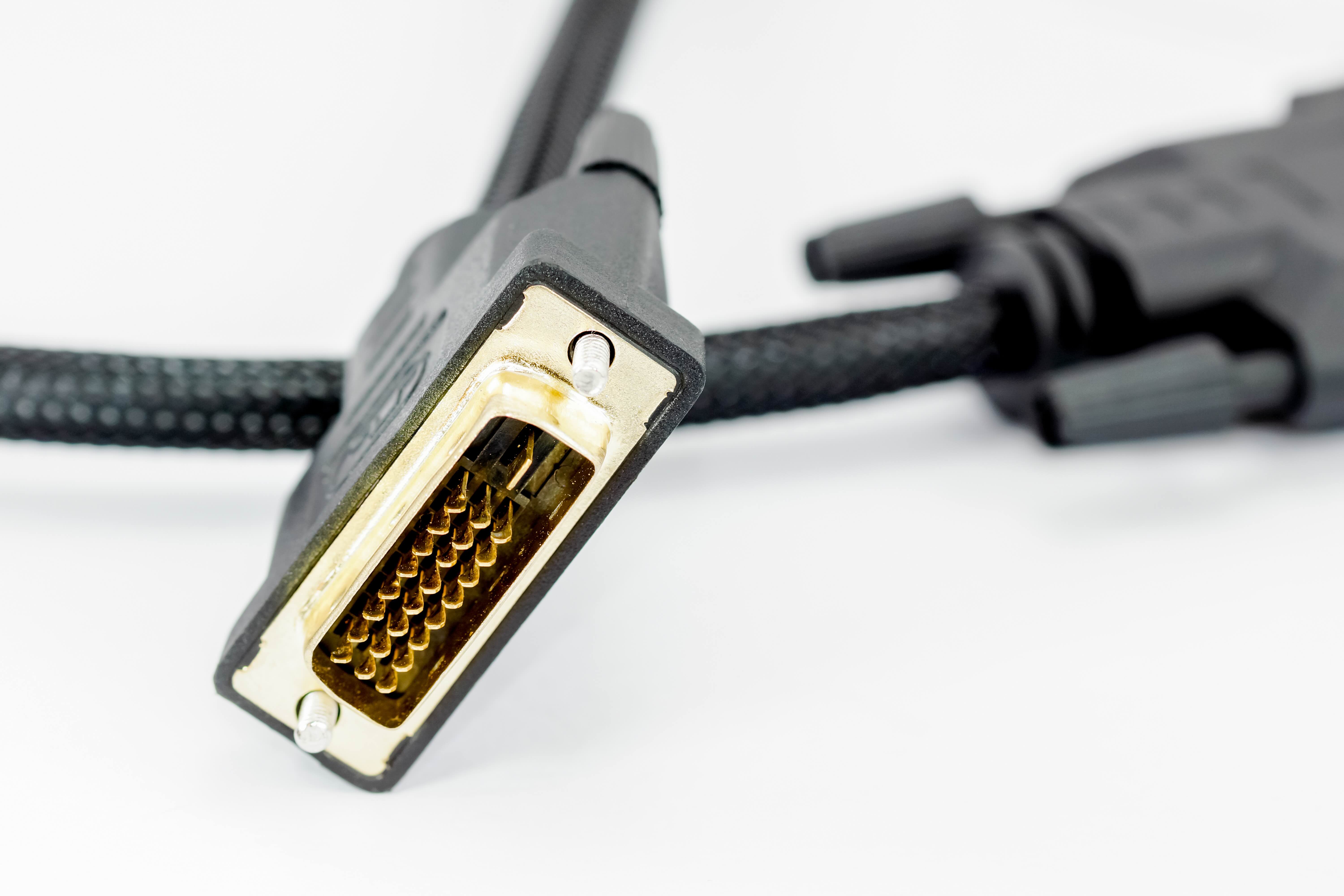
Not all DVI connectors are the same, and that distinction is critical when you are trying to figure out what resolution your setup can actually support. There are three main types worth knowing. DVI-A carries only an analog signal and is basically a VGA successor in a different shell. DVI-D carries a pure digital signal, which is what you actually want for modern displays. DVI-I carries both analog and digital, giving it more flexibility. Within the digital category, there is a further split between Single Link and Dual Link, and that is where the resolution ceiling really changes.
DVI Single Link vs Dual Link: The Resolution Ceiling Explained
This is the part that trips people up the most. A Single Link DVI connection uses one set of TMDS transmitters and maxes out at 1920 x 1200 at 60Hz. That covers standard 1080p and a bit beyond, which is perfectly fine for a lot of use cases. But Dual Link DVI doubles the data throughput by using two sets of TMDS transmitters, and that bumps the maximum resolution up to 2560 x 1600 at 60Hz. That is the true ceiling for DVI as a standard. It is worth pausing on that for a second -- 2560 x 1600 is a genuinely high resolution. It covers 2K displays and even older 30-inch monitors that professionals used for design and photo editing work. So when someone says DVI cannot handle high resolutions, they are either talking about Single Link specifically or not accounting for what Dual Link actually delivers.
How DVI Handles Resolution: The Technical Side Without the Overload
DVI transmits video data using Transition Minimized Differential Signaling, or TMDS. Each link in a DVI connection contains three data channels and one clock channel. Single Link tops out at a pixel clock of 165 MHz. Dual Link effectively doubles that to 330 MHz, which is what allows for the higher resolution and pixel density. There is no audio signal carried over DVI -- that is one of its most notable limitations compared to HDMI. But for pure video fidelity at its supported resolutions, DVI delivers a clean, uncompressed digital signal. At 2560 x 1600, Dual Link DVI is outputting roughly 99 million pixels per second, which is a significant amount of data being moved cleanly across a cable. The signal integrity depends heavily on cable quality and length, which is why choosing the right cable matters more than most people realize.
Key Advantages of DVI for Displays and Workstations
DVI still holds some real advantages in specific scenarios, and it is worth being direct about what those are rather than just dismissing it as outdated.
- Wide compatibility with legacy professional monitors
- Uncompressed digital video signal for clean image quality
- Dual Link support for resolutions up to 2560 x 1600
- Low latency signal transmission compared to some analog solutions
- No signal conversion needed when connected to native DVI displays
- Generally available at lower cost than HDMI or DisplayPort alternatives
- Reliable performance in stable, non-mobile workstation environments
Common Drawbacks and Limitations You Should Understand
Being practical means being honest. DVI has real limitations, and knowing them helps you make better decisions for your setup. The most obvious one is the lack of audio support. You are getting video only, which means separate audio cabling in any setup that requires sound. DVI also does not support HDCP 2.2, which limits its compatibility with certain protected content. The maximum resolution of 2560 x 1600 is solid but it does not touch 4K, so if you are building a display setup around a 4K panel, DVI simply is not the right interface. Cable length is another consideration -- DVI signal quality degrades more noticeably over longer runs compared to active DisplayPort or HDMI solutions. And the connector itself is physically large, which can be a nuisance in tight cable management situations.
DVI vs HDMI vs DisplayPort: Where DVI Fits in the Current Landscape
Comparing DVI to HDMI and DisplayPort is not really about which one wins -- it is about understanding which one fits the job. HDMI handles audio and video together, supports 4K and beyond, and is the standard for consumer displays and televisions. DisplayPort handles the highest resolutions and refresh rates available, making it the go-to for gaming monitors and professional-grade displays. DVI sits in the middle -- better than VGA, fully digital, capable of meaningful high-resolution output, but without the audio support or 4K capability of its successors. For workstations running dual-monitor setups on older hardware, or for users connecting to high-quality monitors that simply have a DVI input, it remains a completely valid and often cost-effective solution. The key is knowing what your display actually requires and matching the interface accordingly.
Practical Tips for Getting the Most Out of DVI Connections
If you are using DVI in your current setup or planning to, a few practical considerations go a long way toward making sure you are getting the full performance the standard can offer.
- Always verify whether your GPU and monitor support Single Link or Dual Link before purchasing a cable
- Use Dual Link DVI cables for any resolution above 1920 x 1200
- Keep cable runs under 15 feet to maintain signal integrity without active boosting
- Check that both the source and display support the same DVI type (DVI-D, DVI-A, or DVI-I)
- Avoid cheap, unshielded cables for longer runs or high-resolution applications
- If you need audio alongside your DVI video signal, plan for a separate audio cable or use a DVI-to-HDMI adapter with audio support at the source
Why Monoprice Is the Right Choice for DVI Cables and Display Connectivity
When you are looking for reliable, performance-grade DVI cables and display connectivity solutions, Monoprice delivers exactly what you need without the inflated price tag that other brands charge for the same quality. Whether you need a Single Link DVI-D cable for a standard 1080p workstation monitor or a Dual Link DVI-D cable to push the full 2560 x 1600 resolution on a high-end professional display, Monoprice engineers their cables to meet those specs cleanly and consistently. The build quality is solid, the shielding is proper, and the connectors are built to maintain signal integrity across the life of the cable. For IT professionals, AV integrators, and home office users who want to connect hardware the right way without overspending, finding the right high-performance DVI cables and digital display connectivity solutions starts with a brand that has spent decades earning trust across both B2B and consumer markets. That is exactly what Monoprice offers -- premium performance, accessible pricing, and the product depth to handle whatever your display setup demands.
Frequently Asked Questions About DVI Maximum Resolution
What is the maximum resolution supported by DVI?
The maximum resolution supported by DVI is 2560 x 1600 at 60Hz, but only with a Dual Link DVI-D connection. Single Link DVI tops out at 1920 x 1200 at 60Hz.
Can DVI support 4K resolution?
No. DVI does not support 4K resolution. Its maximum output is 2560 x 1600 via Dual Link DVI-D. For 4K displays, you would need HDMI or DisplayPort.
What is the difference between Single Link and Dual Link DVI?
Single Link DVI uses one set of TMDS transmitters and supports resolutions up to 1920 x 1200 at 60Hz. Dual Link DVI uses two sets and supports up to 2560 x 1600 at 60Hz.
Does DVI carry audio?
No. DVI is a video-only interface and does not transmit audio signals. A separate audio connection is required in any setup that needs sound alongside a DVI video feed.
Is DVI better than VGA?
Yes. DVI transmits a digital signal, which eliminates the analog noise and signal degradation associated with VGA. This results in a cleaner, sharper image, especially at higher resolutions.
Can I use a DVI to HDMI adapter?
Yes, you can use a DVI to HDMI adapter for video output. However, since DVI does not carry audio, the adapter will only pass the video signal unless the source device supports audio over the DVI pin configuration.
How long can a DVI cable be before signal quality degrades?
For reliable signal quality, DVI cables should generally be kept under 15 feet. Longer passive cables can experience signal degradation, especially at higher resolutions. Active DVI extenders can help overcome longer distance requirements.
What does DVI-D mean compared to DVI-I?
DVI-D carries only a digital signal, making it the preferred type for modern digital displays. DVI-I carries both digital and analog signals, offering more compatibility with older analog equipment alongside modern digital displays.
Is DVI still worth using in 2024?
DVI is still worth using if your hardware supports it and your display resolution does not exceed 2560 x 1600. It provides a clean digital signal and remains a practical, cost-effective option for legacy workstations and professional monitor setups.
Do I need a special cable to reach DVI maximum resolution?
Yes. To reach the maximum DVI resolution of 2560 x 1600, you must use a Dual Link DVI-D cable. A standard Single Link cable will not support that resolution and will limit output to 1920 x 1200 at most.