

Ethernet Cables Explained: The Internet Cord Demystified
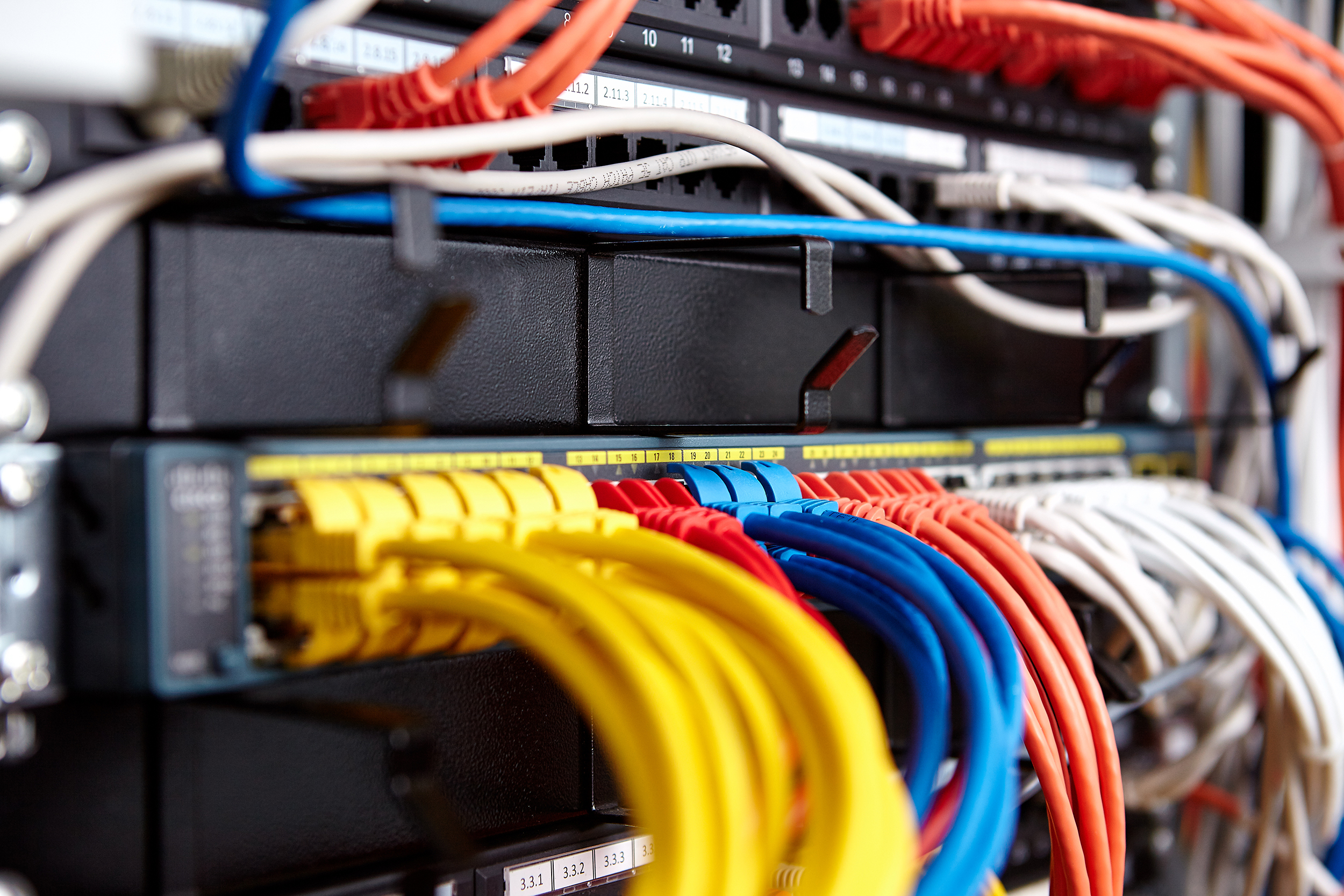
What Is an Ethernet Cable and Why Does It Matter for Your Internet Connection?
So you have a router sitting in the corner, blinking away, and somewhere in the back of your mind you keep wondering whether your Wi-Fi is actually as fast as it could be. The short answer is probably not. And that is where an Ethernet cable, sometimes called an internet cord, enters the conversation. An Ethernet cable is a physical, wired connection that links your device directly to a router, modem, or network switch. It carries data as electrical signals through twisted copper wire pairs, allowing for faster, more stable internet than wireless typically delivers. These cables are the backbone of local area networks both at home and in commercial environments, and understanding how they work gives you a real edge when setting up or upgrading your connection.
Ethernet Cable vs. Internet Cord: Are They Actually the Same Thing?
Here is a question that comes up constantly. People search for internet cords, network cables, LAN cables, and Ethernet cables as though they are different products. They are not. The term internet cord is just an informal, consumer-friendly way of describing an Ethernet cable. Technically, an Ethernet cable connects devices within a local area network, which then connects to the internet through your modem and router. The cable itself is not transmitting the internet signal from your provider. It is transmitting data between your device and the router that does. So when someone says they need an internet cord, they almost always mean a standard Ethernet cable. Understanding this distinction helps you shop smarter and avoid unnecessary confusion when comparing products.
How Ethernet Cables Actually Work
Inside every Ethernet cable are eight copper wires twisted into four pairs. The twisting is intentional and serves a specific purpose: it cancels out electromagnetic interference that would otherwise degrade the signal. Data travels through these pairs as differential electrical signals, and the cable terminates at each end with an RJ45 connector, the rectangular plastic plug that clicks into the port on your router, computer, or gaming console. The cable standard determines how quickly those signals can travel and how much data can be carried at once. Higher category cables use tighter twisting, better shielding, and improved materials to support faster speeds and wider bandwidth. It is a well-engineered solution that has been refined over decades, and it remains one of the most reliable ways to move data across a network.
Cat5e, Cat6, Cat6A, Cat7, Cat8: Breaking Down the Categories
This is where most people start to feel overwhelmed, and honestly that is fair. There are a lot of category designations. But each one builds logically on the last. Here is a straightforward breakdown of the most common options:
Cat5e supports speeds up to 1 Gbps and frequencies up to 100 MHz, suitable for basic home networking Cat6 supports up to 1 Gbps at 250 MHz with better crosstalk rejection, ideal for most home and small business use Cat6A supports up to 10 Gbps at 500 MHz, a solid step up for future-proofing or performance-focused setups Cat7 offers 10 Gbps at 600 MHz with shielded pairs for demanding environments Cat8 reaches up to 40 Gbps and is primarily used in data centers and high-performance commercial applicationsFor most home users, Cat6 or Cat6A is the sweet spot. Cat8 is impressive on paper but overkill if your internet service plan tops out at a few hundred megabits per second. Match the cable to your actual use case and you will get exactly what you need without overspending.
Key Advantages of Using an Ethernet Cable Over Wi-Fi
Wi-Fi is convenient, but convenience comes with trade-offs. A wired Ethernet connection delivers consistently lower latency, which matters enormously for video calls, online gaming, and real-time streaming. It is less susceptible to interference from neighboring networks, physical obstructions, and the crowded radio frequency spectrum that wireless devices compete for. Wired connections also tend to be more secure since a device must be physically connected to access the network. For households with multiple people working or gaming simultaneously, a wired setup reduces the strain on the wireless network and distributes bandwidth more efficiently. The performance difference between a good Ethernet cable and Wi-Fi, especially in dense urban environments, is often immediately noticeable.
Common Drawbacks to Know Before You Run Cable
Being fair here means acknowledging the limitations. Ethernet cables introduce physical constraints that wireless connections do not have. Running cable through walls, across rooms, or under flooring takes planning, tools, and sometimes professional installation. Long runs can introduce signal degradation if cable quality or installation is poor, though properly terminated Cat6 or Cat6A cables can reliably run up to 328 feet without a signal booster. Cable management can also be a challenge in living spaces where aesthetics matter. And if your devices do not have built-in Ethernet ports, such as many modern laptops and tablets, you will need a USB to Ethernet adapter to make the wired connection work. None of these are dealbreakers, but they are worth factoring into your setup plan.
Practical Tips for Choosing and Using the Right Ethernet Cable
Getting the most from your network starts with a few straightforward decisions. First, match your cable category to your router and device capabilities. No point running Cat8 to a router that only supports gigabit speeds. Second, buy the right length rather than coiling excess cable, which can affect signal quality over time. Third, look for cables with snagless molded boots on the connectors, these protect the RJ45 clip from breaking during repeated connection and disconnection. Pay attention to whether you need a shielded or unshielded cable. Here is a quick reference:
Unshielded Twisted Pair (UTP) is fine for most home and office environments Shielded Twisted Pair (STP or FTP) is better in environments with high electromagnetic interference, such as near industrial equipment or dense electronics setups Plenum-rated cables are required in certain commercial installations where fire safety codes apply to cable run through air-handling spacesTaking a few minutes to assess your environment before buying saves time and money in the long run.
Where Ethernet Cables Are Used Beyond the Home Router
People tend to think of Ethernet cables as strictly a home networking tool, but the applications extend well beyond connecting a laptop to a router. Network switches use Ethernet to connect multiple devices in an office. IP cameras in security systems often run on Power over Ethernet, or PoE, which delivers both data and electrical power through a single cable. Smart TVs, streaming media players, gaming consoles, and network-attached storage devices all benefit from wired connections. In commercial environments, entire building infrastructures are built around structured cabling systems using Ethernet standards. Understanding the broader picture helps you recognize the full value of investing in quality cables at every level of your setup.
Why Monoprice Is the Right Source for Your Ethernet Cable Needs
When it comes to networking infrastructure, cutting corners on cable quality is not a strategy, it is a liability. Monoprice has built a well-earned reputation for delivering professional-grade networking cables at prices that do not require a second thought. Whether you are cabling a single home office workstation or provisioning an entire floor of a commercial building, the range and quality available through Monoprice covers every use case with precision. If you are ready to upgrade your network and want access to a full selection of tested, reliable, high-performance options, browsing the complete lineup of Ethernet cables and internet cords for faster, more reliable connections is the logical starting point. Every product is backed by the kind of value-driven quality that pros and home users alike have come to depend on, and the pricing consistently reflects what fair actually looks like in this industry.
Frequently Asked Questions About Ethernet Cables and Internet Cords
What is the difference between an Ethernet cable and an internet cord?
An internet cord is simply a casual term for an Ethernet cable. They refer to the same physical product used to create a wired network connection between a device and a router or modem.
Which Ethernet cable category is best for home use?
Cat6 or Cat6A is the best choice for most home users. Cat6 handles gigabit speeds reliably, while Cat6A adds headroom for 10 Gbps connections and reduces interference in demanding setups.
How long can an Ethernet cable be before signal loss becomes a problem?
Standard Ethernet cables support reliable performance up to 328 feet, or 100 meters, per segment. Beyond that distance, a network switch or signal repeater is needed to maintain connection quality.
Does the Ethernet cable quality actually affect internet speed?
Yes. A cable that cannot support the bandwidth your router delivers will bottleneck your connection. Using an older Cat5 cable on a gigabit network, for example, will limit your throughput. Matching cable category to your network hardware matters.
Can I use an Ethernet cable with a device that has no Ethernet port?
Yes. A USB to Ethernet adapter allows devices without a built-in RJ45 port, including many modern laptops and tablets, to connect to a wired network using a standard Ethernet cable.
Is a wired Ethernet connection more secure than Wi-Fi?
Generally, yes. Wired connections require physical access to the network, which significantly reduces the risk of unauthorized wireless interception. For sensitive work or financial activity, a wired connection adds a meaningful layer of security.
What does shielded versus unshielded mean for Ethernet cables?
Shielded cables have a metallic layer wrapped around the internal wire pairs to block electromagnetic interference. Unshielded cables are sufficient for most home and standard office environments, while shielded cables are preferred in high-interference commercial settings.
Does a longer Ethernet cable slow down internet speed?
Within the 328-foot limit, cable length has a negligible effect on speed under normal conditions. Properly terminated cables of appropriate category maintain signal integrity throughout their rated distance.
What is Power over Ethernet and when do I need it?
Power over Ethernet, or PoE, is a technology that allows an Ethernet cable to deliver electrical power alongside data. It is commonly used for IP cameras, VoIP phones, and wireless access points, eliminating the need for a separate power adapter at the device location.
Can I run Ethernet cable through walls myself?
Yes, with the right tools and basic planning it is a manageable DIY project for most homeowners. You will need a fish tape or wire puller, a keystone wall plate, a punch-down tool, and a cable tester to confirm proper termination before finalizing the installation.


