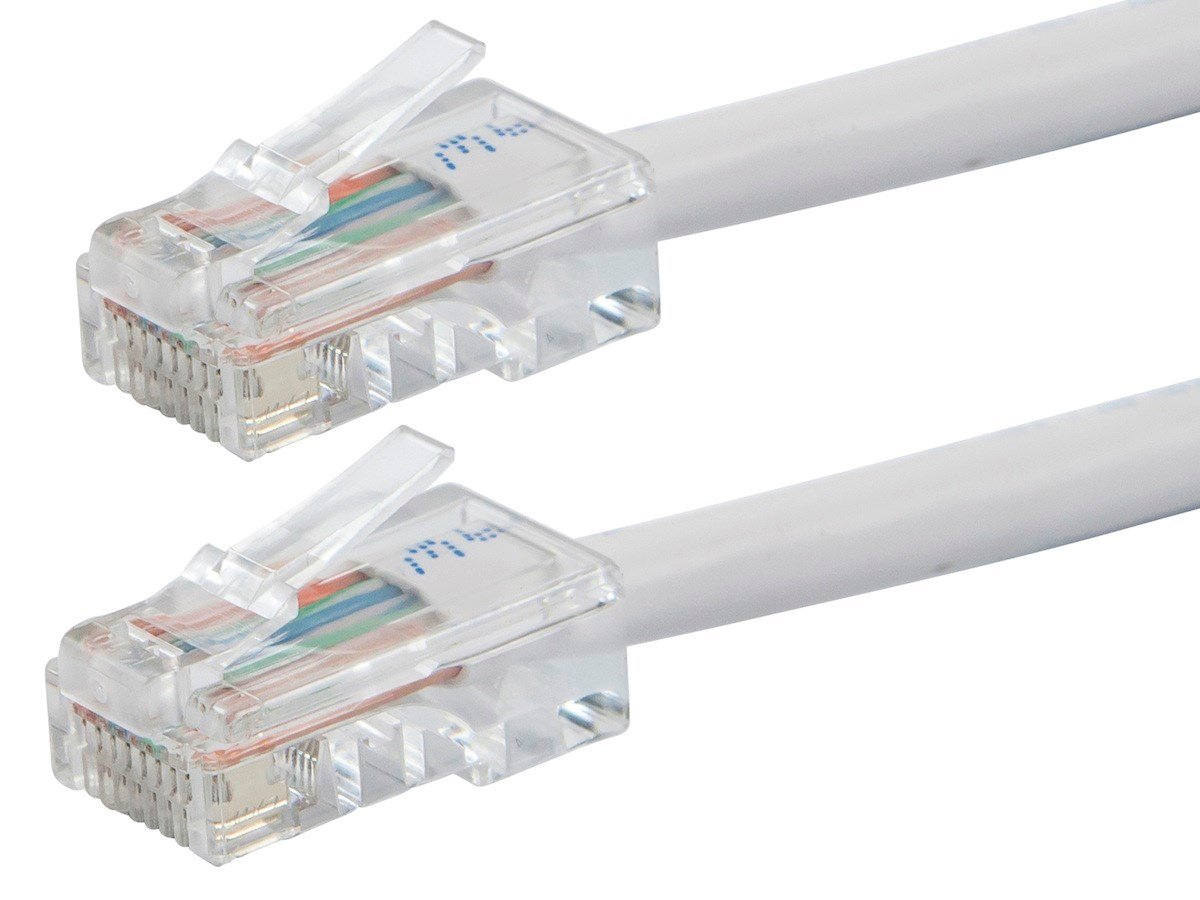
Ethernet Cable Wiring Guide for Reliable, High-Speed Networks

Ethernet Cable Wiring Guide: What You Need to Know Before You Start
If you have ever stared at a pile of raw Cat5e or Cat6 cable and wondered exactly how those eight tiny wires inside are supposed to be arranged, you are not alone. Ethernet cable wiring is one of those things that looks complicated at first but quickly clicks once someone walks you through it. Whether you are setting up a home office, running cable through walls for the first time, or managing network infrastructure at a commercial site, understanding how Ethernet cable wiring works is genuinely useful knowledge. This guide breaks it all down, from color codes to connector types, in straightforward terms that anyone can follow.
What Is Inside an Ethernet Cable and Why Does It Matter
An Ethernet cable is not just a single wire. Inside the outer jacket, you will find eight individual copper conductors, each with its own color-coded insulation. These eight wires are twisted together in four pairs, and that twisting is actually doing real work. The twist rate helps cancel out electromagnetic interference between pairs, which directly affects signal quality and overall network reliability. Cat5e cables typically have a slower twist rate than Cat6, which is part of why Cat6 handles higher frequencies and performs better over longer runs. Knowing what is inside helps you understand why the wiring sequence matters so much when you terminate a connector.
T568A vs. T568B: Understanding the Two Wiring Standards
This is where a lot of people pause and second-guess themselves, and honestly, it is fair to be confused at first. There are two accepted wiring standards for Ethernet cables: T568A and T568B. Both are defined by the TIA/EIA-568 standard and both work perfectly fine for transmitting data. The difference is simply the order in which the wire pairs are arranged within the connector. T568B is the more commonly used standard in commercial and residential installations across North America. T568A shows up more frequently in government projects and is the default for crossover cables. The critical rule is this: use the same standard on both ends of a cable if you are making a straight-through patch cable, and use opposite standards on each end if you need a crossover cable.
Ethernet Cable Color Code: The Wiring Sequence Explained
Here is the actual wiring sequence you need when terminating an RJ45 connector. For T568B, which is the most widely used configuration in professional installations, the pin order from left to right when the connector clip is facing down is as follows:
Pin 1 - White/Orange Pin 2 - Orange Pin 3 - White/Green Pin 4 - Blue Pin 5 - White/Blue Pin 6 - Green Pin 7 - White/Brown Pin 8 - Brown
For T568A, Pins 1 and 2 carry the white/green and green pair, while Pins 3 and 6 carry the white/orange and orange pair. The blue and brown pairs stay in the same positions for both standards. Memorizing these sequences, or at least keeping them written somewhere accessible during an install, is a basic move that saves real time on the job.
Straight-Through vs. Crossover Cables: When to Use Which
A straight-through cable, also called a patch cable, uses the same wiring standard on both ends. This is what you use the vast majority of the time, specifically when connecting a computer to a switch, a router to a wall jack, or a patch panel port to a switch port. A crossover cable swaps the transmit and receive pairs between each end, allowing two similar devices to communicate directly without a switch in between. Modern networking equipment often includes auto-MDI/MDIX technology, which automatically detects and adjusts for cable type, so crossover cables are less critical than they used to be. Still, knowing the distinction is important when troubleshooting older hardware or working in environments where legacy equipment is still in use.
Tools You Need to Wire Ethernet Cables Correctly
Getting a clean, reliable termination requires the right tools. Rushing through a termination with the wrong gear is one of the most common causes of intermittent connectivity issues. Here is what you should have on hand before you start:
RJ45 crimping tool rated for the cable type you are using Cable stripper or utility knife for removing the outer jacket Wire cutters for trimming conductors to uniform length RJ45 connectors compatible with Cat5e or Cat6 cable Cable tester to verify continuity and correct pin mapping after termination Patch panel or keystone jacks if running cable through walls
A decent cable tester is worth every dollar. You can terminate fifty connectors perfectly and still have one that causes problems, and a tester finds it in seconds instead of making you troubleshoot blindly later.
Cat5e vs. Cat6: Choosing the Right Cable for Your Network
Both Cat5e and Cat6 use the same RJ45 connector and follow the same wiring color codes, so the termination process is largely identical. The meaningful differences come down to performance specifications. Cat5e supports speeds up to 1 Gbps at up to 100 meters and handles frequencies up to 100 MHz. Cat6 supports speeds up to 10 Gbps over shorter distances, up to around 55 meters for 10G applications, and handles frequencies up to 250 MHz. Cat6 cables are also thicker due to tighter construction standards, which can make them slightly more difficult to terminate but delivers noticeably better performance in high-density environments. For most new installations today, Cat6 is the baseline recommendation, particularly in commercial settings where network demands continue to grow.
Common Wiring Mistakes and How to Avoid Them
Even experienced installers run into these issues, so it is worth going through them directly. Untwisting the wire pairs too much before insertion is one of the most frequent errors. TIA standards specify that no more than 13 millimeters of untwisting should occur at termination points. Exceeding that reduces crosstalk protection and degrades signal quality. Another common mistake is not seating all eight conductors fully to the front of the RJ45 connector before crimping, which results in open pins and a failed cable test. Incorrect pin mapping, mixing up T568A and T568B on the same run, also shows up regularly. Finally, skipping the cable test after termination is a habit that tends to create problems that only surface at the worst possible time.
Practical Tips for Running Ethernet Cable Through Walls and Ceilings
Infrastructure runs are a different challenge than simply terminating a patch cable. Planning the route matters before you ever pick up a drill. Keep horizontal runs under 90 meters to stay within standard specifications, leaving headroom for patch cables at each end. Avoid running Ethernet cable parallel to electrical wiring for extended distances, as the electromagnetic interference can degrade signal quality noticeably. Use low-voltage mounting brackets and keystone jacks at wall outlets for a clean, professional finish. Label every run at both ends immediately, not after the fact. It feels unnecessary in the moment and becomes genuinely critical the second you need to troubleshoot or expand the network later.
Why Monoprice Is the Right Source for Your Ethernet Cabling Needs
When it comes to building a network that actually performs, the quality of your cabling infrastructure is not a place to cut corners. Monoprice has earned a well-established reputation among IT professionals, network integrators, and serious home users alike for delivering high-performance networking products at pricing that makes sense for both small projects and large-scale deployments. From bulk Cat5e and Cat6 cable to RJ45 connectors, patch panels, and keystone jacks, the product catalog covers everything needed to complete a proper installation from end to end. If you are ready to source reliable, high-quality networking components without overpaying, shop Cat5e and Cat6 Ethernet cable wiring solutions at Monoprice and see why so many professionals trust the brand for network infrastructure builds of every scale. The combination of consistent product quality, transparent specifications, and accessible pricing makes Monoprice the practical choice for anyone serious about getting their network right.
Frequently Asked Questions About Ethernet Cable Wiring
What is the standard wiring order for an Ethernet cable?
The most commonly used standard in North America is T568B. The pin order from left to right, with the clip facing down, is white/orange, orange, white/green, blue, white/blue, green, white/brown, brown.
What is the difference between T568A and T568B wiring?
Both are valid TIA/EIA standards. T568B is more common in commercial installations in the US. T568A is used in government projects and one end of a crossover cable. The difference is the position of the orange and green wire pairs in the connector.
Can I use Cat6 connectors on Cat5e cable?
It is generally not recommended. Cat6 connectors are designed for the larger diameter conductors found in Cat6 cable and may not seat correctly with the thinner wires in Cat5e. Use connectors rated for the specific cable type you are terminating.
How far can I run an Ethernet cable before performance degrades?
The maximum recommended horizontal run for both Cat5e and Cat6 is 90 meters, with an additional 10 meters allowed for patch cables at each end, giving a total channel length of 100 meters for Gigabit Ethernet.
What does a cable tester check after termination?
A cable tester verifies that all eight pins are connected correctly, checks for continuity, identifies any open or short circuits, and confirms that the wiring sequence matches the intended standard such as T568A or T568B.
Do I need a crossover cable to connect two computers directly?
Not necessarily. Most modern network adapters support auto-MDI/MDIX, which automatically adjusts the connection regardless of cable type. However, if you are working with older hardware that does not support this feature, a crossover cable is required for direct device-to-device connections.
How do I know if my Ethernet cable is Cat5e or Cat6?
The cable category is printed directly on the outer jacket. Look for text along the length of the jacket that reads Cat5e, Cat6, or Cat6A. Cat6 cable is also generally thicker and may contain a spline separator between wire pairs inside the jacket.
What causes intermittent Ethernet connection problems after termination?
The most common causes are conductors that are not fully seated in the RJ45 connector before crimping, excessive untwisting of wire pairs at the termination point, incorrect pin mapping, or a damaged connector. Using a cable tester immediately after termination identifies these issues before the cable is deployed.
Is shielded Ethernet cable necessary for home installations?
In most residential environments, unshielded twisted pair cable works reliably. Shielded cable becomes more important in environments with significant electromagnetic interference, such as industrial settings, near high-voltage equipment, or in data centers with dense cabling infrastructure.
What is the maximum data speed supported by Cat6 cable?
Cat6 cable supports up to 10 Gbps over distances up to approximately 55 meters. For runs up to 100 meters, Cat6 reliably supports 1 Gbps. Cat6A extends 10 Gbps performance to the full 100-meter channel length.