

Ethernet Cable Extension: Extend Your Network With Ease
What Is an Ethernet Cable Extension and Why Does It Matter?
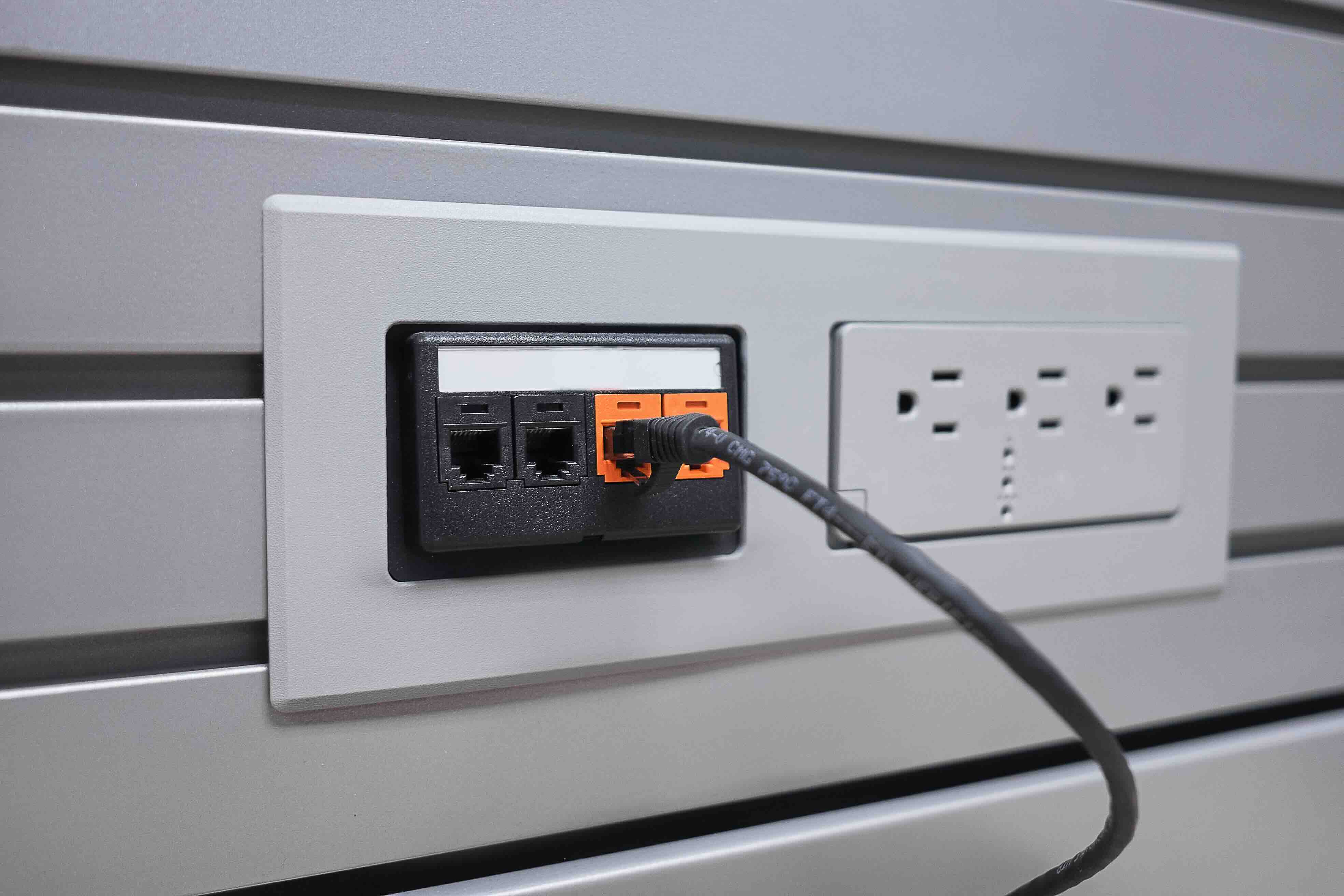
So you have a router on one side of the building and a workstation on the other. Your existing cable is maybe three feet too short, or you are dealing with a permanent wall installation that just cannot be redone. This is exactly where an Ethernet cable extension comes in. At its core, an Ethernet cable extension is any solution that physically lengthens your existing Ethernet cable run, allowing network signal to travel farther than a single cable segment would otherwise allow. Whether you are working in a home office, a commercial facility, or a server room, understanding how extensions work and when to use them is genuinely useful information. It is not complicated once you break it down.
How Ethernet Cable Extensions Actually Work
The basic mechanics are straightforward. An Ethernet cable extension either uses a female-to-female coupler that joins two cables end to end, an active repeater or signal booster that regenerates the data signal mid-run, or in some configurations, a passive inline adapter. The coupler method is the simplest and most cost-effective approach. You plug one cable into each end of a keystone-style or barrel coupler and the connection is made. The active repeater method is used when total cable length exceeds the standard Ethernet distance limit, which for most categories tops out around 328 feet or 100 meters per segment. Beyond that threshold, signal degradation becomes a real issue. Knowing which method applies to your situation keeps you from making an expensive or frustrating mistake.
Types of Ethernet Extension Solutions Available
There are a few different paths you can take depending on your setup and budget. Each one has a place depending on the environment and how permanent the installation needs to be.
- Ethernet Coupler or Inline Adapter: A simple female-to-female connector that joins two Ethernet cables together. Best for short extensions within the 100-meter limit.
- Active Signal Repeater or Extender: Amplifies or regenerates the signal for runs beyond the standard distance limit. Useful in large facilities or outdoor setups.
- PoE Extender: Passes both data and power over Ethernet to extend not just connectivity but also power delivery to cameras, access points, and VoIP phones.
- Ethernet over Coax Adapter: Converts the signal to run over existing coaxial infrastructure, then converts it back. Common in renovation scenarios.
- Patch Panel Extension Approach: Uses structured cabling and a patch panel as an intermediary connection point for organized, professional-grade extension within enterprise environments.
Key Advantages of Using an Ethernet Extension
The appeal here is practical. You do not always have the option of running a brand new cable from scratch, especially in finished spaces or in buildings where wall access is restricted. Extensions let you work with what you have. They are fast to deploy, require no tools in most coupler-based scenarios, and they preserve the existing infrastructure investment. For IT professionals managing hybrid offices or expanding a network footprint quickly, extensions also reduce downtime. You are not waiting on a structured cabling contractor. You are solving the problem today, and that matters when uptime is tied to productivity. Cost efficiency is another real advantage. A quality coupler or extender is a fraction of what a full cable replacement or new installation might run.
Common Drawbacks to Keep in Mind
This is where it gets honest. Ethernet extensions are useful but they are not always invisible from a performance standpoint. Every physical connection point introduces the potential for signal loss, interference, or impedance mismatch, particularly if the coupler is low quality or the cable categories being joined do not match. Cat5e to Cat6 connections through a coupler, for example, will perform at the lower Cat5e standard. Active extenders add latency, which in most environments is negligible but in time-sensitive applications could be relevant. And once you start stacking multiple couplers, you compound the risk. The honest takeaway is this: use extensions as a targeted solution, not as a habit. Where permanent infrastructure is feasible, that is still the right long-term call.
How to Choose the Right Ethernet Extension for Your Setup
A few questions narrow this down fast. First, what is your total cable run distance? If you are staying under 100 meters combined, a passive coupler is likely sufficient. If you are going longer, you need an active solution. Second, what cable category are you working with? Match the extension components to the highest category you want to support. Using Cat6A throughout when your runs support 10Gbps networking is the right call. Third, do you need PoE passthrough? Not all extenders and couplers support it. If you are feeding a wireless access point or IP camera at the end of the run, confirm your extension hardware is rated for PoE. Finally, how permanent is this? For temporary setups or testing environments, a basic coupler does fine. For anything load-bearing in terms of operations, invest in quality components from the start.
Installation Tips for Getting It Right the First Time
Even a technically simple extension can be set up poorly. A few practical guidelines help avoid those issues. Keep all connectors clean and fully seated. A coupler that is halfway engaged will cause intermittent drops that are genuinely hard to diagnose. Avoid running Ethernet extensions alongside high-voltage power cables. Electromagnetic interference is a real consideration, particularly in commercial spaces. If you are installing a PoE extender, check its wattage rating against the device being powered. Underpowered PoE connections are a common source of performance problems. Use cable clips or appropriate strain relief at connection points if the installation is permanent. And always test with a basic cable tester after the extension is in place before closing up walls or buttoning down a rack. Ten minutes of verification saves hours of troubleshooting later.
Ethernet Extension vs. Running New Cable: When to Choose Each
This is the real decision point for most people. Running a fresh cable from switch to endpoint is the gold standard. It keeps the infrastructure clean, maintains full rated performance end to end, and removes variables. But it is not always realistic. Finished ceilings, concrete walls, leased spaces, and time constraints all push toward extension solutions. The rule of thumb is this: if the total extended run stays within spec, the connection points are quality-matched, and the setup will remain in place for more than a few months, an extension is a fully legitimate solution. If you are extending a run past 100 meters, investing in an active extender or running new cable is non-negotiable. There is no coupler that changes physics. Know the limits, stay within them, and the extension approach holds up well.
Why Monoprice Is the Right Source for Ethernet Extension Solutions
When it comes to sourcing Ethernet cable extension hardware, the components you choose matter as much as the topology you design. Monoprice has built a clear track record in networking infrastructure, offering coupler adapters, Cat6 patch cables, PoE extenders, and structured cabling components that deliver consistent performance without the inflated price tags that come from premium-brand markup. The catalog is designed with both the individual installer and the enterprise procurement team in mind. Quality is not a marketing position at Monoprice. It is reflected in the specs, the build materials, and the real-world reliability that IT professionals and integrators have come to count on across thousands of deployments. If you are ready to build or extend your network with hardware that performs, explore the full range of professional-grade networking and Ethernet cable extension solutions at Monoprice and see how far your infrastructure budget can actually go.
Frequently Asked Questions About Ethernet Cable Extensions
What is the maximum length an Ethernet cable can be extended?
The standard maximum for a single Ethernet segment is 100 meters or approximately 328 feet. This applies to Cat5e, Cat6, and Cat6A cables. If you need to extend beyond that distance, you must use an active repeater or network switch to regenerate the signal.
Does using an Ethernet coupler reduce internet speed?
A quality, properly matched Ethernet coupler introduces minimal signal degradation within the 100-meter limit. Speed reduction becomes noticeable when low-quality couplers are used, cable categories are mismatched, or total run length approaches or exceeds the rated maximum.
Can I extend a Cat6 cable with a Cat5e coupler?
Technically the physical connection will work, but the entire link will perform at Cat5e specifications. To maintain Cat6 performance and support speeds up to 1Gbps reliably or higher in shorter runs, all components including couplers should be rated for Cat6 or above.
Will an Ethernet extension work with Power over Ethernet devices?
It depends on the extension hardware. Standard passive couplers typically pass PoE without issue for short runs, but PoE extenders are specifically designed to sustain both data and power delivery over longer distances. Always verify the PoE wattage rating before connecting powered devices.
Is it better to use a coupler or run a new Ethernet cable?
Running a new cable is always the cleanest solution for permanent installations. However, a quality coupler is a fully valid option when the total run stays within the 100-meter limit, the cable categories match, and the setup does not require frequent changes.
How many Ethernet couplers can I use in a single cable run?
There is no hard rule against multiple couplers, but each connection point adds risk for signal degradation and interference. Best practice is to limit inline connections to one or two per run and always test performance after installation.
What is a PoE Ethernet extender and when do I need one?
A PoE extender is an active device that regenerates both the data signal and power supply over Ethernet beyond the standard 100-meter limit. It is commonly used in surveillance camera installations, wireless access point deployments, and VoIP phone setups in large or multi-floor environments.
Do Ethernet cable extensions affect network latency?
Passive couplers add negligible latency. Active extenders introduce a small but measurable delay due to signal regeneration. In most business and home network applications this is not meaningful, but for latency-sensitive environments such as financial systems or real-time gaming, it is worth factoring in.
What cable category should I use for a Gigabit Ethernet extension?
Cat6 is the recommended minimum for Gigabit Ethernet extensions. For 10 Gigabit applications over longer distances, Cat6A is the appropriate choice. Ensure that all cables and connectors in the extended run match the same category to maintain rated performance throughout.
Are outdoor Ethernet cable extensions possible?
Yes, but they require cables and components specifically rated for outdoor use, typically direct-burial or UV-resistant jackets with appropriate weatherproofing at connection points. Using standard indoor cables or couplers in exposed outdoor environments leads to accelerated degradation and connection failure.


