Do HDMI Cables Really Differ? Breaking Down Specs & Value
Do HDMI Cables Really Make a Difference? Here Is What You Actually Need to Know
So you just picked up a new 4K TV or maybe a gaming monitor, and now you are standing in an aisle -- or scrolling a product page -- staring at HDMI cables that range from a few dollars to well over a hundred. And you are probably wondering: does any of this actually matter? It is a fair question. One a lot of people ask and never quite get a straight answer on. The short version is yes, HDMI cables can differ in meaningful ways -- but not always in the ways the marketing suggests. Let us break it down properly so you know exactly what to look for and, more importantly, what to stop paying extra for.
What HDMI Actually Is and How It Works
HDMI stands for High-Definition Multimedia Interface. It is a single-cable solution that carries both high-definition audio and video signals between devices -- think your Blu-ray player, gaming console, laptop, or streaming box connected to a television or display. The signal is digital, which is a key detail. Digital transmission means the data either arrives intact or it does not. There is no analog degradation curve where a more expensive cable gradually produces a richer picture. Either the bits get through cleanly or you see dropouts, artifacts, or no signal at all. That fundamental reality shapes the entire cable-buying decision more than any spec sheet ever will.
HDMI Versions Explained: This Part Actually Matters
Here is where real differences show up. HDMI has gone through several specification updates over the years, and each version unlocks different bandwidth and feature support. If your cable does not meet the version requirements your setup demands, you will run into problems -- throttled resolution, no HDR, dropped frame rates. The major versions to know are these:
HDMI 1.4 supports 1080p and basic 4K at 30Hz, good for older setups HDMI 2.0 bumps this to 4K at 60Hz with HDR support and is still very common HDMI 2.1 is the current high-end standard supporting 8K at 60Hz and 4K at 120Hz, with enhanced refresh rates and variable refresh rate supportIf you are running a PlayStation 5, Xbox Series X, or a high-refresh gaming monitor, you need an HDMI 2.1 certified cable. Using a 2.0 cable will bottleneck your setup and cost you the performance you paid for in your hardware. Version compatibility is the one area where it genuinely pays to read the specs before buying.
Cable Categories: Ultra High Speed vs. Standard
Alongside version numbers, HDMI cables are also classified by category ratings. These are standardized designations assigned by HDMI Licensing Administrator and they indicate bandwidth capacity. Standard Speed cables handle up to 4.95 Gbps. High Speed cables go up to 10.2 Gbps. Premium High Speed cables hit 18 Gbps and support 4K HDR. Ultra High Speed cables reach 48 Gbps, which is what you need for HDMI 2.1 use cases. These categories matter because they reflect actual tested performance thresholds, not just marketing language. A cable labeled Ultra High Speed has been tested to handle the bandwidth demands of modern high-resolution, high-frame-rate content. When shopping, look for cables that carry the official HDMI certification label -- it is a real indicator of tested capability.
Where Cable Quality Does and Does Not Matter
Here is the nuanced part most buying guides skip. Build quality and materials do matter, just not always for the reasons you think. Gold-plated connectors, for example, resist corrosion over time -- genuinely useful for longevity, not for signal quality in the short term. Shielding matters in electrically noisy environments, like production studios or setups near other electronics pushing interference. For most living room configurations, a well-made cable at a reasonable price point will perform identically to one that costs ten times more. What you should care about is construction quality -- strain relief at the connector ends, jacket durability, and whether the cable is certified to its claimed spec. What you can confidently ignore is the marketing around oxygen-free copper signal purity or proprietary conductor geometries. At digital transmission levels, these have no measurable impact on your viewing experience.
Cable Length and Signal Integrity
Length is a practical variable that deserves attention. Passive HDMI cables -- the standard kind without any built-in amplification -- start to encounter signal integrity issues beyond around 25 feet for high-bandwidth signals. Running a 50-foot passive cable and expecting solid 4K HDR at 60Hz is asking for trouble. For longer runs, active HDMI cables use internal signal amplification to maintain data integrity over distance. Fiber optic HDMI cables go even further, handling runs of 50, 100, or more feet without degradation. If you are doing any kind of room installation, a permanent ceiling or wall run, or commercial AV work, this is worth getting right from the start. Passive cables are fine for typical home runs under 15 to 20 feet. Beyond that, factor in the active or fiber option.
What to Look for When Buying an HDMI Cable
Buying a cable should be a practical decision, not a guessing game. There are a handful of things worth confirming before you add anything to your cart:
Confirm HDMI version compatibility with your source device and display Match the cable category to your bandwidth requirements -- Ultra High Speed for 4K at 120Hz or 8K content Check for official HDMI certification if maximum reliability is the goal Consider cable length carefully -- active cables for runs beyond 20 to 25 feet Verify build quality details like strain relief and jacket construction for durabilityYou do not need to spend a lot. You need to spend correctly. A certified cable that matches your use case will outperform an overpriced cable that does not -- every single time.
The Premium Cable Myth: Why You Are Probably Overpaying
The premium cable industry has done a remarkable job of convincing people that expensive equals better when it comes to digital signal transmission. Retailers still stock cables at dramatically inflated price points with vague claims about enhanced clarity or improved audio. The truth is, once a digital signal meets the bandwidth threshold for your resolution and refresh rate, the picture quality is locked in. There is no additional layer of fidelity hiding inside a more expensive jacket. Independent testing has consistently shown that a certified, properly specced cable at a modest price delivers identical measured performance to cables costing many times more. The smart move is to know your specs, match the cable to the job, and keep the savings.
Common HDMI Mistakes and How to Avoid Them
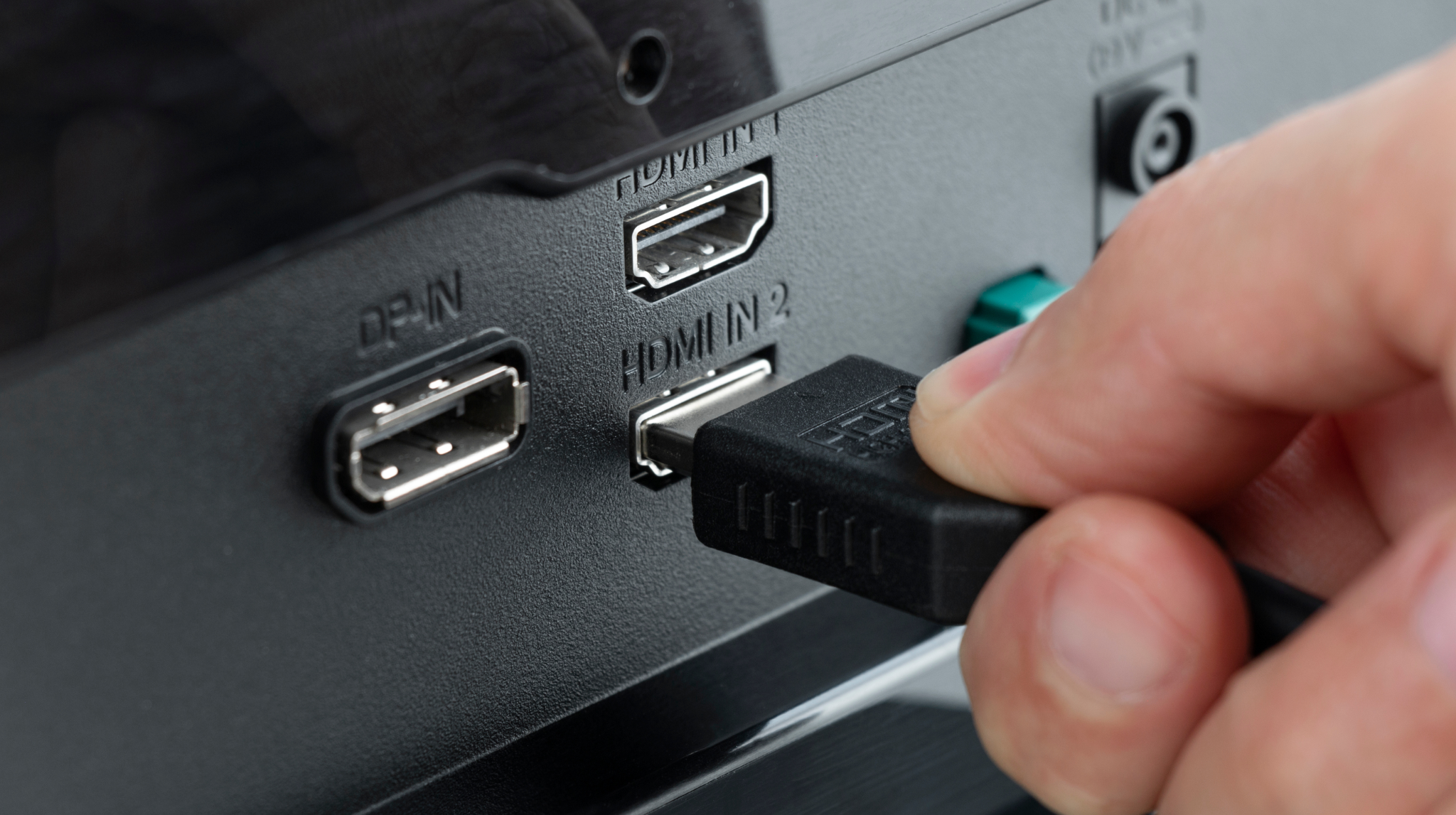
A few missteps show up repeatedly when people shop for HDMI cables. Using an older cable with new hardware is probably the most common -- plugging a 2.0 cable into an HDMI 2.1 port and wondering why 4K at 120Hz is not working. Another frequent issue is buying passive cables for long-distance runs and dealing with signal dropout. Some people also focus so heavily on the cable that they overlook the port version on their source device. Your cable is only as capable as the ports at either end. Check both. One more worth mentioning: not all cables labeled HDMI 2.1 are certified to the full Ultra High Speed standard. Some carry the version label without meeting tested bandwidth thresholds. Look for the official certification mark, not just the version number on the packaging.
Why Monoprice Is the Right Choice for High-Performance HDMI Cables
If any of this has you rethinking your cable setup -- good. That is exactly the right outcome. Monoprice has built a well-earned reputation in the technology space by delivering exactly what the market gets wrong everywhere else: certified, rigorously specced cables at prices that reflect actual manufacturing cost, not retail markup. Whether you need an Ultra High Speed HDMI 2.1 cable for a next-generation gaming rig, a Premium High Speed option for a solid 4K HDR home theater setup, or active fiber optic cables for a longer commercial installation run, Monoprice has options built to perform at every level. For anyone looking to make smart, informed decisions about their AV infrastructure, high-performance HDMI cables for 4K and 8K home theater setups are available across a full range of specs and lengths -- no guesswork, no inflated pricing. It is the kind of buying experience that should be standard but rarely is. Confident in spec, accessible in price, and built for real-world performance -- that is what Monoprice consistently delivers to both home users and professional integrators.
Frequently Asked Questions About HDMI Cable Differences
Does a more expensive HDMI cable actually produce a better picture?
No. HDMI transmits a digital signal, which either arrives intact or it does not. Once a cable meets the bandwidth specification for your resolution and refresh rate, image quality is fixed -- no premium cable can improve beyond that threshold.
What is the difference between HDMI 2.0 and HDMI 2.1?
HDMI 2.0 supports up to 4K at 60Hz with HDR. HDMI 2.1 supports up to 10K resolution, 4K at 120Hz, 8K at 60Hz, and features like Variable Refresh Rate and Enhanced Audio Return Channel. For modern gaming and high-frame-rate content, HDMI 2.1 is the necessary standard.
Do I need an HDMI 2.1 cable for my PS5 or Xbox Series X?
Yes, if you want to take full advantage of 4K at 120Hz or future 8K output. Using an HDMI 2.0 cable will limit your console to 4K at 60Hz at best, which means leaving performance on the table.
How long can a passive HDMI cable run without signal loss?
Passive HDMI cables generally maintain signal integrity up to about 20 to 25 feet for high-bandwidth applications. Beyond that distance, an active HDMI cable or fiber optic HDMI cable is recommended to prevent signal degradation.
Are gold-plated HDMI connectors worth it?
Gold plating offers corrosion resistance over long-term use, which can be beneficial for longevity. However, it has no meaningful impact on digital signal quality or picture performance in standard use cases.
What does HDMI certification actually mean?
An HDMI-certified cable has been independently tested to confirm it meets the bandwidth and performance standards for its designated category. Certification provides a reliable, verified indicator of actual capability -- more trustworthy than version number labeling alone.
Can I use an older HDMI cable with a new 4K TV?
It depends on the cable's category rating. A High Speed or Premium High Speed cable may work for 4K at 60Hz with HDR, but for HDMI 2.1 features you will need an Ultra High Speed rated cable. Check your cable's spec before assuming compatibility.
Is there a difference between HDMI cables for gaming versus home theater use?
The underlying cable specifications are the same -- what differs is the performance tier you need. Gaming setups pushing 4K at 120Hz require Ultra High Speed HDMI 2.1 cables, while a home theater running 4K at 60Hz HDR may only need Premium High Speed HDMI 2.0 cables.
Why do some cheap HDMI cables fail even at lower resolutions?
Poor manufacturing quality, inadequate shielding, or substandard conductor materials can cause signal integrity failures even when bandwidth demands are modest. A cable must meet its rated spec consistently -- not just in ideal lab conditions.
What is the best way to verify an HDMI cable will work before buying?
Look for official HDMI certification markings, match the cable category to your resolution and refresh rate requirements, confirm compatibility with both your source device and display port versions, and purchase from a brand with a documented track record of accurate spec claims.