

Cat6 Ethernet: Stable Wired Networking for Modern Devices
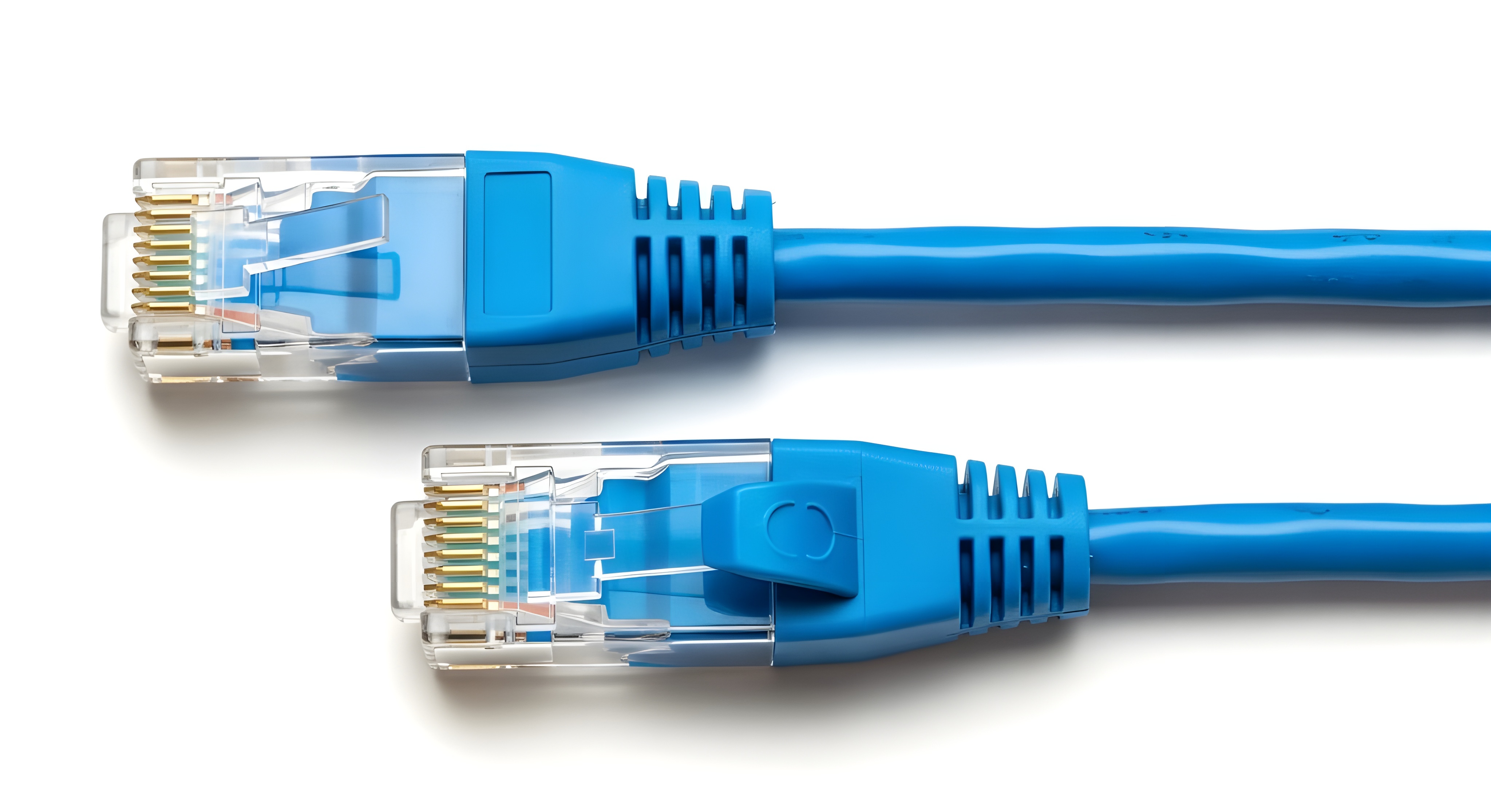
What Is Cat6 Ethernet and Why Does It Matter for Your Network?
If you have ever dealt with a video call that froze mid-sentence, a game that lagged at the worst possible moment, or a file transfer that seemed to take forever, you already know the frustration of an unreliable connection. Cat6 Ethernet cable is one of the most practical and cost-effective solutions to that problem. It is a standardized twisted-pair cable designed to support high-speed data transmission across local area networks, and it has become one of the most widely deployed wiring standards in both residential and commercial environments. Whether you are setting up a home office, running cable through a new build, or upgrading an older network infrastructure, understanding what Cat6 is and how it performs is a genuinely useful starting point before you spend a dollar on equipment.
How Cat6 Ethernet Cable Actually Works
Cat6, short for Category 6, uses four pairs of twisted copper wire housed within a single cable jacket. The twisting is not decorative. Each pair is twisted at a specific rate to reduce something called crosstalk, which is interference that occurs when signals from one wire bleed into an adjacent one. Cat6 takes this further than its predecessor, Cat5e, by tightening those twist rates and in many cases adding a longitudinal separator inside the cable called a spline. That internal structure keeps the pairs physically isolated from each other throughout the cable run. The result is a cable rated for up to 250 MHz of bandwidth, which is double what Cat5e supports. In practical terms, that translates to more stable signal quality, lower error rates, and headroom for demanding applications like 4K streaming, VoIP, and simultaneous high-bandwidth transfers across the same network.
Cat6 vs Cat5e vs Cat6A: Understanding the Differences
It helps to understand where Cat6 sits in the broader landscape of Ethernet cable categories, because the options can get confusing quickly. Cat5e was the go-to standard for years, and it still handles gigabit speeds at shorter distances. Cat6 handles the same gigabit throughput but with greater headroom, better noise rejection, and support for 10-gigabit speeds at distances up to 55 meters. Cat6A pushes that 10-gigabit support to the full 100-meter standard distance and doubles the bandwidth ceiling to 500 MHz, but it is bulkier, stiffer, and more expensive. For most home and small business installations, Cat6 hits a practical sweet spot. It is flexible enough to route through walls and conduit, it costs less than Cat6A, and it delivers performance well beyond what most residential internet connections even require today.
Key Advantages of Using Cat6 Ethernet Cable
There are several reasons Cat6 has maintained its standing as a reliable choice across a wide range of network environments. It is not just about raw speed. The combination of performance, backward compatibility, and long-term value makes it consistently worth the investment.
- Supports gigabit speeds and 10-gigabit at shorter runs
- Backward compatible with Cat5 and Cat5e infrastructure
- Reduced crosstalk and electromagnetic interference compared to older categories
- Rated for up to 250 MHz of bandwidth
- Works with standard RJ45 connectors and existing network hardware
- Long cable runs possible without significant signal degradation
- Suitable for both indoor structured wiring and patch cable applications
- Durable jacket options available for outdoor or plenum-rated environments
Common Limitations You Should Know Before Buying
Cat6 is not without its trade-offs, and it is worth being straightforward about that. For 10-gigabit applications specifically, the 55-meter limitation on cable runs can be a real constraint in larger commercial deployments. If you are wiring a sprawling office floor or a warehouse, you may need Cat6A to maintain 10Gbps over standard 100-meter runs. Cat6 is also slightly thicker and less flexible than Cat5e, which can make routing through tight conduit or around tight bends a bit more work. And while the performance improvement over Cat5e is measurable, most home users on standard internet plans will not notice a difference in day-to-day browsing or streaming. That said, if you are planning infrastructure for the next decade rather than the next year, the argument for Cat6 over Cat5e is straightforward. Future-proofing a network installation is always easier than re-pulling cable later.
Where Cat6 Ethernet Cable Is Most Commonly Used
Cat6 shows up in more places than most people realize. It is used for structured wiring in homes and small offices, running from a central patch panel to wall outlets throughout the building. It is used as patch cable connecting desktop computers, switches, routers, IP cameras, smart TVs, gaming consoles, and NAS devices. Data centers use it for short runs between adjacent rack equipment. Schools and hospitals rely on it for internal network infrastructure where consistent signal quality is a non-negotiable requirement. Even in home theater setups, a direct Cat6 connection to a streaming device or network-attached storage delivers a noticeably more stable experience than Wi-Fi alone. The versatility of Cat6 across both residential and professional environments is one of the reasons it has remained such a widely stocked and broadly applicable product.
Solid vs Stranded Cat6: Which One Do You Need?
This is a distinction that trips up a lot of buyers, but it is actually pretty simple once you know the difference. Solid Cat6 uses a single solid copper conductor per wire and is designed for permanent installations, like running cable through walls or ceilings where it will be terminated in a keystone jack or patch panel and left alone. It handles longer runs well but is stiffer and more prone to breaking if flexed repeatedly. Stranded Cat6 uses multiple thin copper strands twisted together per conductor, making it more flexible and resilient to repeated bending. This makes it ideal for patch cables, desktop runs, and any situation where the cable will be moved, coiled, or plugged and unplugged frequently. Using the right type for the right application is a small detail that makes a meaningful difference in long-term reliability.
Practical Tips for Installing Cat6 in Your Home or Office
Getting the most out of Cat6 starts before the cable goes into the wall. A few installation habits make a measurable difference in how the network performs long-term.
- Avoid running Cat6 parallel to high-voltage electrical wiring for extended distances
- Keep cable runs under 100 meters including patch cables on both ends
- Do not over-tighten cable ties or staples, as compression affects signal integrity
- Use the correct termination standard consistently, either T568A or T568B, on both ends of a run
- Test each run with a cable tester after installation to catch any wiring errors before closing walls
- Choose appropriate jacket ratings, riser or plenum, for cable run locations inside a building
- Use shielded Cat6 in environments with significant electromagnetic interference
Why Monoprice Is the Right Source for Your Cat6 Ethernet Needs
When it comes to sourcing reliable Cat6 cable without overpaying for brand markup, Monoprice has built a clear track record in the networking space. The product line covers everything from bulk spools for structured wiring projects to individual patch cables in a range of lengths and colors, all manufactured to meet or exceed TIA-568-C.2 performance standards. That matters in practice because not all Cat6 cable is created equal. Spec-compliant construction, consistent twist rates, and accurate conductor gauges are what separate cable that performs as rated from cable that degrades under real network load. Whether you are a homeowner running drops to a few rooms or an integrator pulling cable through a commercial build, sourcing from high-performance Cat6 Ethernet cables built for modern wired networks means getting verified performance at a price that makes the project budget work. Monoprice does not make you choose between quality and cost efficiency. That combination is exactly what makes it a go-to resource for professionals and informed consumers alike.
Frequently Asked Questions About Cat6 Ethernet Cable
What is the maximum speed supported by Cat6 Ethernet cable?
Cat6 supports up to 1 gigabit per second at distances up to 100 meters and up to 10 gigabits per second at distances up to 55 meters, depending on the connected equipment and network configuration.
Is Cat6 backward compatible with Cat5e and Cat5 equipment?
Yes. Cat6 uses the same RJ45 connector standard as Cat5 and Cat5e, making it fully backward compatible with existing hardware including routers, switches, and wall jacks.
What is the difference between Cat6 and Cat6A?
Cat6A supports 10-gigabit speeds at the full 100-meter standard distance and operates at 500 MHz bandwidth, compared to Cat6 which supports 10Gbps only up to 55 meters and operates at 250 MHz. Cat6A is thicker, heavier, and more expensive.
Do I need shielded Cat6 for my home network?
Most residential installations do not require shielded Cat6. Shielded cable is recommended in environments with significant electromagnetic interference, such as near industrial equipment, dense electrical wiring, or high-interference commercial spaces.
What is the maximum recommended length for a Cat6 cable run?
The maximum recommended cable run for Cat6 is 100 meters, which includes the permanent link plus any patch cables at either end. Exceeding this length can result in signal degradation and connection instability.
Can Cat6 Ethernet cable be used outdoors?
Standard Cat6 is not rated for outdoor use. For outdoor runs, you need Cat6 cable with a UV-resistant jacket and either a direct-burial or outdoor-rated specification. Some versions include a gel-filled jacket for moisture protection.
What is the difference between solid and stranded Cat6?
Solid Cat6 is designed for permanent in-wall installations and longer cable runs. Stranded Cat6 is more flexible and better suited for patch cables and desktop connections where the cable will be moved or flexed frequently.
Does Cat6 Ethernet cable improve Wi-Fi performance?
Cat6 does not directly improve Wi-Fi performance, but using it to connect access points and routers to your network infrastructure ensures those devices receive a stable, high-speed wired backhaul, which can indirectly improve the consistency of your wireless network.
Is Cat6 overkill for a standard home internet connection?
For most current residential internet plans, Cat6 provides more bandwidth than the service itself requires. However, it is a practical future-proofing choice because it supports faster internal network transfers, streaming to multiple devices, and higher-speed plans as internet service continues to improve.
What tools are needed to terminate Cat6 Ethernet cable?
Terminating Cat6 requires a cable stripper, a punch-down tool for keystone jacks or patch panels, a crimping tool for RJ45 connectors, and a cable tester to verify the completed connection. Using the correct tools ensures consistent termination quality and reliable signal performance.


