

Cat6 Cable Distance Limits: What You Need to Know
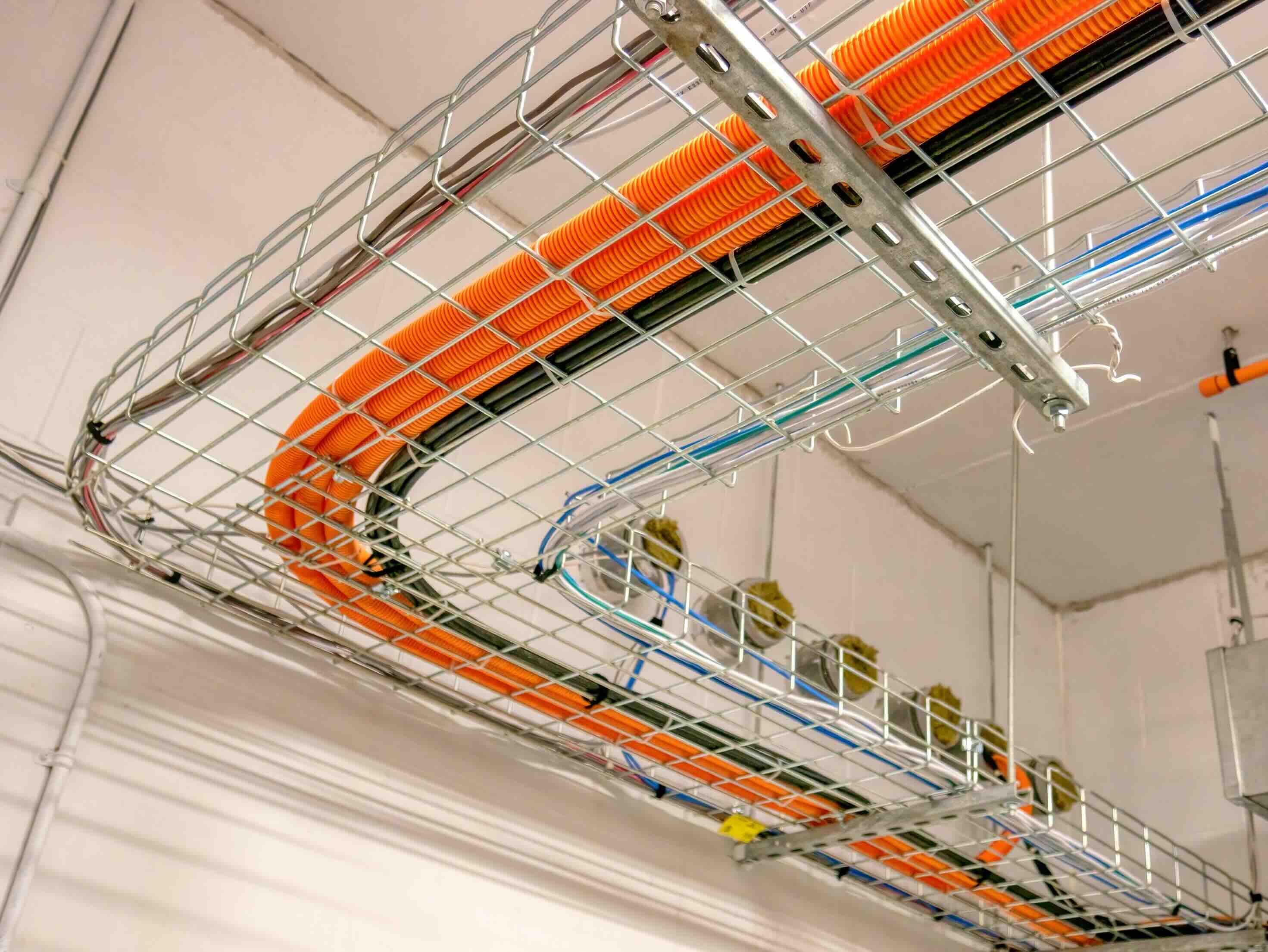
How Far Can Cat6 Cable Actually Run? Everything You Need to Know
If you have ever set up a wired network, even a basic one at home or in a small office, you have probably run into the question at some point: how long can a Cat6 cable actually be before things start going wrong? It is a fair question, and honestly, it is one that catches a lot of people off guard. The short answer is 100 meters, or about 328 feet. But there is more to it than that number, and if you plan a network without understanding the full picture, you could end up with signal degradation, slower speeds, or a setup that simply does not perform the way you expected.
What Is Cat6 Cable and Why Does It Matter
Cat6, short for Category 6, is a standardized type of twisted pair Ethernet cable designed to support Gigabit Ethernet at 250 MHz of bandwidth. It is the current standard for most modern network installations, whether that is a home office, a commercial building, or a data center environment. Cat6 uses tighter twists in its internal wire pairs and often includes a spline or separator inside the jacket to reduce crosstalk and signal interference between pairs. That internal construction is actually what gives it an edge over older standards like Cat5e. When you are pushing data across a network, cable quality matters more than most people realize, and Cat6 was designed with that performance threshold in mind.
The Official Cat6 Distance Limit: What the Standard Actually Says
The TIA/EIA-568 standard, which governs structured cabling for commercial buildings, sets the maximum distance for a Cat6 permanent link at 90 meters, with up to 10 additional meters allocated for patch cables on either end, bringing the total channel length to 100 meters. That 100-meter mark is the number most people cite, and it applies specifically to Gigabit Ethernet at 1 Gbps. At this distance and speed, Cat6 performs reliably and consistently when installed correctly. Push past 100 meters and you start introducing real risk: packet loss, latency spikes, and dropped connections become increasingly likely the further you go.
What Happens When You Exceed the Distance Limit
Going beyond 100 meters does not mean your connection immediately dies. What typically happens is more gradual and harder to diagnose. You might notice slower transfer speeds, intermittent connectivity, or devices that connect and disconnect randomly. The signal attenuation over longer runs weakens the electrical signal enough that the receiving end struggles to interpret it correctly. In some cases, the link might still come up, but it will negotiate down to a lower speed, like 100 Mbps instead of 1 Gbps. For most users, that kind of performance hit is frustrating and often gets misattributed to a bad router or ISP issue when the cable run is actually the culprit.
Key Factors That Affect Cat6 Performance Over Distance
The 100-meter standard assumes ideal installation conditions, and real-world installations rarely qualify as ideal. Several variables can affect how well Cat6 performs even within spec, and they are worth understanding before you pull cable through walls or above ceiling tiles.
- Cable quality and construction matter significantly
- Temperature extremes can affect signal integrity, especially in attics or outdoor conduit runs
- Sharp bends in the cable run reduce performance and can damage internal pairs
- Connectors and termination quality affect the entire channel, not just the cable itself
- Running Cat6 alongside power cables without proper separation can induce interference
- Patch panels and keystone jacks add connection points that each contribute a small amount of signal loss
Getting these details right is the difference between a network that runs clean at 1 Gbps and one that becomes a constant troubleshooting headache. Take termination seriously, use quality connectors, and route cable thoughtfully.
Cat6 vs Cat6A: When You Need More Distance and More Speed
Cat6A, the augmented version of the standard, is worth knowing about because it changes the performance equation in a meaningful way. Where standard Cat6 supports 10 Gbps only up to about 55 meters under typical conditions, Cat6A extends that 10 Gbps performance to the full 100-meter channel length. It also operates at 500 MHz bandwidth, double that of Cat6. If you are building a network that needs to future-proof for 10 Gbps speeds across longer runs, Cat6A is the better choice. The cable is thicker, stiffer, and a bit harder to work with, but the performance headroom is real. For most residential and small office installations where 1 Gbps is the target speed, standard Cat6 handles the job well at a lower cost per foot.
Extending Beyond 100 Meters: Your Real Options
Sometimes a run genuinely needs to be longer than 100 meters, and that is where network infrastructure tools come in. There are a few legitimate ways to handle this without compromising performance.
- Network switches act as repeaters and reset the 100-meter limit at each switch port
- Media converters can bridge Ethernet and fiber optic connections for very long distances
- Fiber optic cable supports runs of hundreds of meters to several kilometers depending on type
- Ethernet extenders exist but introduce latency and are generally considered a workaround rather than a solution
The cleanest solution for long-distance runs is almost always fiber between switches, with Cat6 handling the shorter horizontal runs from the switch to the endpoint device. That approach is scalable, reliable, and the standard practice in enterprise network design.
Practical Tips for Planning Cat6 Runs in Your Installation
Whether you are wiring a single room or an entire floor, a little planning before you pull cable saves significant time and money. Measure your intended runs carefully and add buffer for routing around obstacles, never assume the shortest geometric path is the actual cable path. Label both ends of every run before you pull, not after. Use a cable tester after installation to verify that each run meets performance specifications rather than assuming everything is fine. Keep horizontal runs under 90 meters to leave room for patch cables. And if a run is getting close to the limit, it is almost always better to add an intermediate switch than to push a single run to 105 or 110 meters and hope for the best.
Why Monoprice Is the Right Source for Your Cat6 Networking Needs
When it comes to building a reliable wired network, the cable you choose matters as much as the plan behind it. Monoprice has built a trusted reputation among IT professionals, network integrators, and cost-conscious buyers who need performance without overpaying for it. From bulk Cat6 cable spools for large structured cabling projects to pre-made patch cables for clean rack installations, the product lineup covers the full range of what a real network deployment requires. You get consistent construction, verified specifications, and the kind of quality control that holds up in both residential and commercial environments. If you are ready to source reliable, high-performance cabling for your next project, explore Monoprice Cat6 Ethernet cables and networking infrastructure solutions built to meet the demands of modern installations at a price point that makes sense for any budget.
Frequently Asked Questions About Cat6 Cable Distance
What is the maximum distance for a Cat6 cable run?
The maximum recommended distance for a Cat6 cable run is 100 meters, or approximately 328 feet, as defined by the TIA/EIA-568 standard. This includes up to 90 meters of permanent link and 10 meters of patch cable on each end combined.
Can Cat6 support 10 Gbps over 100 meters?
Standard Cat6 supports 10 Gbps only up to approximately 55 meters under typical installation conditions. For 10 Gbps over a full 100-meter channel, Cat6A is required.
What happens if my Cat6 run exceeds 100 meters?
Exceeding 100 meters can cause signal attenuation, packet loss, slower negotiated speeds, and intermittent connectivity. The connection may still function but often at reduced speeds or with reliability issues.
Does Cat6 cable work outdoors?
Standard Cat6 is not rated for outdoor use. For outdoor installations, you need outdoor-rated or direct burial Cat6 cable with UV-resistant and moisture-resistant jacketing to prevent degradation over time.
How do I extend a Cat6 network beyond 100 meters?
The most reliable method is to use a network switch as an intermediary, which resets the 100-meter limit at each port. For very long distances, transitioning to fiber optic cable between switches and using Cat6 for the final horizontal runs is the industry-standard approach.
Is Cat6 better than Cat5e for longer runs?
Both Cat6 and Cat5e share the same 100-meter maximum distance limit. Cat6 offers higher bandwidth at 250 MHz versus 100 MHz for Cat5e and better resistance to crosstalk, making it the preferred choice for modern installations even at shorter distances.
Does the quality of Cat6 cable affect performance?
Yes, significantly. Cable construction, conductor gauge, insulation quality, and termination precision all affect signal integrity. Substandard cables may underperform even within the rated distance limit.
Can I use Cat6 cable with older Cat5e equipment?
Yes, Cat6 is backward compatible with Cat5e and Cat5 infrastructure. It will function correctly but will operate at the lower standard's performance level when connected to older equipment.
What is the difference between Cat6 and Cat6A?
Cat6A is the augmented version of Cat6, supporting 10 Gbps at the full 100-meter channel length and operating at 500 MHz bandwidth. It has a larger diameter, better alien crosstalk suppression, and is generally preferred for high-density or future-proofed enterprise environments.
Does running Cat6 near power cables cause problems?
Yes, running Cat6 in close proximity to electrical power cables without proper separation can introduce electromagnetic interference, which degrades signal quality. Maintain recommended separation distances or use shielded Cat6 cable in environments with high electrical noise.


