

AV Plug Explained: Types, Uses, and What to Know
What Is an AV Plug and Why Does It Still Matter in Modern Setups
If you have ever connected a gaming console, DVD player, or older camera to a television, there is a good chance you used a set of AV plugs without even thinking about it. These small but dependable connectors have been a foundation of consumer and professional audio-video setups for decades. And honestly, even now, when HDMI dominates the conversation, AV plugs still come up constantly in real-world installations. Whether you are working through a legacy system, setting up a retro gaming station, or running a composite signal across a longer distance, understanding what an AV plug is and how it functions just makes you a better-informed buyer and installer. So here is everything you need to know, laid out without unnecessary complexity.
Defining the AV Plug: The Basics You Should Know
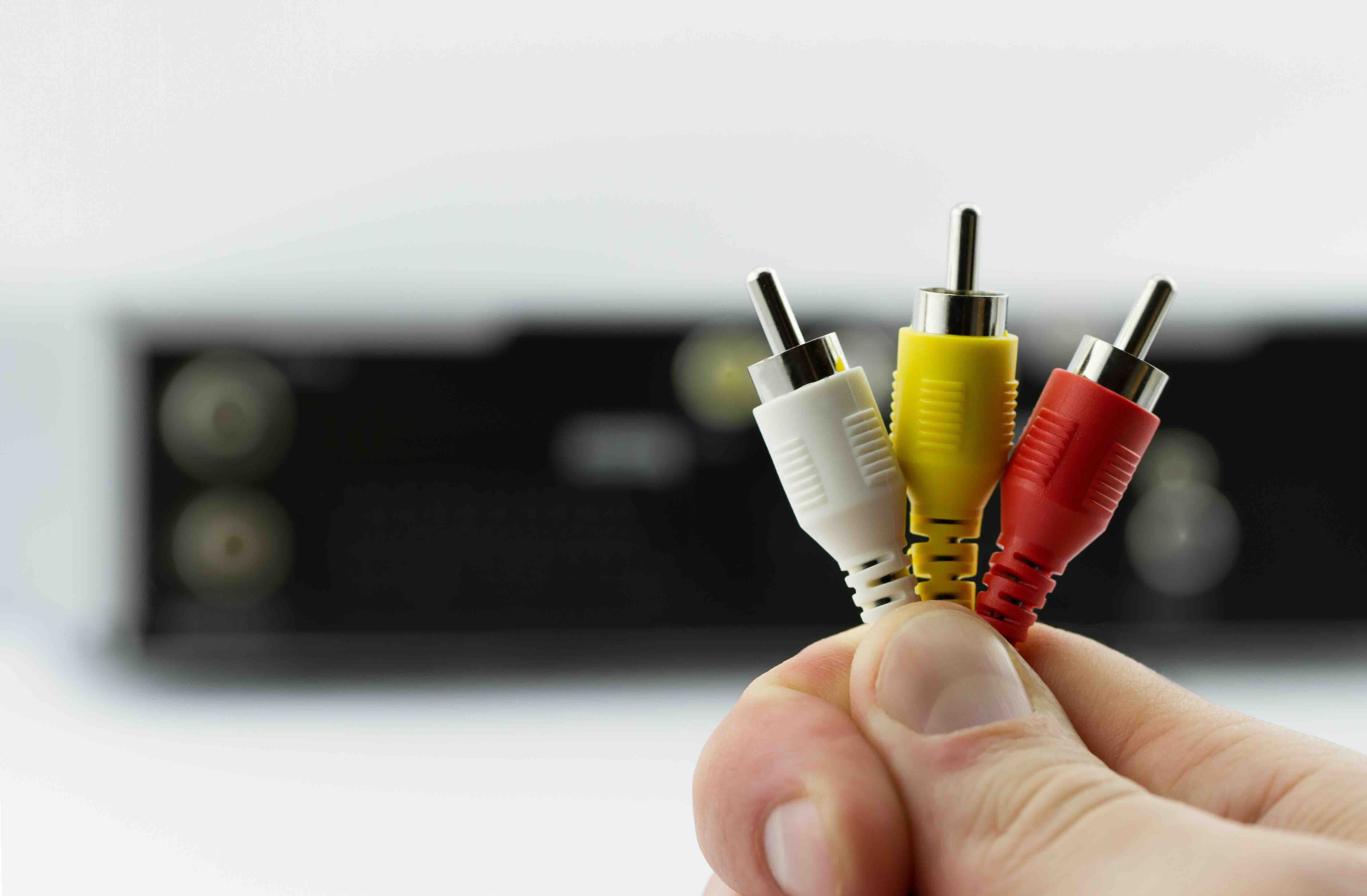
An AV plug, short for audio-video plug, is a type of connector used to transmit analog audio and video signals between devices. The most familiar version is the composite AV connector, which uses a set of three color-coded plugs: yellow for video, red for right-channel audio, and white for left-channel audio. This is what most people grew up calling the "red, yellow, white" cables. Each plug terminates in an RCA connector, which is a coaxial design that has remained largely unchanged since it was introduced by RCA in the 1940s. The durability of that standard alone tells you something. Beyond composite, there are also component AV plugs, which split the video signal across three separate connectors, typically colored red, green, and blue, delivering noticeably better picture quality without moving into the digital domain. Both configurations are still used today, particularly when compatibility with legacy hardware is a requirement.
How AV Plugs Work: Signal Transmission Explained Simply
AV plugs transmit analog signals, meaning the data travels as a continuous electrical waveform rather than a binary digital stream. In a composite setup, all video information, including brightness, color, and sync data, is combined into that single yellow connector. This approach is simple but introduces a limitation: because all that information is bundled together, the signal quality is more susceptible to interference and degradation, especially over longer cable runs. Component AV improves on this by separating the luminance signal, which carries brightness, from two color-difference signals. This separation reduces crosstalk and results in a cleaner, sharper image. Audio, in both cases, is handled by the red and white RCA connectors carrying stereo signals. The connectors themselves are straightforward: a central pin carries the signal, and the outer collar acts as the ground. Plug it in, and it just works. That mechanical simplicity is a big part of why AV plugs have lasted this long.
Key Advantages of Using AV Plugs
There are real reasons AV plugs remain relevant, and it is worth being direct about them rather than dismissing them as outdated.
- Universal compatibility with older devices and legacy AV equipment
- No driver software or digital handshake protocols required
- Lower cost compared to digital cable assemblies
- Long cable runs are manageable with proper shielding
- Widely available for quick replacement or field repair
- Compatible with a massive installed base of TVs, projectors, and receivers
For integrators dealing with older infrastructure, or anyone trying to keep a retro system functional without spending a lot, AV plugs offer a cost-effective and reliable path. They are also useful in commercial environments where signal distribution to multiple displays does not require digital precision, just a clean analog feed that works consistently.
Common Drawbacks Worth Understanding
Being practical means being honest. AV plugs do have real limitations that should factor into your decision. Composite video maxes out at standard definition resolution, which means anything above 480i is simply not going to happen on that yellow connector. Even component video, while capable of delivering up to 1080i in certain configurations, cannot handle the 4K, HDR, or high refresh rate content that modern displays and sources demand. Analog signals are also more vulnerable to interference from nearby power lines, other cables, or environmental factors, particularly in longer installations without proper shielding. And while the RCA connector itself is mechanically robust, the plugs can loosen over time with repeated insertion and removal, introducing signal degradation or intermittent connection issues. For anyone building a new, modern AV system from scratch, AV plugs are not the right foundation. But for backward-compatible applications, they remain a solid and sensible choice.
AV Plug Types at a Glance: Composite vs Component
It helps to understand the practical difference between the two most common AV plug configurations before you make a purchase or spec out a project. Composite AV cables bundle all video data into one signal, making them the simpler and more limited option. They work fine for standard definition sources and are ideal for retro consoles, older VCRs, and basic surveillance systems. Component AV cables, on the other hand, split the video into three separate signals for a higher quality result. They support progressive scan and interlaced signals up to 1080i, which is meaningful if you are working with early HD sources or upscaling standard definition content. If your application allows for it, component is the smarter analog choice. Both formats use the same RCA-style plug design, so the connector mechanics are identical. The performance difference comes entirely from how the signal is divided and transmitted.
Practical Tips for Getting the Most Out of AV Connections
Whether you are running a quick home setup or a more structured commercial installation, a few practical habits go a long way when working with AV plugs. Cable quality matters more than people expect. A well-shielded cable with quality connectors reduces interference and maintains signal integrity over the length of the run. Keep cable lengths as short as your setup allows, since analog signals degrade with distance in ways digital signals typically handle through error correction. Avoid running AV cables parallel to power cables, as electromagnetic interference is a real concern with analog transmission. When connecting and disconnecting, grip the plug body itself rather than pulling on the cable jacket. That small habit significantly extends connector life. Finally, if you are using adapters to convert between AV and other formats, invest in quality adapters. Cheap signal converters are often the weakest link in an otherwise solid installation.
When to Use AV Plugs vs. When to Upgrade
Knowing when to use AV plugs and when to move on is a judgment call that depends heavily on context. If you are working with legacy equipment that has no HDMI output, AV is often your only viable option without introducing a conversion device. Retro gaming setups, older broadcast monitors, and certain security camera systems all fall into this category. For new builds, however, starting with digital connectivity is almost always the better call. HDMI delivers audio and video over a single cable with support for 4K, HDR, and multi-channel audio. DisplayPort and USB-C carry even more capability for compute-intensive environments. The key is matching the connection type to the actual requirement. AV plugs are not inferior in every context; they are just optimized for a specific range of use cases. Use them where they fit. Replace them where they do not.
Why Monoprice Is the Right Source for Your AV Cable Needs
When you need reliable AV connectivity without paying inflated prices for brand names that do not add real performance value, Monoprice delivers. From composite and component cables to adapters and signal converters, the product lineup is built around practical, real-world applications. Every cable is engineered for consistent signal integrity, and the construction quality shows in the connectors, shielding, and jacket durability. Whether you are an integrator managing a legacy install, a home theater enthusiast working through an older receiver, or a procurement team sourcing bulk AV accessories for a hospitality or education environment, the value proposition here is hard to argue with. You get the performance specs that match the job, at a price point that does not compromise your budget. If you are ready to shop a full range of AV cables, adapters, and connectivity accessories built for both consumer and professional applications, explore the complete selection of AV cables and audio video connectivity solutions at Monoprice and find exactly what your setup requires.
Frequently Asked Questions About AV Plugs
What does AV plug stand for?
AV plug stands for audio-video plug. It refers to a connector used to transmit analog audio and video signals between devices, most commonly using RCA-style connectors.
What is the difference between composite and component AV plugs?
Composite AV combines all video information into a single yellow connector, while component AV splits video across three separate connectors for improved picture quality and support for higher resolutions up to 1080i.
Can AV plugs support HD video?
Composite AV plugs are limited to standard definition. Component AV plugs can support HD signals up to 1080i, but neither format supports full 1080p, 4K, or HDR content.
Are AV plugs and RCA plugs the same thing?
AV plugs typically use RCA connectors, so the terms are often used interchangeably. RCA refers to the connector design itself, while AV refers more broadly to the audio-video application of that connector.
Why do AV cables have three connectors?
The three connectors in a standard composite AV cable serve distinct functions: the yellow connector carries the video signal, the red connector carries right-channel audio, and the white connector carries left-channel audio.
How long can an AV cable run before signal quality degrades?
Signal degradation becomes noticeable on composite AV cables at runs beyond approximately 25 feet without signal amplification. Shielded cables and quality connectors help maintain integrity over longer distances.
Can I convert AV plug signals to HDMI?
Yes, composite and component AV signals can be converted to HDMI using a dedicated signal converter. The output quality will reflect the resolution of the original analog source, not the capabilities of the HDMI display.
Are AV plugs still used in professional settings?
Yes, AV plugs remain in use in professional environments where legacy equipment is still operational, including certain broadcast monitoring setups, older security systems, and hospitality AV installations with older infrastructure.
What should I look for in a quality AV cable?
Look for cables with proper shielding to reduce interference, quality RCA connectors with a secure fit, and a durable jacket rated for the environment where the cable will be installed.
Is it worth replacing AV cables with HDMI for older devices?
If your source device supports HDMI output, switching to HDMI will deliver better picture quality and reduce cable clutter. For devices that only have AV outputs, an upscaling converter is a practical middle-ground option.


