

Apple Mini DisplayPort to VGA Adapter: Complete Guide
What Is the Apple Mini DisplayPort to VGA Adapter and Why Does It Still Matter?
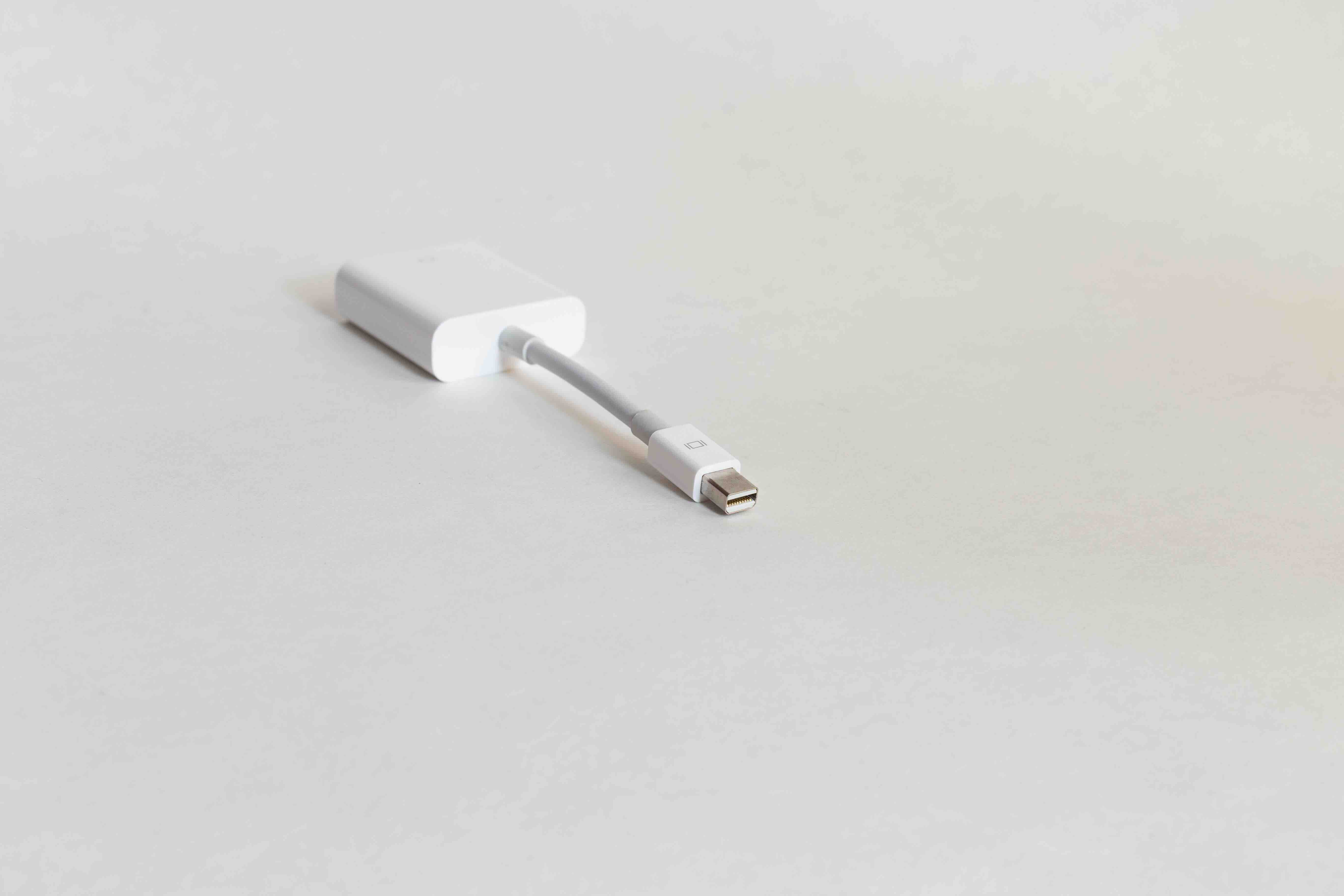
If you have ever stared at the back of an older projector or conference room monitor and then looked at your MacBook, you already know the problem. There is a gap between modern Apple hardware and legacy display technology that just does not want to close on its own. The Apple Mini DisplayPort to VGA adapter is the bridge that fills that gap. It is a compact, passive connector that converts the Mini DisplayPort output on older MacBooks and Mac desktops into a standard VGA signal, which is the analog video format that powered monitors and projectors for decades. Even as newer ports like Thunderbolt 3 and USB-C have taken over, there are still millions of VGA-equipped displays in classrooms, boardrooms, and offices around the world. This adapter keeps that equipment relevant and keeps you connected without requiring a full hardware overhaul.
How the Mini DisplayPort to VGA Adapter Actually Works
The core function here is signal conversion, and it is worth understanding at a basic level. Mini DisplayPort outputs a digital signal from the host device, in this case an Apple computer. VGA operates on an analog signal. The adapter handles the conversion internally, translating that digital video data into an analog output that the VGA display can interpret and render. There are no drivers to install and no software configuration required. You plug one end into the Mini DisplayPort on your Mac and connect a standard VGA cable from the adapter to your display or projector. The operating system typically detects the connected screen within seconds and mirrors or extends your desktop automatically. It is about as close to plug-and-play as video connectivity gets.
Which Apple Devices Support Mini DisplayPort
This is where a lot of people get tripped up, and it is an important distinction to get right before purchasing. Mini DisplayPort was a standard Apple included on its devices from approximately 2008 through 2015, covering a wide range of product lines. Devices that typically featured Mini DisplayPort include:
- MacBook Pro models from 2008 through mid-2015
- MacBook Air models from 2010 through 2017
- Mac mini models from 2009 through 2014
- iMac models from 2009 through 2011
- Mac Pro from 2009 and 2010
If your Mac uses a USB-C or Thunderbolt 3 port instead, you would need a different adapter entirely. Always confirm your specific model year and port type before buying. This one step saves a lot of frustration.
Key Advantages of Using a Mini DisplayPort to VGA Adapter
There are several practical reasons why this adapter continues to have a place in technology setups both professional and personal. Compatibility is the most obvious one. VGA is still deeply embedded in commercial AV infrastructure, particularly in educational and corporate environments where display equipment simply has not been replaced. Using one of these adapters means you can walk into almost any legacy conference room setup and connect without hesitation. Beyond compatibility, the simplicity factor is a genuine advantage. There are no power requirements, no firmware updates, and no configuration menus. The form factor is also compact enough to slide into a laptop bag without a second thought, making it an easy addition to any travel kit. For anyone who regularly presents in environments where VGA is the only option, having this adapter available is just responsible preparation.
Common Drawbacks and Limitations You Should Know
Honest conversation about technology means acknowledging what something cannot do, not just what it can. VGA is an analog format, and that carries real limitations when it comes to output quality. The maximum resolution you can expect from a VGA connection is typically 1920x1080, but in practice, image quality can soften compared to digital connections like HDMI or DisplayPort. Color accuracy can also be slightly reduced, and at longer cable lengths you may notice some signal degradation. Additionally, VGA carries video only. There is no audio transmission through a VGA connection, so if your presentation requires sound, you will need a separate audio cable or output. These are not reasons to dismiss the adapter, but they are worth factoring into your setup planning, particularly if display quality is a priority.
Mini DisplayPort vs. Other Common Adapter Types
It is useful to understand where the Mini DisplayPort to VGA adapter sits relative to other available options. Mini DisplayPort to HDMI adapters, for instance, deliver a fully digital signal and support audio transmission, which makes them preferable for home theater or multimedia use cases where the display supports HDMI input. Mini DisplayPort to DVI adapters occupy a middle ground, offering a digital connection to an older format that predates HDMI. The VGA adapter remains the most useful in legacy commercial environments specifically because VGA endpoints are still so common in that context. If you are equipping a team or managing an enterprise AV environment with mixed display types, having multiple adapter options available is simply smart inventory practice.
Practical Tips for Getting the Best Performance
A few straightforward habits make a meaningful difference in how well this adapter performs in real use. First, inspect the VGA cable you are connecting to. Older VGA cables with damaged shielding or bent pins degrade signal quality and can produce screen flicker or soft edges. Always use a quality cable. Second, configure your Mac display settings to match the native resolution of the VGA display you are connecting to. Mismatched resolution settings are a common source of blurry output, and adjusting this in System Preferences or System Settings takes under a minute. Third, if you are using the adapter in a permanent installation rather than a portable scenario, a short VGA cable run is preferable to a long one for signal integrity. Keeping the cable under 15 feet where possible is a practical guideline that holds up consistently.
Who Should Keep This Adapter in Their Tech Kit
Practically speaking, this adapter earns its place with a specific type of user. Educators who carry a MacBook to classrooms equipped with older projectors will find it indispensable. Corporate trainers or consultants who present in offices and conference centers with legacy AV setups face the same situation. IT professionals managing mixed environments with both modern and aging display hardware benefit from having these adapters on hand for quick troubleshooting and compatibility support. Even casual users who own an older MacBook and still have a working VGA monitor at home will find this a cost-effective way to extend the life and usefulness of both devices. It is a narrow but genuinely practical use case, and within that context it delivers consistent value.
Why Monoprice Is the Smarter Choice for Mini DisplayPort to VGA Adapters
When it comes to display adapters, build quality and consistent signal performance are what separate a product worth buying from one that frustrates you mid-presentation. Monoprice has built a well-earned reputation for delivering exactly that at a price point that makes sense for both individual buyers and procurement teams outfitting entire organizations. If you are looking for a reliable, well-constructed Mini DisplayPort to VGA adapter, exploring the full range of Mini DisplayPort video adapters and display connectivity solutions at Monoprice gives you access to professionally tested options that perform in real-world environments. Monoprice products are engineered to meet the compatibility and reliability standards that IT integrators, AV professionals, and everyday users depend on. You get the performance you need without the inflated price that comes with brand-name packaging. That is a straightforward value proposition that holds up every time.
Frequently Asked Questions About the Apple Mini DisplayPort to VGA Adapter
What is a Mini DisplayPort to VGA adapter used for?
It is used to connect an Apple Mac with a Mini DisplayPort output to an external monitor, projector, or display that uses a VGA input, enabling video output from the Mac to that legacy screen.
Does the Mini DisplayPort to VGA adapter support audio?
No. VGA is a video-only format and does not carry audio signals. You will need a separate audio connection to output sound when using a VGA adapter.
What resolution does Mini DisplayPort to VGA support?
Most Mini DisplayPort to VGA adapters support resolutions up to 1920x1080 at 60Hz, though actual output quality depends on the cable quality and the display being used.
Does this adapter work with Thunderbolt ports?
Yes. Thunderbolt ports on older Macs are physically compatible with Mini DisplayPort connectors and will work with a Mini DisplayPort to VGA adapter without issue.
Do I need to install drivers to use a Mini DisplayPort to VGA adapter?
No. These adapters are passive devices that require no drivers or software. Simply connect the adapter and your Mac will detect the display automatically.
Will a Mini DisplayPort to VGA adapter work with a Mac running macOS Ventura or later?
If your Mac still has a Mini DisplayPort output and is running a current version of macOS, the adapter should function normally since it does not rely on drivers or software support.
What is the difference between Mini DisplayPort and Thunderbolt 3?
Mini DisplayPort is an older Apple video standard with a specific connector shape. Thunderbolt 3 uses a USB-C connector and is a different interface entirely, requiring different adapters for VGA output.
Can I use a Mini DisplayPort to VGA adapter to extend my desktop?
Yes. Once connected, you can configure the external VGA display to either mirror your primary screen or function as an extended desktop through your Mac display settings.
Is image quality noticeably worse over VGA compared to HDMI?
In many cases, yes. VGA is an analog signal and can exhibit slightly softer images and reduced color fidelity compared to digital connections like HDMI, especially at higher resolutions or longer cable runs.
Are all Mini DisplayPort to VGA adapters compatible with Apple devices?
Most standard adapters are compatible, but it is important to choose a quality adapter from a reputable manufacturer to ensure consistent signal performance and physical durability across regular use.


