

Uses for Individual Consumers
• High-speed Internet: Ideal for online gaming, streaming in 4K/8K, and smart home setups.
Be the first to know about our latest deals, product launches, and exclusive promotions.
When building a high-performance, safe, and scalable business environment—whether in retail, office, or commercial settings—the type of network cables you choose matters. The decision between fiber optic vs copper cables affects not only cable performance and cost but also data transmission, fire code compliance, and long-term reliability.
This guide compares fiber vs copper wiring across three essential cable types—Ethernet (Networking), HDMI (Video), and Audio—with real-world use cases, cable comparison details, fire rating guidance, installation tips, and trusted product examples from Monoprice.com.
Networking cables are the foundation of modern communication systems, connecting devices across offices, homes, and data centers. The choice between fiber optic and copper Ethernet cables will influence the speed, reliability, and scalability of your network.
Fiber optic Ethernet cables are built with glass or plastic strands that send signals as light. They’re designed for maximum speed and long-distance reliability in high-demand networks.
• High Bandwidth: Fiber supports very high data rates, making it ideal for bandwidth-heavy applications like cloud computing and video conferencing.
• Long-Distance Transmission: Can transmit signals over several kilometers without degradation, perfect for large campuses or multi-building environments.
• EMI Immunity: Unaffected by electromagnetic interference, ensuring a more reliable connection even in high-interference environments.
• Enhanced Security: Fiber signals are harder to tap without detection, providing more secure data transmission.
• Higher Cost: Both materials and installation are more expensive compared to copper.
• Fragility: Fiber is more delicate and can break under stress or tight bends.
• Complex Installation: Requires specialized tools and technicians for proper setup.
• Not compatible with Power over Ethernet (PoE) devices.
• OFNR (Optical Fiber Nonconductive Riser): For vertical runs between floors
• OFNP (Plenum): For air-handling spaces like ceilings, required by many commercial codes
• Avoid sharp bends; use wide-radius cable guides
• Terminate with fiber patch panels for a professional finish
• Always test fiber with a certified tester to ensure signal quality.
• High-speed Internet: Ideal for online gaming, streaming in 4K/8K, and smart home setups.

Copper Ethernet cables, commonly Cat5e, Cat6, Cat6a, have been a networking standard for decades. They transmit signals using electrical currents and remain popular due to affordability, durability, and compatibility.

• Affordable: Lower cost makes them accessible for most networking projects.
• Easy to Install: Can be terminated with simple tools and widely available connectors.
• Durable: Resistant to bending and general wear during installation.
• Supports PoE: Can deliver both power and data, ideal for powering devices like IP cameras and phones.
• Distance Limitations: Effective for runs up to about 100 meters before performance degrades.
• EMI Susceptibility: Electrical interference can affect data quality unless shielded cable is used.
• Lower Bandwidth Cannot match the data rates of fiber optics.
⚠️ Note: To reduce signal degradation due to electromagnetic interference (EMI), shielded twisted pair (STP) or foil-shielded cables are recommended in high-EMI environments such as near electrical equipment.
• CMR (Riser Rated): For vertical runs between floors
• CMP (Plenum Rated): For air ducts and plenum spaces
• CM (General Use): For horizontal runs in open spaces
• Maintain proper bend radius and avoid kinks
• Use cable management trays and Velcro ties
• Keep away from high-voltage lines to reduce EMI


HDMI cables are essential for transmitting high-definition video and audio between devices like TVs, projectors, monitors, and AV receivers. The right cable ensures crisp visuals and reliable cable performance, especially in commercial AV setups.
Fiber optic HDMI cables convert video signals into light, allowing for clear, uninterrupted transmission even over long distances. They’re an excellent choice for future-proof AV systems.

• Supports ultra-high resolution video over long distances
• Immune to EMI interference
• Lightweight and flexible
• Higher cost compared to copper HDMI
• Directional design may limit flexibility
• More fragile construction
• Most fiber HDMI cables are CL2 or CL3 rated for in-wall use
• Confirm directional labeling (fiber HDMI is often one-way)
• Use conduit or raceways for long in-wall runs
• Avoid tight bends to protect internal fibers


Copper HDMI cables transmit video and audio signals using electrical currents. They are widely used for shorter connections where cost and simplicity are priorities.

• Affordable and widely compatible
• Supports 4K and 8K resolutions
• Simple plug-and-play setup
• Signal degradation over long distances
• Susceptible to EMI in certain environments
• Bulkier than fiber HDMI cables
• Look for CL2 or CL3 for in-wall installations
• Use HDMI wall plates for clean terminations
• Avoid running parallel to power lines
• Use signal boosters for runs over 25 feet


Audio cables are the Audio cables ensure sound clarity in home entertainment systems and professional AV environments. Fiber and copper audio cables provide distinct benefits depending on setup.
Digital optical audio cables use light to transmit sound signals, providing clean and interference-free audio quality. They are common in modern home theaters and professional sound systems.
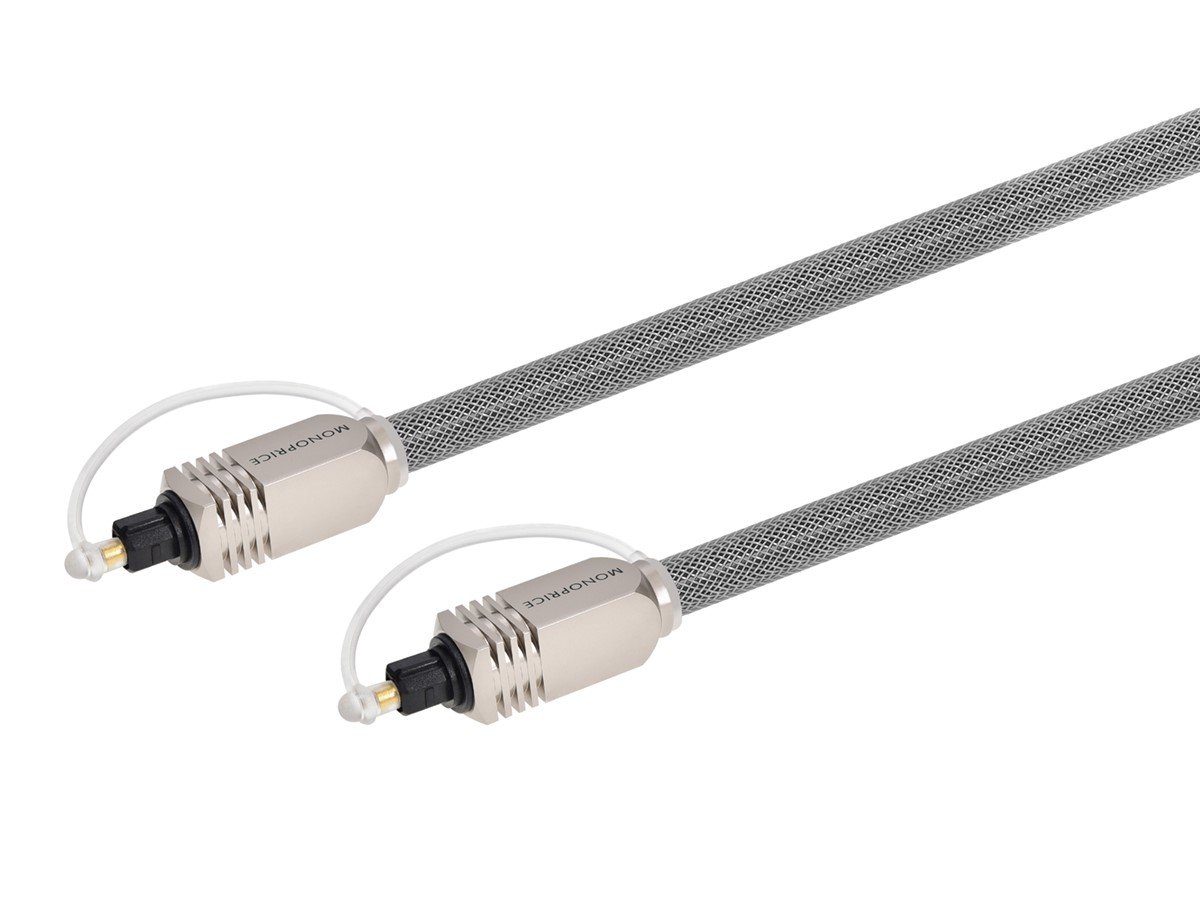
• Excellent sound clarity
• Immune to EMI interference
• No ground loop issues
• Limited durability and flexibility
• Non-rated for in-wall use
• Limited cable length options
• Most Toslink cables are non-rated for in-wall use—use conduit if needed
• Avoid tight bends and sharp angles
• Use protective sleeves in commercial installs
• Clean connectors before plugging in


Copper audio cables are the traditional choice for analog audio systems. They remain popular thanks to their versatility, affordability, and compatibility with a wide range of equipment.
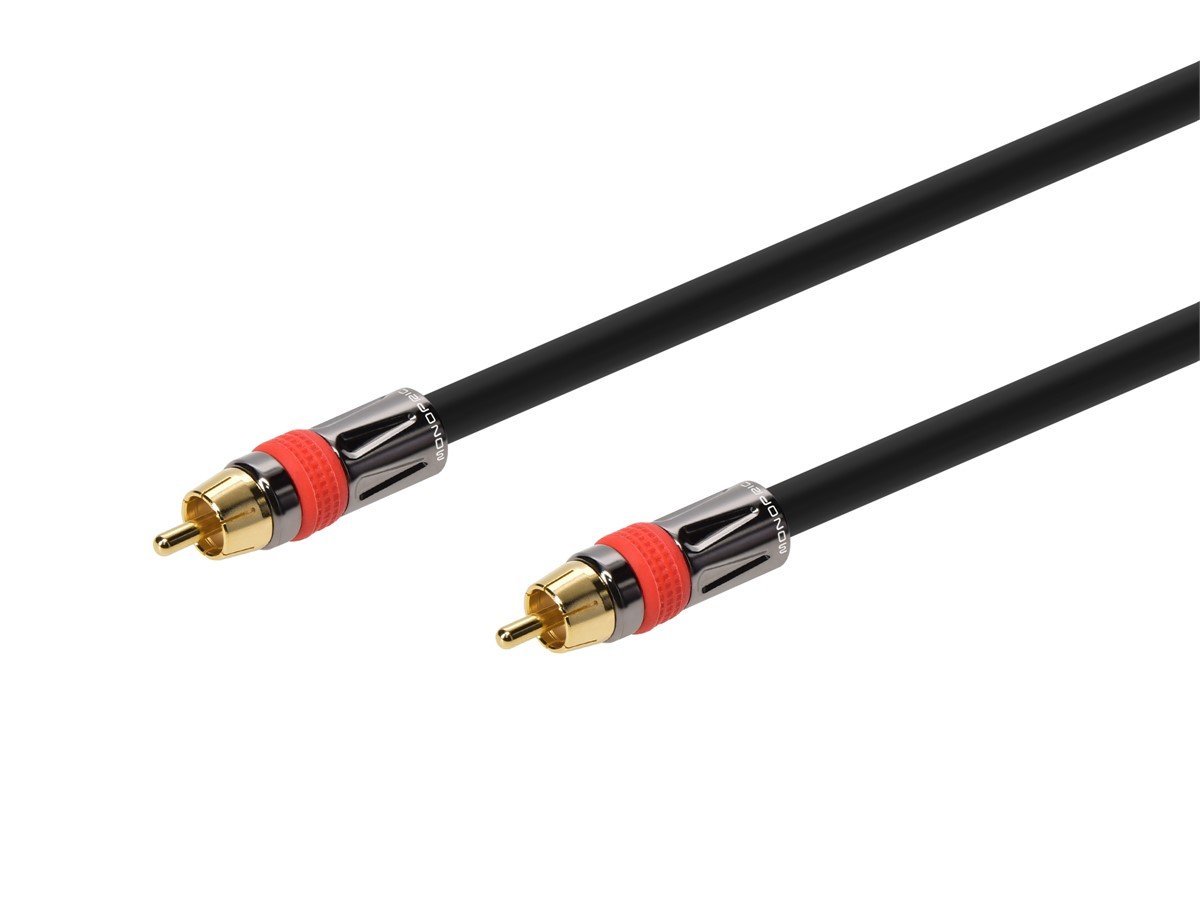
• Versatile and widely compatible
• Can carry both signal and power (for speakers)
• Affordable and easy to source
• Susceptible to noise and interference
• Limited range compared to optical
• Not always fire-rated for in-wall use
• CL2/CL3 speaker wire is safe for in-wall use
• RCA and 3.5mm cables are typically not rated—use conduit if needed
• Use banana plugs or spade terminals for clean speaker connections
• Label speaker wire runs for easy troubleshooting
• Keep analog cables away from power lines to reduce hum

Looking for reliable products you can count on? Discover why Monoprice is the best choice for you:
Corning® Fiber
Our cables feature high-quality Corning® glass fibers, ensuring the best performance for all your networking needs. We carry a variety of cables to choose from.
100% Pure Bare Copper
Our cables feature top-quality pure copper, ensuring the best performance for all your networking needs. We carry a variety of cables to choose from.
Volume Pricing
Enjoy significant savings on wholesale purchases with our competitive volume pricing.
Lifetime Warranty
Every cable comes with a lifetime warranty, giving you peace of mind.
Easy 30-Day Returns
Not completely satisfied? Our hassle-free 30-day return policy has got you covered.
Tech Support
Our expert tech support team is always ready to answer your questions and help you choose the perfect product.
Comprehensive Business Support
Our sales representatives are available via phone or email to assist with custom quotes, and our convenient line of credit can help expand your business procurement.
Trusted Experience
With over 22 years in the business, you can count on Monoprice for quality and reliability.
Deciding between fiber optic vs copper cables ultimately depends on your network goals. Fiber offers unmatched performance and security for data-heavy or long-distance applications, while copper remains a cost-effective, reliable choice for everyday use.
Whichever you choose, Monoprice has you covered with a wide range of fiber optic, copper, HDMI, audio, and network cables—all backed by lifetime warranties, competitive pricing, and expert support.
Explore the full cable catalog today at Monoprice.com to find the perfect fit for your setup.
