

Your Guide to SAS Connectors: Types, Uses, and Advancements
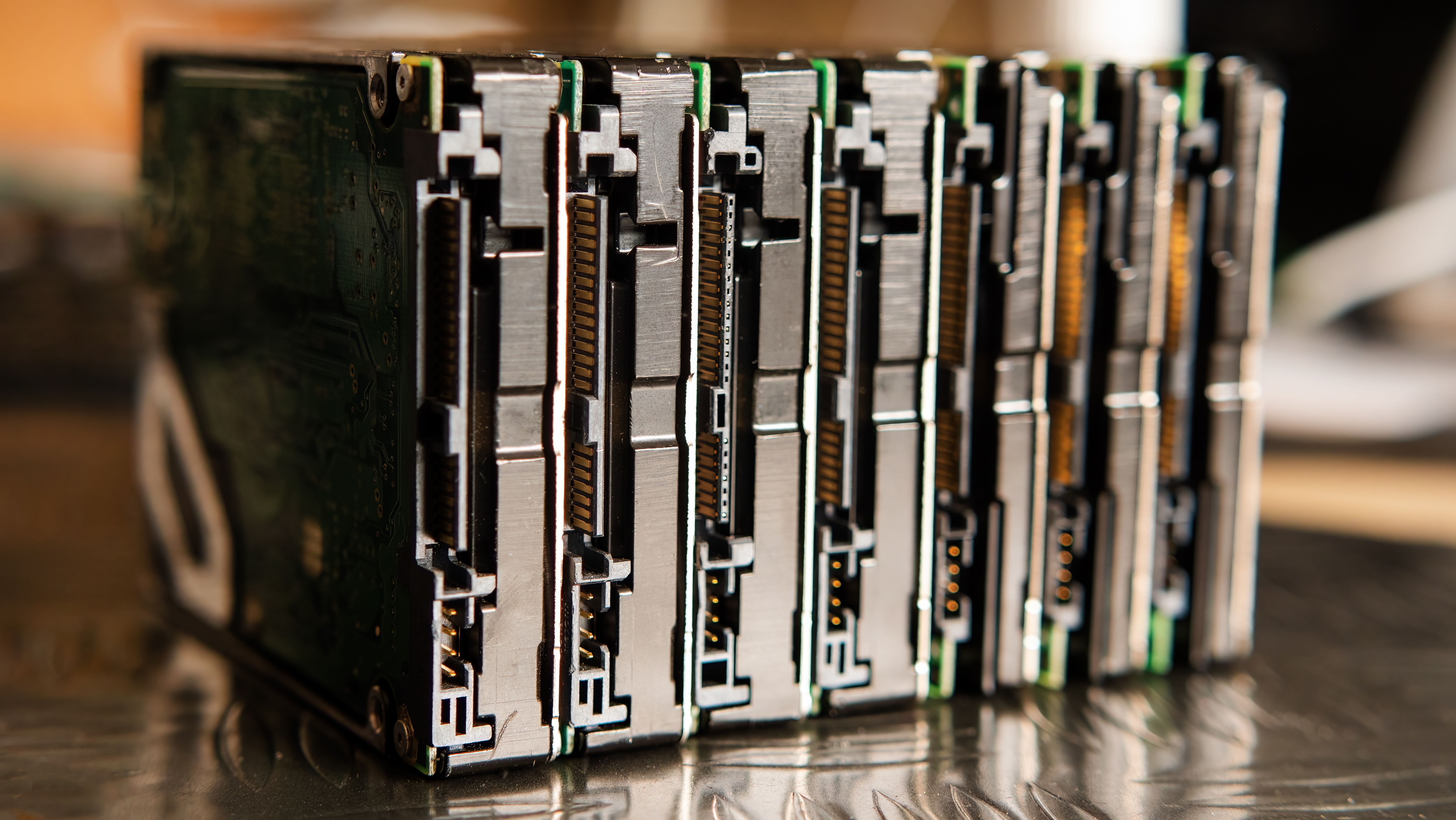
What Are SAS Connectors and Why Do They Matter in Modern Storage?
If you work in IT infrastructure, data centers, or anywhere that large-scale storage is part of the conversation, you have probably come across the term SAS at some point. Serial Attached SCSI, which is what SAS stands for, is a point-to-point serial protocol used to move data between computers and storage devices. It replaced the older parallel SCSI interface and has been a workhorse in enterprise environments for well over a decade. The connectors that make this all work are not a one-size-fits-all deal, and understanding the differences between them can genuinely change how you plan and deploy storage infrastructure. This guide breaks it all down in plain terms so you can make smarter decisions, whether you are managing a rack full of drives or sourcing gear for a new deployment.
The Core SAS Connector Types You Need to Know
There are several distinct SAS connector types, and honestly, it is worth taking a moment to actually map out which generation and form factor you are dealing with before purchasing anything. The most common connector families include SFF-8482, SFF-8087, SFF-8088, SFF-8470, SFF-8643, and SFF-8644. Each one serves a different physical configuration or bandwidth tier. SFF-8482 is the standard drive-side connector used with individual SAS hard drives. SFF-8087 is an internal mini-SAS connector that supports four lanes bundled together, making it efficient for backplane connections. SFF-8088 is the external equivalent of that. SFF-8470 is the older infiniband-style connector, less common now. SFF-8643 and SFF-8644 are the HD mini-SAS connectors designed for SAS-3 speeds, handling 12 Gbps per lane. Knowing which connector maps to your HBA, expander, backplane, or drive shelf is not optional; it is the foundation of a working system.
SAS Generations and Speed Tiers Explained
SAS has gone through multiple generational upgrades, each one doubling throughput. SAS-1 ran at 3 Gbps per lane. SAS-2 pushed that to 6 Gbps. SAS-3, which is what most current enterprise deployments rely on, operates at 12 Gbps per lane. SAS-4 pushes the ceiling to 22.5 Gbps. The generation directly impacts which connectors are compatible and what kind of cabling is required. This is where a lot of people run into issues during upgrades. You might have a SAS-3 HBA using SFF-8643 ports and be trying to connect it to a legacy backplane with SFF-8087 ports. That requires a specific breakout or forward-compatible cable, and not every cable does the job correctly. The physical fit might work, but the electrical performance may not. Always verify generational compatibility before assuming a cable will perform at the speed you need.
Internal vs. External SAS Connectors: Key Differences
The distinction between internal and external SAS connectors matters more than most people realize, especially when designing storage topologies that span multiple enclosures. Internal connectors like SFF-8087 and SFF-8643 are designed for use inside a chassis, connecting things like host bus adapters to drive backplanes. They are compact, cost-efficient, and not built to handle the mechanical stress of external routing. External connectors like SFF-8088 and SFF-8644 have shielding and locking mechanisms designed to handle the demands of inter-chassis cabling. If you are expanding storage across JBODs or connecting a server to an external disk shelf, you need external-rated connectors and cables. Using internal connectors in external applications is not just a performance risk; it is a reliability risk. Connections can degrade or fail, and in a production environment, that is a scenario worth avoiding entirely.
Breakout Cables and Fan-Out Configurations
One of the most practical aspects of SAS cabling is the use of breakout or fan-out cables. A single SFF-8087 or SFF-8643 port on an HBA carries four lanes. A breakout cable splits those four lanes into four individual SAS or SATA connections, each going to a separate drive. This is a space-efficient and cost-effective way to connect multiple drives from a single controller port. Common configurations include SFF-8087 to four SATA right-angle connectors for consumer-grade backplanes, and SFF-8643 to four SFF-8482 connectors for SAS drive connections. Breakout cables save port count on the controller while keeping wiring clean inside the chassis. However, there is a tradeoff. When you break out lanes, each drive only gets one lane of bandwidth, which is fine for spinning media but worth considering for SAS SSDs under heavy load. Plan your topology with actual workload patterns in mind, not just physical convenience.
Key Advantages of SAS Connectivity in Enterprise Storage
SAS has maintained its position in enterprise environments for good reason. The protocol was built with reliability, error correction, and dual-port redundancy baked in. Unlike SATA, which is single-ported and consumer-focused, SAS drives support dual-path access, meaning a single drive can be connected to two separate controllers simultaneously. If one path fails, the other takes over without data loss or interruption. SAS also supports longer cable runs than SATA and offers better error handling at the protocol level. For workloads that demand consistent performance and uptime, SAS remains a highly capable and mature solution. Add in the ability to daisy-chain expanders and support hundreds of drives from a single HBA port, and it becomes clear why large storage deployments still rely heavily on this ecosystem even as NVMe adoption grows.
Common Drawbacks and Limitations Worth Acknowledging
SAS is not without its limitations. Cost is the most immediate factor. SAS drives, HBAs, and certified cabling tend to carry a price premium over SATA equivalents. For smaller deployments where redundancy is less critical, that premium can be hard to justify. SAS also requires more planning and hardware knowledge than plug-and-play consumer storage. Connector compatibility, lane mapping, and generational interoperability all demand attention during the design phase. Another consideration is that NVMe over Fabrics is increasingly taking workloads that SAS once owned in high-performance environments. For latency-sensitive applications, NVMe-based storage solutions are pulling ahead. That said, SAS still holds strong for capacity-dense storage, archival workloads, and environments where mature, proven infrastructure is a priority over cutting-edge throughput.
Tech Advancements Shaping the Future of SAS Connectivity
The SAS ecosystem has not been standing still. SAS-4 at 22.5 Gbps per lane is a significant step forward, and while adoption is still building, the groundwork is being laid for its integration into next-generation storage platforms. Connector form factors are also evolving. The industry has been working to integrate SAS and NVMe under unified physical interfaces, which is part of what makes platforms like SAS-4 and developments within the SCSI Trade Association relevant to watch. Additionally, cable quality and signal integrity technology has advanced considerably. Higher-quality shielding, tighter impedance control, and improved connector materials are making it possible to push SAS-3 and SAS-4 speeds reliably over longer distances. For IT decision-makers, this means the infrastructure investments made today in SAS hardware and cabling can support performance headroom well into the future without requiring a full platform overhaul.
Why Monoprice Belongs in Your SAS Infrastructure Conversation
When you are sourcing SAS cables, breakout assemblies, or associated data center accessories, the quality of the cable matters as much as the quality of the equipment it connects. Monoprice has built a reputation as a trusted supplier for IT professionals and integrators who need performance without the inflated price tags that often come with enterprise-tier accessories. Whether you need internal mini-SAS cables for a backplane connection or external HD mini-SAS assemblies for cross-chassis storage expansion, the product selection is broad, well-documented, and built to meet real-world deployment needs. If you are ready to explore reliable, cost-effective SAS cabling options and other data center connectivity solutions, browsing the full catalog of enterprise SAS cables and storage connectivity solutions at Monoprice is a practical next step for any IT professional or procurement team looking to stretch infrastructure budgets without cutting corners on performance or reliability.
Frequently Asked Questions About SAS Connectors
What does SAS stand for in storage technology?
SAS stands for Serial Attached SCSI. It is a point-to-point serial interface protocol used to connect storage devices such as hard drives and SSDs to host systems in enterprise and data center environments.
What is the difference between SAS and SATA connectors?
SAS connectors support higher throughput, dual-port redundancy, and longer cable runs compared to SATA. SATA is a single-ported, consumer-grade interface, while SAS is designed for enterprise reliability and higher workload demands.
Can SAS cables connect to SATA drives?
SAS controllers are generally backward compatible with SATA drives using appropriate breakout cables or adapters, but SATA controllers cannot connect to SAS drives. Compatibility depends on the specific HBA and cable configuration being used.
What is an SFF-8643 connector used for?
SFF-8643 is an internal HD mini-SAS connector designed for SAS-3 deployments running at 12 Gbps per lane. It is commonly used to connect host bus adapters to drive backplanes inside server chassis.
What is the maximum speed of a SAS-3 connection?
SAS-3 supports a transfer rate of 12 Gbps per lane. In a four-lane configuration, this results in an aggregate bandwidth of up to 48 Gbps, making it well-suited for high-throughput storage workloads.
What is a SAS breakout cable and when should I use one?
A SAS breakout cable splits a single multi-lane SAS port into multiple individual connections, typically four. It is used when connecting multiple drives or SATA devices from a single HBA port to maximize port efficiency inside a chassis.
Are SAS connectors hot-swappable?
Yes, SAS drives and their connectors support hot-swapping in properly configured enclosures. This allows drives to be replaced or added while the system remains operational, which is a key advantage in enterprise storage deployments.
What is the difference between SFF-8087 and SFF-8643?
SFF-8087 is a mini-SAS connector used in SAS-1 and SAS-2 environments at up to 6 Gbps per lane. SFF-8643 is the HD mini-SAS connector designed for SAS-3 at 12 Gbps per lane. They are not directly interchangeable without an appropriate adapter cable.
How do I know which SAS connector my HBA uses?
Refer to the HBA manufacturer's datasheet or product specifications. The connector type, SAS generation, and port configuration are typically listed under physical interface specifications. Matching connector type and generation to your backplane is essential for correct operation.
Is SAS being replaced by NVMe?
NVMe is gaining ground in latency-sensitive, high-performance workloads, but SAS remains relevant for capacity-dense storage, archival systems, and environments where dual-port redundancy and mature infrastructure are priorities. Both technologies serve different use cases in modern data centers.


